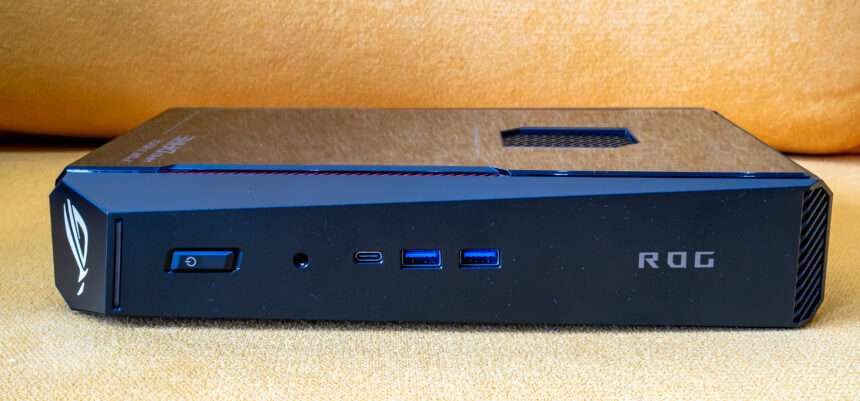
The gaming PC market has always involved a compromise between performance and size. Traditional desktop PCs offer excellent performance and upgradeability, but they can take up a significant amount of space. Gaming laptops solve the portability problem, but they sacrifice desktop-class cooling, connectivity and upgrade flexibility. ASUS is taking a different approach with the ROG NUC 16, a compact gaming desktop designed to deliver high-end gaming performance in a remarkably small chassis.
Despite its compact size, the ROG NUC 16 can be configured with an Intel Core Ultra 9 290HX processor and up to an NVIDIA GeForce RTX 5080 Laptop GPU with 16GB of GDDR7 memory. ASUS also offers RTX 5070 Ti and RTX 5060 configurations, giving users several performance levels to choose from. Today our review unit will be base on RTX 5080 Laptop GPU with 16GB of GDDR7 memory.
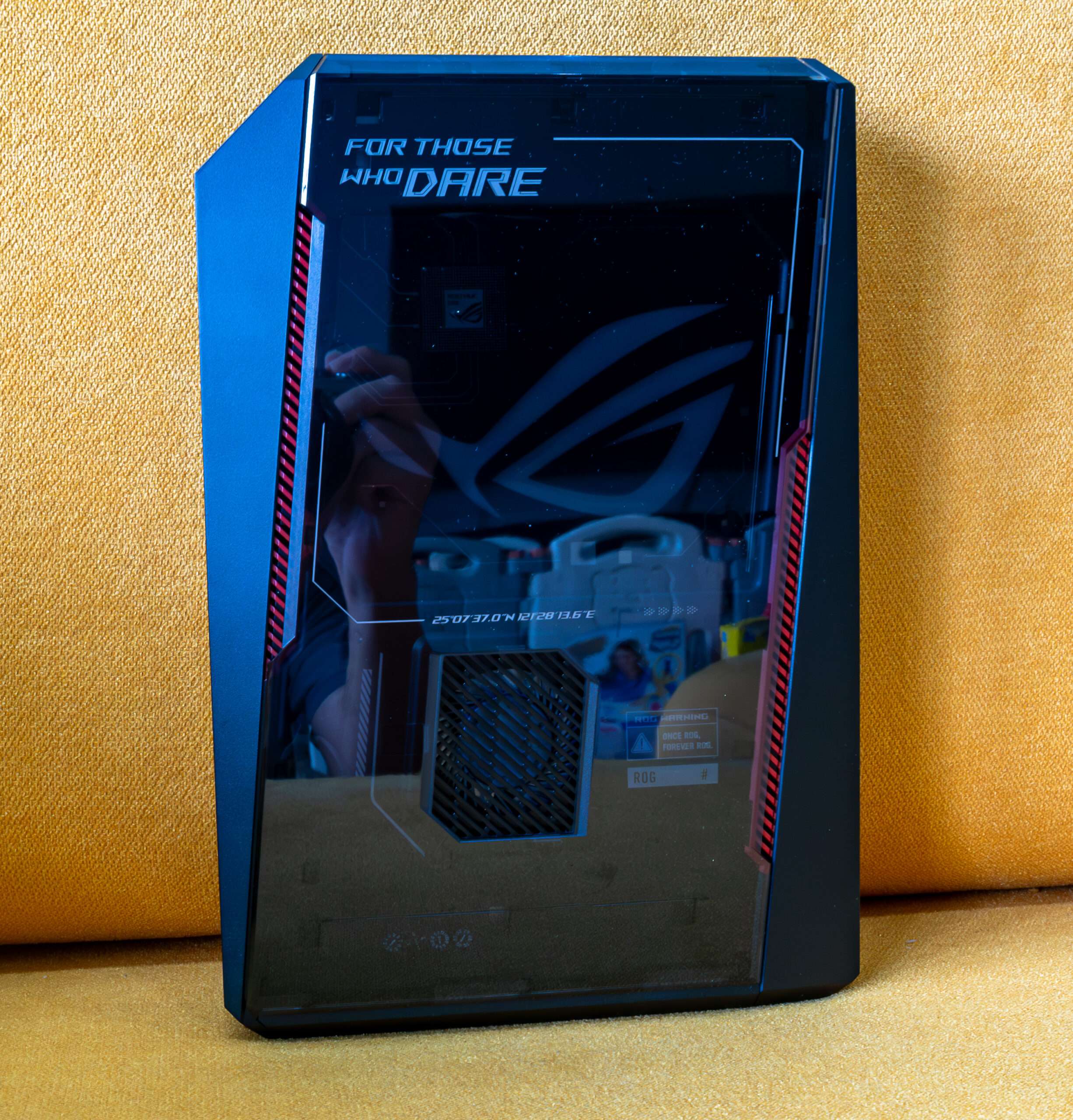
The side panel is one of the most eye-catching design elements of the ASUS ROG NUC 16. ASUS uses a transparent panel that allows the large ROG logo to become the visual centerpiece of the system. The logo is illuminated with RGB lighting, giving the mini PC a distinctive gaming appearance without requiring an oversized chassis.
| Specifications | |
| Processor | Intel Core Ultra 9 290HX PLUS [foundry TSMC] |
| Chipset | Intel HM870 |
| Graphics | Intel Arc Xe LPG – 64 xe cores |
| Secondary Graphics | Nvidia GeForce RTX 5080 Laptop 16GB DDR7 |
| RAM | Micron MTC8C1084S1VC54BD1 32Gb DDR5 6400MT [Dual Channel] |
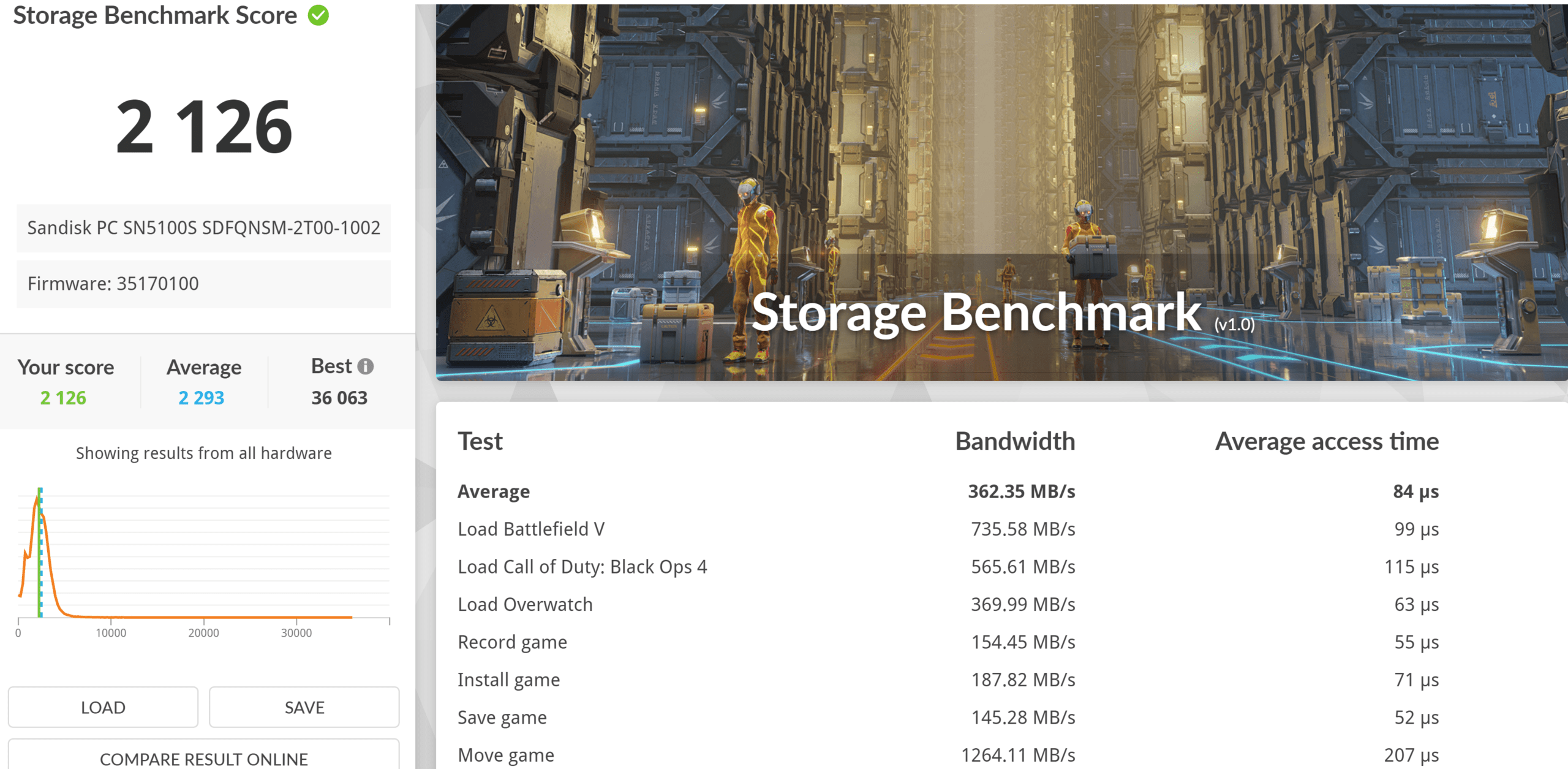
| Storage | Sandisk PC SN5100S 2TB PCIE 5.0 NVME M.2 |
| Wireless | Intel Killer BE1750x WIFI 7 / Bluetooth 6 |
| LAN | Realtek RTL8125D 2.5Gbps |
| Audio | Realtek ALC 3342 |
| Weight | 3.2KG |
ASUS equips the ROG NUC 16 with a triple-fan cooling system, using two large 102 × 102 × 17mm fans and one fan on the transparent side. This is quite impressive for a mini gaming PC, as larger fans can move more air while keeping fan speeds and noise under control. The transparent side of the ASUS ROG NUC 16 is not just there for aesthetics. Behind the panel, ASUS uses a Foxconn PVB070B05H cooling fan, which is clearly visible through the transparent section of the chassis.
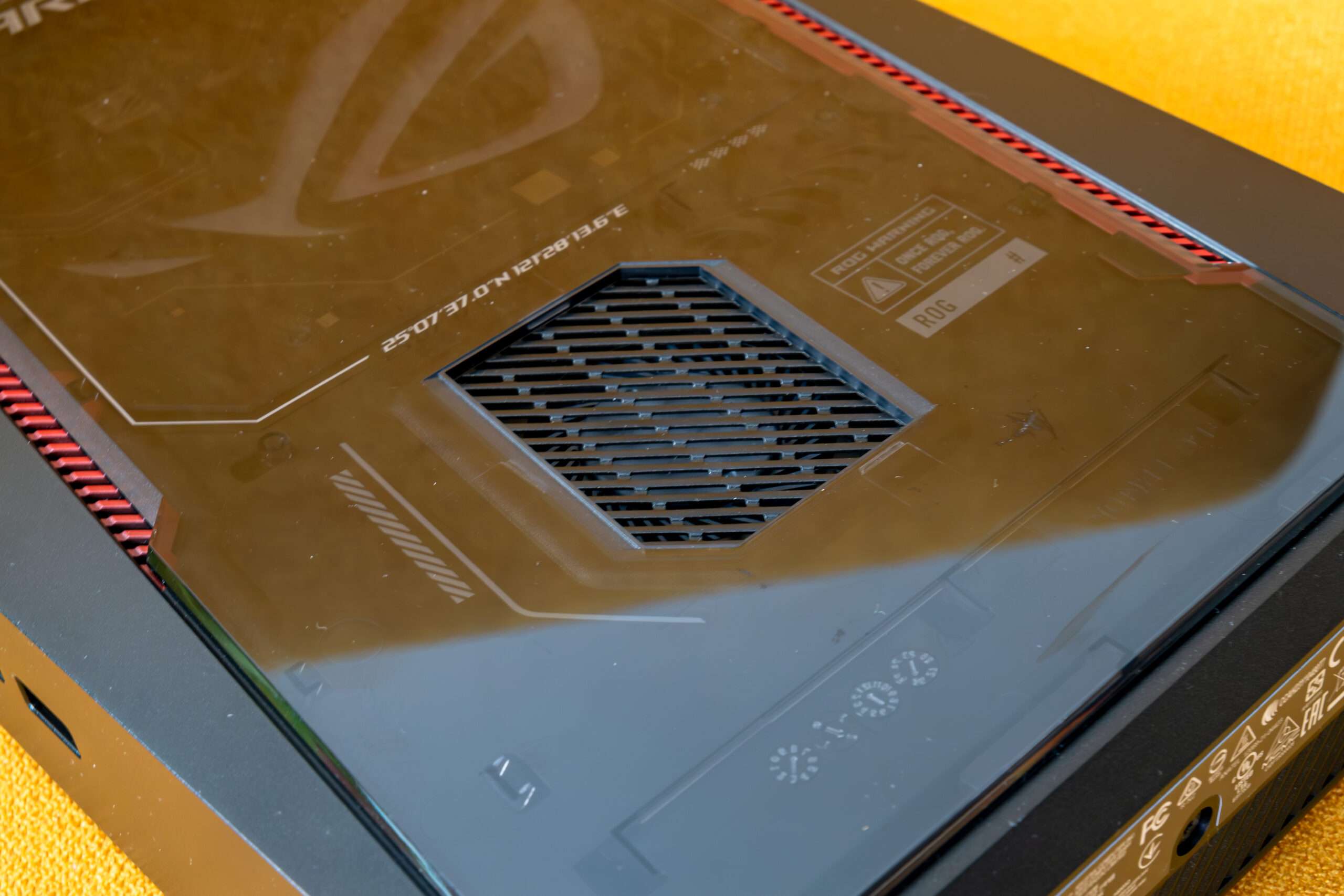
The Foxconn PVB070B05H is rated at 5V and 0.65A and uses a 4-pin connector, allowing the system to control the fan speed according to the thermal load.
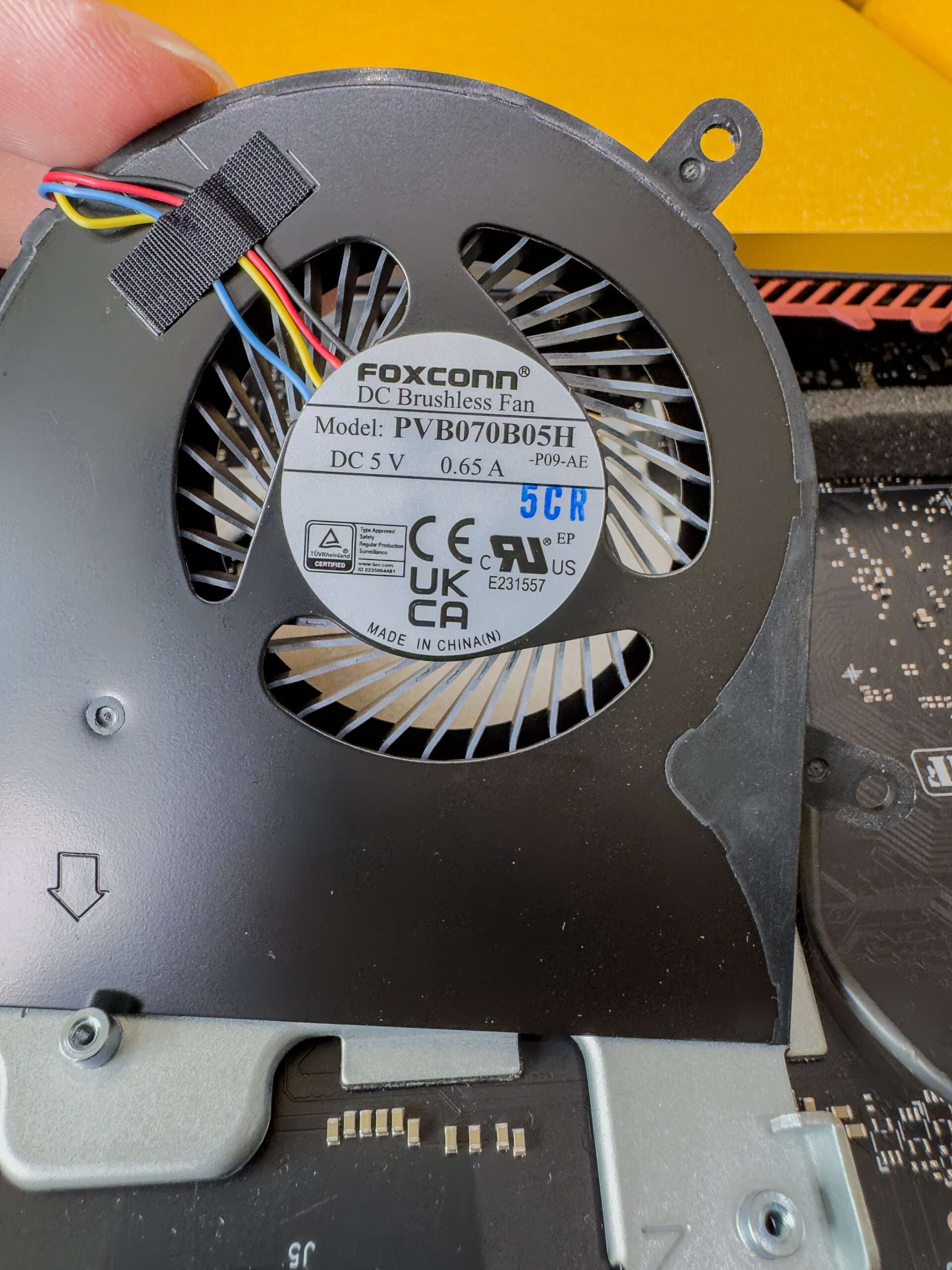
The top of the chassis features a large ventilation area designed to allow hot air to escape from the system. 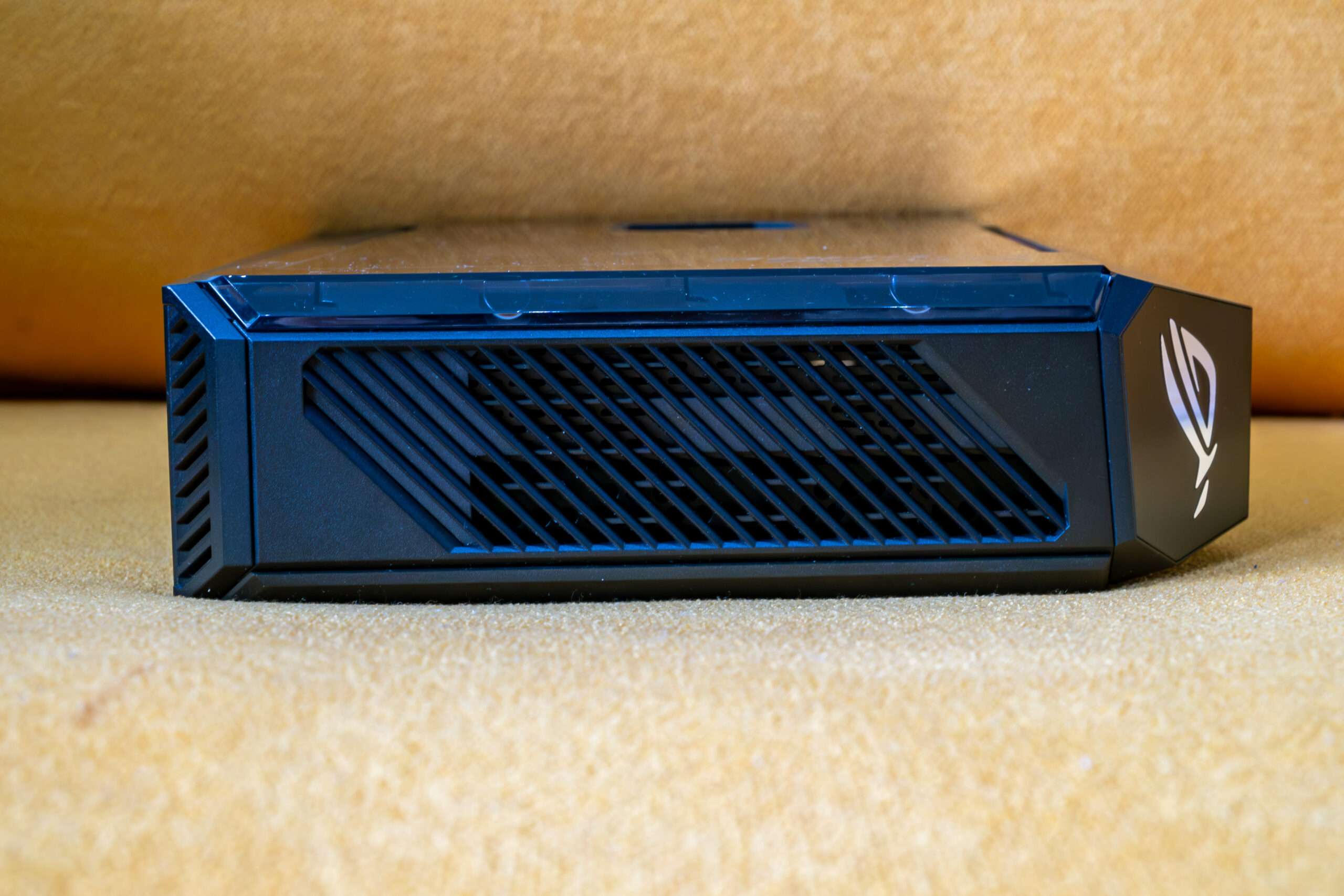
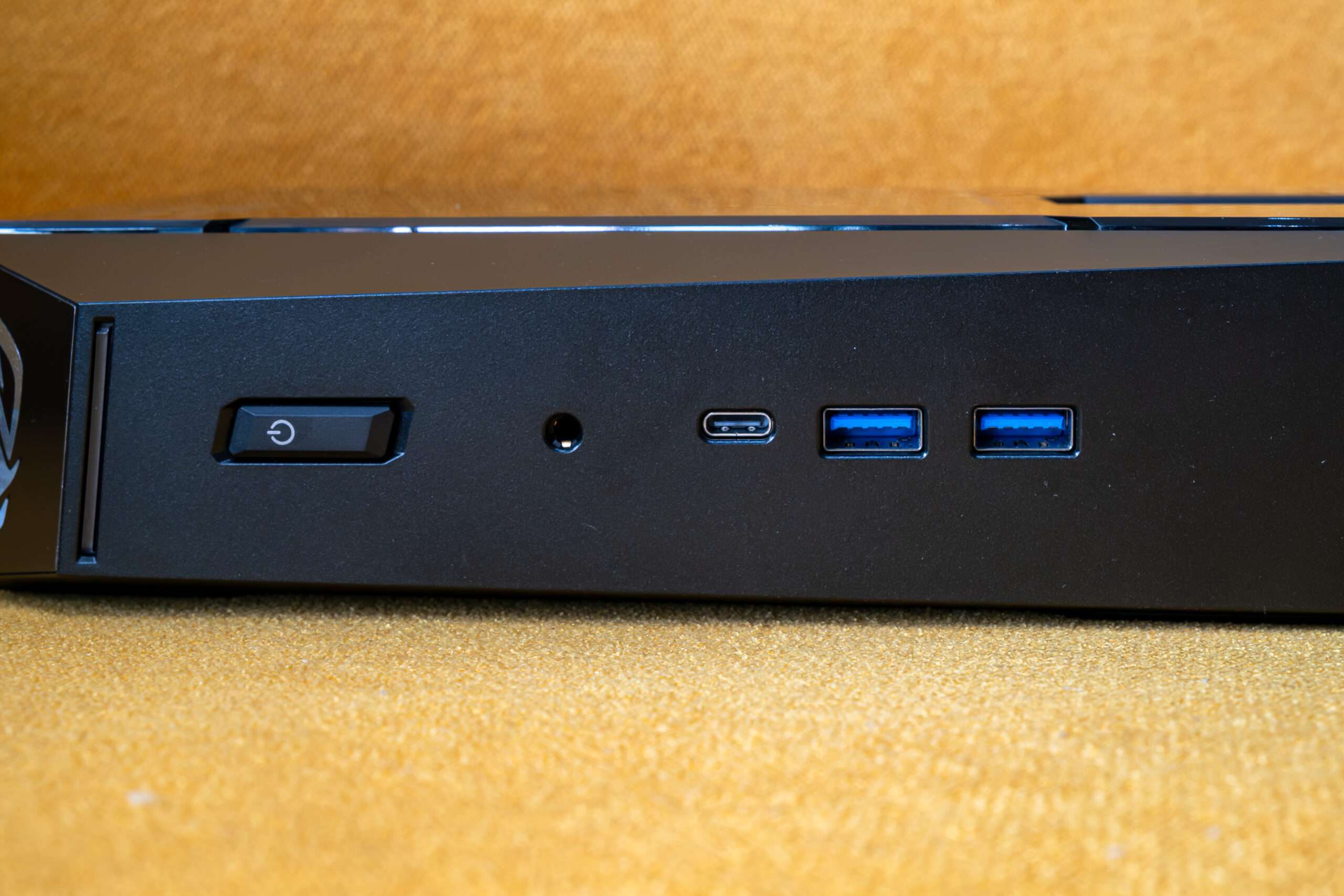
The front panel includes:
- 2 × USB 3.2 Gen 2 Type-A — up to 10Gbps
- 1 × USB 3.2 Gen 2 Type-C — up to 20Gbps
- 1 × 3.5mm Combo Audio Jack — headphone and microphone
The front Type-C port is particularly useful for connecting modern USB-C peripherals, external SSDs and other high-speed devices. ASUS specifies the Type-C port at 20Gbps, while the two Type-A ports support 10Gbps.
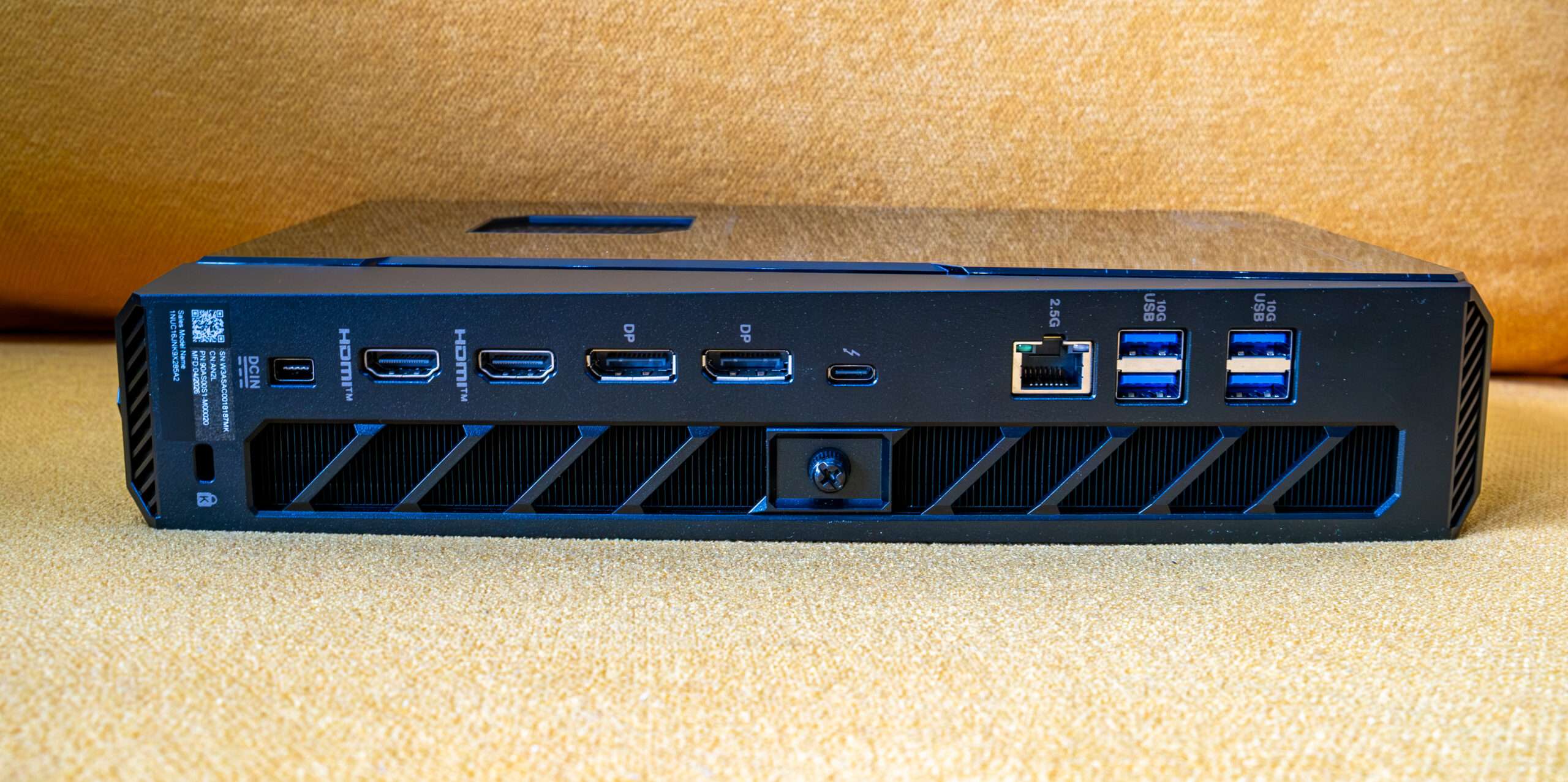
The rear panel provides considerably more connectivity:
- 1 × Thunderbolt 4 USB Type-C
- DisplayPort 2.1 support
- High-speed data transfer
- 4 × USB 3.2 Gen 2 Type-A
- Up to 10Gbps
- 2 × HDMI 2.1 FRL
- 2 × DisplayPort 2.1
- 1 × RJ45 2.5Gb Ethernet
- 1 × DC-in power connector
- 1 × Kensington Lock
This gives the ROG NUC 16 a total of 7 USB ports — three on the front/side and four on the rear, plus the Thunderbolt 4 Type-C port.
The HDMI 2.1 ports also support 4K at 120Hz and 8K at 60Hz, making the ROG NUC 16 suitable not only for gaming monitors but also high-resolution TVs. It’s can support up to five 4K displays through its HDMI 2.1, DisplayPort 2.1 and Thunderbolt 4 connections
Dismantle Component
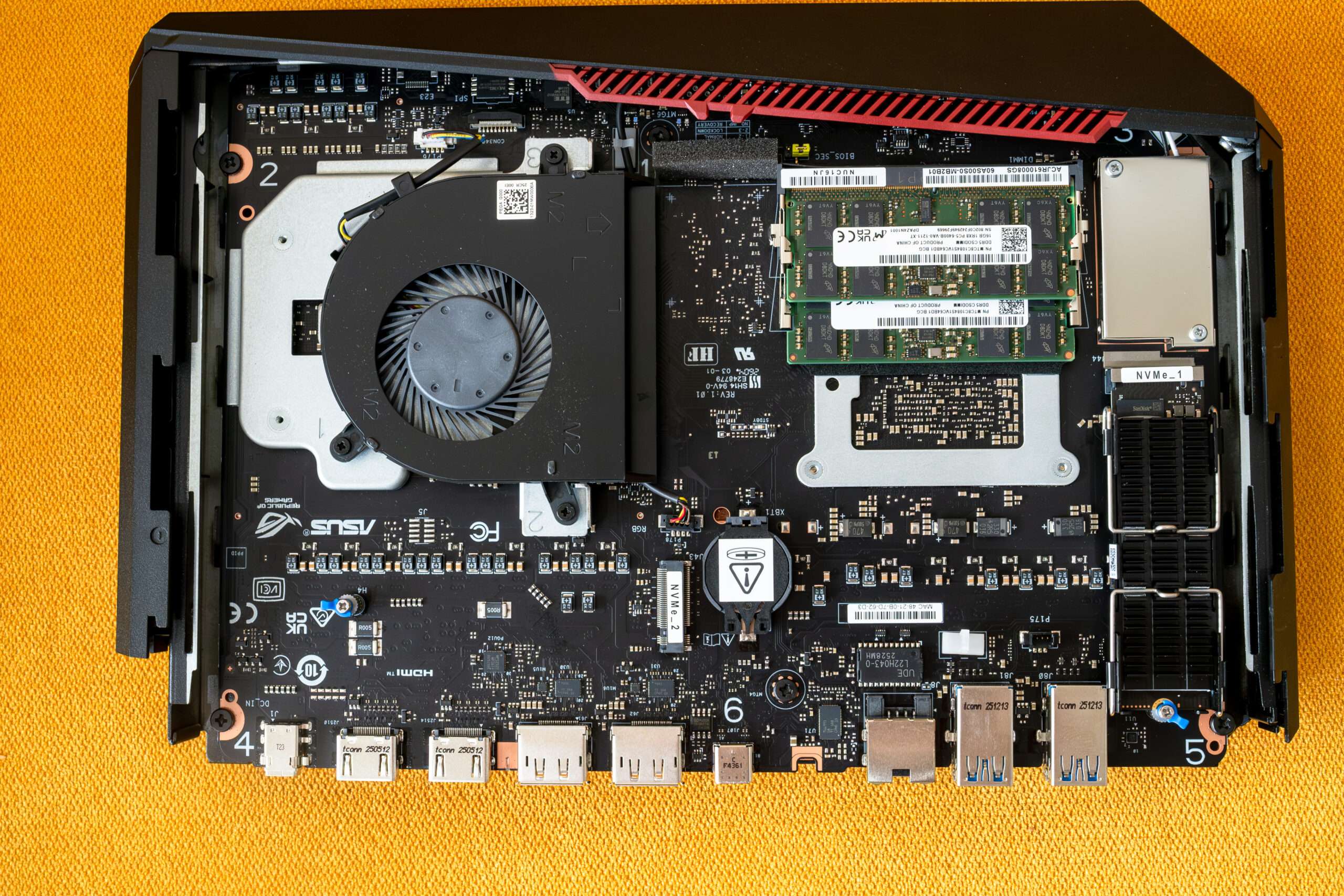
One of the advantages of the ASUS ROG NUC 16 is that the chassis is relatively easy to open, giving users convenient access to the internal hardware. This is particularly useful for enthusiasts who want to upgrade the system rather than being locked into the original configuration.
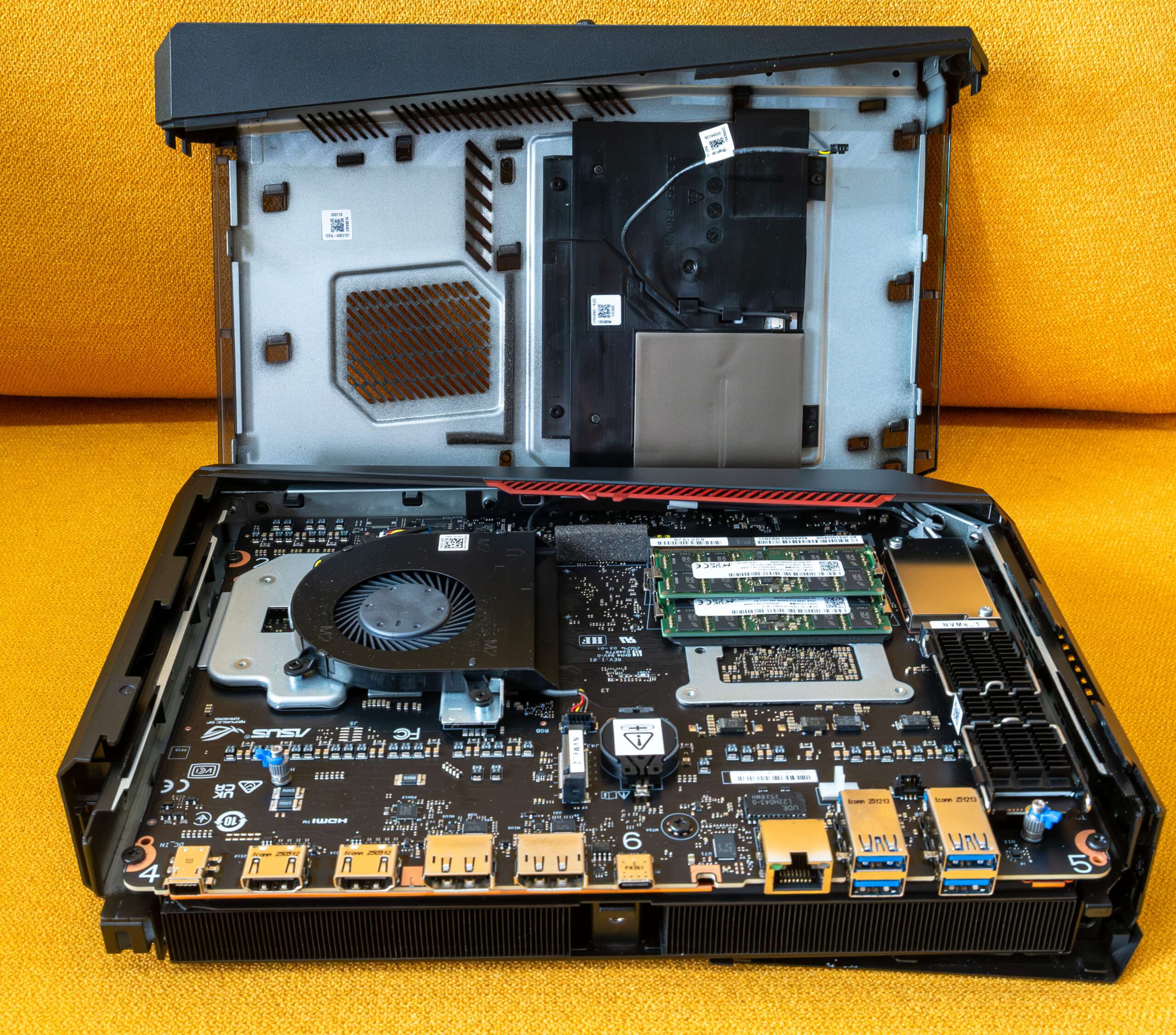
The internal layout is also neatly organized, which is important considering how compact the ROG NUC 16 is.
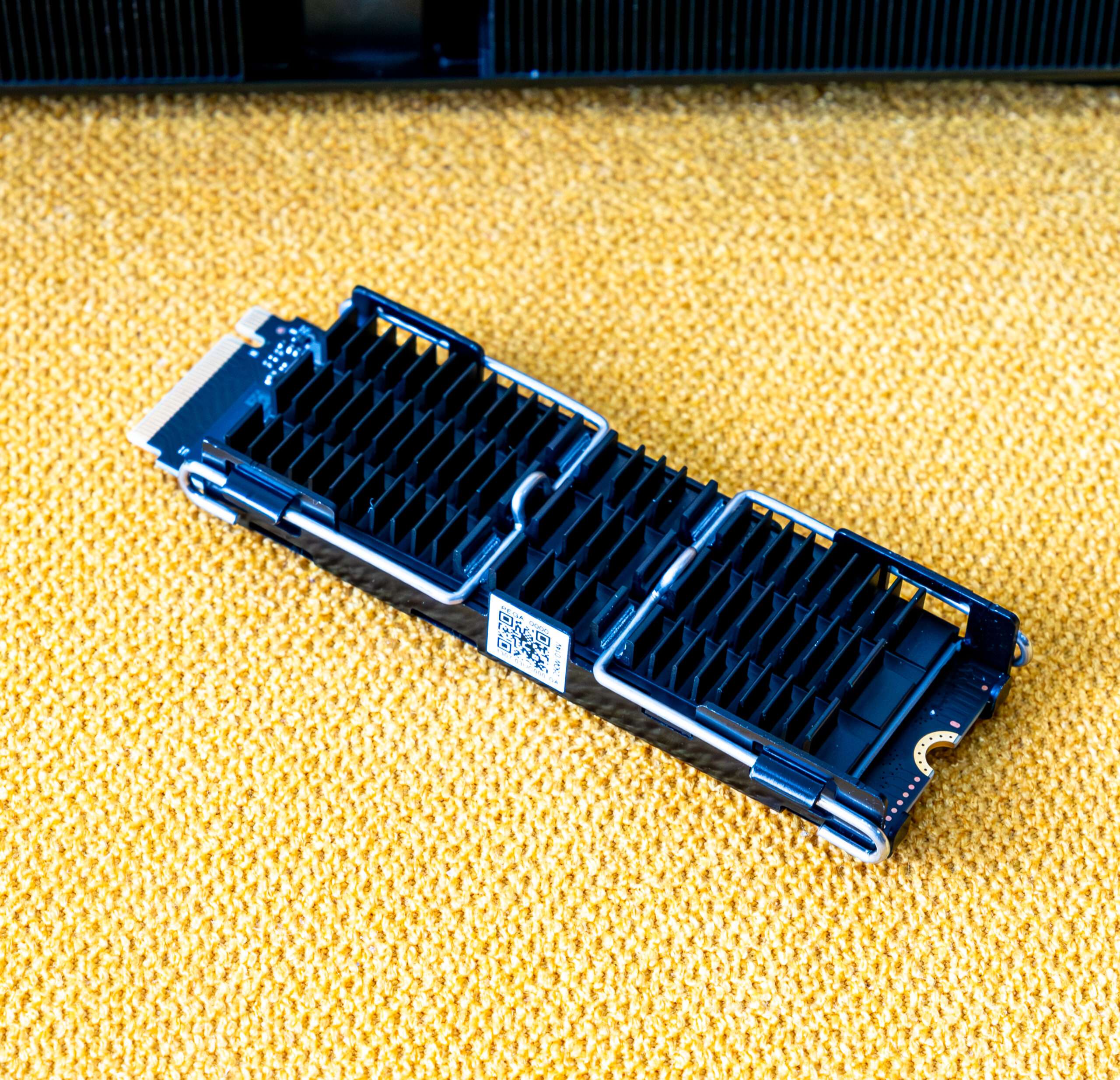
Huge heatsink installed on top of the SanDisk PC SN5100S 2TB PCIe 5.0 NVMe drive.
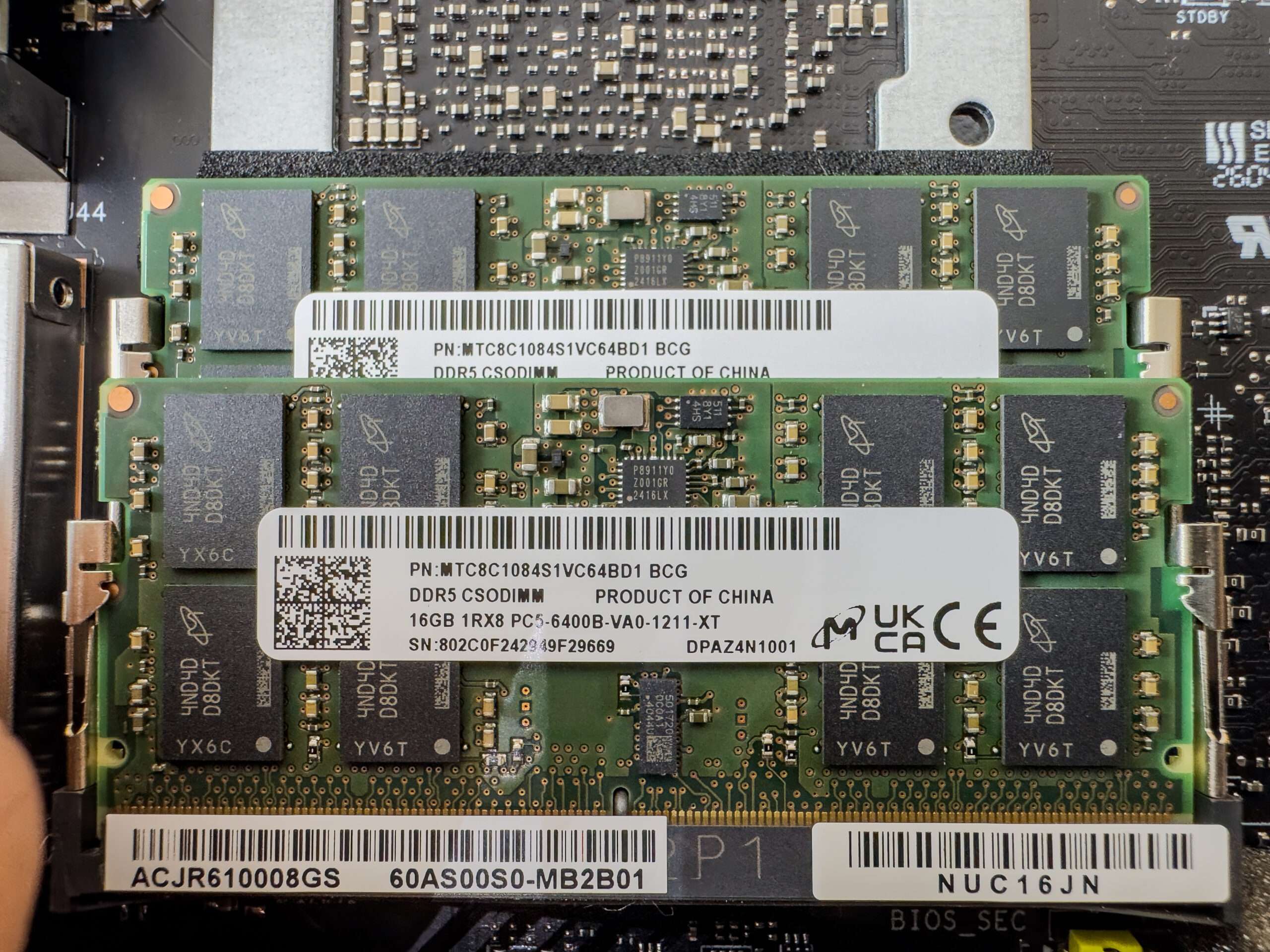
Dual-Channel Micro 32Gb 16×2 DDR5 6400MT/s
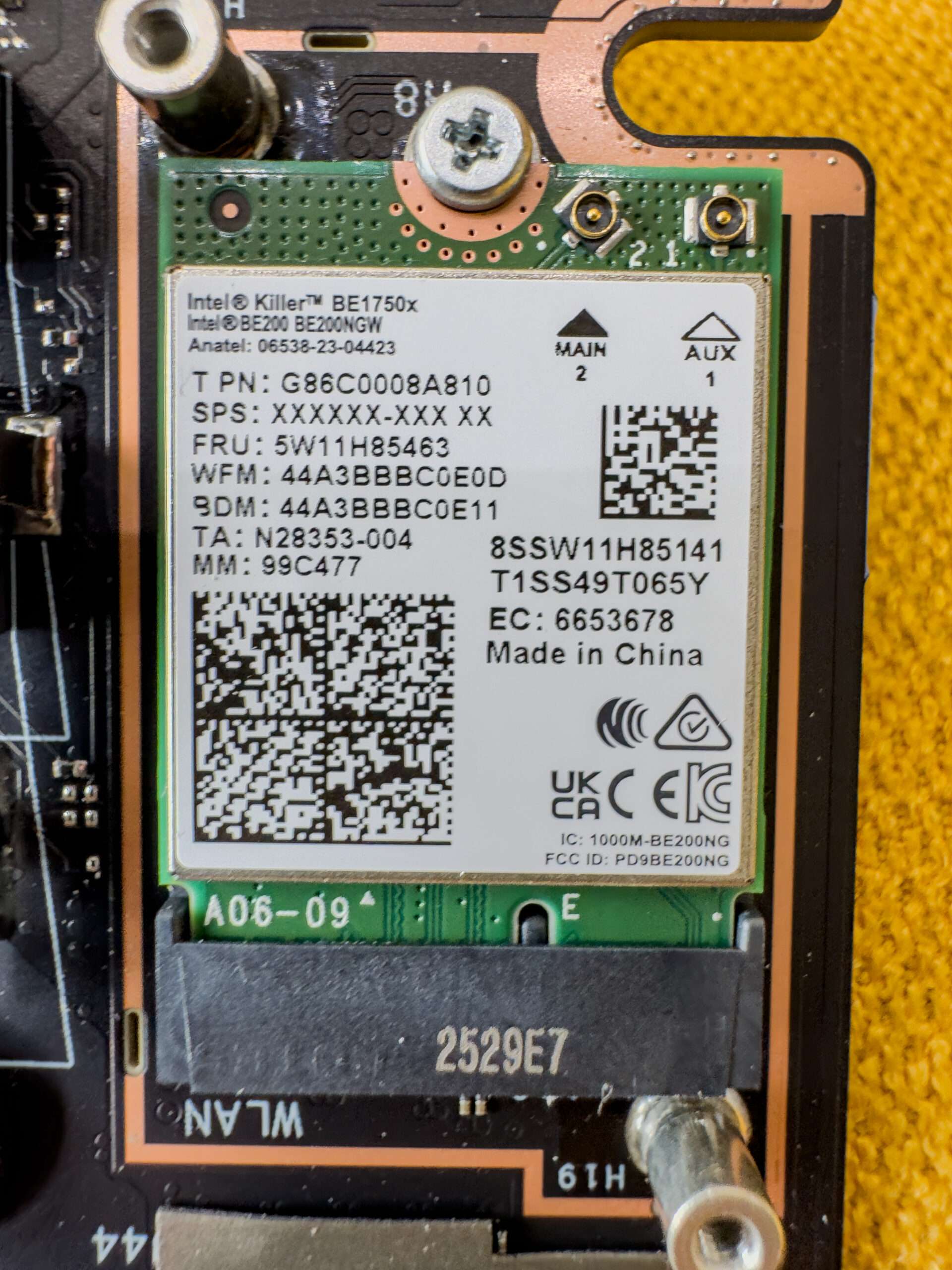
Intel Killer BE1750x WIFI 7 Tri-band with Bluetooth 6.0 – MLO Support
The three fans work together with ASUS’s QuietFlow cooling system design also helps distribute heat efficiently and allows the system to maintain performance during demanding gaming sessions.
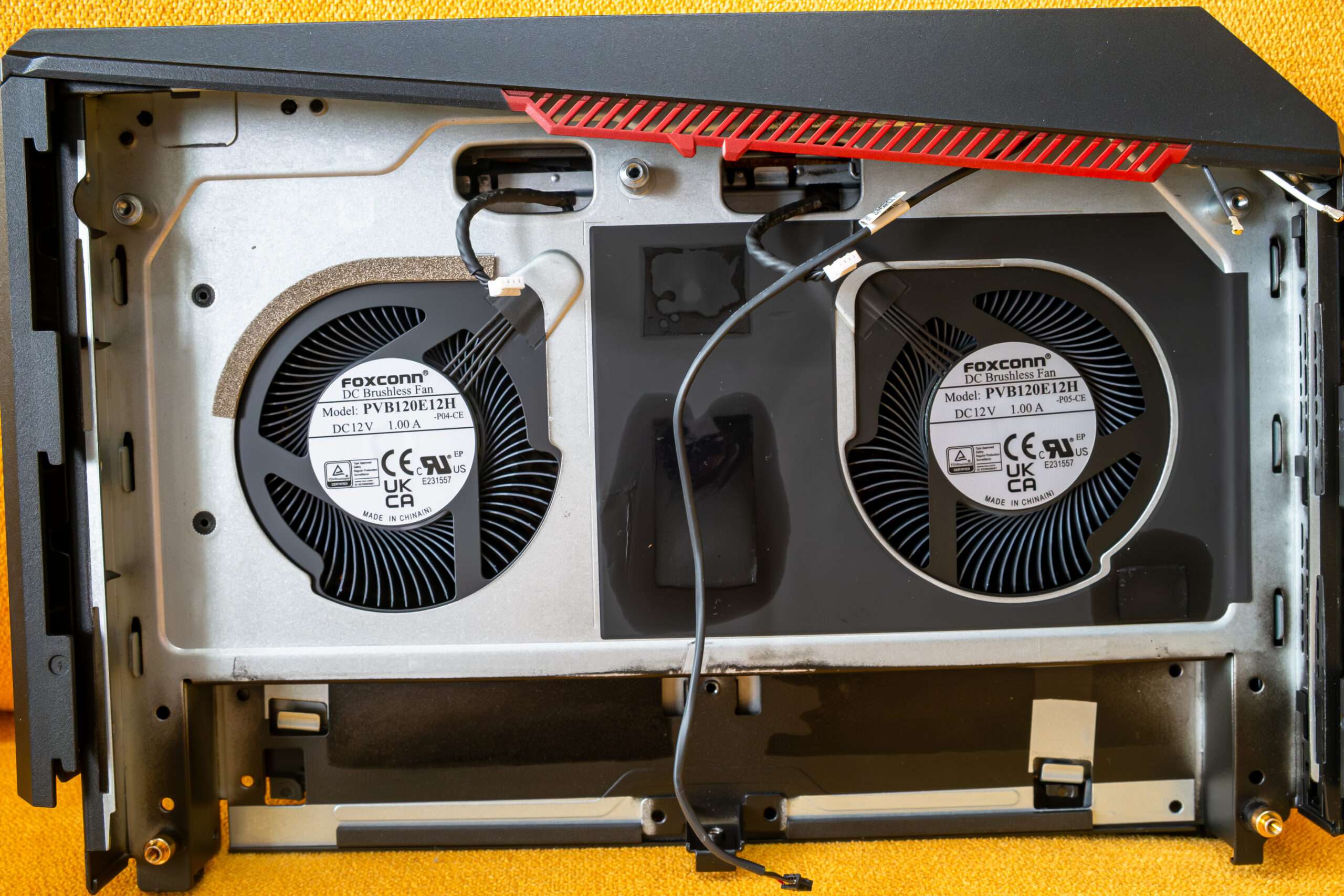
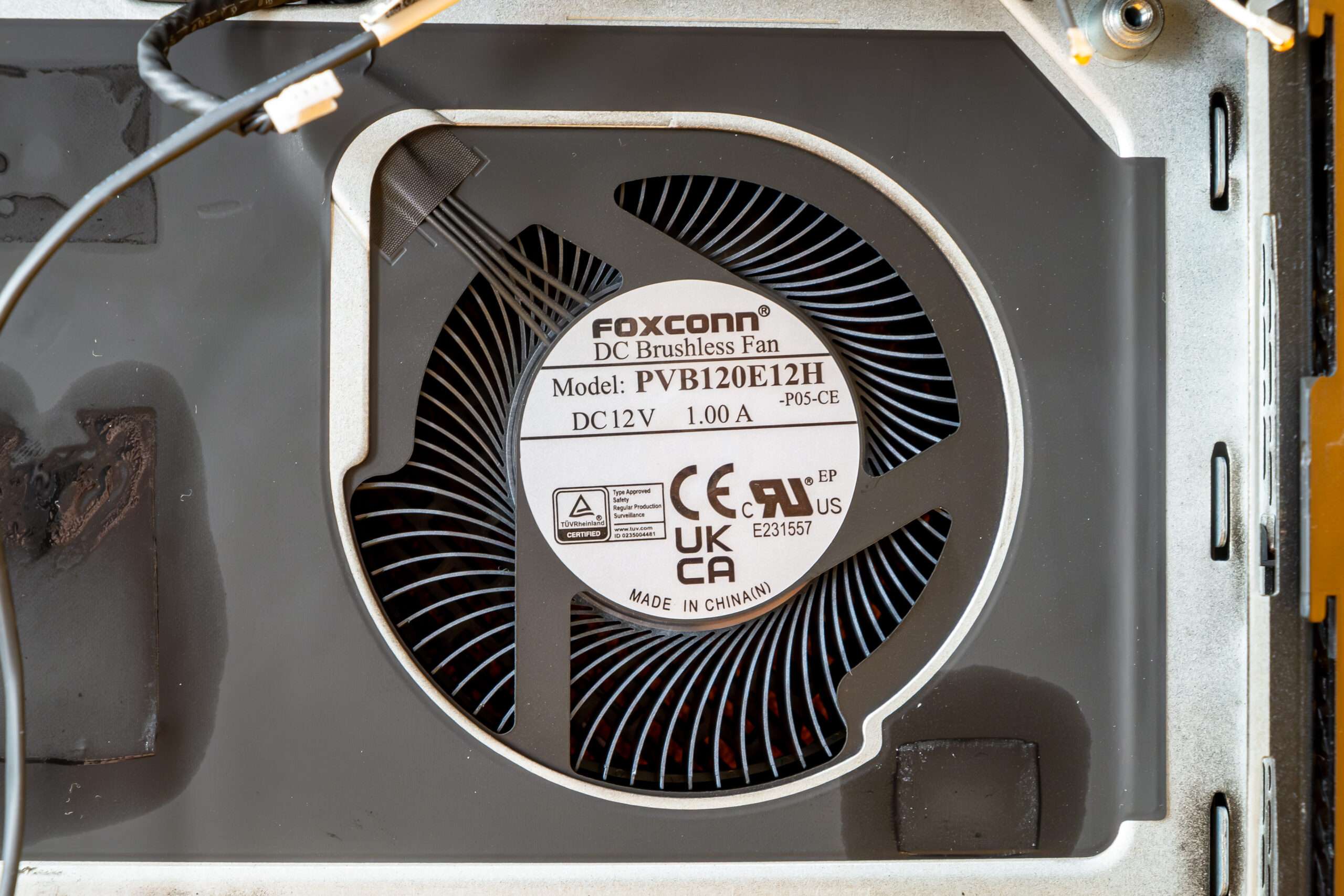
Two Foxconn PVB120E12H is rated at 12V and 1.0A and uses a 4-pin connector, allowing the system to control the fan speed according to the thermal load.
A huge dual vapor-chamber design and dedicated heatsinks for the CPU and GPU. The design helps distribute heat efficiently and allows the system to maintain performance during demanding gaming sessions.
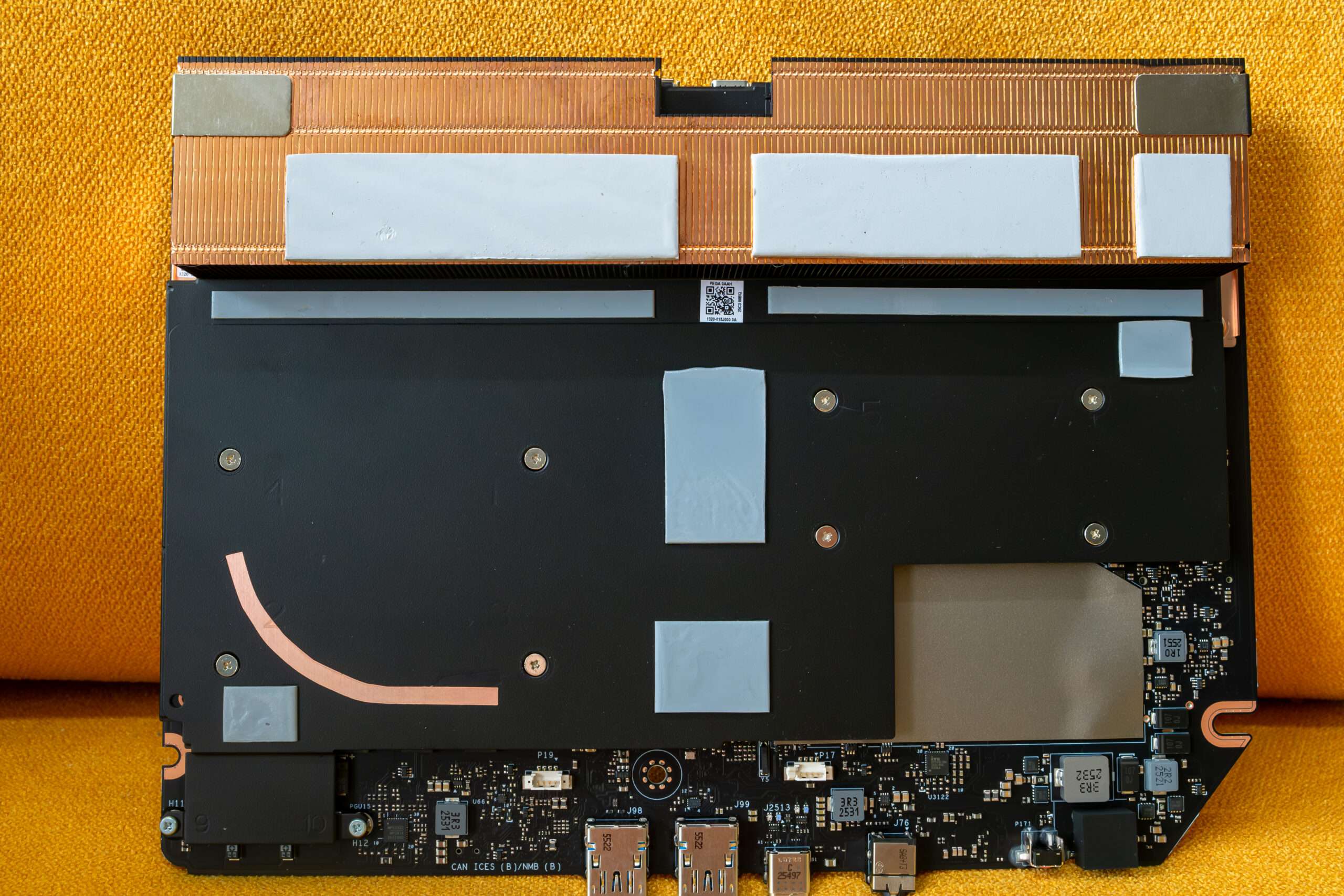
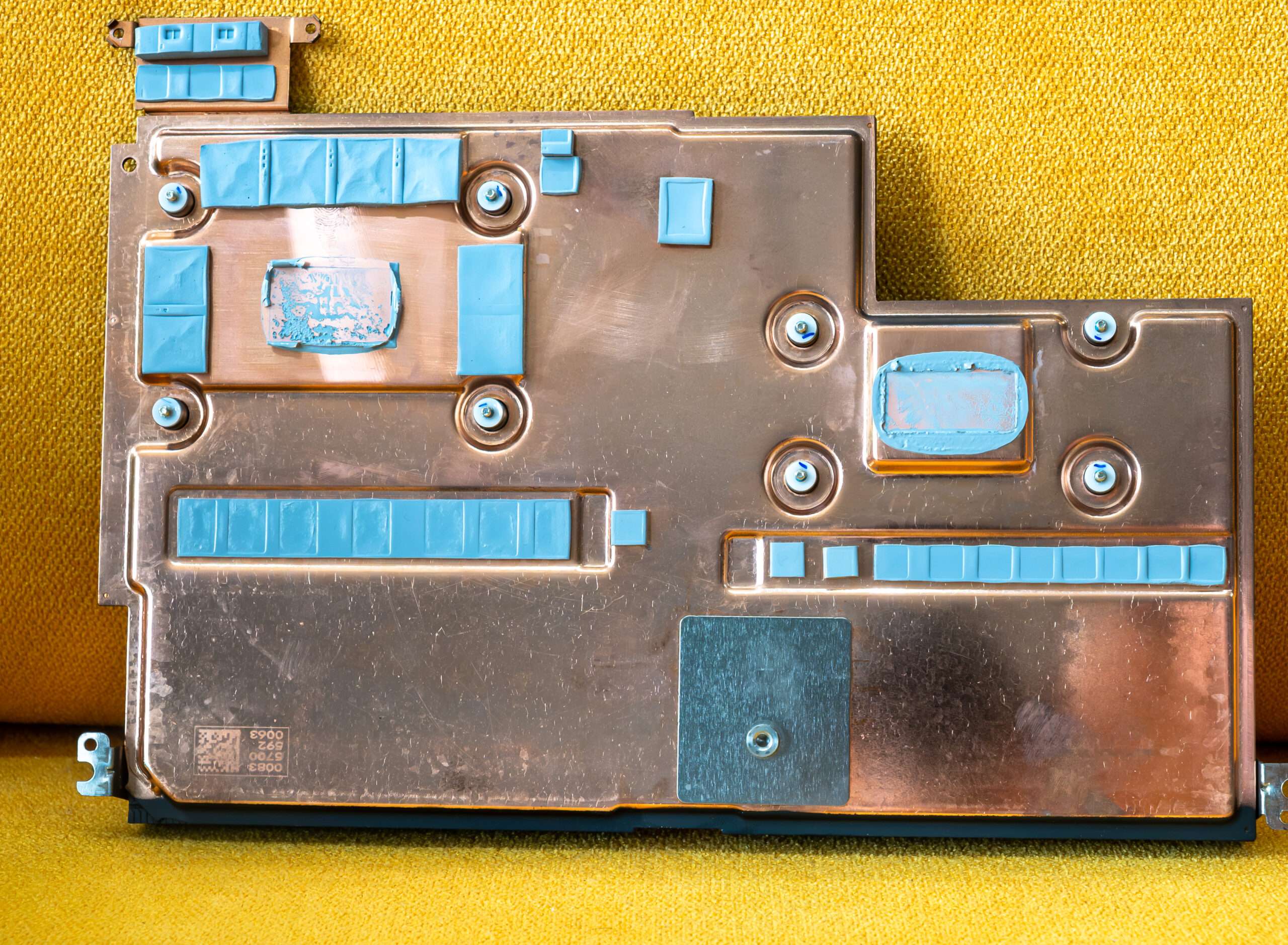
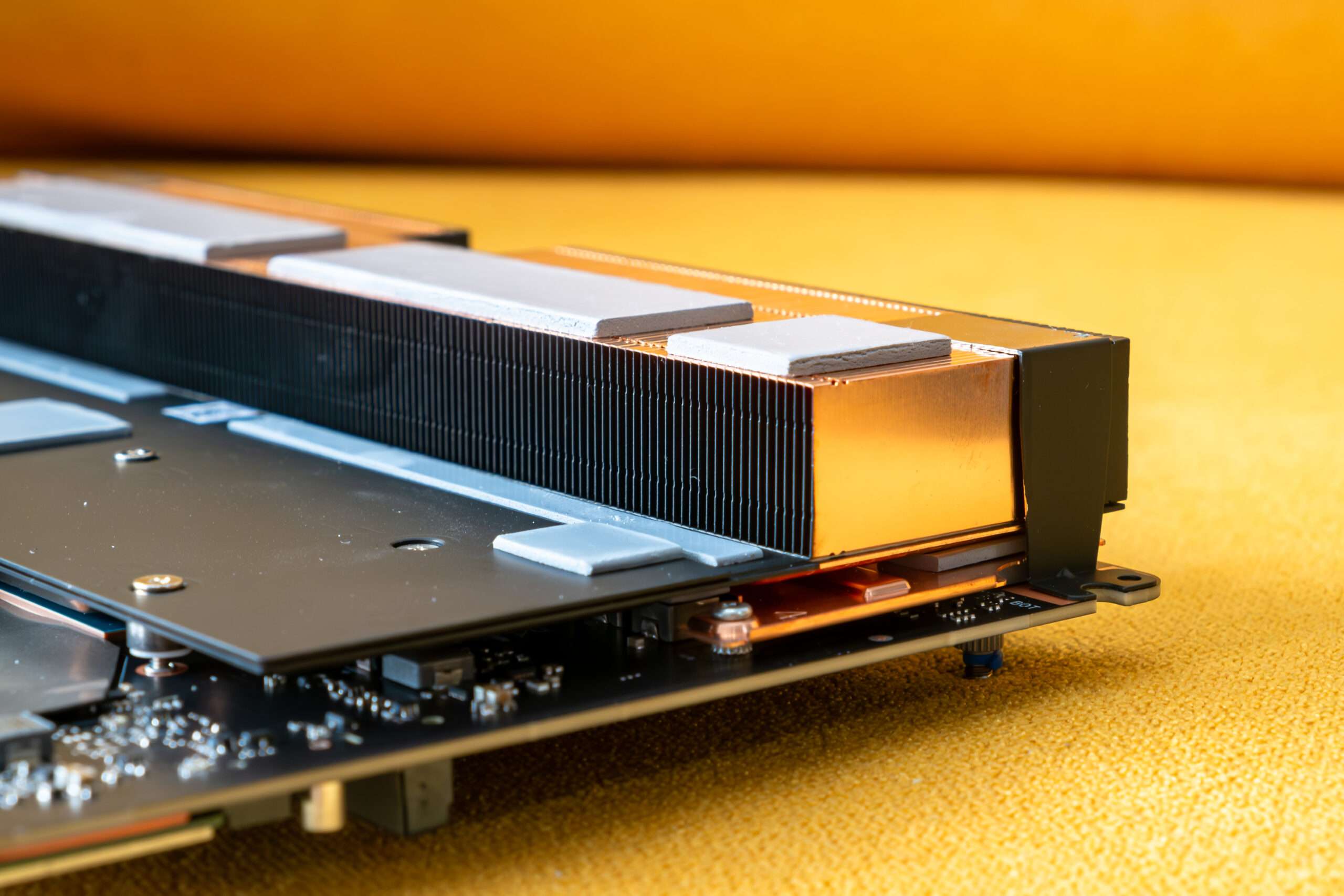
The bottom copper heat plate is design for cool down GPU and CPU power phase.
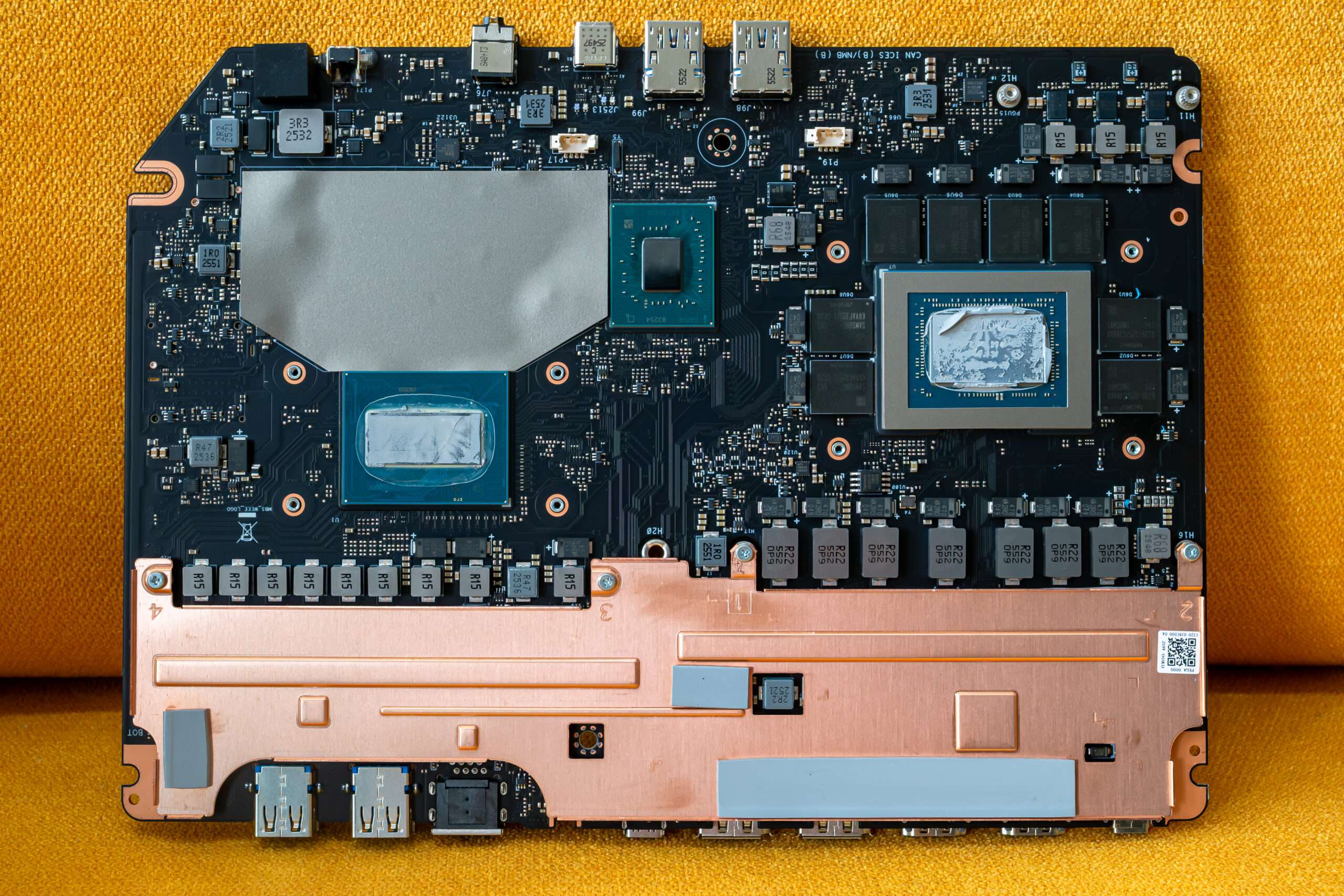
Front and back PCB view
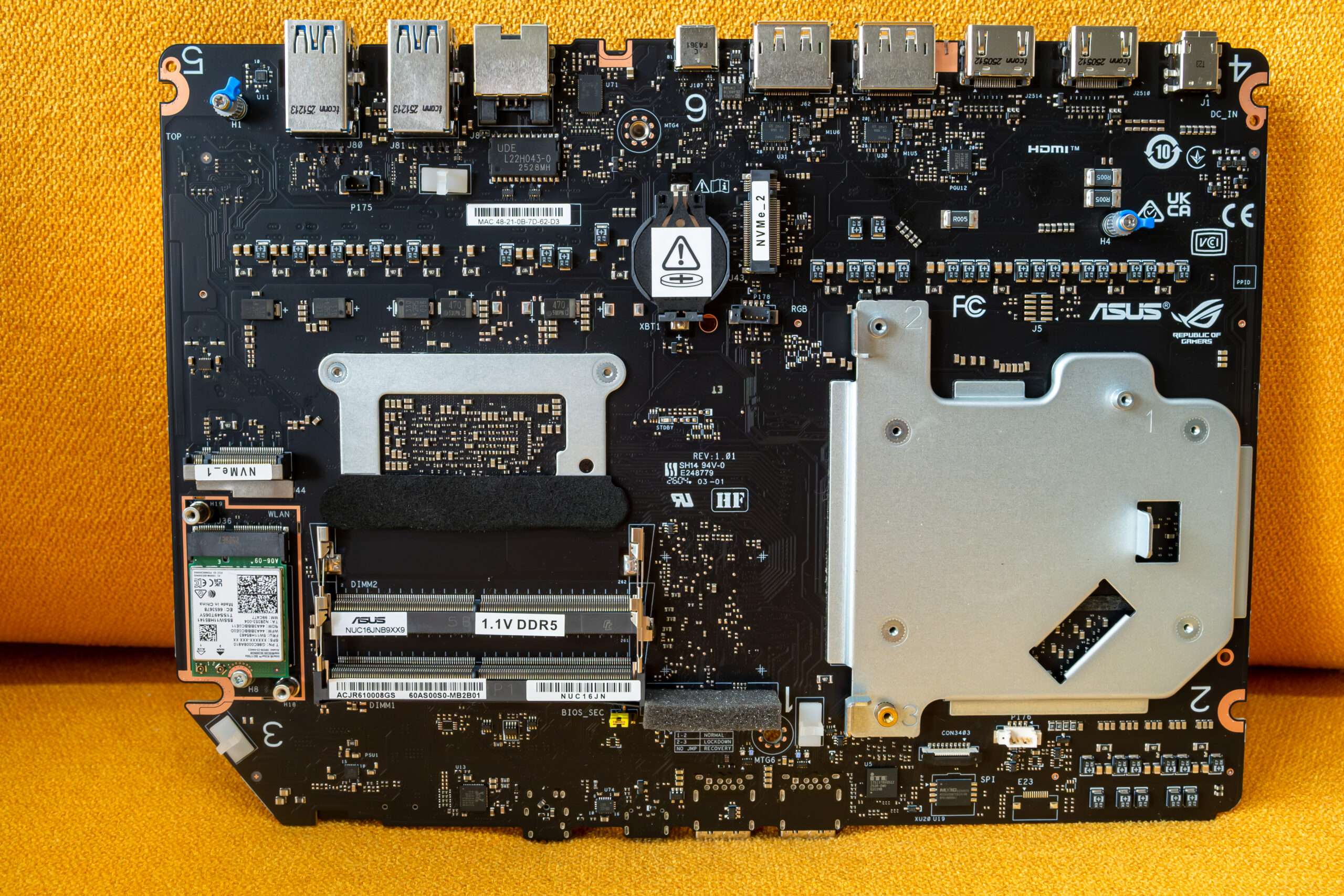
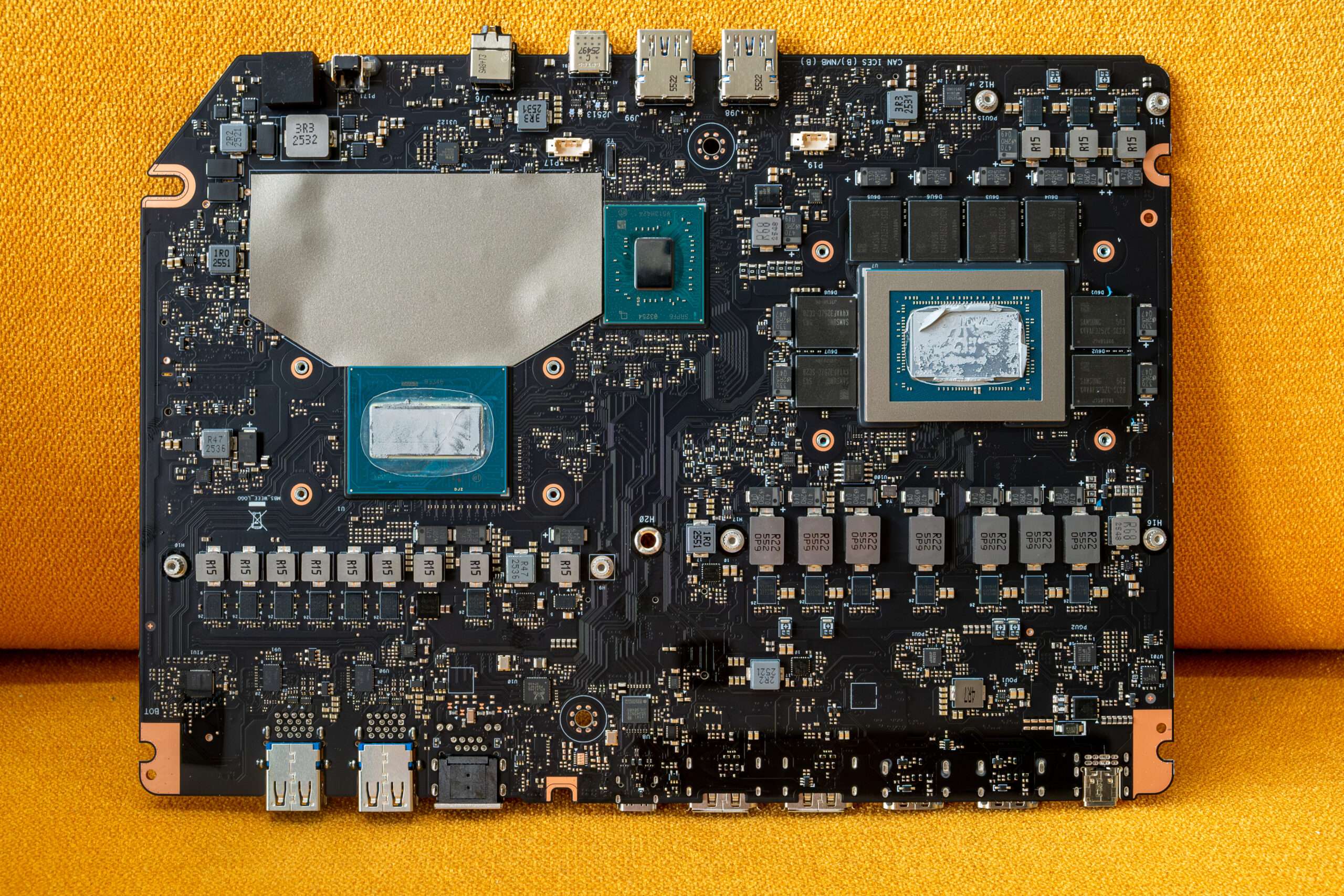
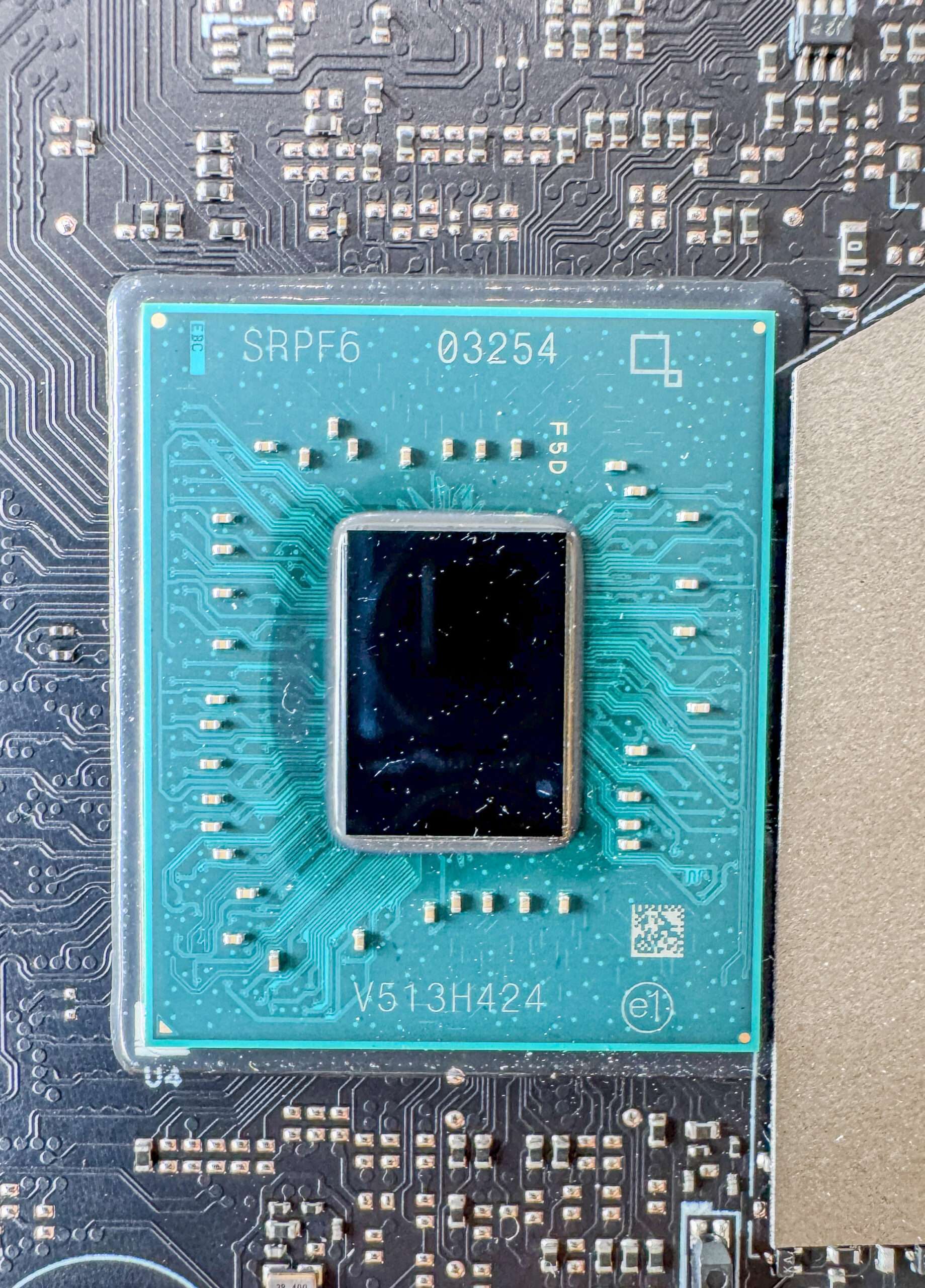
Intel HM870 Chipset
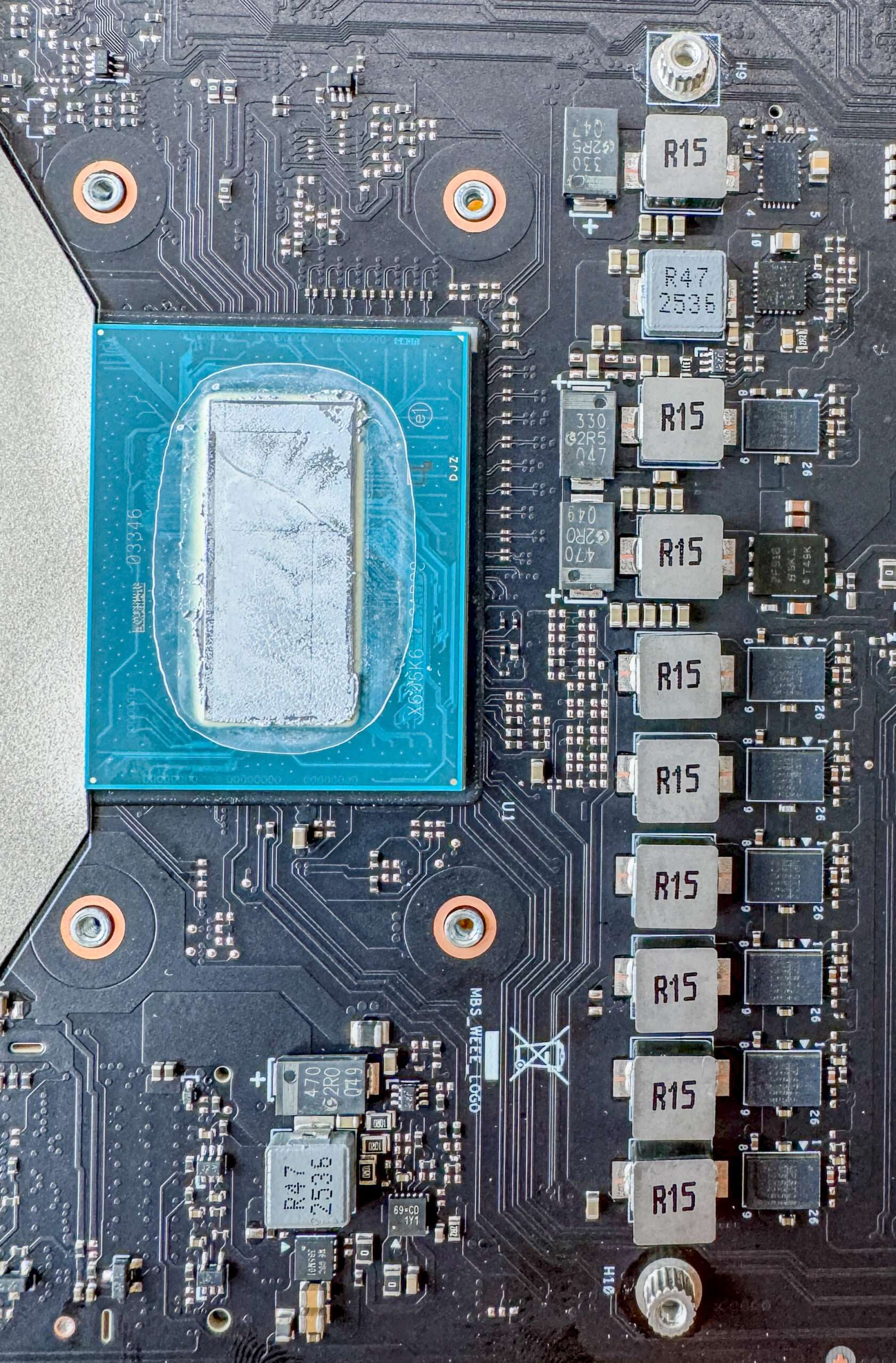
The power supply unit is a 6+1+ 2 +1 phase configuration with teaming configuration and integrated MOSFETs. On this board, ASUS used Monolithic Power System integrated MOSFETs, which have a maximum continuous current of 70 A, which means that the processor core can receive a maximum of 420 amps of current. The VRM controller is a Monolithic Power System MPS 2518 , and it is located on the top side of the board
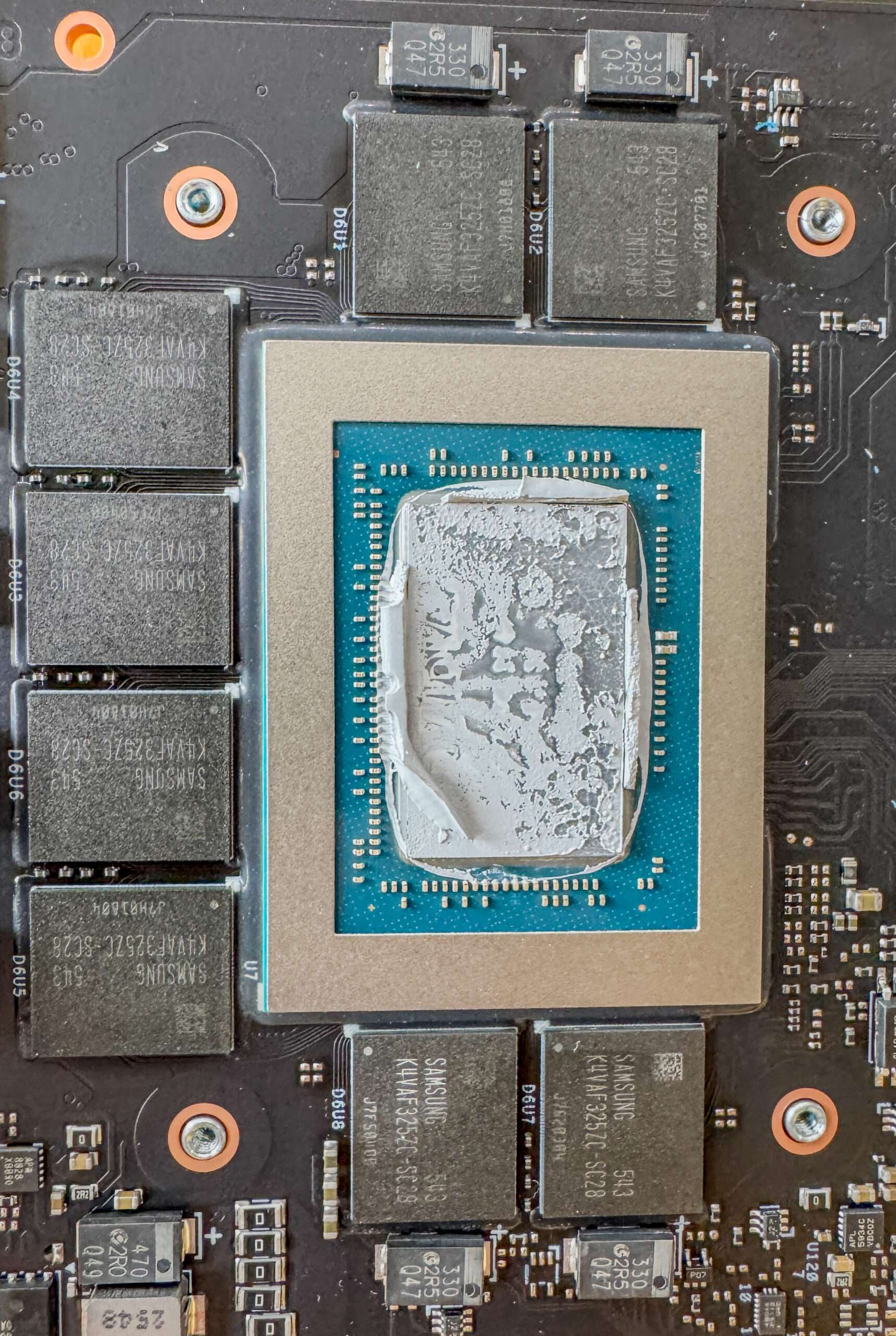
The NVIDIA GeForce RTX 5080 Laptop GPU is equipped with eight Samsung K4VAF325ZC memory chips. These are GDDR7 video memory chips, providing the GPU with a total of 16GB of VRAM.
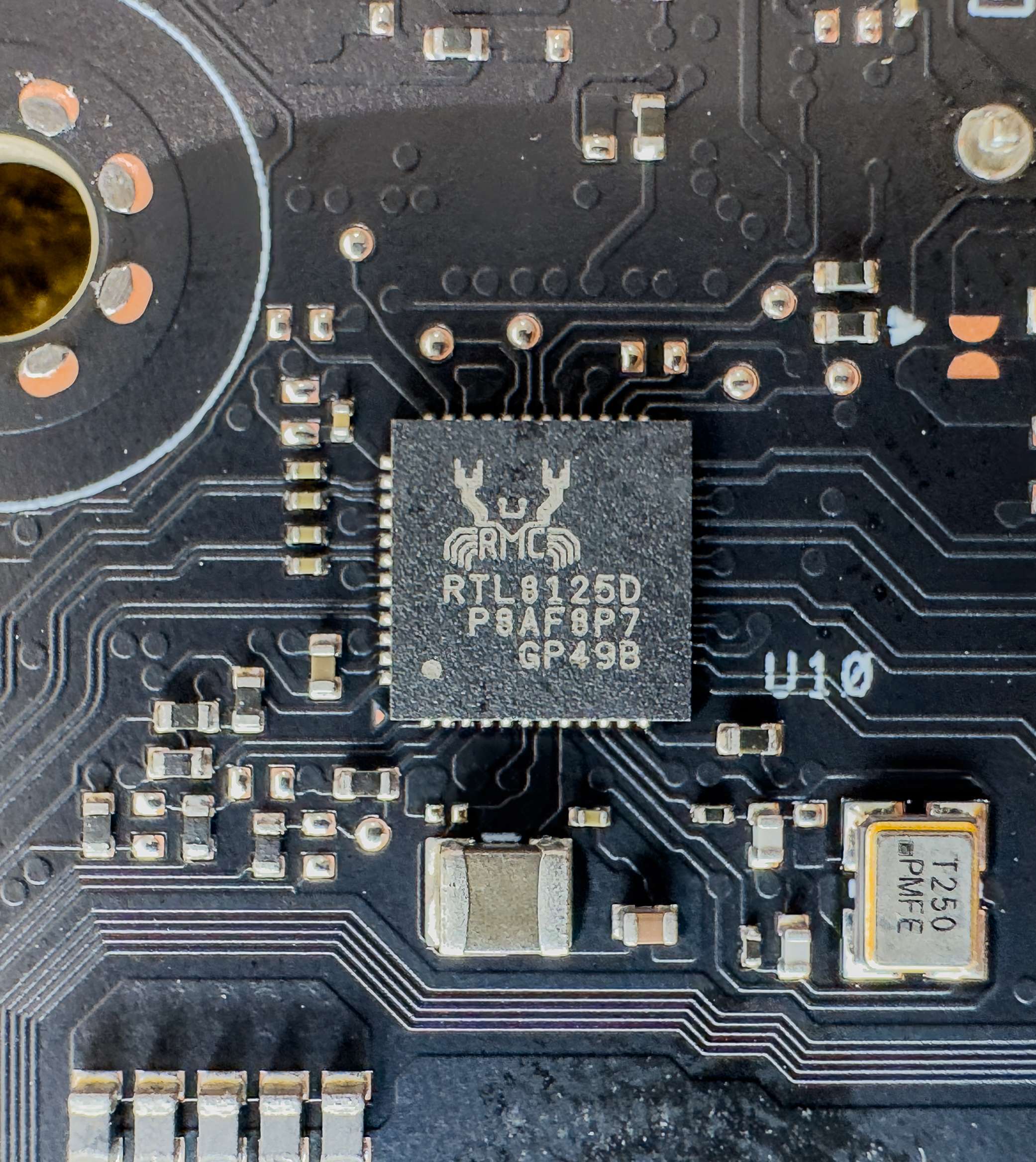
The Realtek RTL8125D is a 2.5 Gigabit Ethernet controller chip
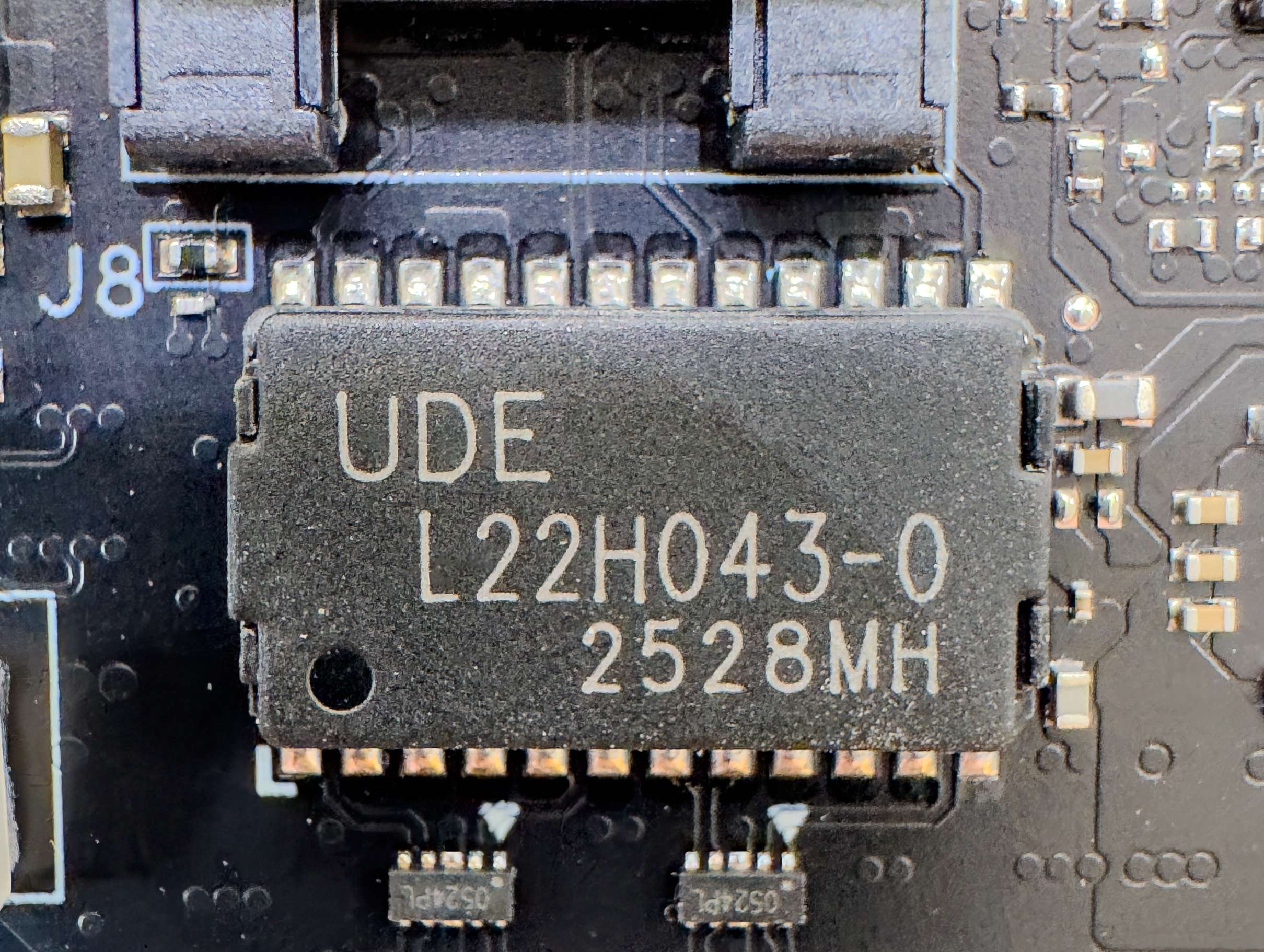
The UDE L22H043-0 is a single-port 2.5GbE Ethernet magnetic isolation transformer that provides reliable signal transmission between the PHY and RJ-45 connector while offering galvanic isolation and helping reduce noise, EMI, and electrical interference for stable network performance.
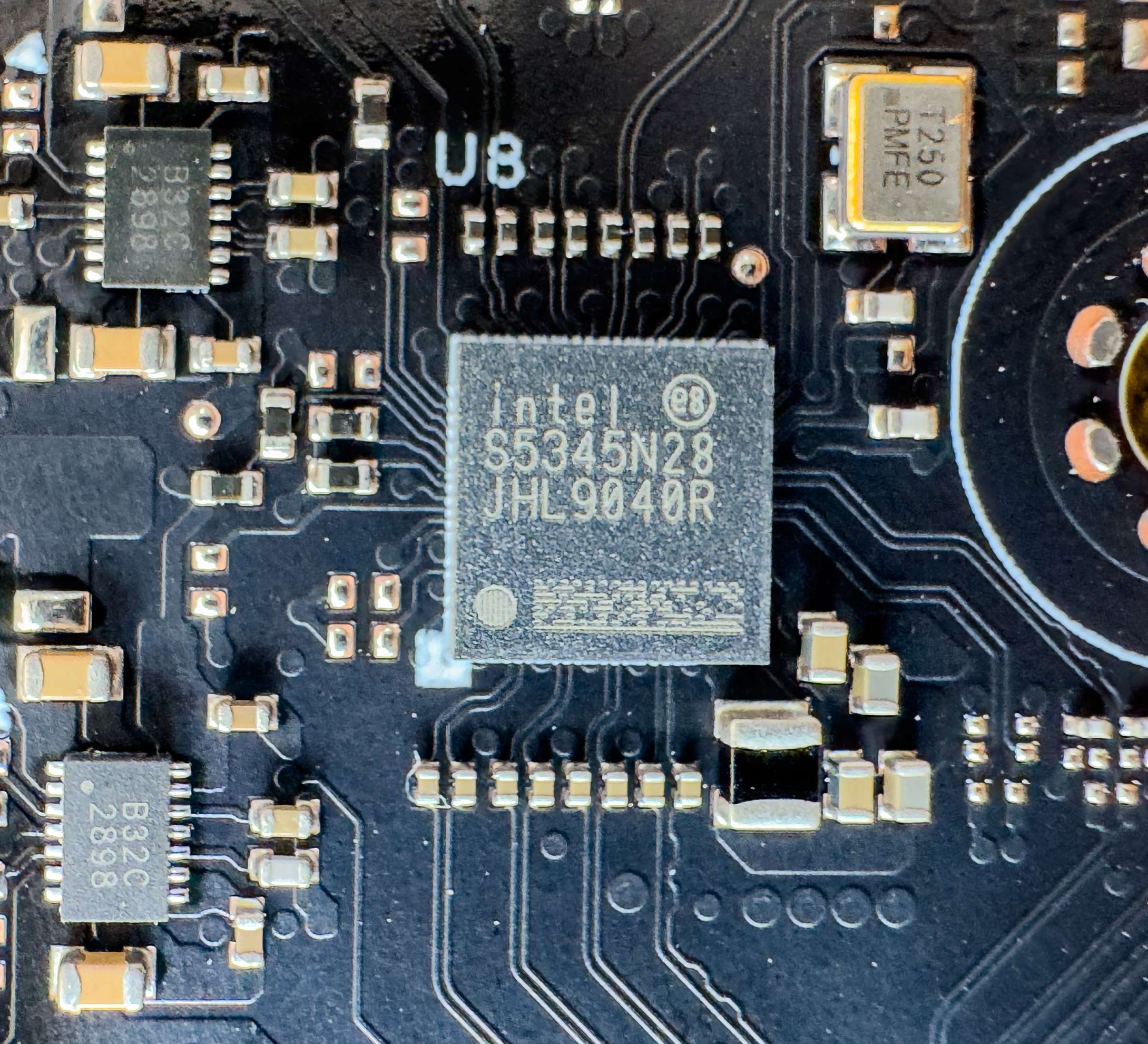
The Intel JHL9040R Thunderbolt 4 is a single-port signal conditioner chip designed for 40Gbps Thunderbolt 4 and USB4 data transmission.
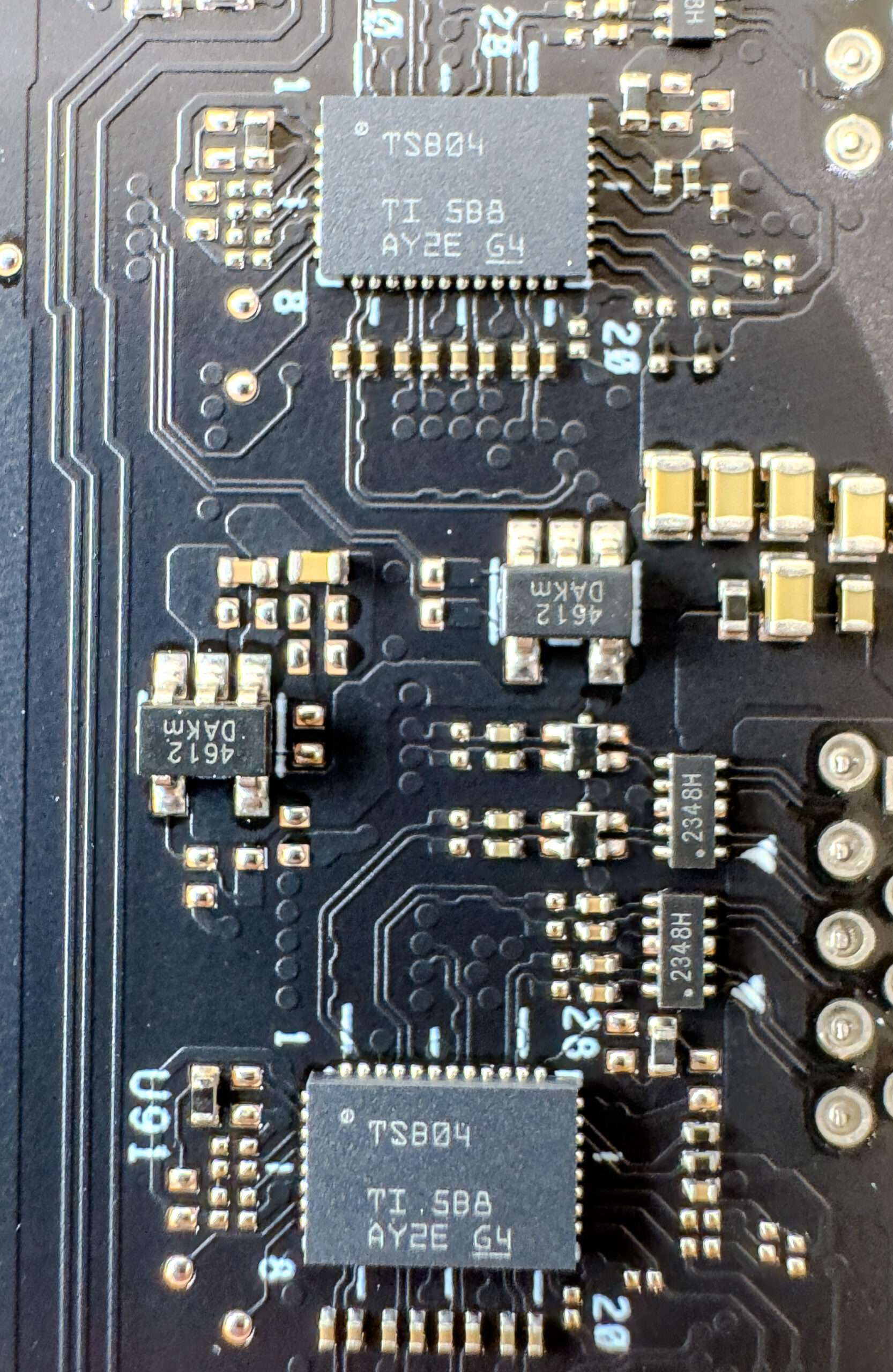
Two Texas Instruments TSB04 USB 3.2 redrivers are high-speed signal-conditioning devices that restore and strengthen degraded USB signals, supporting data speeds of up to 10Gbps for USB 3.2 Gen 2 while helping compensate for signal loss and interference over longer PCB traces or cables.
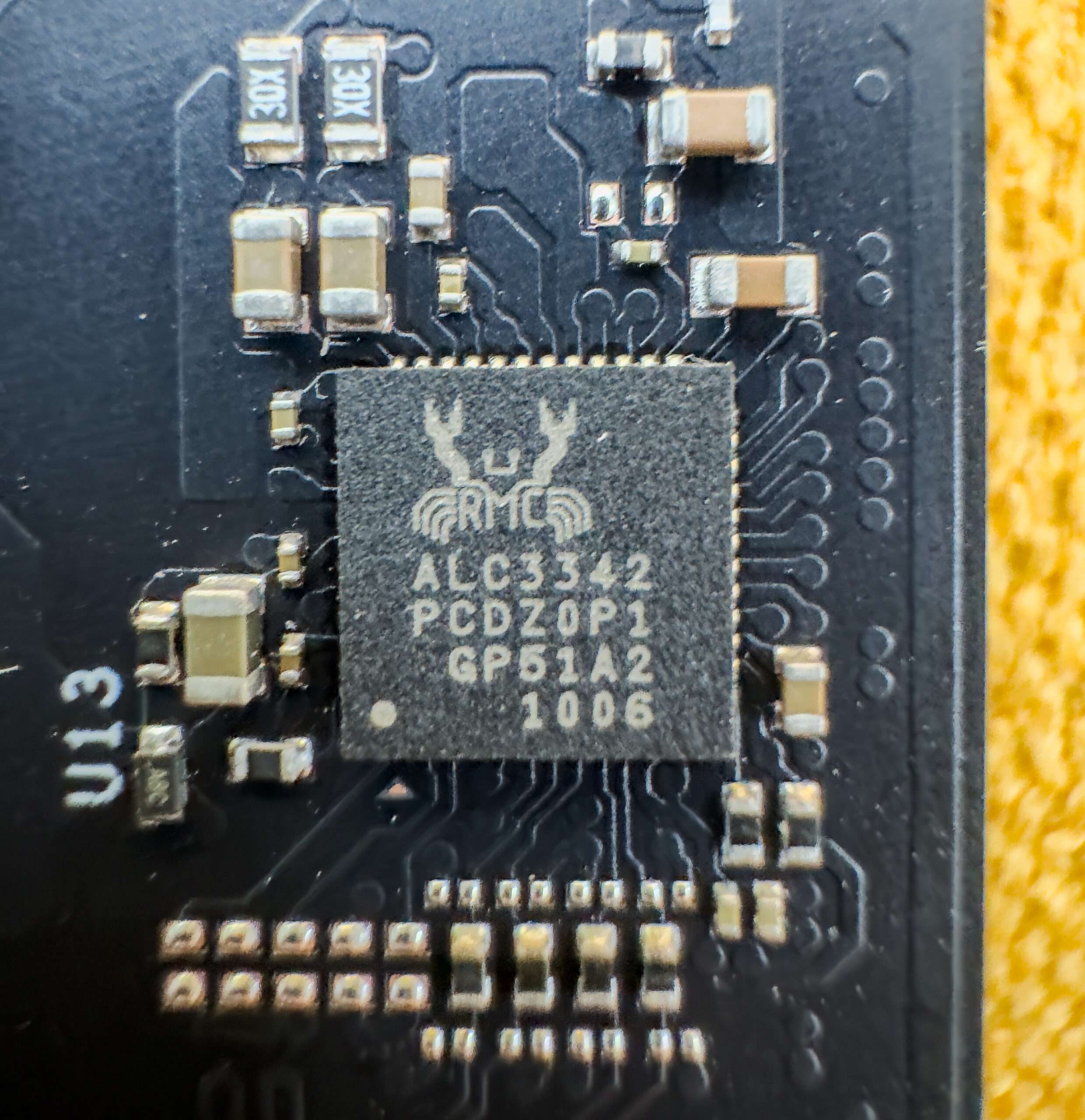
The Realtek ALC3342 is a high-definition audio codec designed to deliver high-quality audio processing for speakers, headphones and microphones, supporting the ROG NUC 16’s 3.5mm combo audio interface
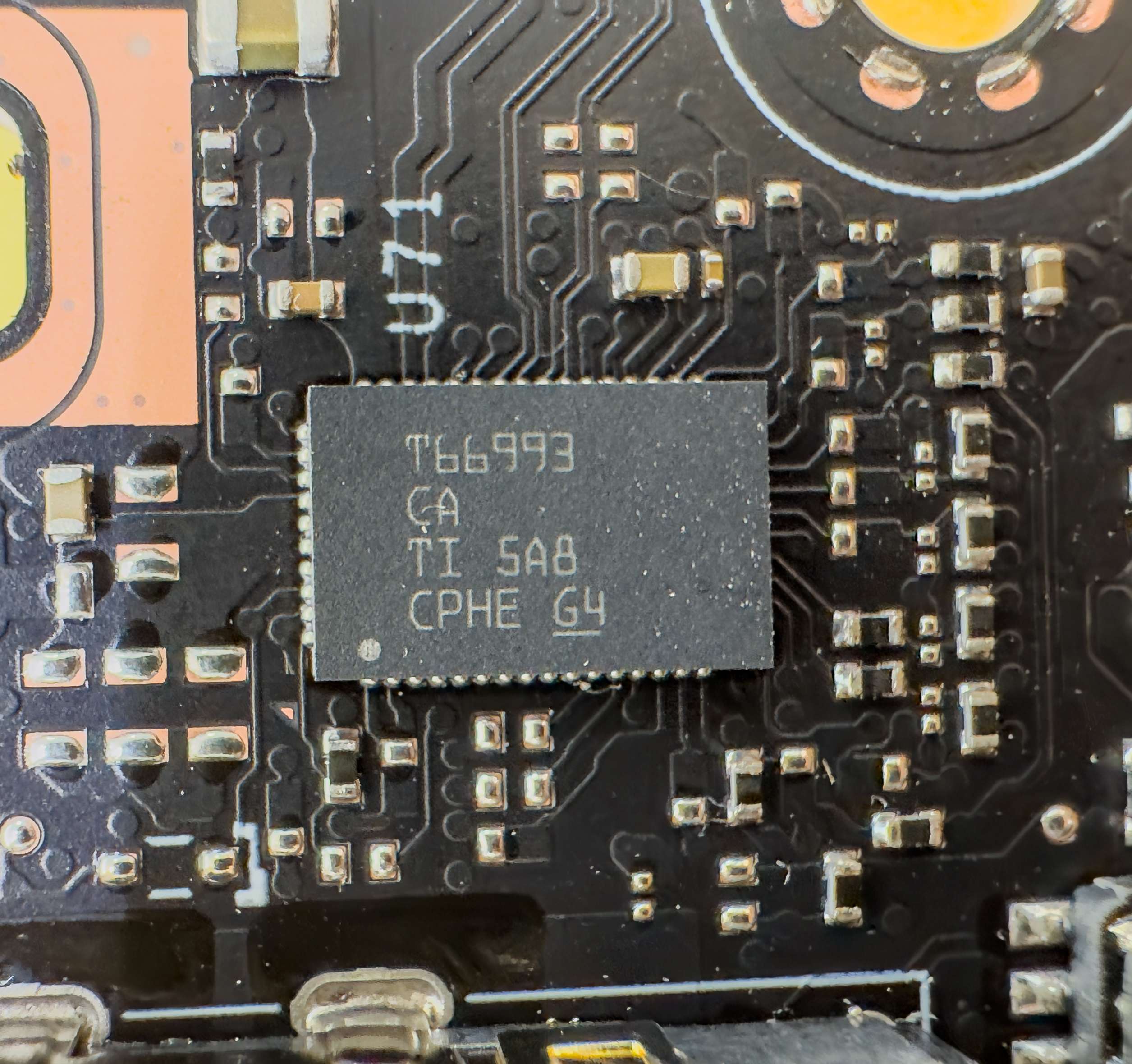
The Texas Instruments TPS66993 is a highly advanced USB Type-C and Power Delivery (PD) controller for Thunderbolt 4 or USB 4
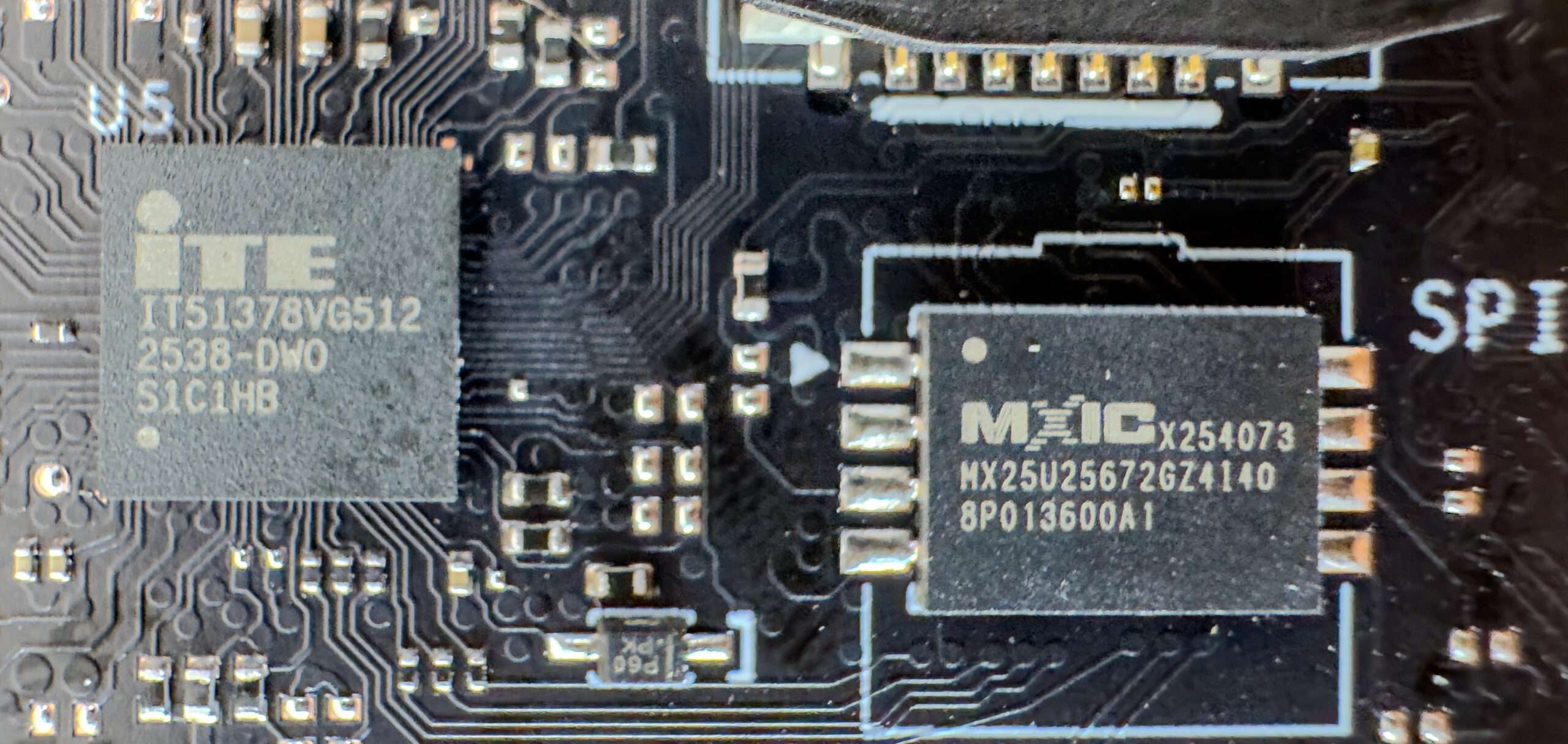
The ITE IT51378VG-512 is an embedded controller that manages key motherboard functions such as power management, system monitoring, keyboard input, thermal and fan control, and other low-level hardware operations.
The MXIC x254073 is a SPI flash memory for firmware/Bios
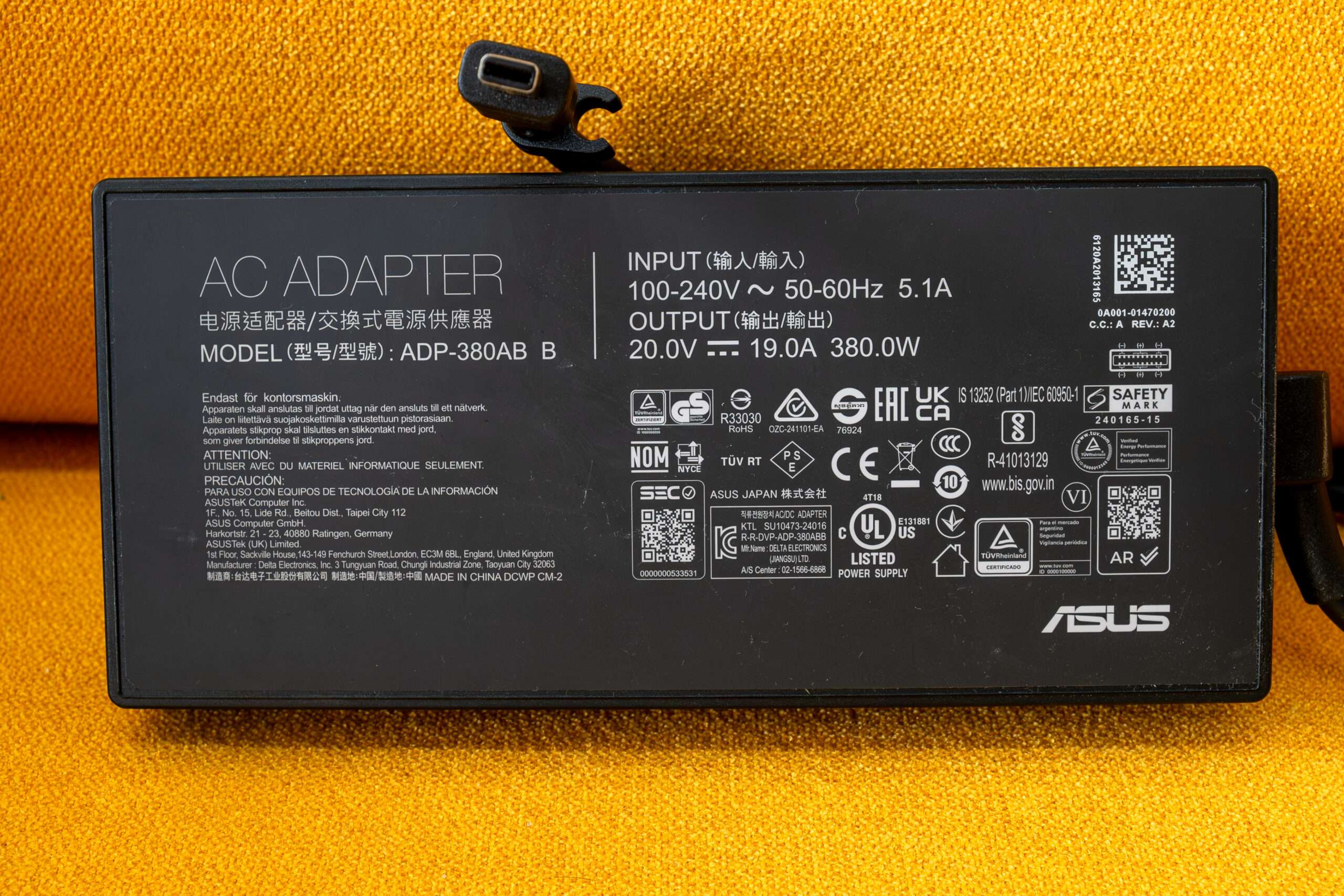
The ASUS ADP-380AB B is a 380W high-performance power adapter
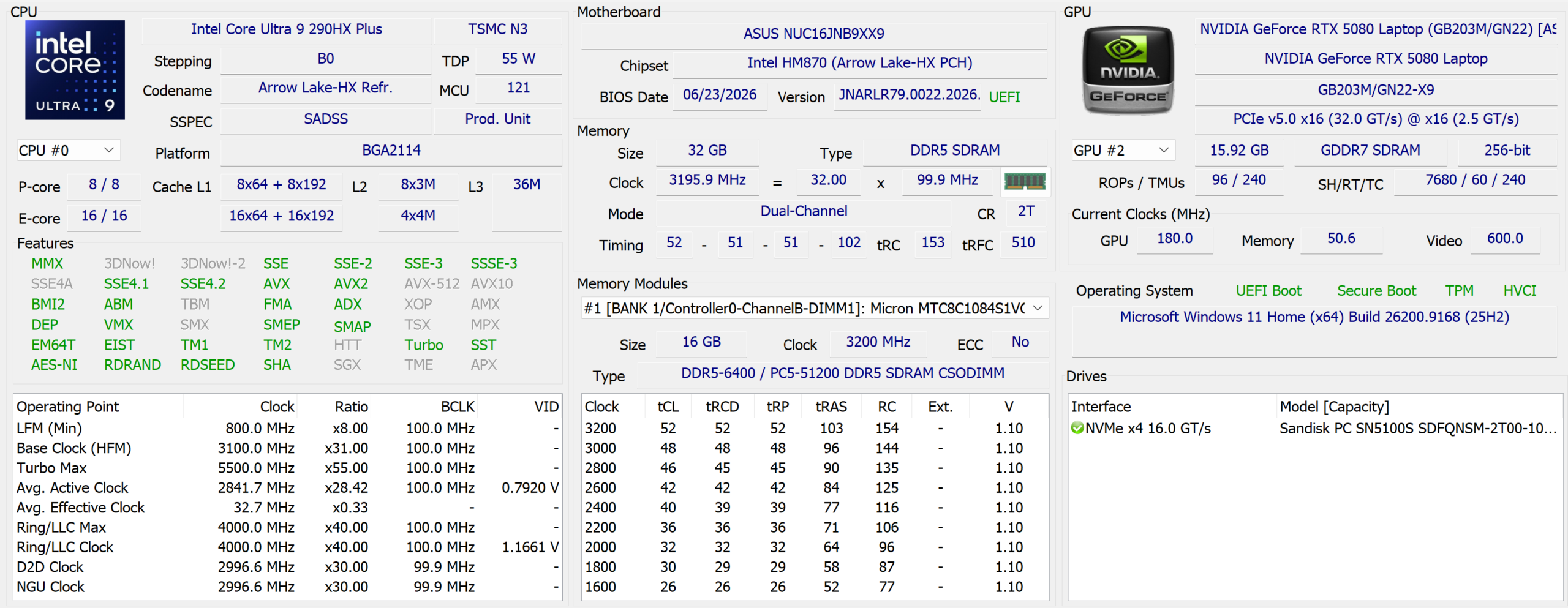
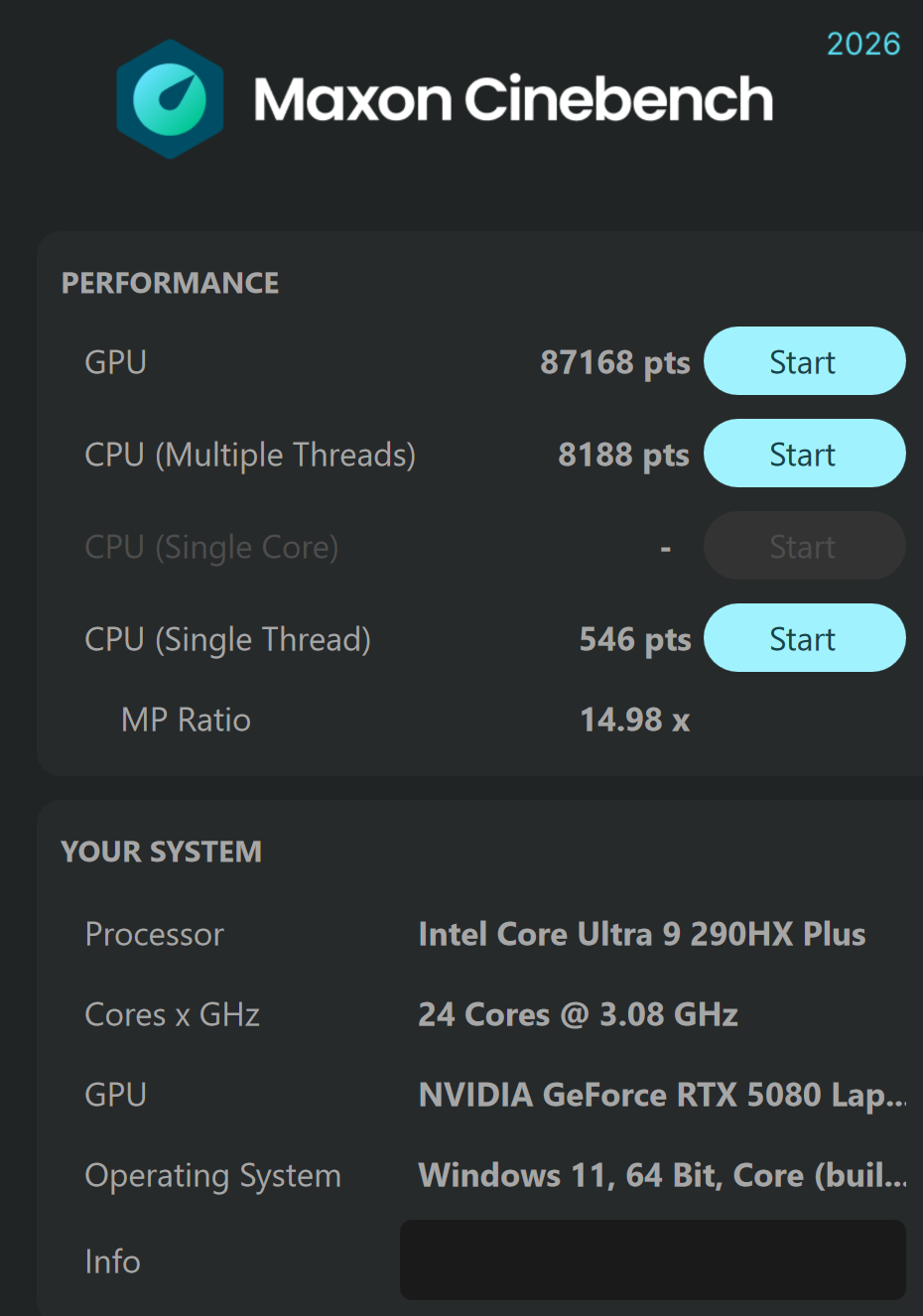
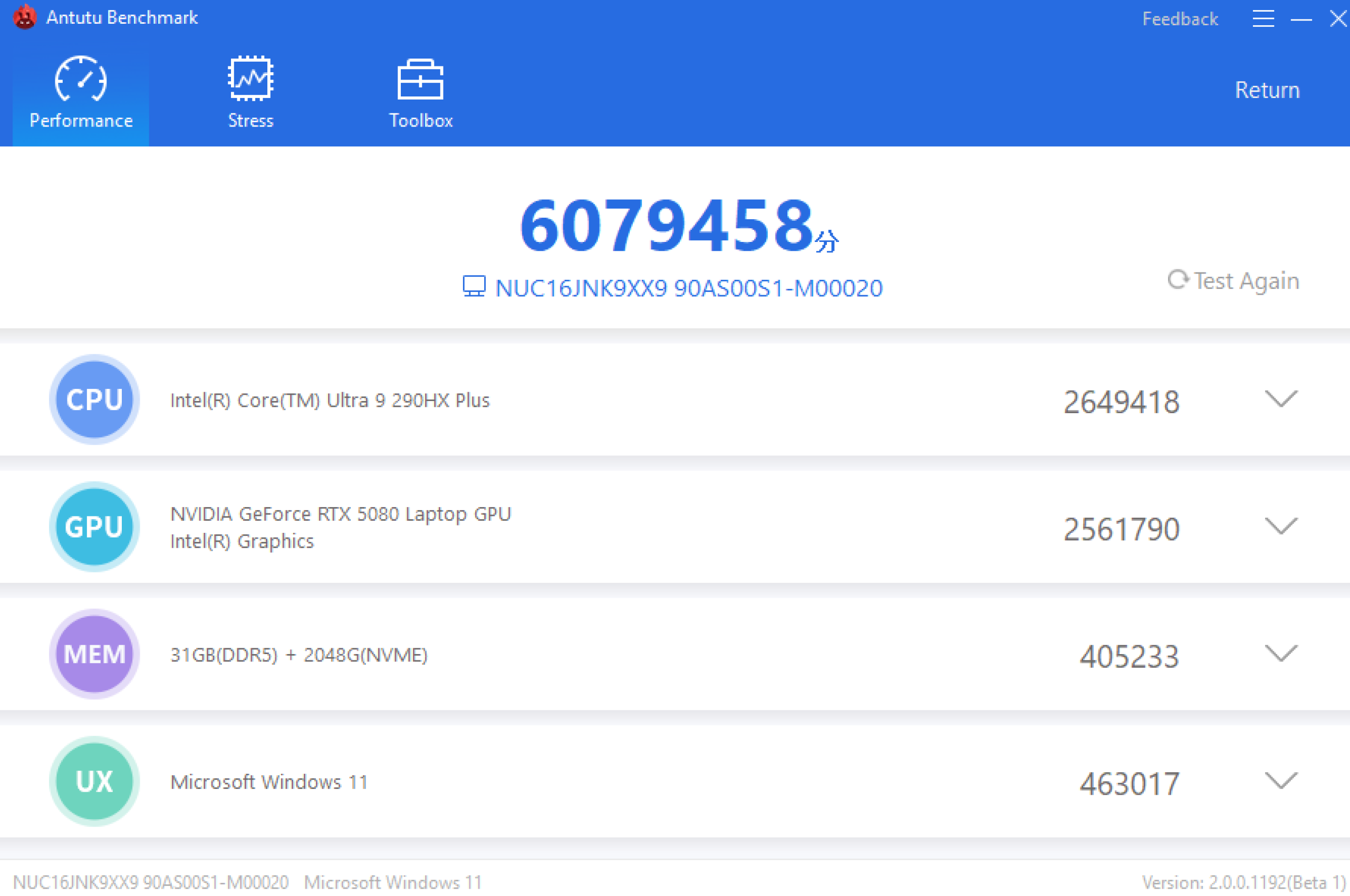
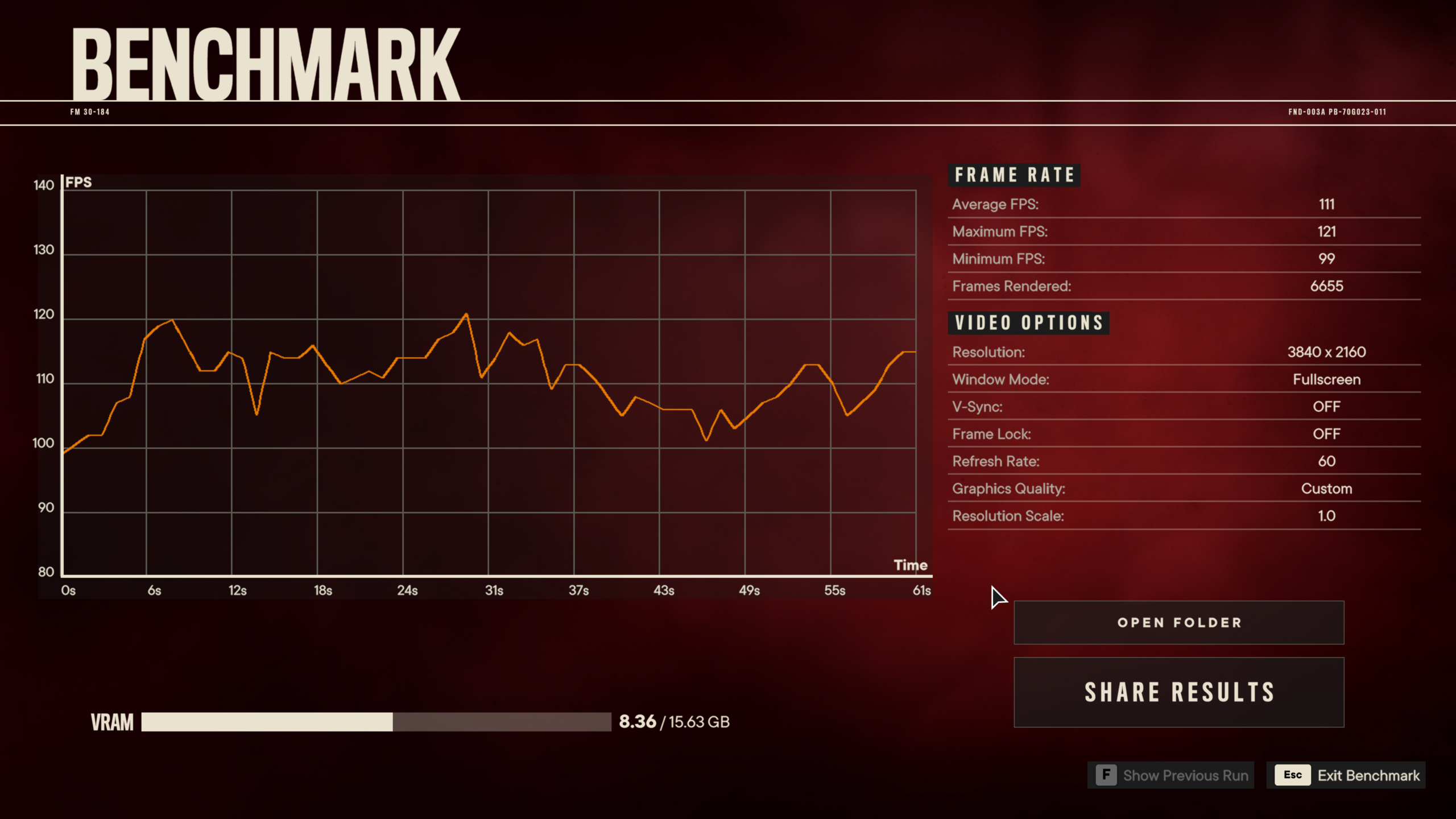
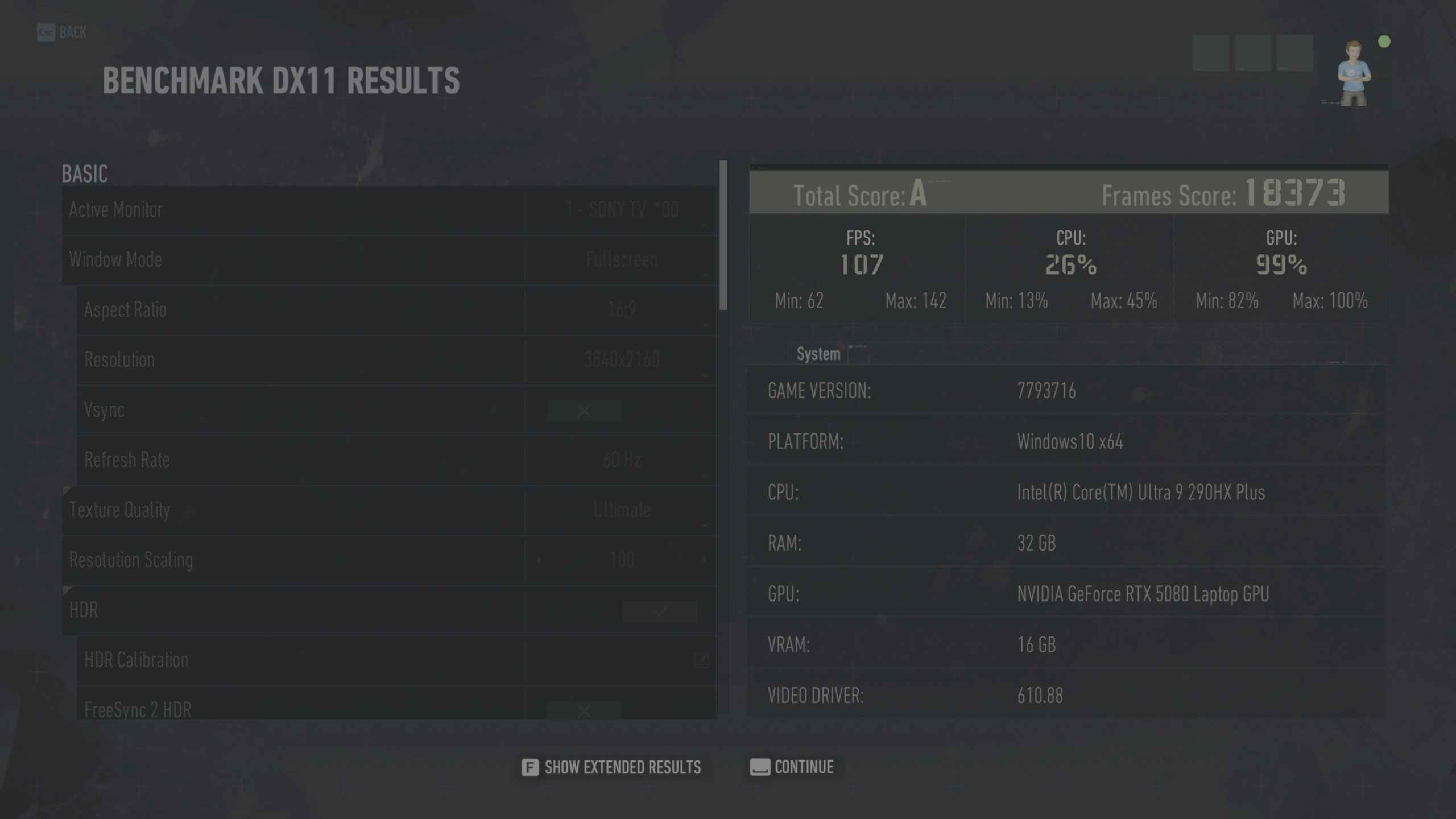
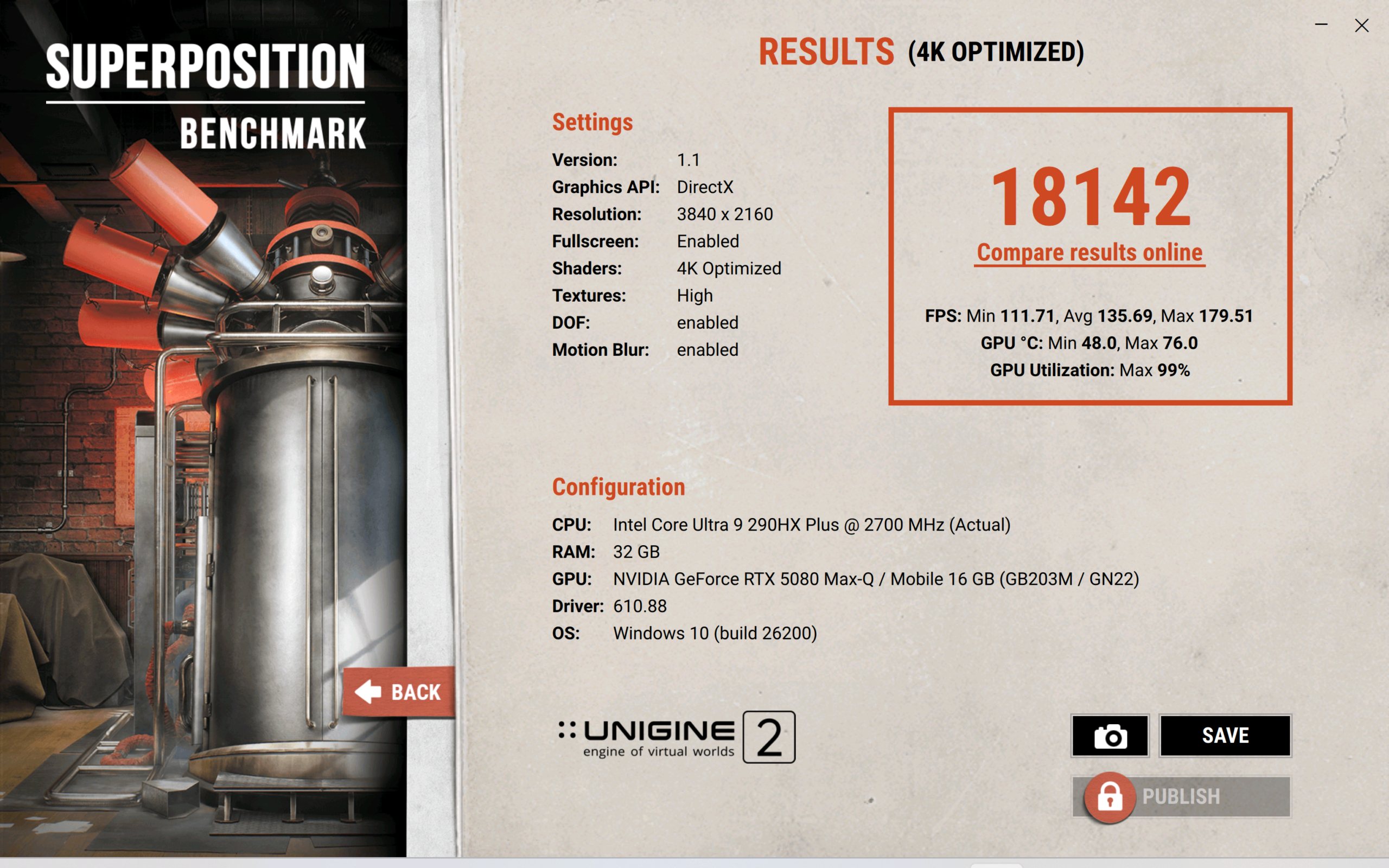
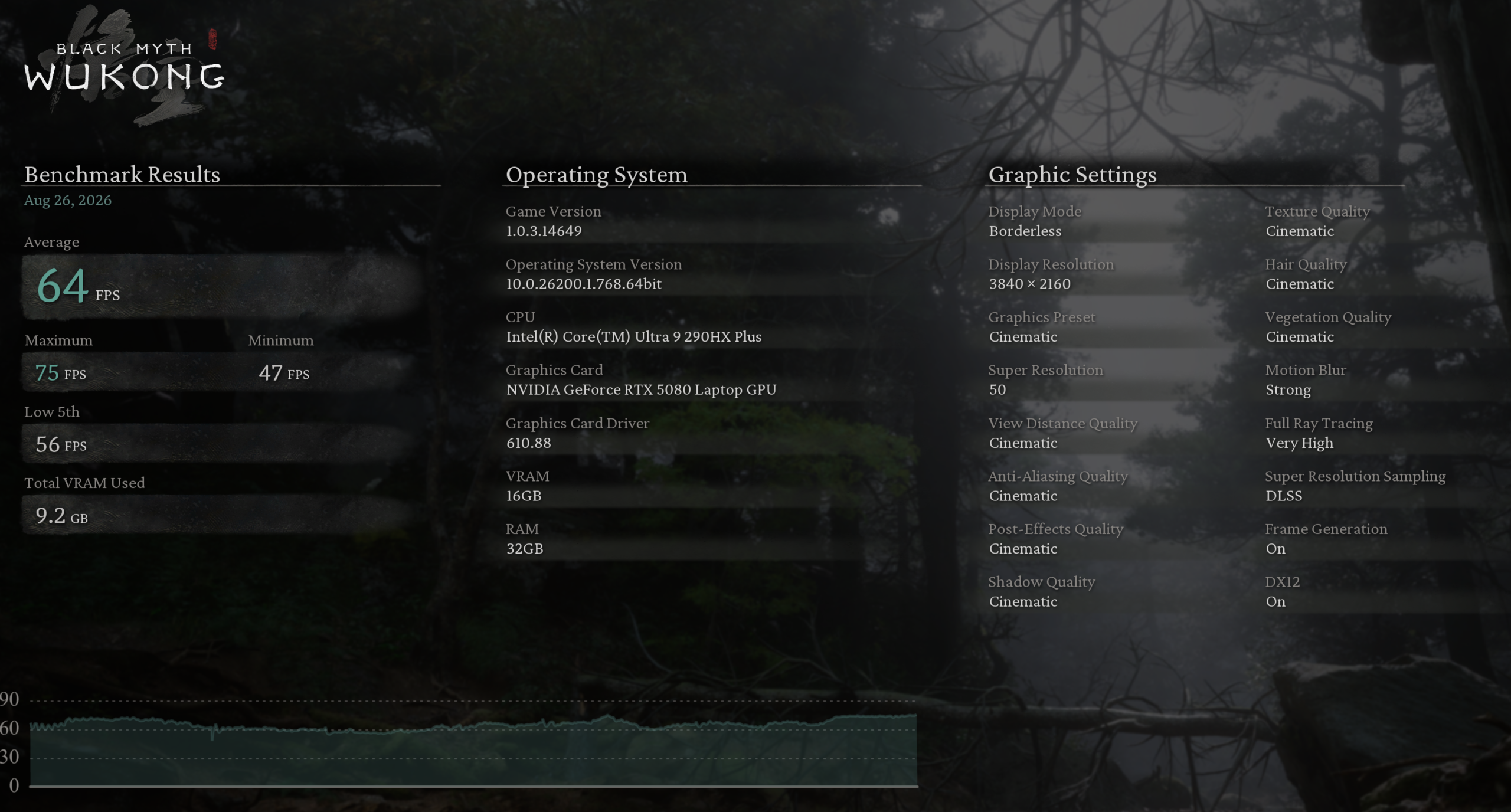
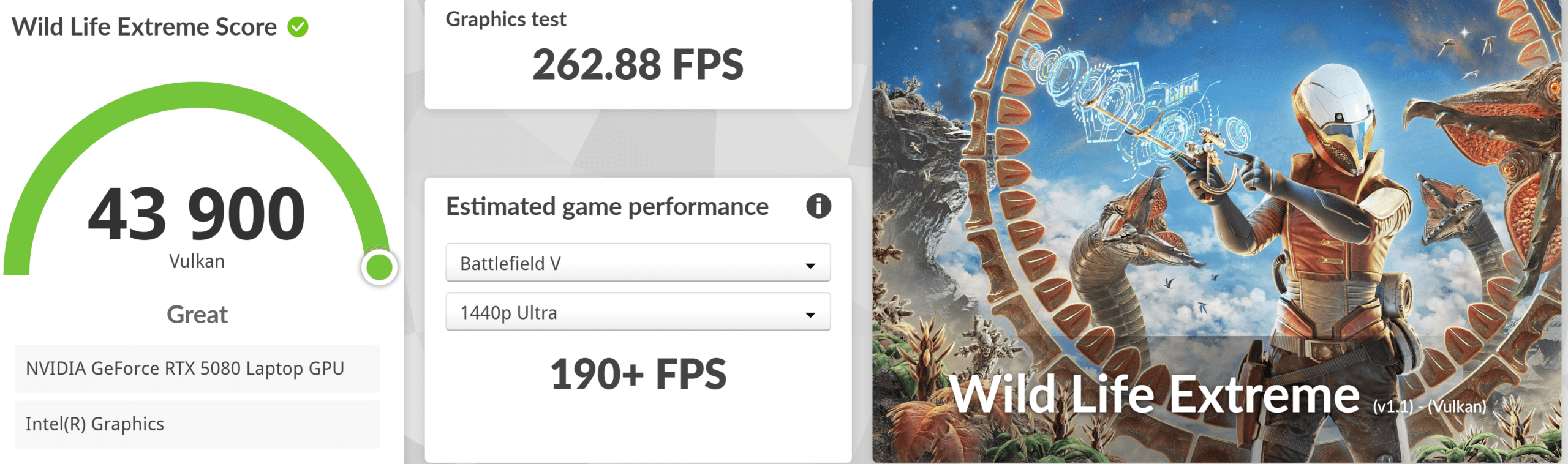
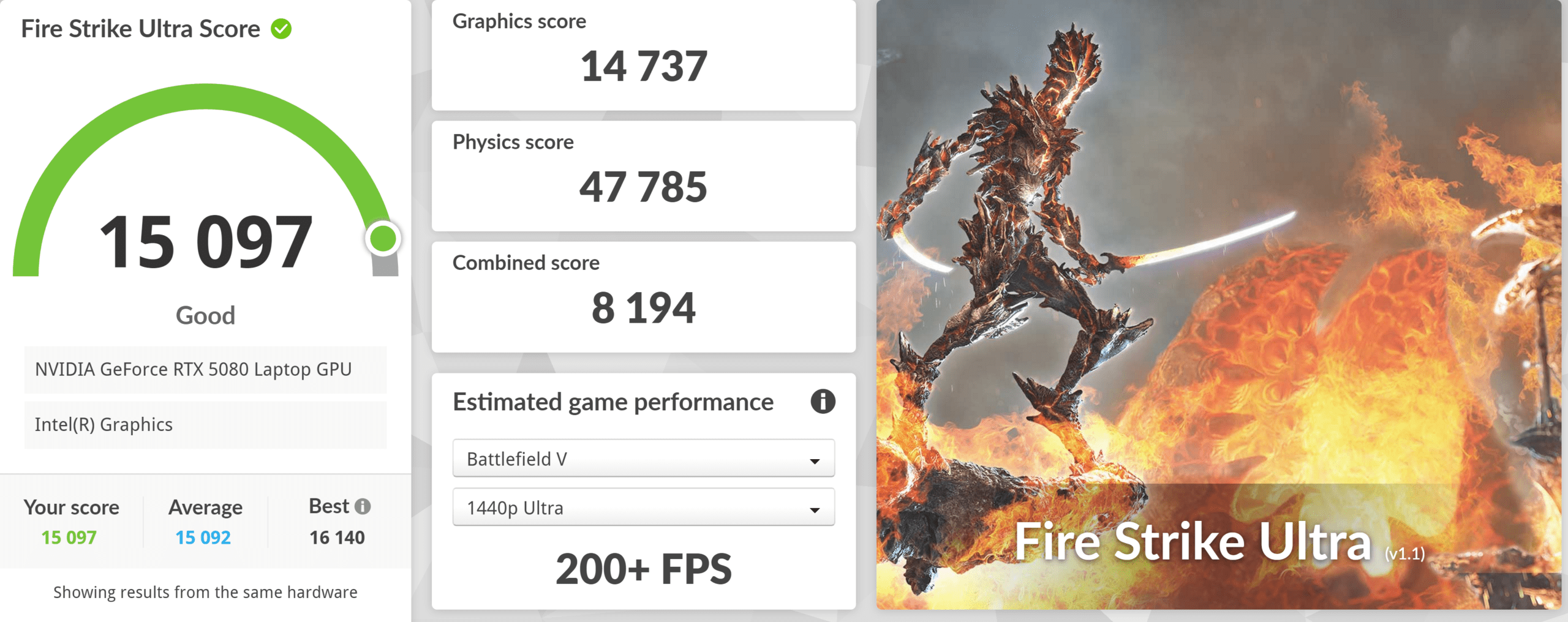
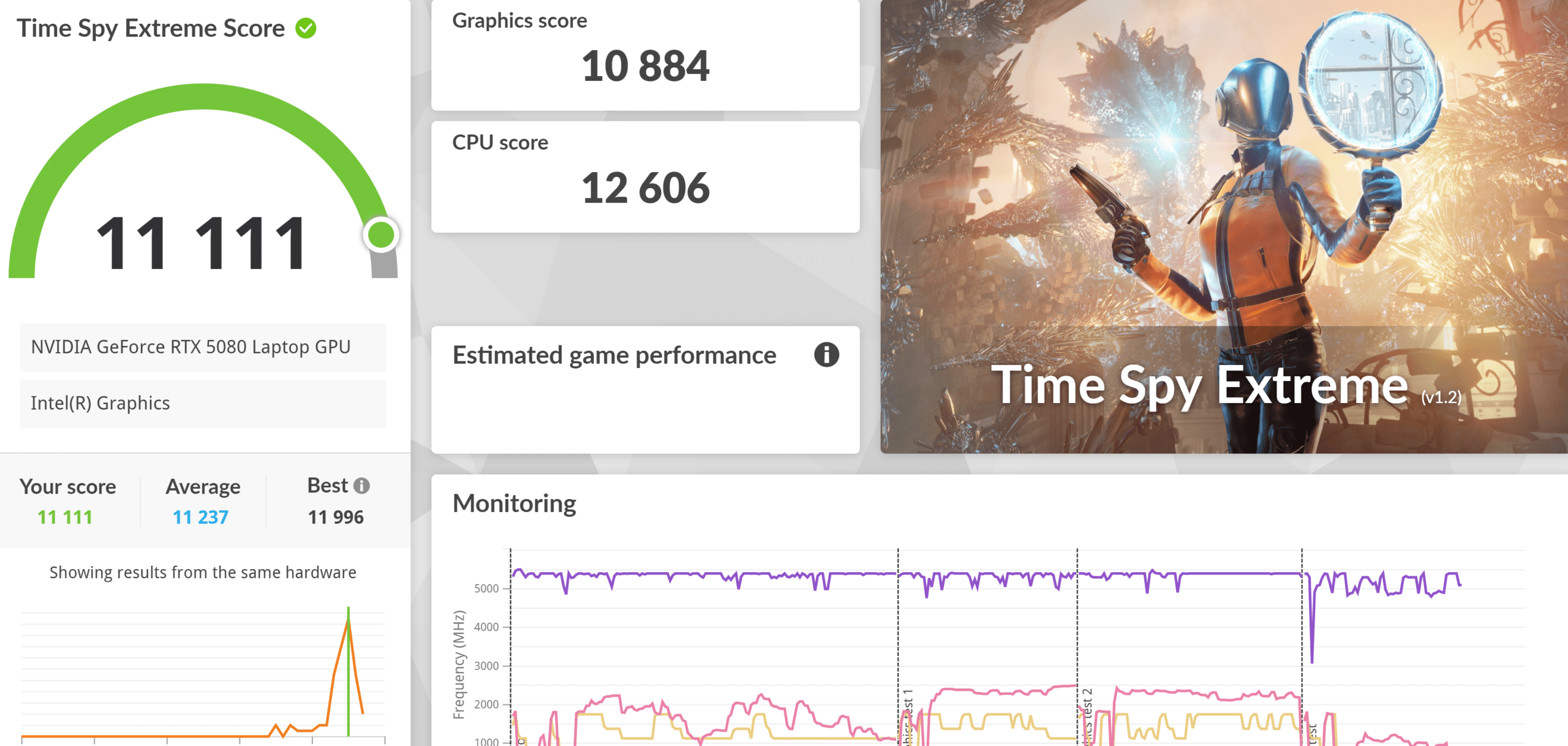
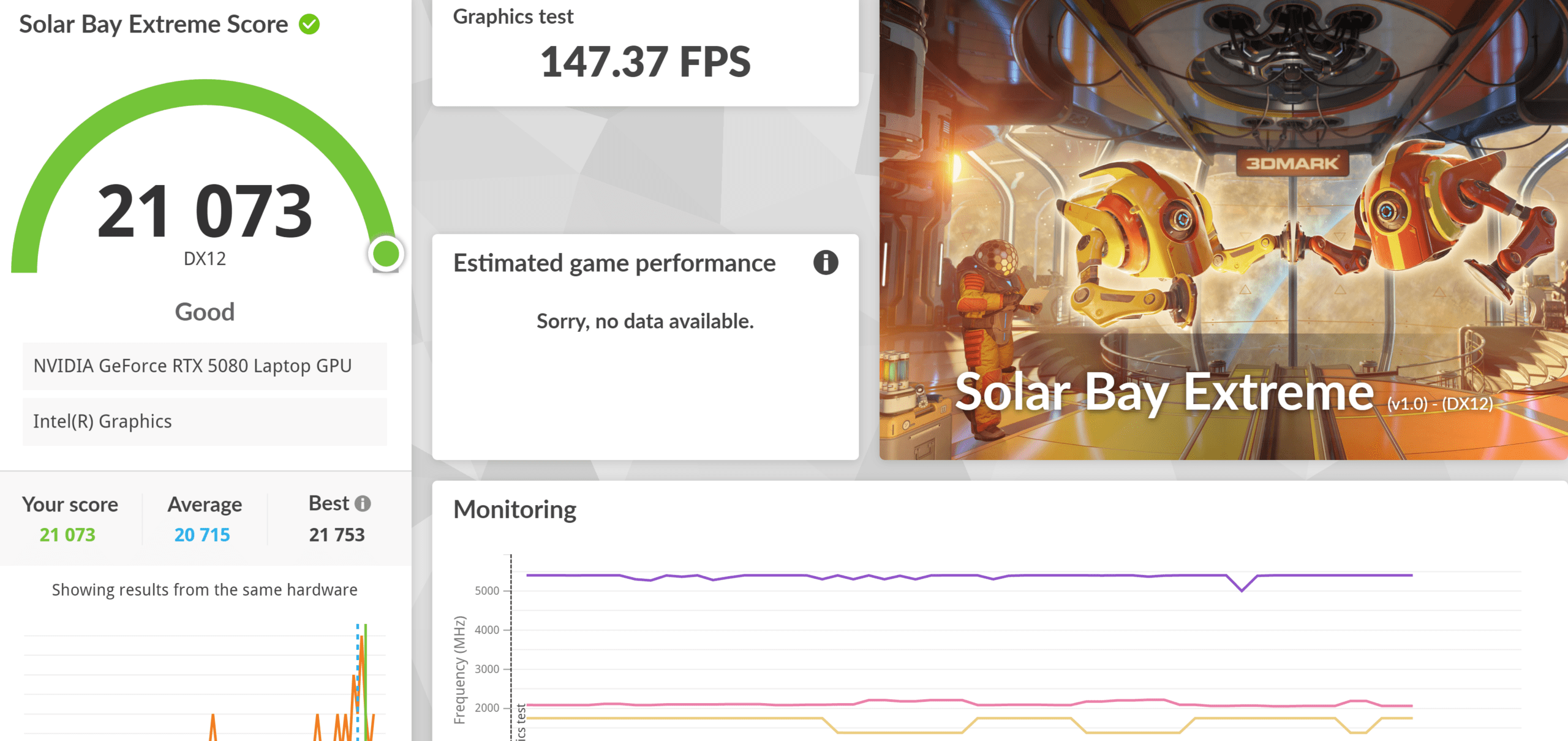
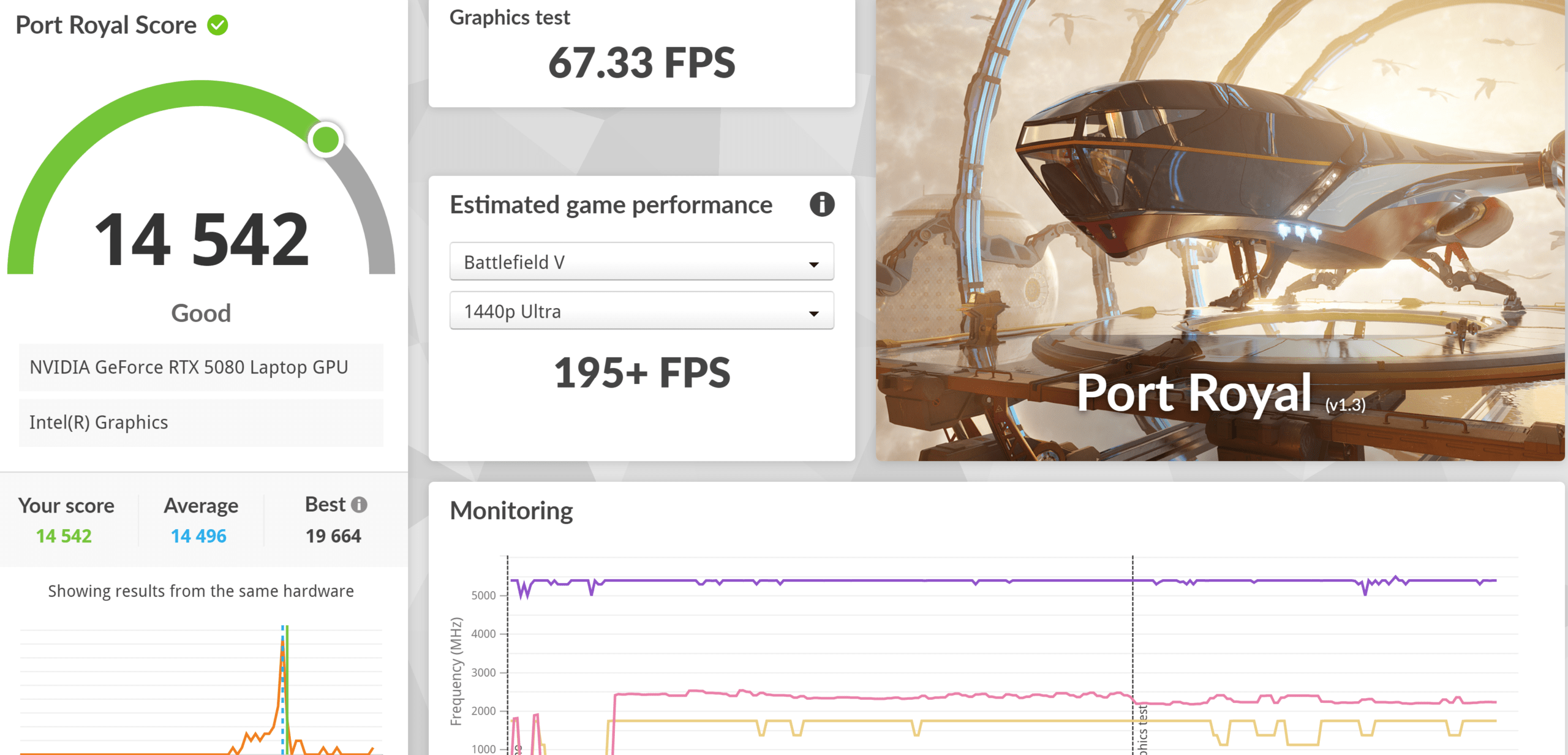
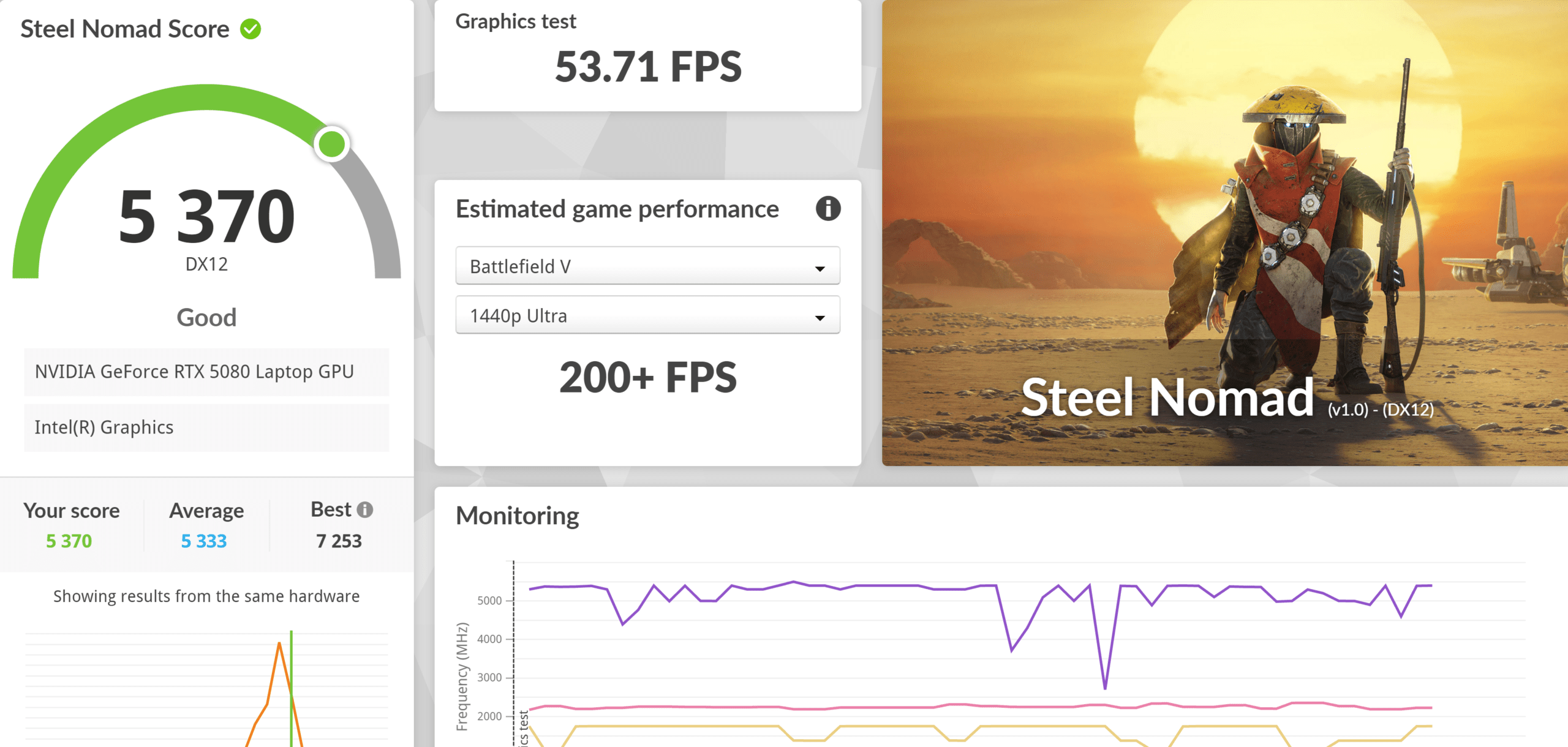
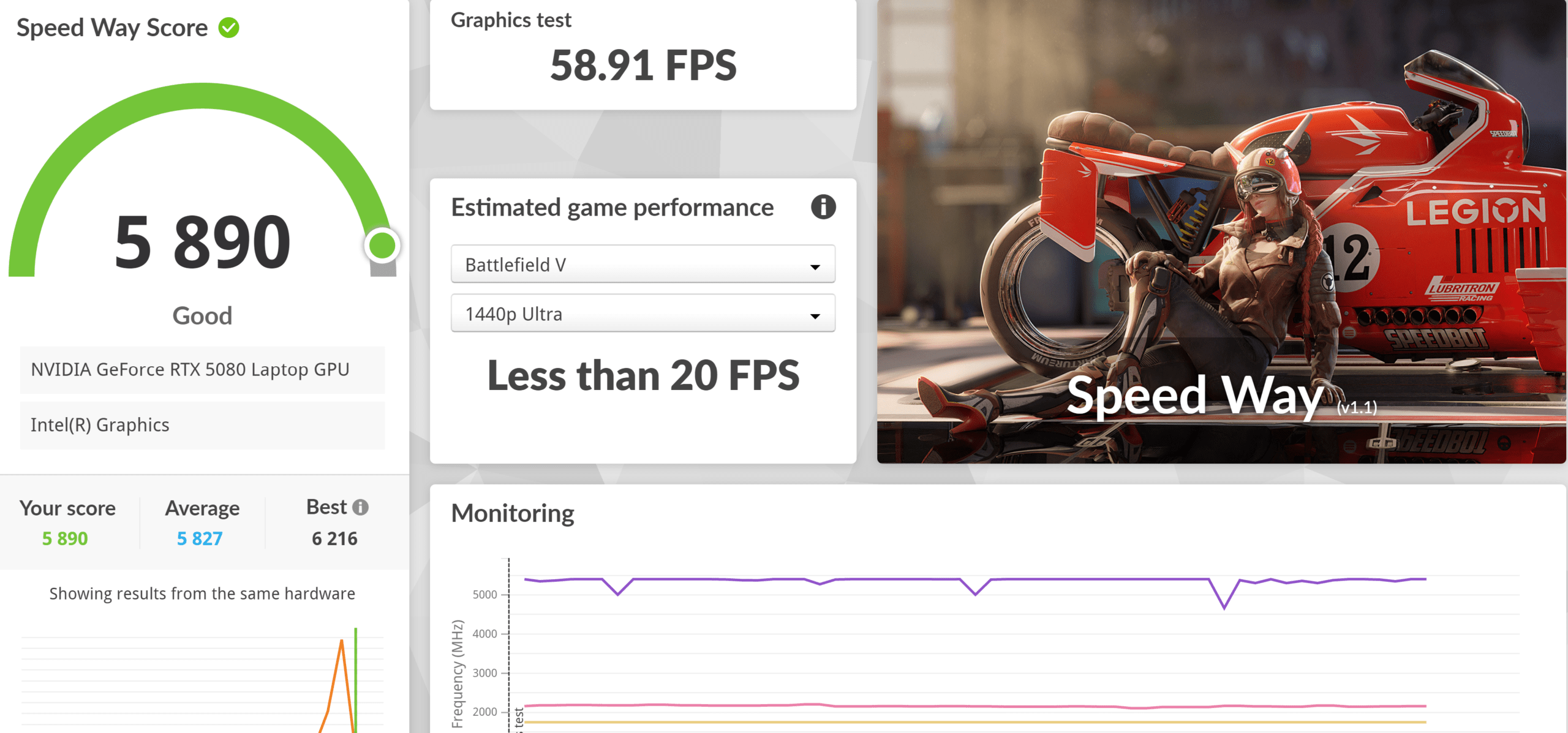
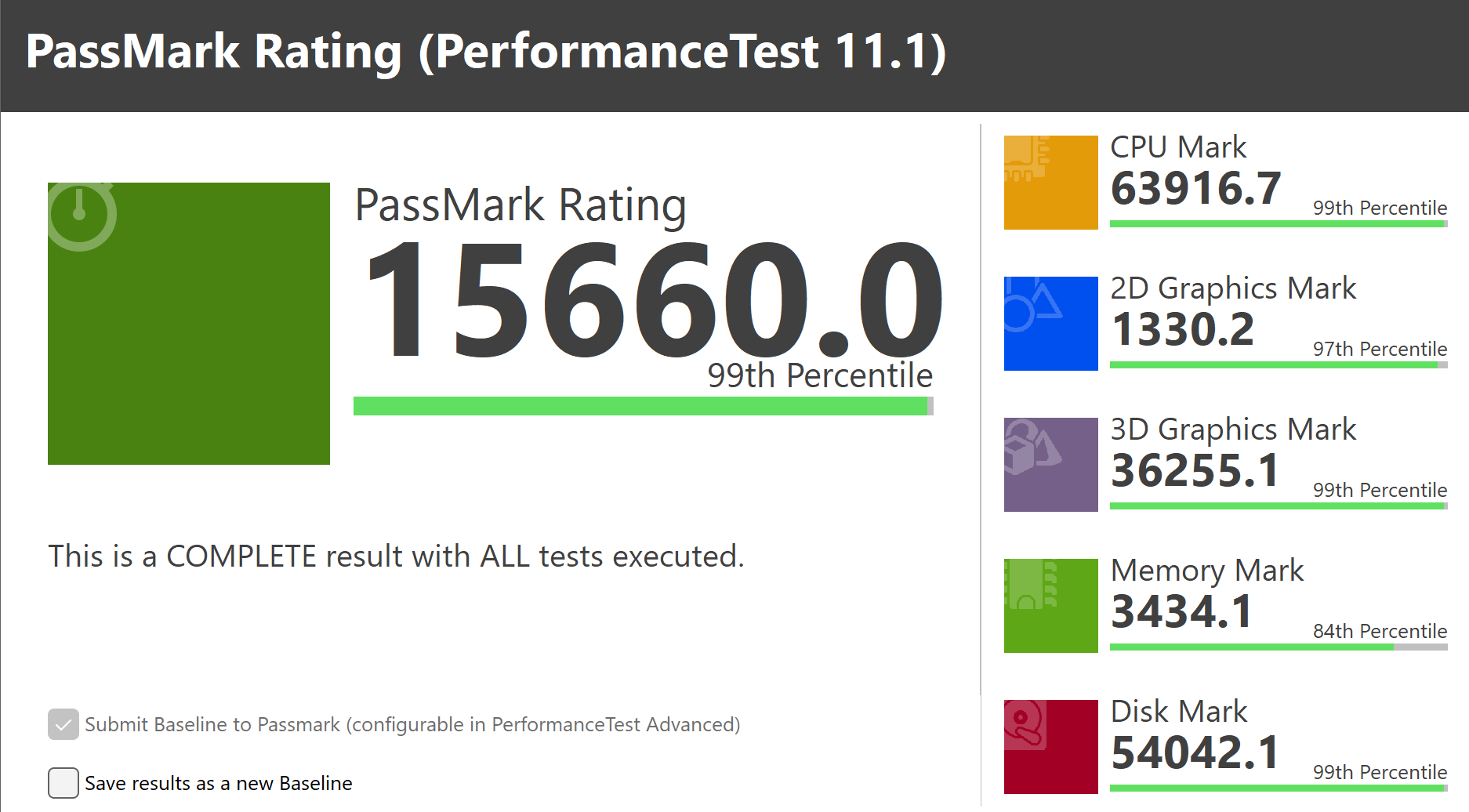
ASUS ROG NUC Benchmark


Should you buy ASUS ROG NUC 16?
Purchase: Official Store Click Here
The ASUS ROG NUC 16 is an impressive compact gaming PC that delivers high-end performance in a remarkably small chassis. With an Intel Core Ultra processor and NVIDIA GeForce RTX 5080 Laptop GPU with 16GB GDDR7, it provides excellent gaming and productivity performance without requiring a large desktop tower.
We like the ROG-inspired transparent side panel, visible cooling fan and extensive ventilation, while the triple-fan cooling system helps manage the heat generated by the powerful hardware. The chassis is also relatively easy to open, allowing users to upgrade the RAM and M.2 NVMe SSD.
Connectivity is another strength, with Thunderbolt 4, USB 3.2, HDMI 2.1, DisplayPort 2.1, 2.5Gb Ethernet and Wi-Fi 7.
The main disadvantages are the high price and limited CPU/GPU upgradeability compared with a traditional desktop PC. However, for users who prioritize compact size, powerful performance and a clean gaming setup, the ROG NUC 16 is an excellent choice.
Overall, the ROG NUC 16 successfully combines high-end gaming performance, sophisticated cooling and premium ROG design into an extremely compact package.
ASUS ROG NUC 16
6287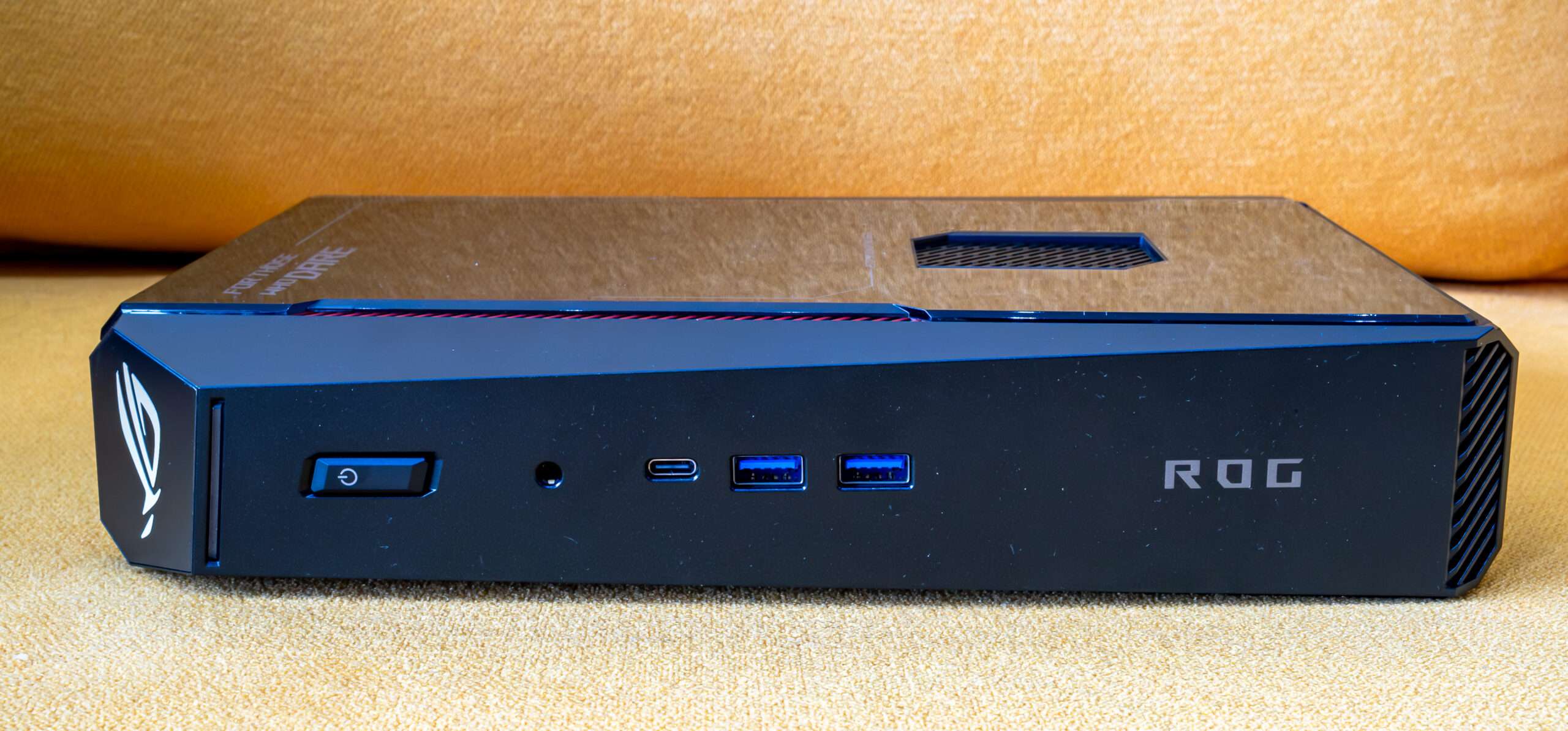
Pros
- Excellent Performance
- Compact Size
- Support Nvidia DLSS 5
- Easy to upgrade SSD and Ram
- RGB lighting
Cons
- High Temperature
- Lack of 10Gbe Port