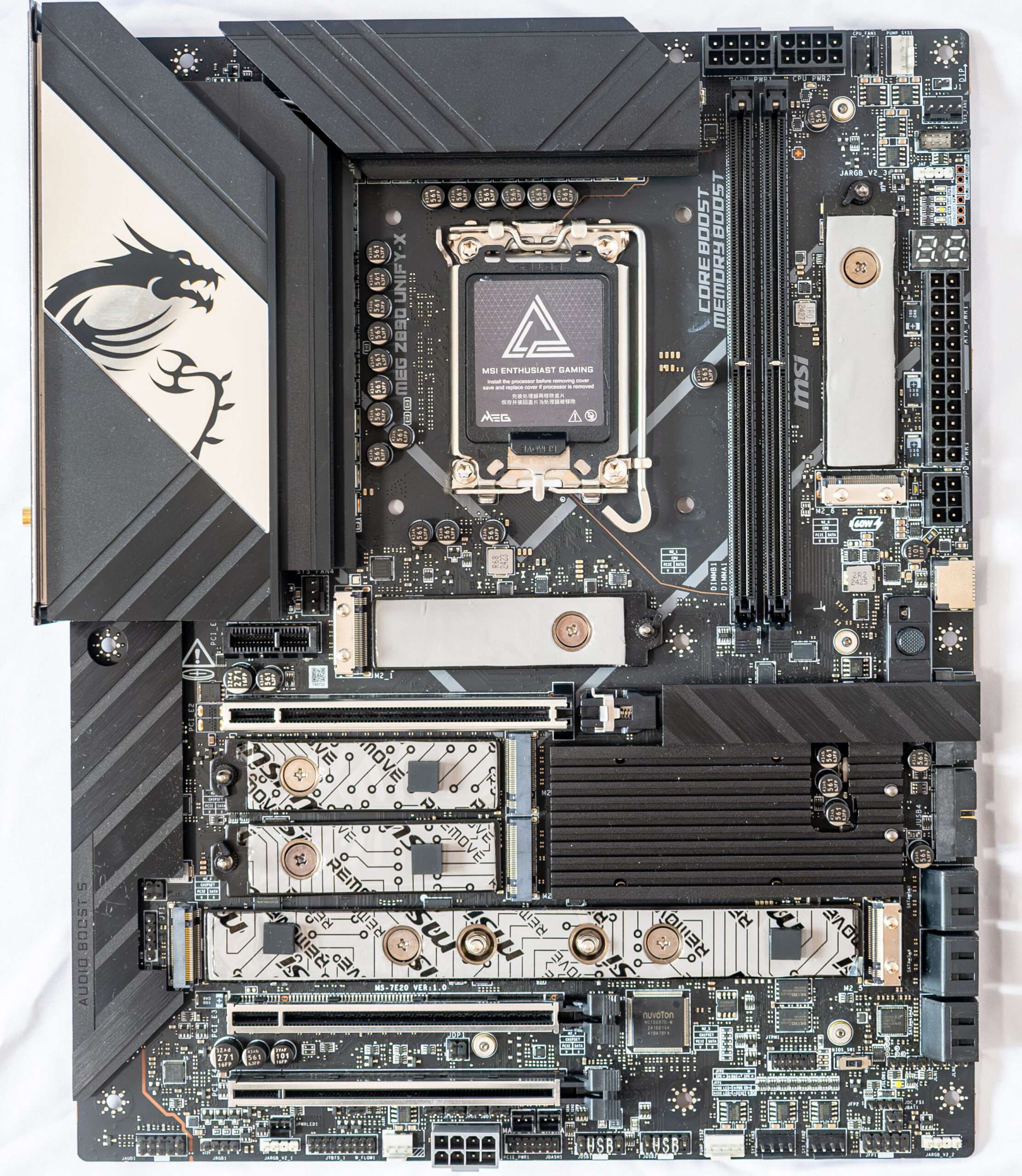
The MSI MEG Z890 UNIFY-X is a premium enthusiast-class motherboard engineered specifically for Intel Core Ultra Series 2 processors on the LGA 1851 platform. As part of MSI’s flagship MEG (MSI Enthusiast Gaming) family, the UNIFY-X is designed for hardcore overclockers, extreme performance enthusiasts, content creators, and AI-focused users who demand the highest levels of stability and tuning capability.
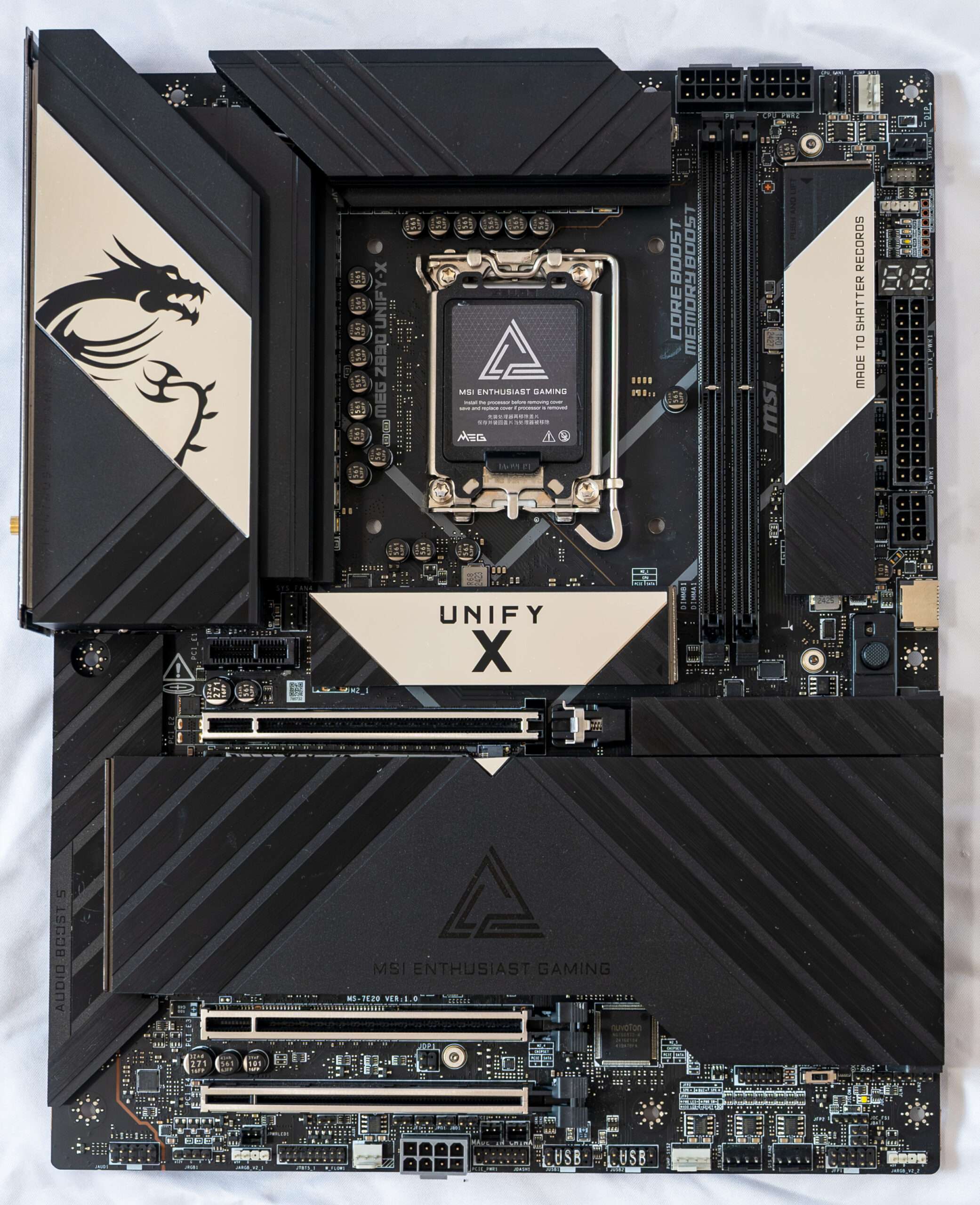
Power delivery is equally impressive, featuring a robust 20+2+1+1 phase VRM design with 110A Smart Power Stages and server-grade PCB construction. Combined with MSI’s advanced thermal solution, including a Direct Touch Cross Heat-Pipe, aluminum heatsinks, MOSFET baseplates, and double-sided M.2 Shield Frozr cooling, the motherboard is built to maintain peak performance even during heavy workloads and extreme overclocking sessions.
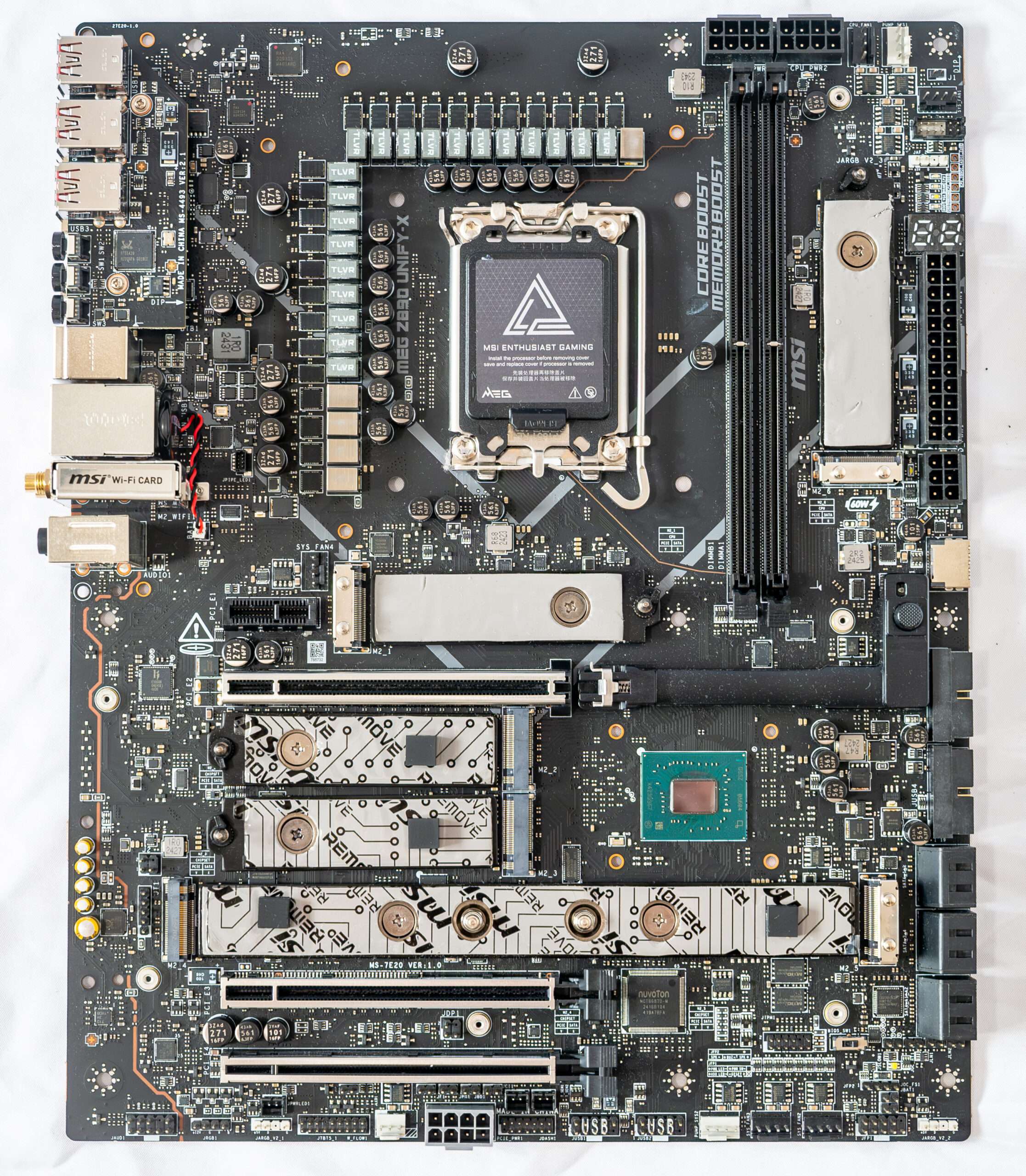
Form factor
The ATX form factor typically has dimensions of up to 305×244 mm, while the E-ATX form factor can go up to 305×330 mm. The MSI MEG Z890 Unify-X motherboard, with its dimensions of 243.84×304.8 mm, falls within the ATX form factor category. It’s important to note that this motherboard features a total of nine mounting holes for installation within a computer case.
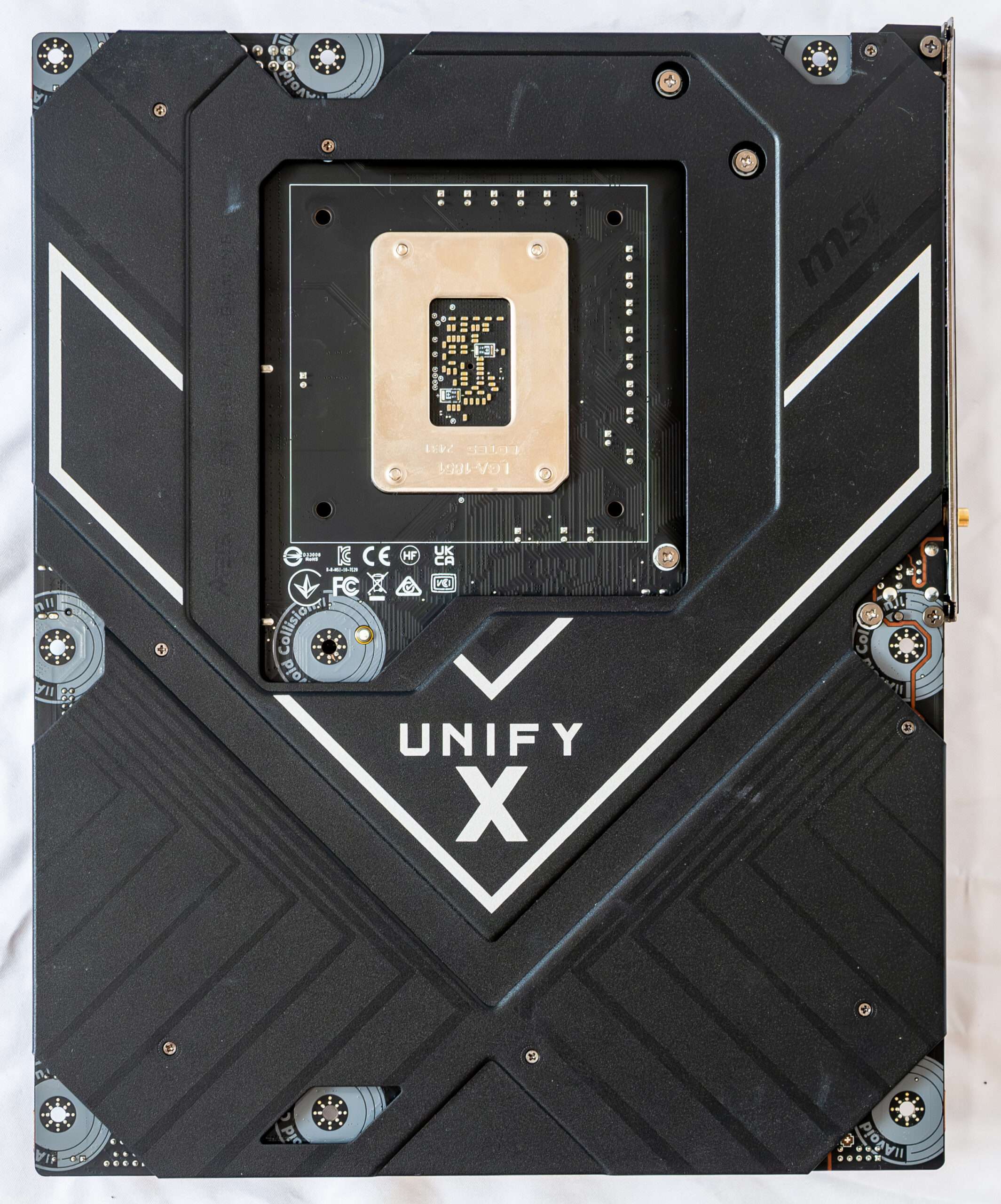
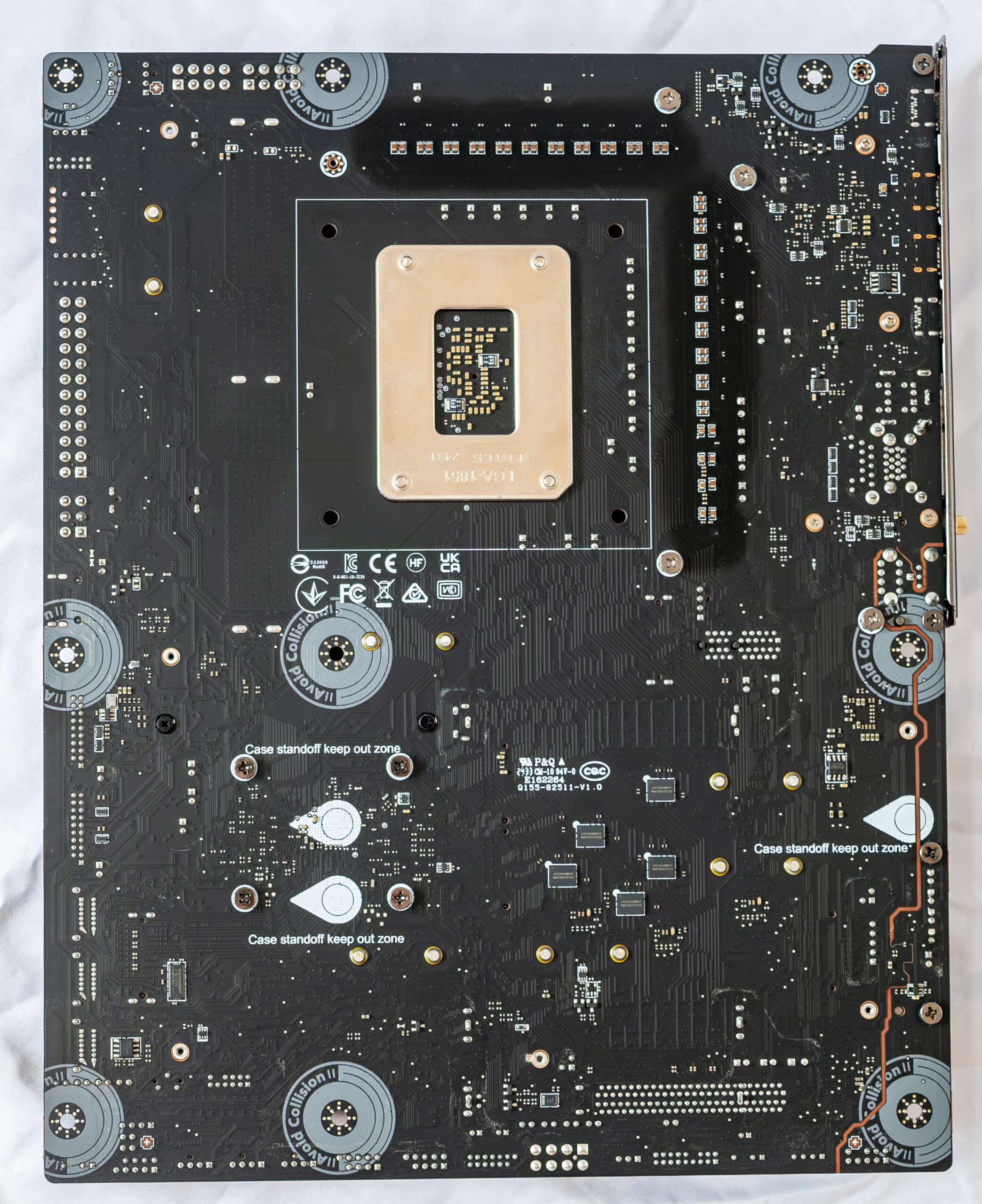
On the reverse side of the motherboard, you’ll find several controllers and some conventional logic components. The textolite, which is the material used for the motherboard’s substrate, is skillfully treated. All soldering points are not just trimmed to remove sharp edges, but they are also finely polished. Additionally, the board features a backplate (back plate) on its reverse side.
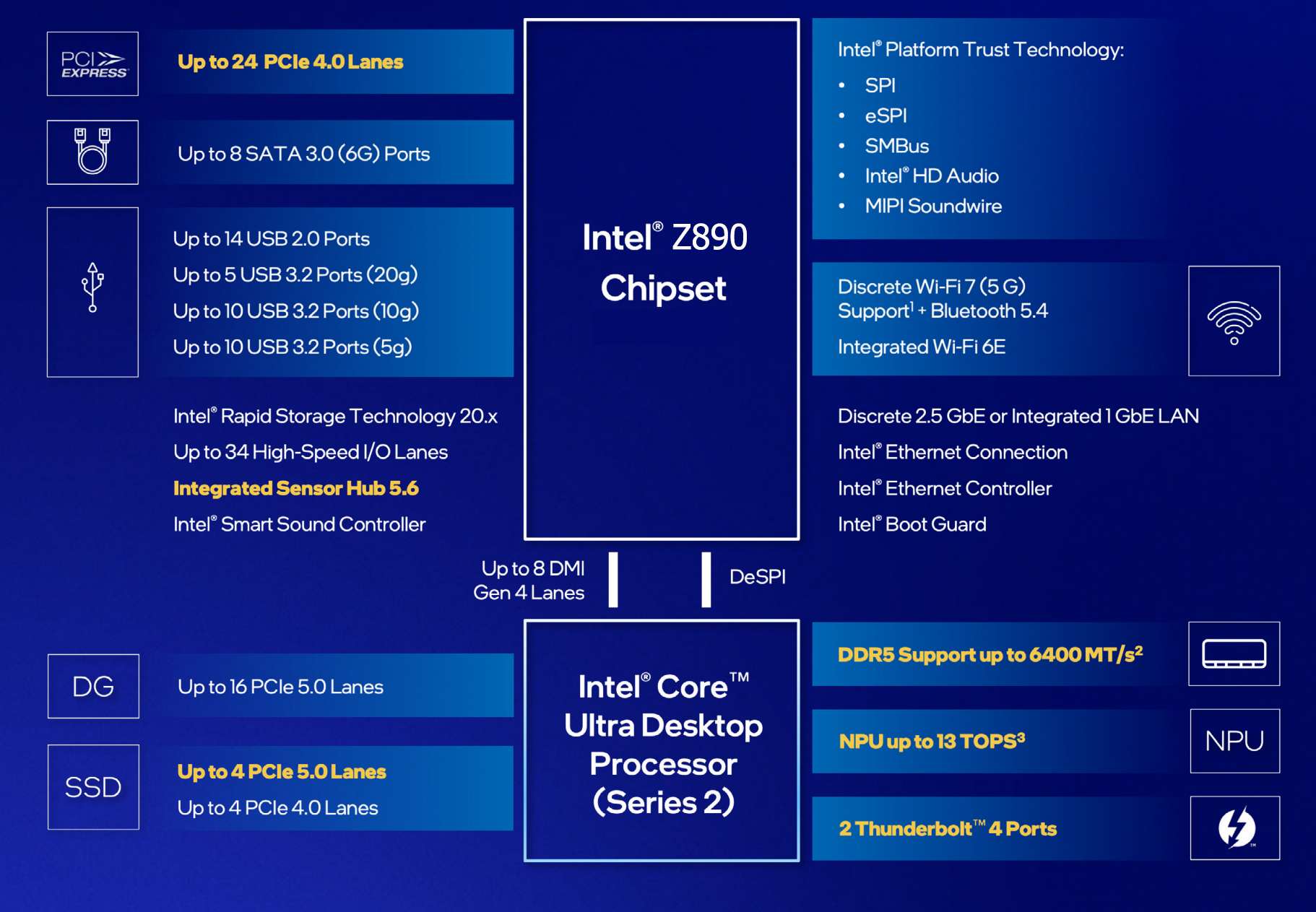
Let’s look again at the comparison table of the last 4 generations of Z series system chipsets.
| Chipset | Z890 | Z790 | Z690 | Z590 |
|---|---|---|---|---|
| Compatibility with Intel processors | Core Ultra 2xx | Core 14/13/12 | Core 14/13/12 | Core 11/10 |
| PCIe Version (CPU) | 4.0 & 5.0 | 4.0 & 5.0 | 4.0 & 5.0 | 3.0 (10th Gen) or 4.0 (11th Gen) |
| Number of PCIe lanes (processor) | 20 versions 5.0 & 4 versions 4.0 = 24 | 16 versions 5.0 & 4 versions 4.0 = 20 | 16 versions 5.0 & 4 versions 4.0 = 20 | 16 (10th Gen) or 20 (11th Gen) |
| PCIe version (chipset) | 4.0 | 3.0 & 4.0 | 3.0 & 4.0 | 3.0 |
| Number of PCIe/SATA lanes (chipset) | 24 4.0 & 8 SATA = 32 | 20 v4.0 & 8 v3.0 or 8 SATA = 28 | 12 v4.0 & 16 v3.0 or 8 SATA = 28 | 18 version 3.0 or 6 SATA = 18 |
| Number of SATA 6.0 Gb/s ports up to | 8 | 8 | 8 | 6 |
| DMI version | 4.0 | 4.0 | 4.0 | 3.0 |
| Number of DMI lines | x8 | x8 | x8 | x8 |
| RAM generation | DDR5 | DDR4 & DDR5 | DDR4 & DDR5 | DDR4 |
| Number of RAM channels | 2 | 2 | 2 | 2 |
| Maximum number of RAM slots | 4 | 4 | 4 | 4 |
| Maximum RAM | 256 GB | 256GB DDR5/128GB DDR4 | 256GB DDR5/128GB DDR4 | 128 GB |
| USB4 ports (40Gbps)(processor) up to | 2 | – | – | – |
| USB 3.2 Gen 2×2 ports (20Gbps) up to | 5 | 5 | 4 | 3 |
| USB 3.2 Gen 2×1 ports (10Gbps) up to | 10 | 10 | 10 | 10 |
| USB 3.2 Gen 1×1 ports (5Gbps) up to | 10 | 10 | 10 | 10 |
| USB 2.0 ports up to | 14 | 14 | 14 | 14 |
| Built-in Wi-Fi support | Wi-Fi 7 | Wi-Fi 7/ WIFI 6E | Wi-Fi 6E | Wi-Fi 6 |
Note that the Z790 has SATA ports included in the total number of PCIe lanes (28 in total), while the Z890 has 24 PCIe 4.0 lanes plus a maximum of 8 SATA lines, meaning that the Z890 chipset essentially has 32 PCIe lines, but 8 lines for SATA ports cannot be reconfigured for other use (while the Z790 simply had 8 PCIe 3.0 lanes, and they could be used for up to 8 SATA ports).
The Core Ultra processors have a total of 24 PCIe lanes (20 of which are version 5.0, and 4 are version 4.0), and there is also a built-in Thunderbolt 4 controller, which essentially gives us 2 USB4 ports (up to 40 Gb/s each).
In total, the new LGA1851 platform (processor + Z890) gives us an increase of 8 PCIe lanes (relative to the LGA1700 platform).
With the transition to a tiled layout, Arrow Lake brings improvements to nearly every component of the processor, including the compute cores, graphics core, input-output interfaces, and the addition of an NPU neural processor. Leveraging one of the most advanced manufacturing technologies—TSMC’s 3nm process—it’s no surprise that expectations were high for improved energy efficiency and reduced heat generation compared to the Raptor Lake series. Notably, Raptor Lake, though significantly refined, still relied on Intel’s older 10nm process. As a result, Arrow Lake was anticipated to deliver a substantial boost in both performance and energy efficiency.
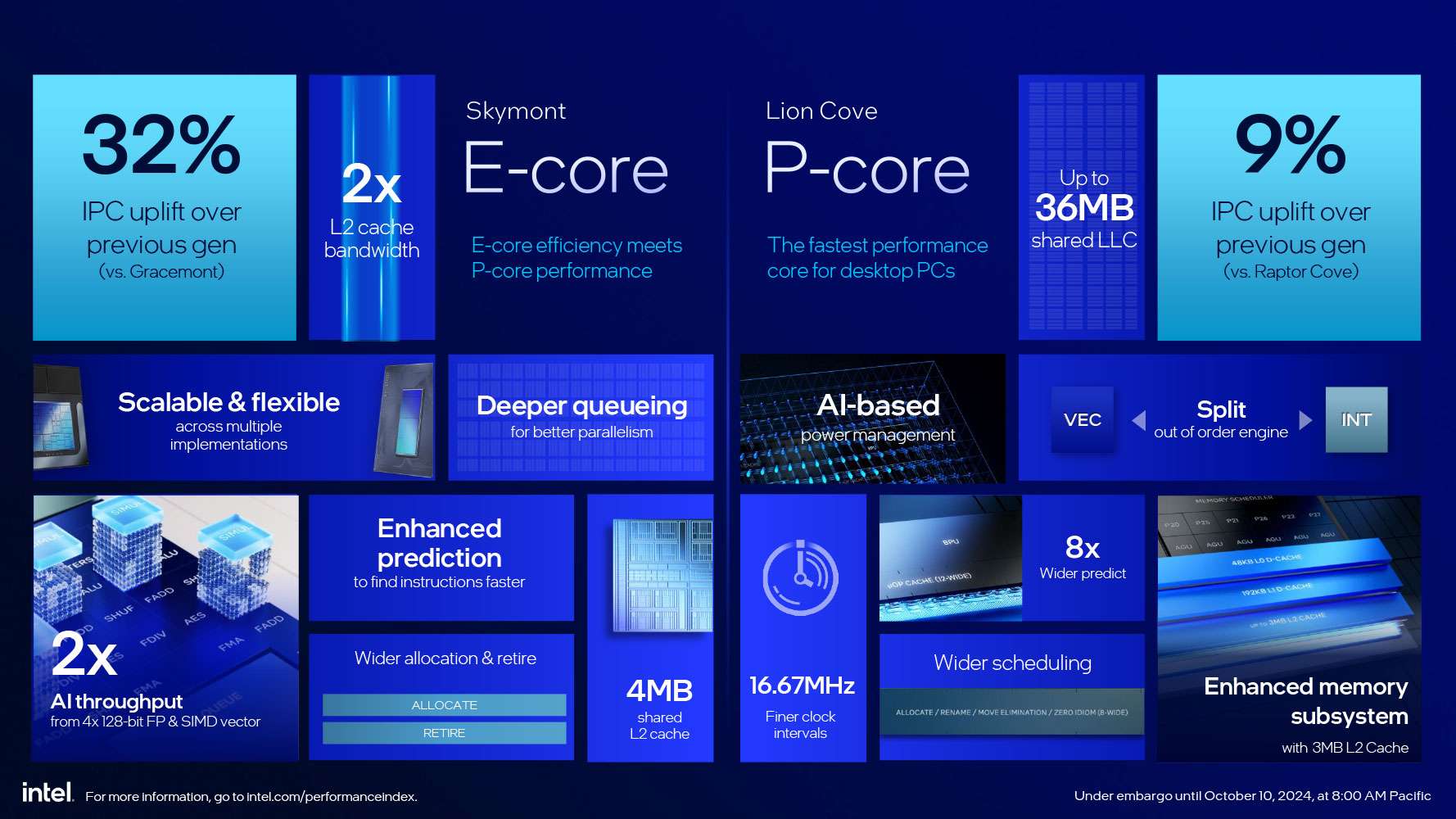
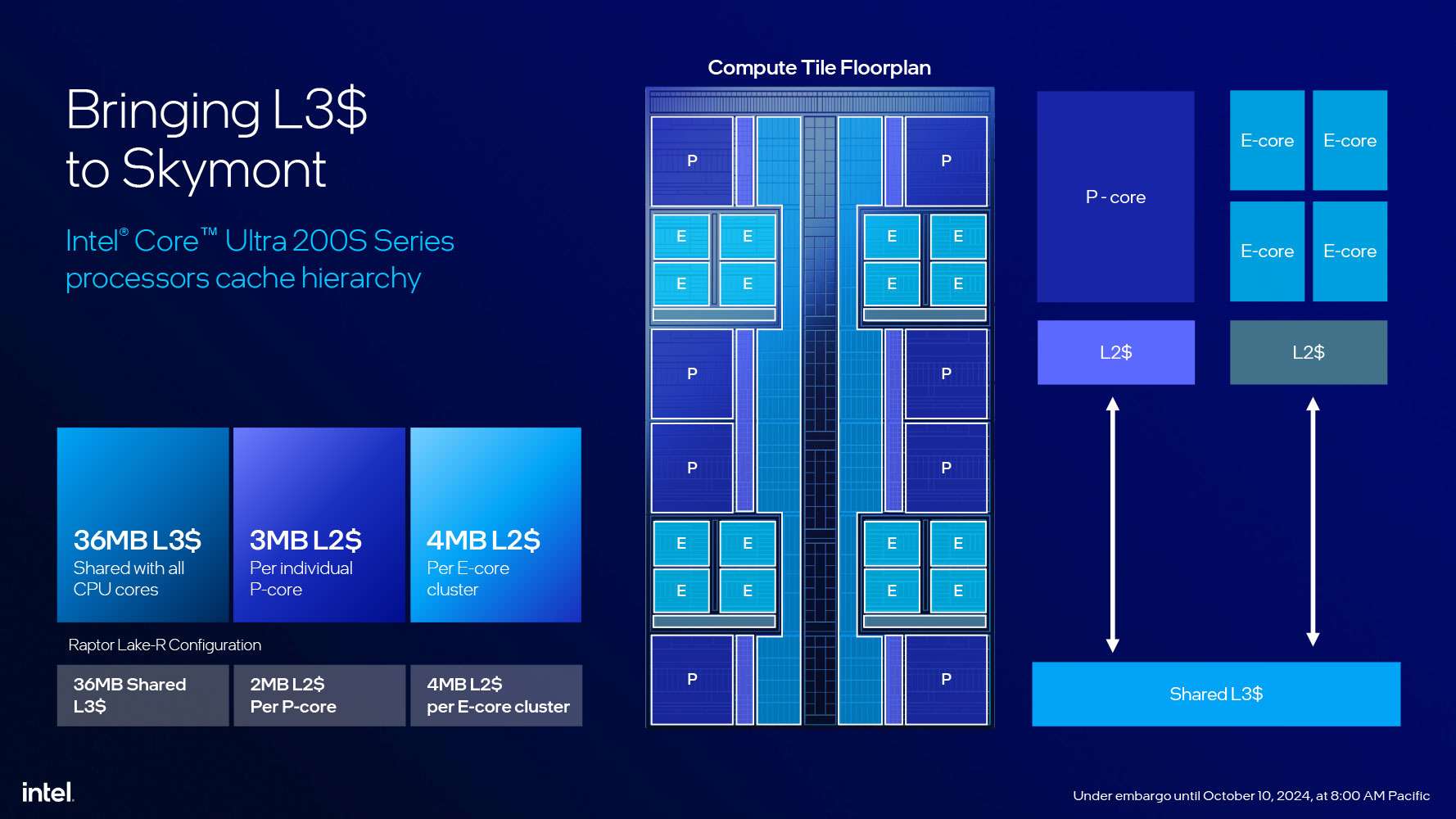
The Compute tile is the centerpiece, housing eight high-performance Lion Cove P-cores and 16 power-efficient Skymont E-cores, with improvements to these cores discussed below. All cores are interconnected via a ring bus and share a 36MB L3 cache for data exchange. Each of the eight P-cores is equipped with a dedicated 3MB L2 cache, while the E-cores are organized into clusters of four, with each cluster sharing a 4MB L2 cache.
The memory controller in Arrow Lake has also been updated, dropping support for the DDR4 standard. Unlike Alder Lake and Raptor Lake, which featured controllers for both DDR4 and DDR5, the new architecture exclusively supports DDR5. This shift eliminates the outdated DDR4 standard and, in theory, allows for slightly more efficient operation of DDR5 subchannels.

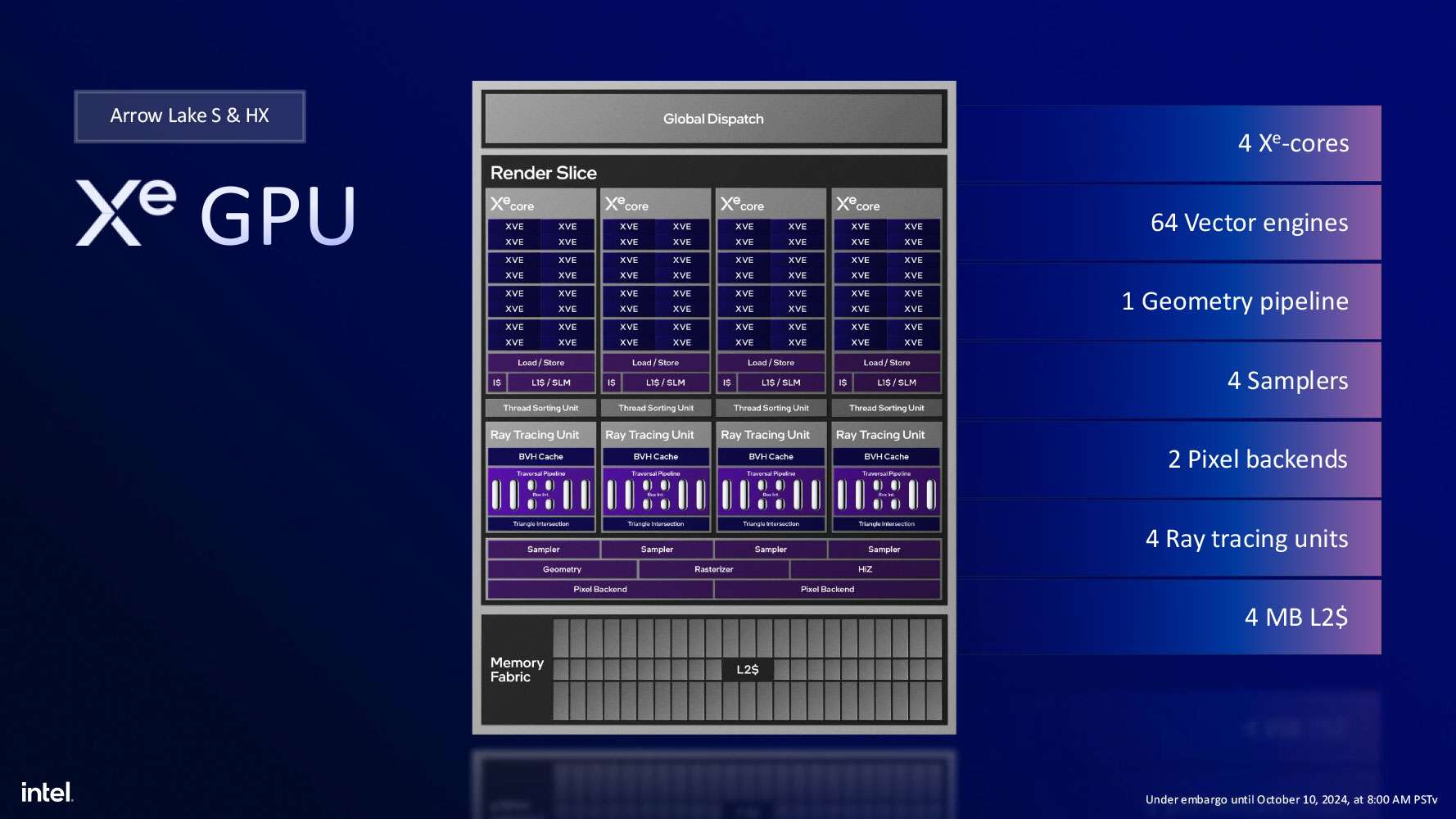
The graphics core components in Arrow Lake are distributed across the Graphics and SoC tiles. The Graphics tile serves as the primary component, housing the elements of the graphics pipeline and the computing units located within the Xe cores. Meanwhile, the SoC tile contains the display and media processing engines, as well as the display output interface.
The graphics core in Arrow Lake-S is based on the Xe-LPG graphics architecture, which was first introduced in Meteor Lake mobile processors. This architecture is a significant upgrade over the Xe-LP found in Raptor Lake desktop processors. The Graphics tile features the Xe-LPG core, built on TSMC’s advanced 5nm N5P process. It includes a Xe Render Slice with four Xe cores, comprising 64 EU streaming units, which correspond to 512 unified shader units in competing solutions.
Unlike other architectures in the Xe family, the integrated graphics controller in Arrow Lake lacks XMX blocks for AI tasks. Instead, AI acceleration is handled using DP4a instructions on the main computing units. Despite this limitation, the same XeSS technology will still function, albeit at a somewhat reduced performance level.
The media engine in Arrow Lake-S offers hardware acceleration for video decoding at resolutions of up to 8K at 60 FPS in 10-bit HDR format, with support for VP9, AVC, HEVC, AV1, and SSC video formats. It also supports hardware-accelerated video encoding at resolutions up to 8K at 120 FPS in 10-bit HDR, compatible with VP9, AVC, HEVC, and AV1 formats.
The display output engine can drive up to four displays simultaneously, supporting HDMI 2.1, DisplayPort 2.1, and eDP 1.4 connections. It delivers output signal capabilities of 8K HDR at 60 Hz or 2560×1440p at up to 360 Hz for a single display, and 4K HDR at 60 Hz across four displays.
Overall, at the time of their release, Arrow Lake processors stand out as the most technologically advanced solutions in the desktop CPU market. They feature a sophisticated multi-chiplet design, utilize the most advanced manufacturing process for the main compute die, and integrate powerful GPU and NPU capabilities. Initially, five processor models were launched, offering varying specifications and price points.
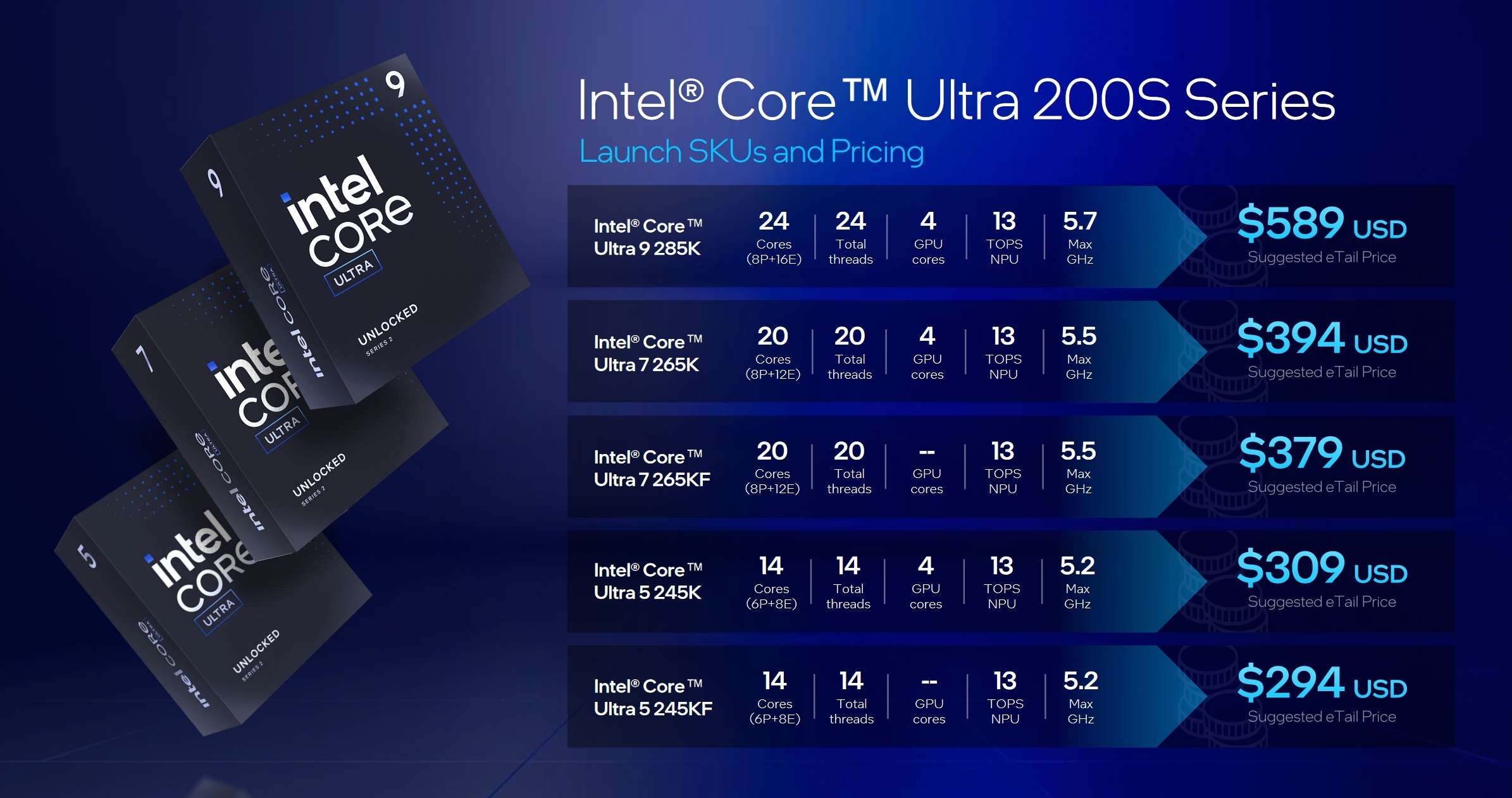
| P-nuclei | E-cores | Streams | P-core frequency, GHz | E-core frequency, GHz | L2/L3 cache, MB | Consumption, W | Price, $ | |
|---|---|---|---|---|---|---|---|---|
| Core Ultra 9 285K | 8 | 16 | 24 | 3.7-5.7 | 3.2-4.6 | 40/36 | 125/250 | 589 |
| Core Ultra 7 265K | 8 | 12 | 20 | 3.9-5.5 | 3.3—4.6 | 36/30 | 125/250 | 394 |
| Core Ultra 7 265KF | 8 | 12 | 20 | 3.9-5.5 | 3.3—4.6 | 36/30 | 125/250 | 379 |
| Core Ultra 5 245K | 6 | 8 | 14 | 4.2-5.2 | 3.6-4.6 | 26/24 | 125/159 | 309 |
| Core Ultra 5 245KF | 6 | 8 | 14 | 4.2-5.2 | 3.6-4.6 | 26/24 | 125/159 | 294 |
- Core Ultra 9 285K is a flagship processor with 8 P and 16 E cores and a maximum turbo frequency of 5.7 GHz (for comparison, the flagships of previous generations had frequencies of up to 6 GHz and even more).
- Core Ultra 7 265K(F) is a pre-top model with 8 P-cores and 12 E-cores (one of the four clusters with E-cores is disabled) and a turbo frequency of 5.5 GHz.
- Core Ultra 5 245K(F) are currently the youngest models of the family with the number of P-cores reduced to 6 and only eight E-cores (2 of 4 clusters are disabled) with a turbo frequency of up to 5.2 GHz.
Specification
| Supported Processors | Intel Core Ultra 2xx |
|---|---|
| Processor socket | LGA 1851 |
| Chipset | Intel Z890 |
| Memory | 2×DDR5, up to 9066MT/s (XMP), up to 128GB, dual-channel (DIMM/CUDIMM) |
| Audio subsystem | 1 × Realtek ALC4080 (7.1) Supports up to 32-bit/384kHz playback on front panel |
| Network controllers | 1×Intel® Killer™ E5000B 5Gbps Ethernet 1×Intel Dual Band Wireless BE201 (Wi-Fi7 802.11a/b/g/n/ac/ax (2.4/5/6GHz) + Bluetooth 5.4) |
| Expansion slots | CPU – 1×PCIe 5.0 x16 – 1×PCIe 5.0 x8 – Share Bandwidth with above PCIe Chipset – 1 x PCIe 4.0 x4 Slots – 1 x PCIe 4.0 x1 Slot |
| Storage connectors | CPU – 1 x M.2 Socket (M2_6, Key M), supports type 2260/2280 PCIe Gen5x4 (128 Gb/s) mode Main – 1 x M.2 Socket (M2_4, Key M), supports type 2260/2280 PCIe Gen4x4 (64 Gb/s) mode* – 1 x M.2 Socket (M2_1, Key M), supports type 2260/2280 PCIe Gen4x4 (64 Gb/s) mode* Chipset: – 1 x M.2 Socket (M2_3, Key M), supports type 2260/2280 PCIe Gen4x4 (64 Gb/s) mode* – 1 x M.2 Socket (M2_5, Key M), supports type 2260/2280 PCIe Gen4x4 (64 Gb/s) mode* – 1 x M.2 Socket (M2_6, Key M), supports type 2260/2280 PCIe Gen4x4 (64 Gb/s) mode*– 4 x SATA 3 6.0Gb/s *Supports RAID 0, RAID 1, RAID 5 and RAID 10 for SATA storage devices *Supports RAID 0, RAID 1, RAID 5 and RAID 10 for M.2 NVMe storage devices |
| USB Port | 1x USB 20Gbps Type-C front panel port with Power Delivery (From Z890 chipset) Supports up to 60W fast charging* 2x USB 5Gbps connectors (From GL3523) Supports additional 4 USB 5Gbps ports 2x USB 2.0 connectors (From Hub-GL850G)Supports additional 4 USB 2.0 ports * To achieve USB PD 60W fast charging for JUSBC1, the PD_PWR1 connector needs to be connected to the power supply unit. |
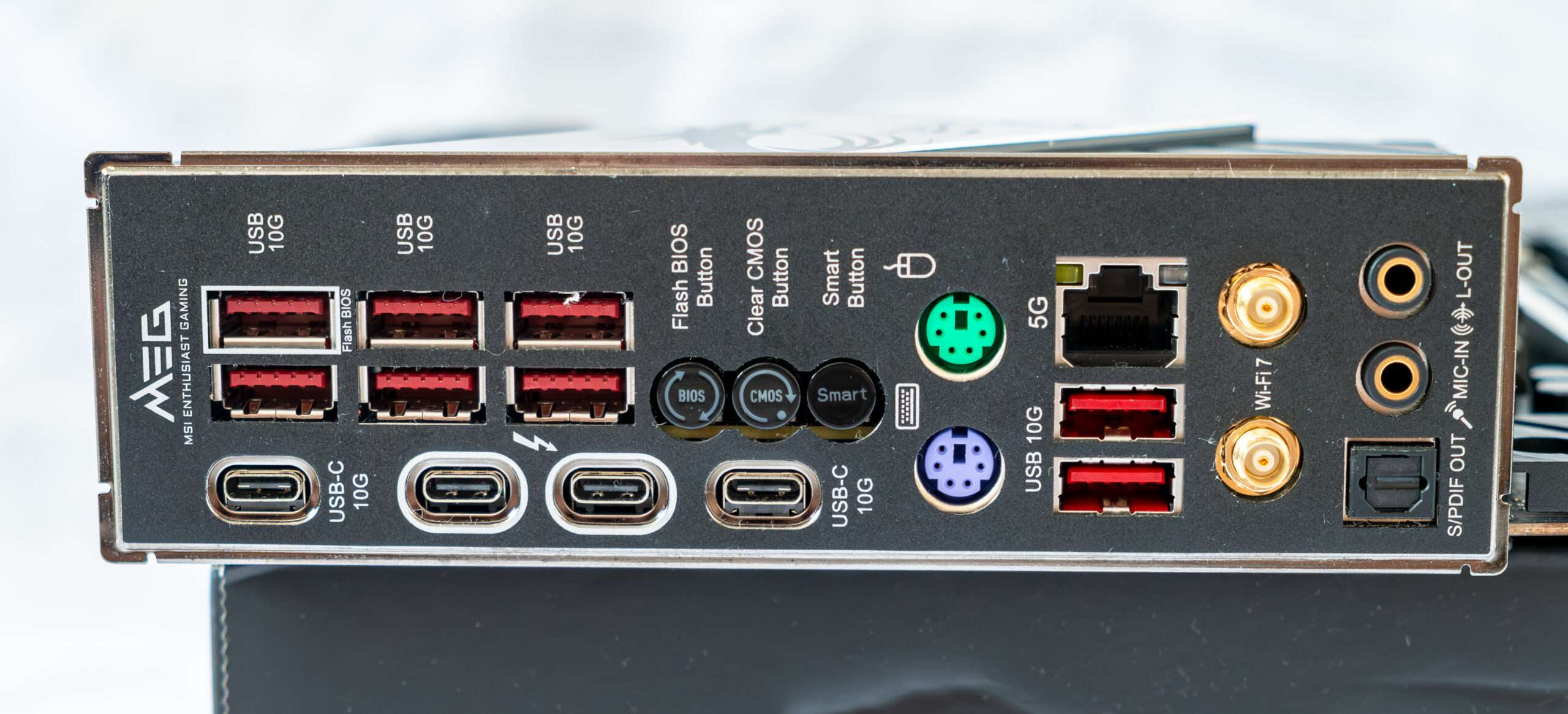
| Rear panel connectors | 4x USB 10Gbps Type-A ports (From Z890 chipset) 4x USB 10Gbps Type-A ports (From Hub RTS5420) 1x Flash BIOS button 1x Clear CMOS button 1x Smart button 2x Thunderbolt™ 4 USB-C® ports (From CPU) Supports DisplayPort over USB Type-C® Each port can daisy-chain up to three Thunderbolt 4 devices or five Thunderbolt 3 devices 2x USB 10Gbps Type-C® ports (From Z890 chipset) 1x PS/2 mouse port 1x PS/2 keyboard port 1x 5Gbps LAN (RJ45) port 2x Wi-Fi Antenna connectors 2x audio jacks 1x Optical S/PDIF Out connector |
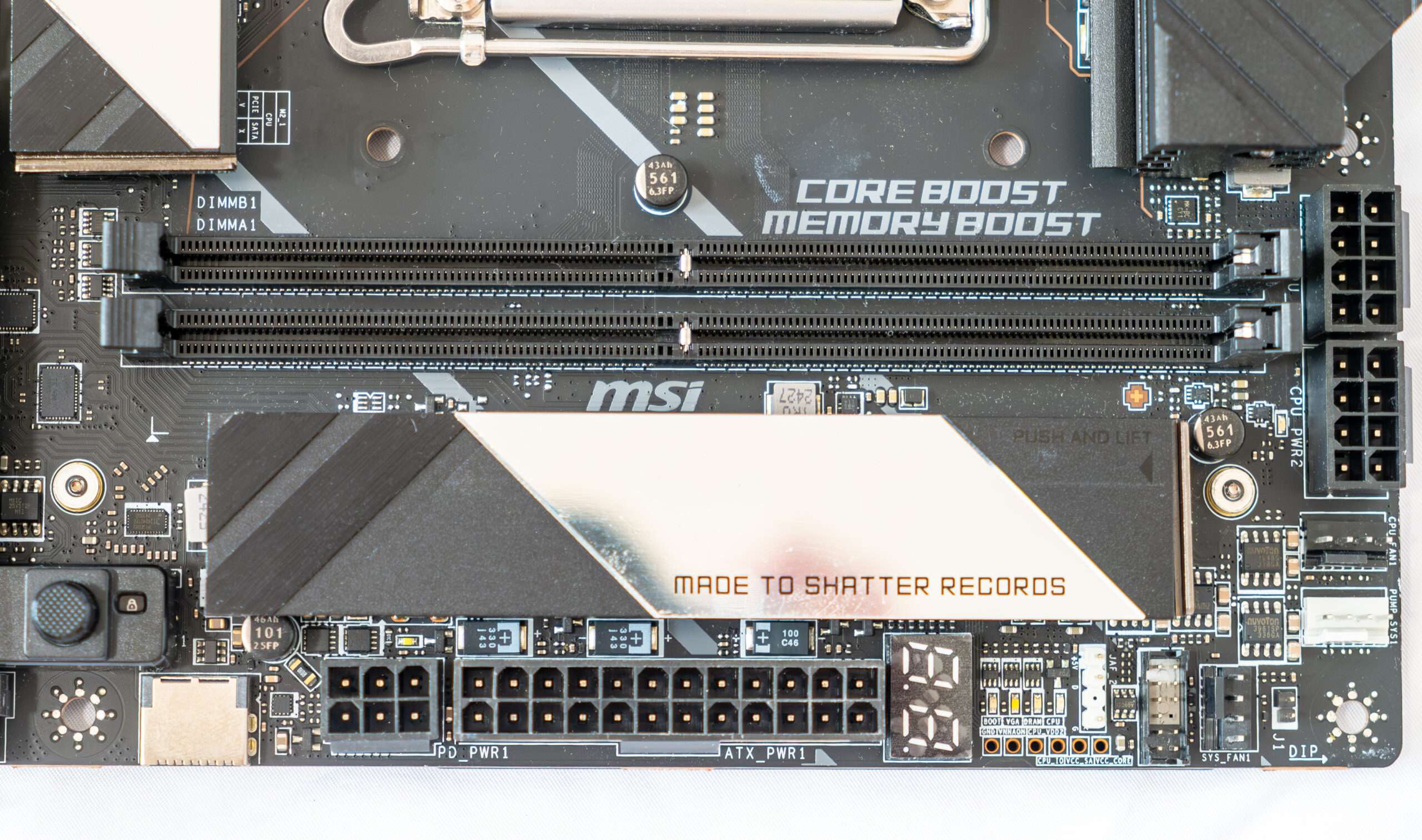
| Other internal elements | 1x 24-pin ATX power connector 2x 8-pin EPS12V power connector 1 x 8-pin PCIe 1x 6 pin Power Delivery Connector (PD_PWR1)* * To achieve USB PD 60W fast charging, the PD_PWR1 connector needs to be connected to the power supply unit. |
| Form factor | ATX (9.6 in. x 12 in. (244 mm x 305 mm) |
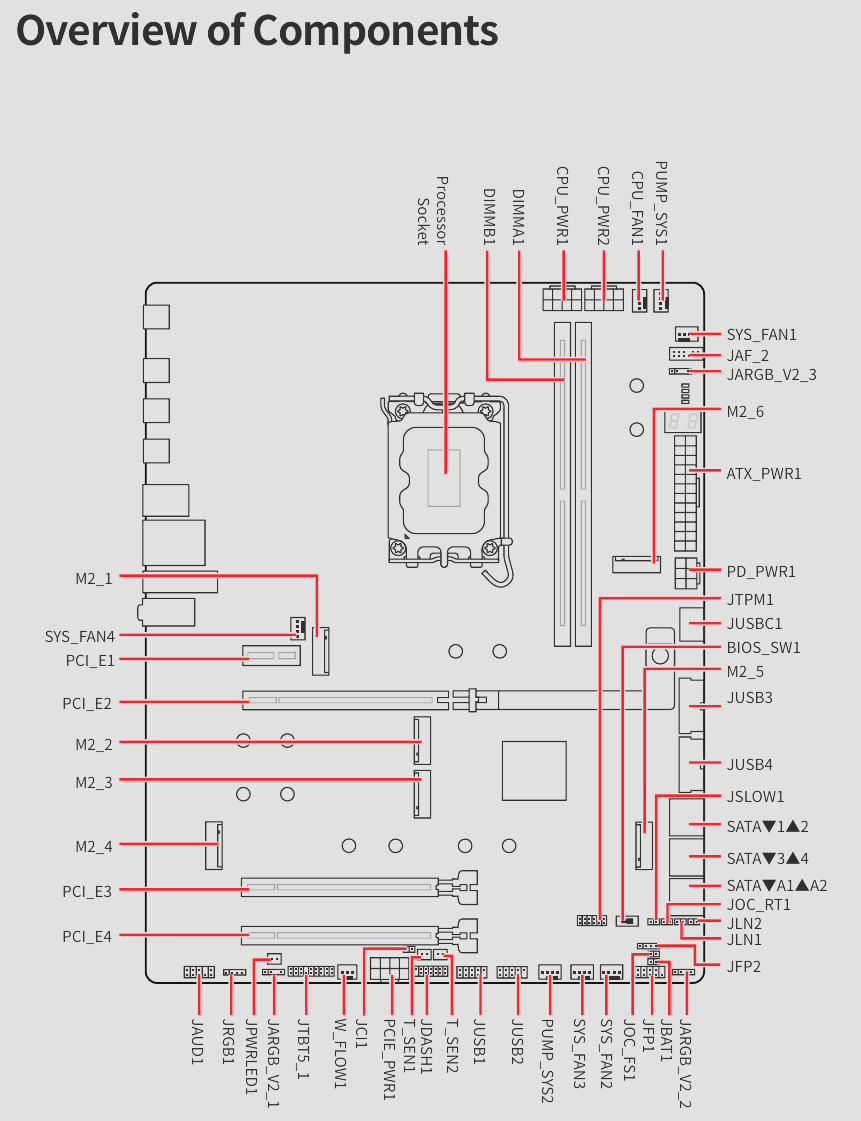
Peripheral functionality: USB ports, network interfaces, I/O
Now it’s the turn of USB ports and other I/O. And let’s start with the back panel, where most of them are displayed.
On the back I/O panel of connections including 10x USB-A 3.2 Gen2 (10Gb/s), 2x USB-C USB 4.0 Thunderbolt 4, 2x USB-C 3.2 Gen 2 (10Gb/s, 1x 5GBase-T (Intel), Intel WiFI 7, PS/2 Keyboard & Mouse, Optical S/PDIF and audio Jack. 3 button also present on the rear panel feature for the Bios Flashback, Clear CMOS and Smart Button .
Unlike conventional four-DIMM motherboards, the MEG Z890 UNIFY-X adopts a specialized two-DIMM memory architecture that optimizes signal integrity and minimizes latency, enabling support for DDR5 memory speeds exceeding 9600 MT/s. This design makes it one of the most capable memory-overclocking motherboards available for Intel’s Z890 platform.
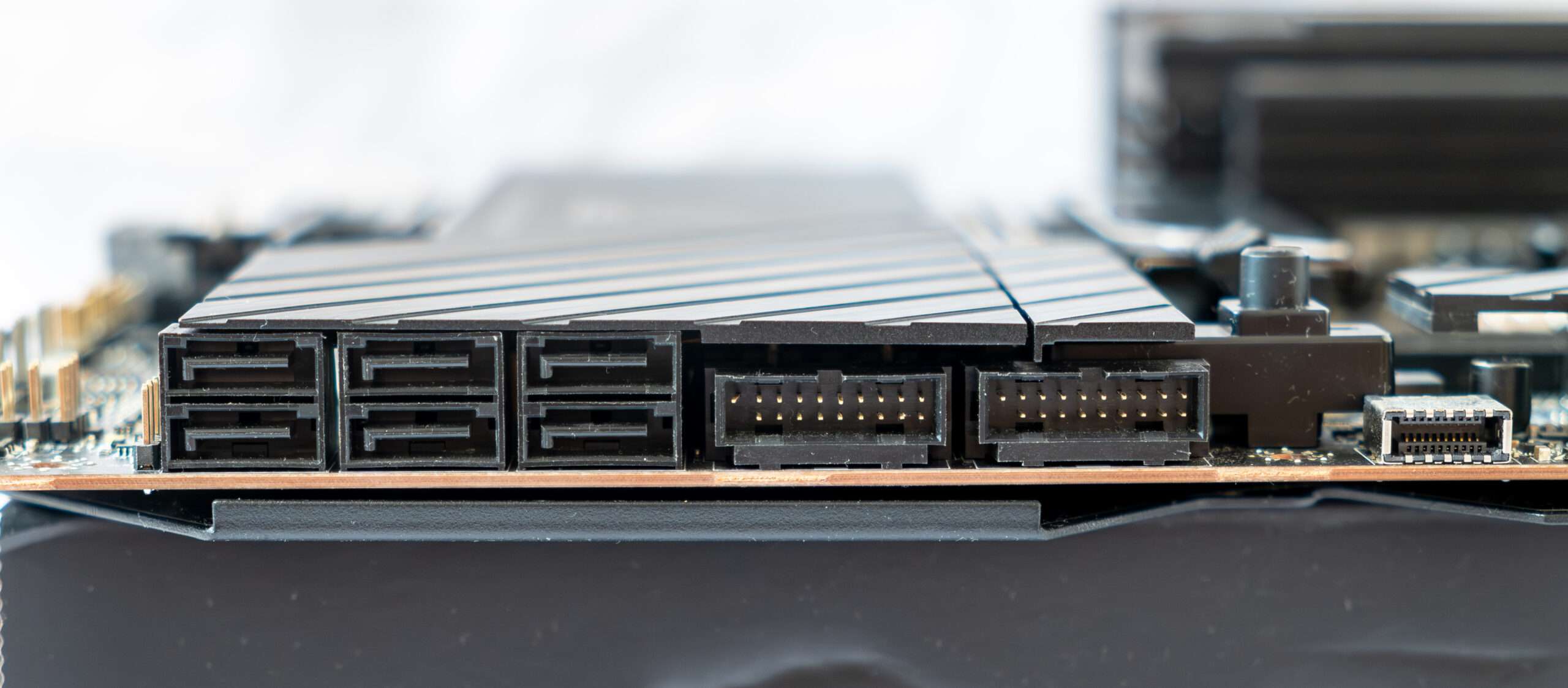
Side: Storage and USB connector
For expansion and storage, the MEG Z890 UNIFY-X offers PCIe 5.0 support for both graphics cards and NVMe SSDs, alongside six M.2 slots and six SATA ports, providing exceptional flexibility for gaming, workstation, and AI computing builds. Connectivity is equally modern with dual Thunderbolt 4 ports, Intel Killer Wi-Fi 7, 5GbE LAN, USB 20Gbps support, and Bluetooth 5.4, ensuring blazing-fast networking and peripheral performance.
In total, the board has 6 Serial ATA 6 Gb / s connectors support Raid creation. Two USB 3.0 (5Gbps) and USB-C (20Gbps) Front Panel Connector
One of the standout features of the MSI MEG Z890 UNIFY-X is its impressive storage configuration, offering a total of six M.2 slots for high-speed NVMe solid-state drives. This extensive storage capability allows users to build massive storage arrays for gaming libraries, professional content creation projects, AI workloads, and large data collections without relying heavily on traditional SATA drives.
The primary M.2 slot supports the latest PCIe 5.0 x4 interface, delivering exceptional bandwidth for next-generation SSDs capable of reaching speeds well beyond 10,000 MB/s. The remaining M.2 slots utilize PCIe 4.0 x4 connectivity, providing ample performance for gaming, application storage, and high-speed data transfers.
To maintain optimal SSD temperatures, MSI equips all M.2 slots with its advanced Shield Frozr cooling solution. Large aluminum heatsinks and thermal pads help dissipate heat efficiently, preventing thermal throttling during intensive workloads such as large file transfers, video editing, and extended gaming sessions.
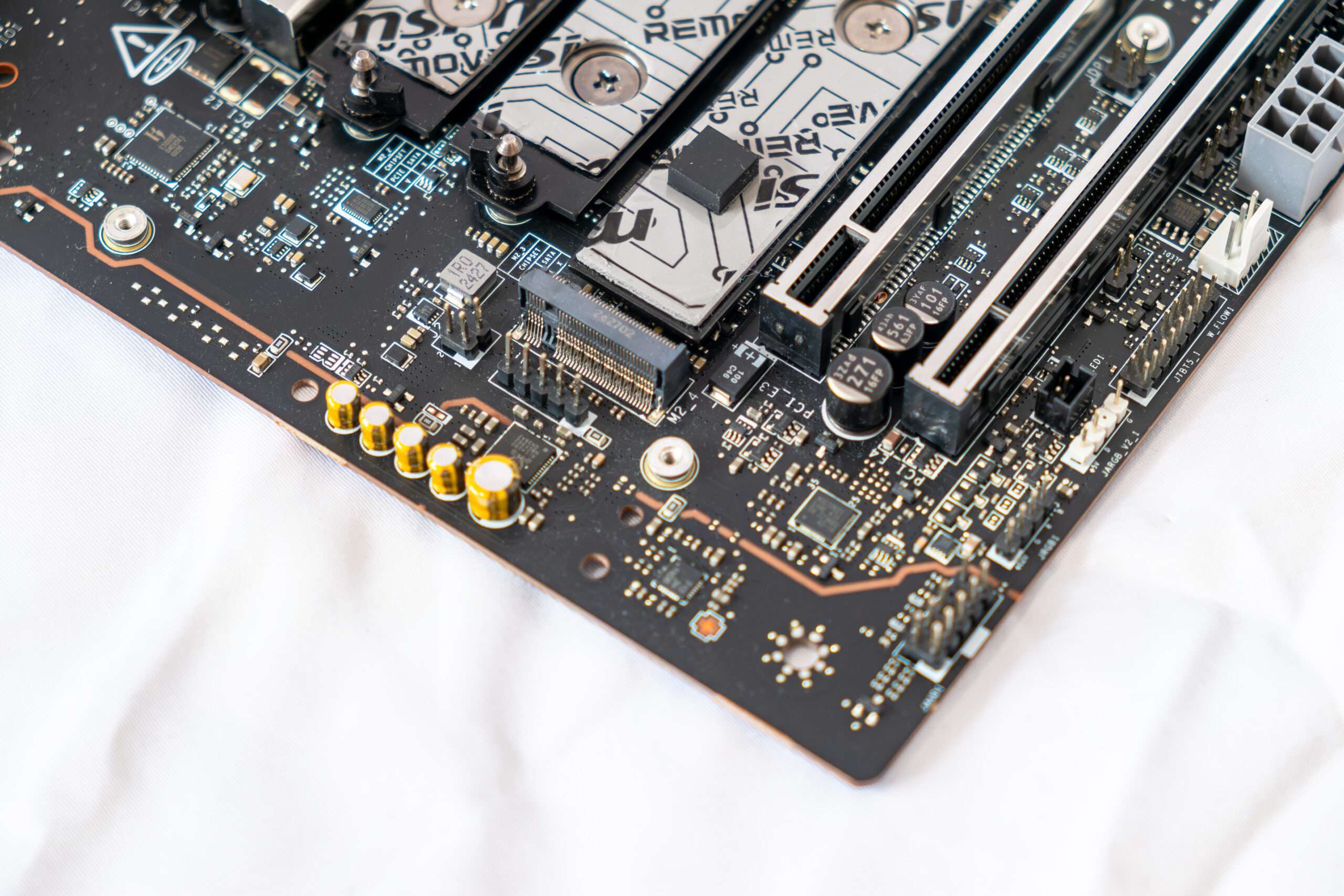
The MSI MEG Z890 UNIFY-X features a premium onboard audio solution designed to deliver high-quality sound for gaming, entertainment, and content creation. MSI utilizes the Realtek ALC4080 high-definition audio codec, paired with premium audio-grade capacitors and an isolated PCB audio design to reduce signal interference and provide cleaner sound output.
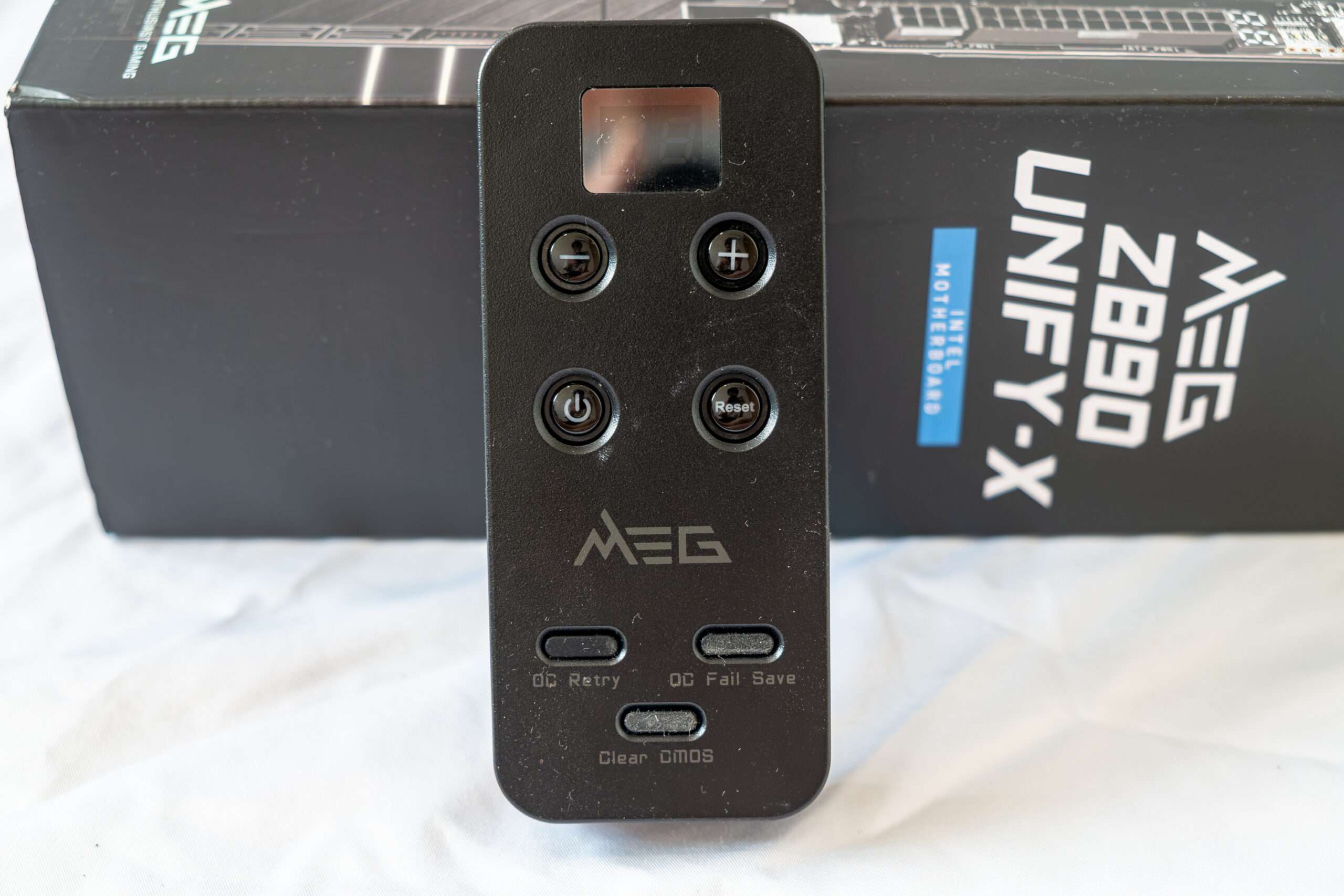
The MSI Tuning Controller is a dedicated hardware feature designed to simplify system tuning and overclocking. Located directly on the motherboard PCB, the Tuning Controller provides quick access to various performance profiles and overclocking functions without the need to repeatedly enter the BIOS. The feature allows users to easily switch between different performance modes, adjust CPU and memory overclocking settings, and fine-tune system behavior for benchmarking or daily operation. It is particularly useful for overclockers who frequently test different configurations and need rapid access to tuning controls during stability testing.
Power Phase Design & Component
The MSI MEG Z890 Unify-X motherboard requires two ATX12V power connector with 8 pins to provide power to the CPU.
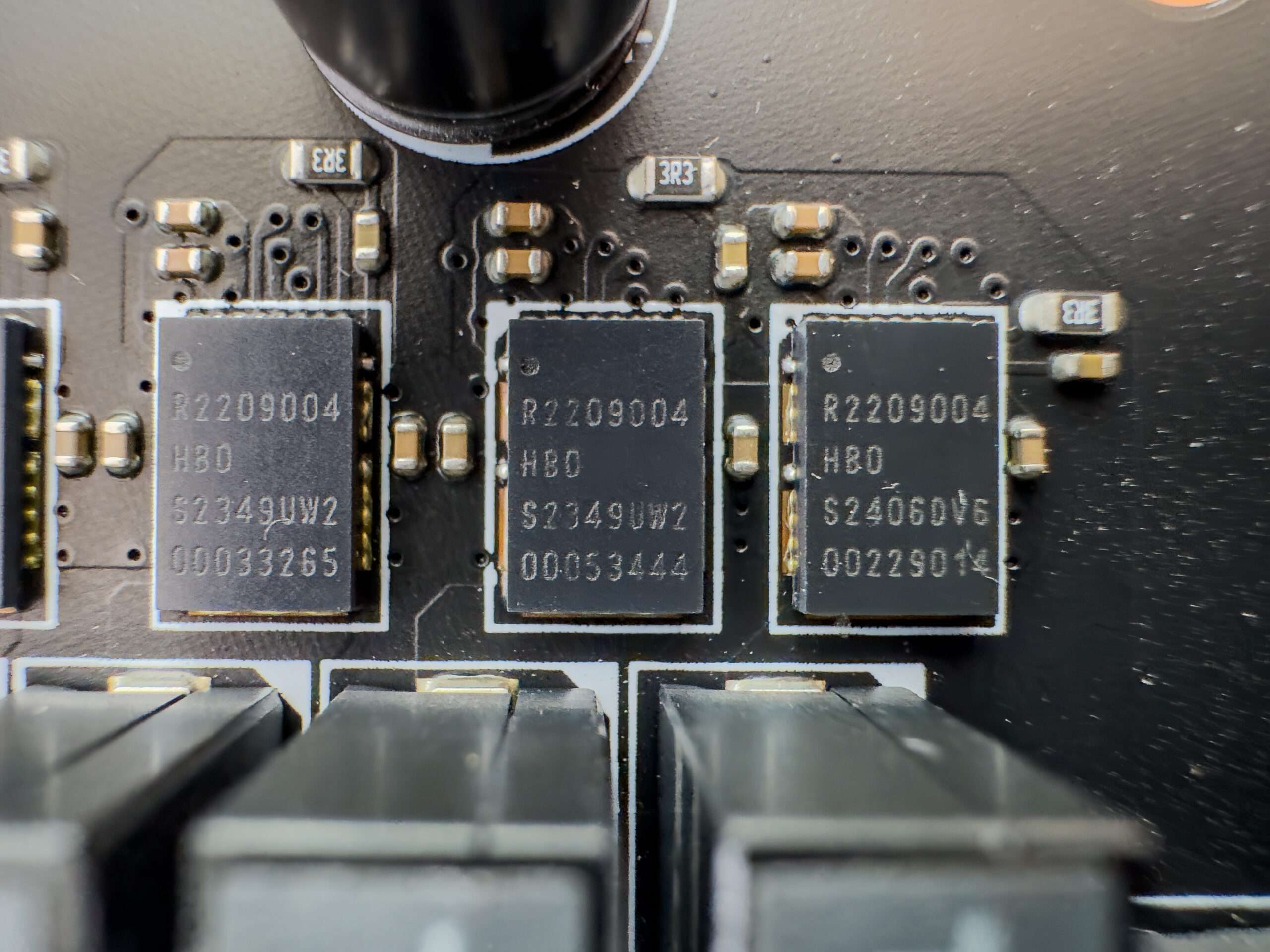
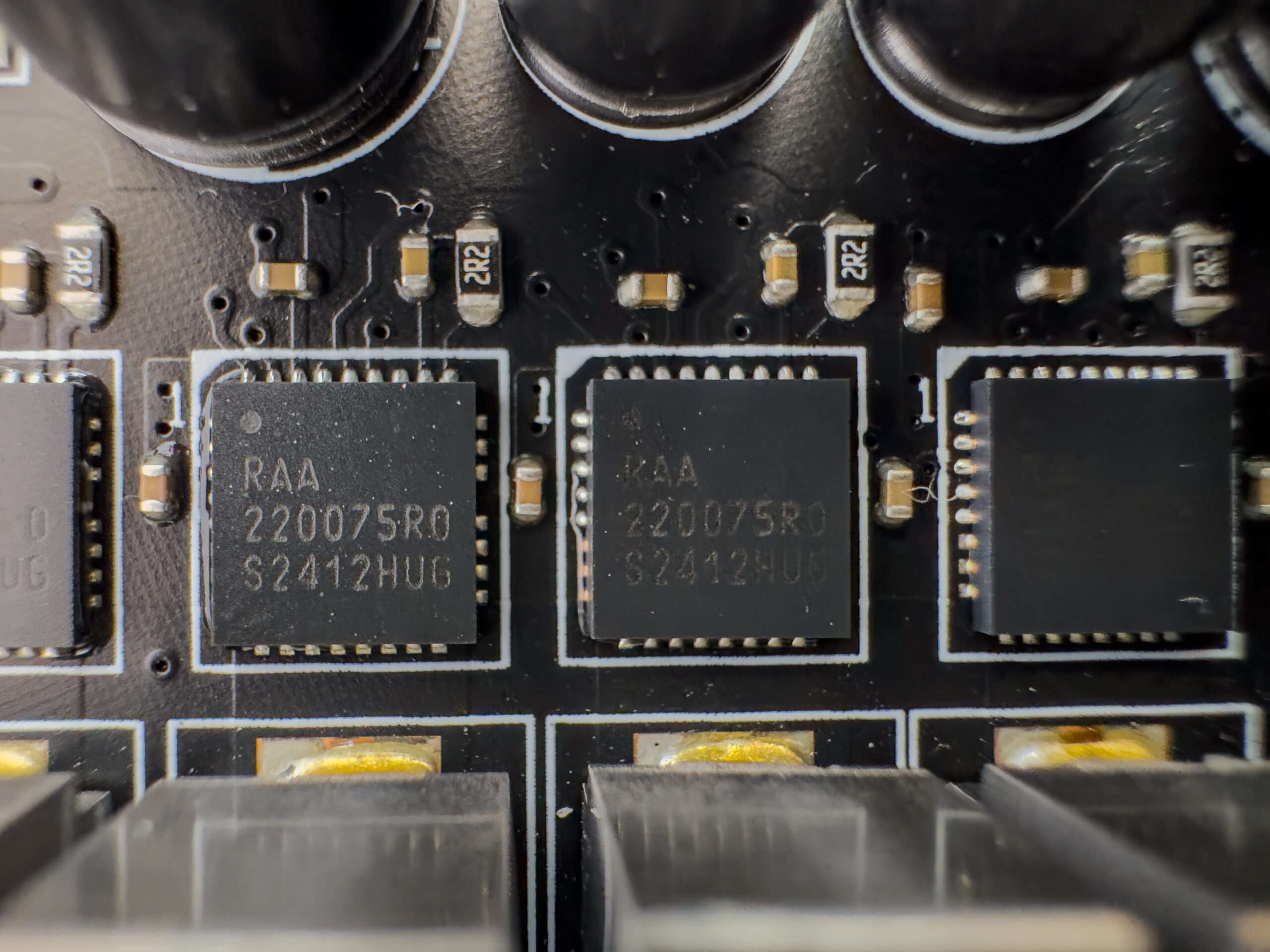
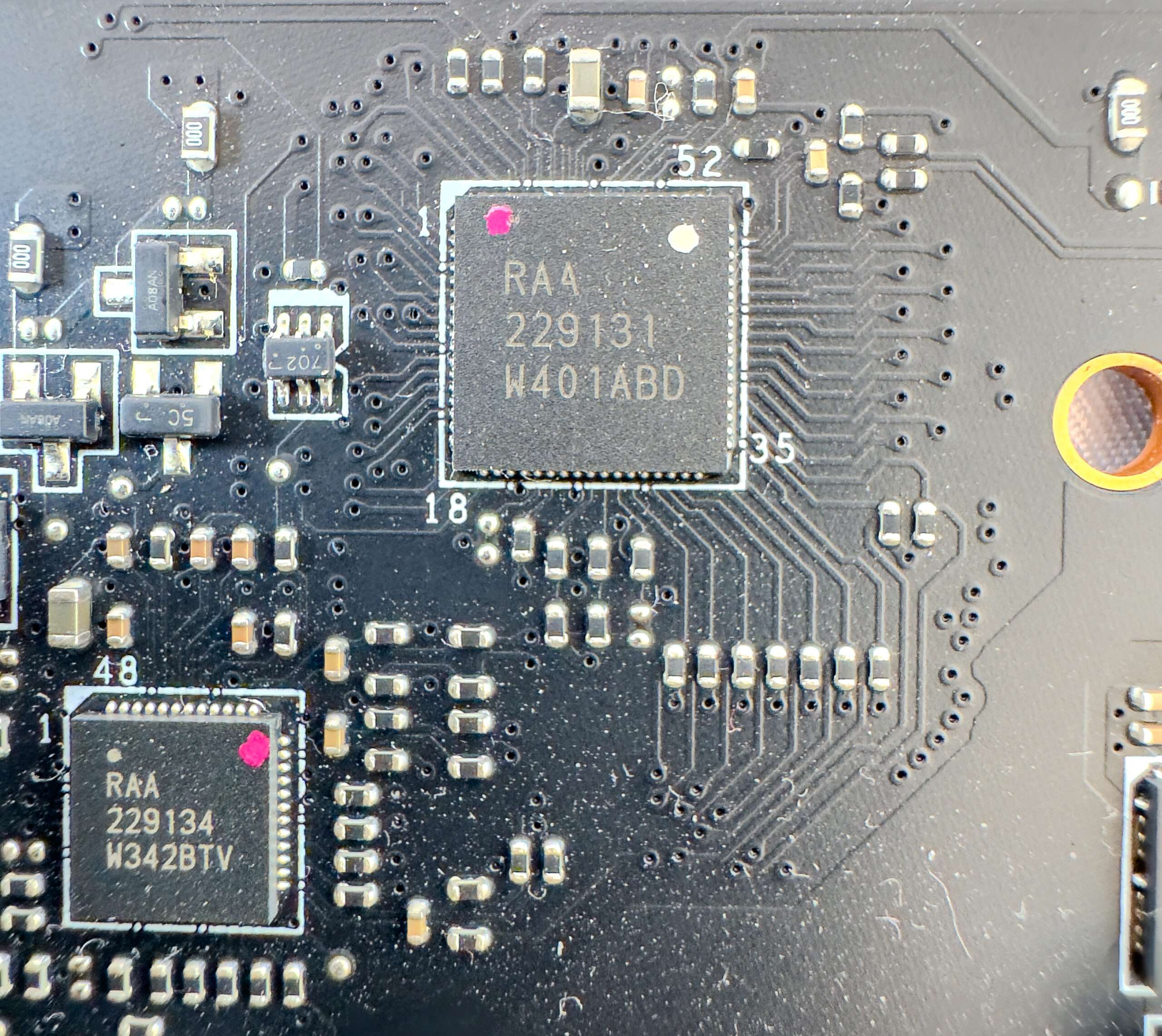
The power supply unit is a 20+1+ 2 +1 phase configuration with teaming configuration and integrated MOSFETs. On this board, MSI used Renesas integrated MOSFETs, which have a maximum continuous current of 110 A, which means that the CPU can receive a maximum of 2200 amps of current. The VRM controller is a Renesas RAA229131 , and it is located on the top side of the board
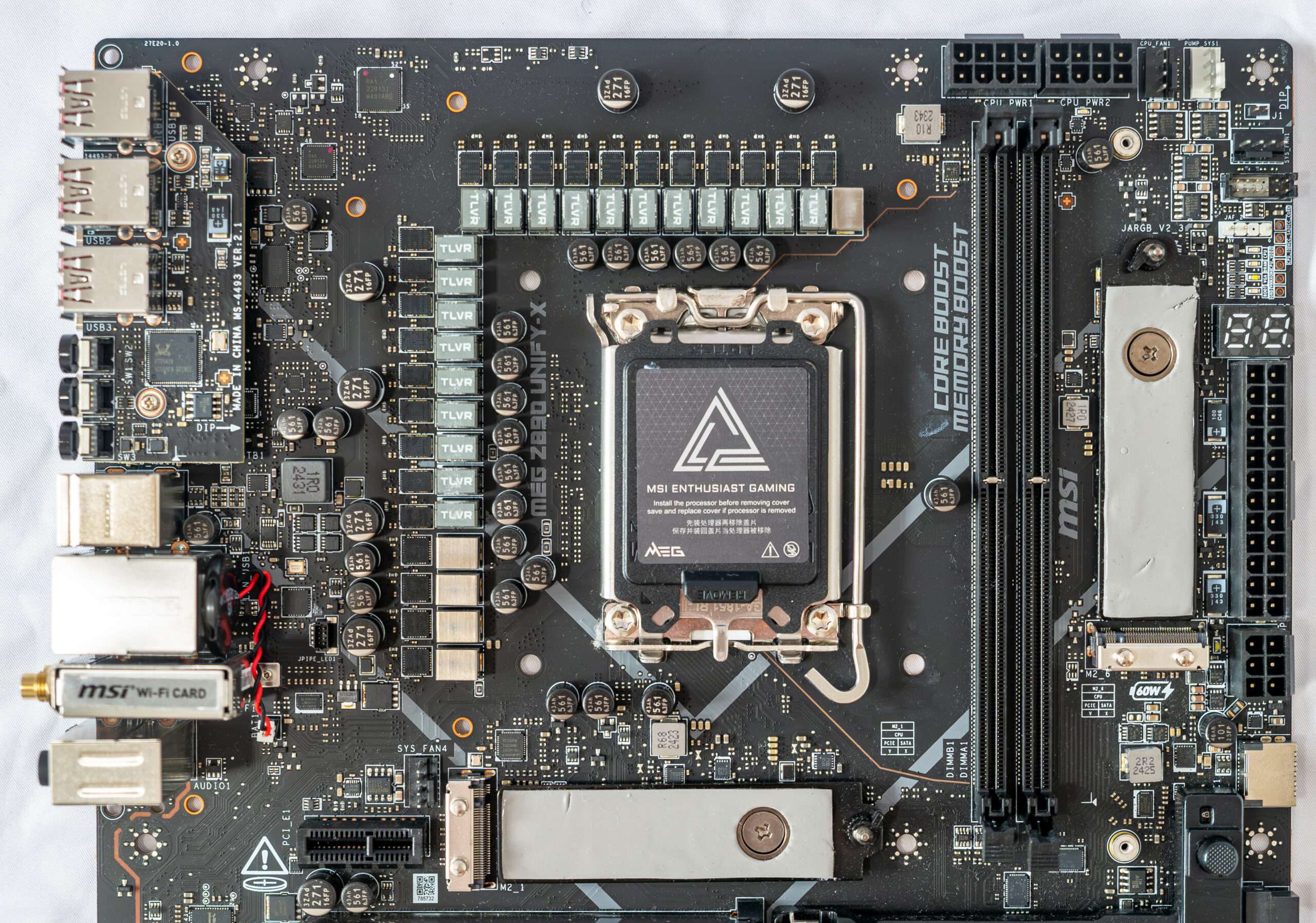
The processor power supply circuit is designed according to the 20+1+2+1 scheme (a total of 20 phases: 20 on VCore (processor core), 1 on iGPU (integrated graphics core), 2 on VCCSA (System Agent, ring bus) and 1 on VNNAON (power saving management).
- Twenty VCore phase channel has a superferrite choke and R2209004(110 A) from Renesas
- One VCCGT phase channel has a superferrite choke and RAA22075R0 (75 A) from Renesas
- Two VCCSA phase channel has a superferrite choke and RAA22075R0 (75 A) from Renesas
- One VCCAON phase channel has a superferrite choke and RAA22075R0 (75 A) from Renesas
The control of the VCore is managed by the Renesas RAA229131 PWM controller. The PWM RAA229134 is responsible for managing iGPU (integrated graphics core), VCCSA (System Agent, ring bus) and VNNAON (power saving management).
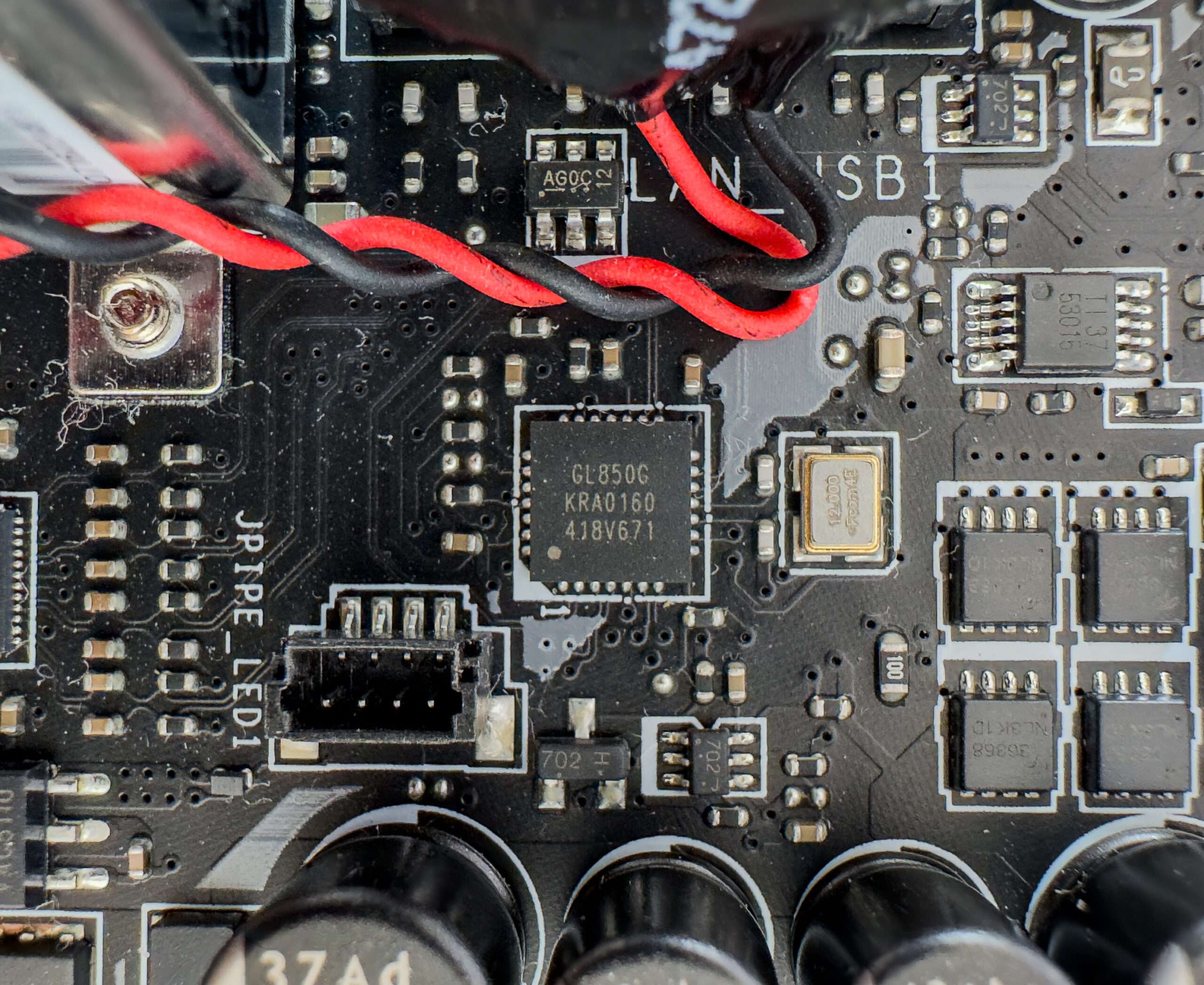
Genesys Logic USB 2.0 Hub controller provide bandwidth for the rear I/O – USB Flashback and Smart button
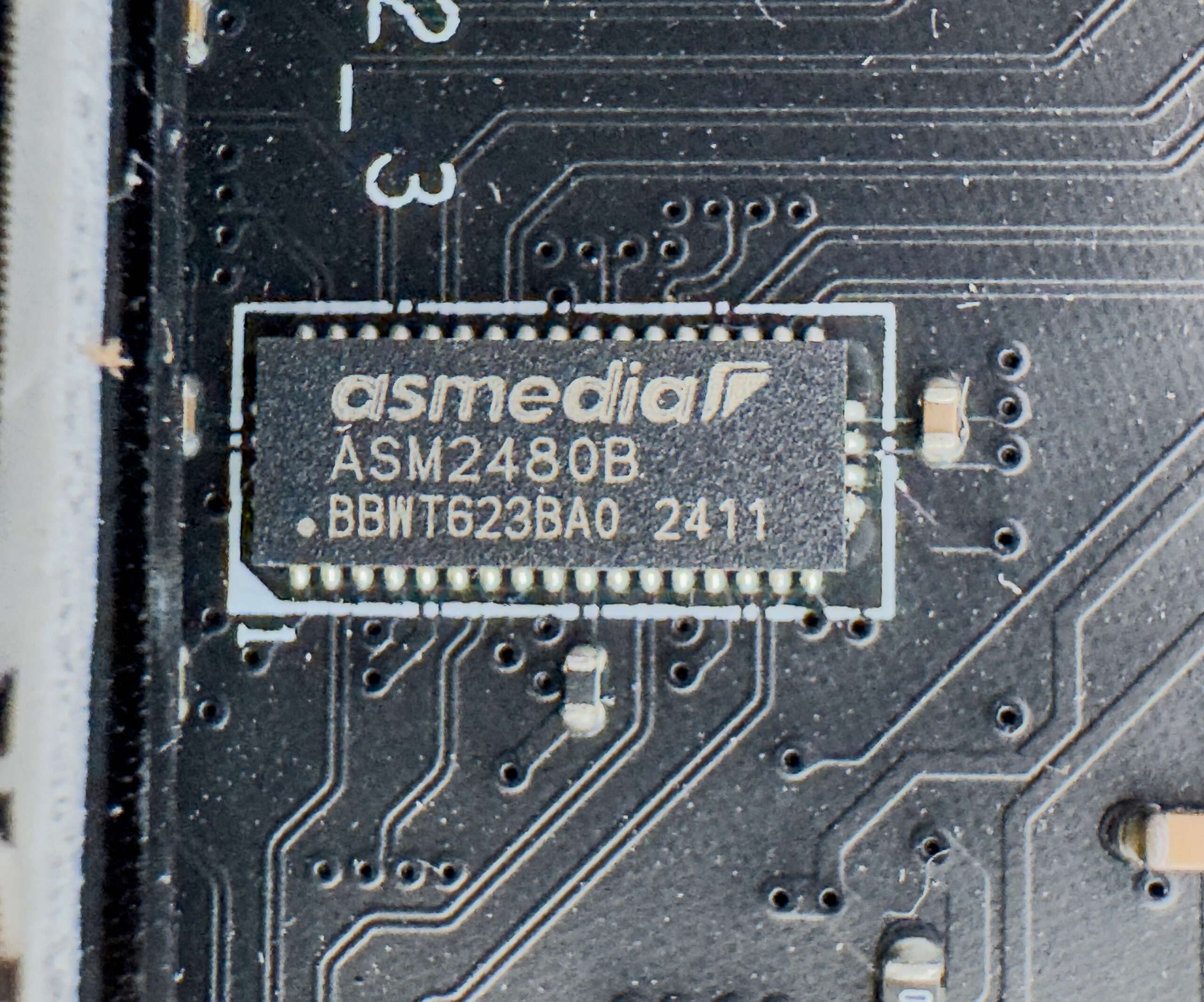
ASMedia ASM2480B is a PCIe- to USB 3.2 Gen 2×2 host controller for the front panel USB- C port and also support Power Delivery up to 60w
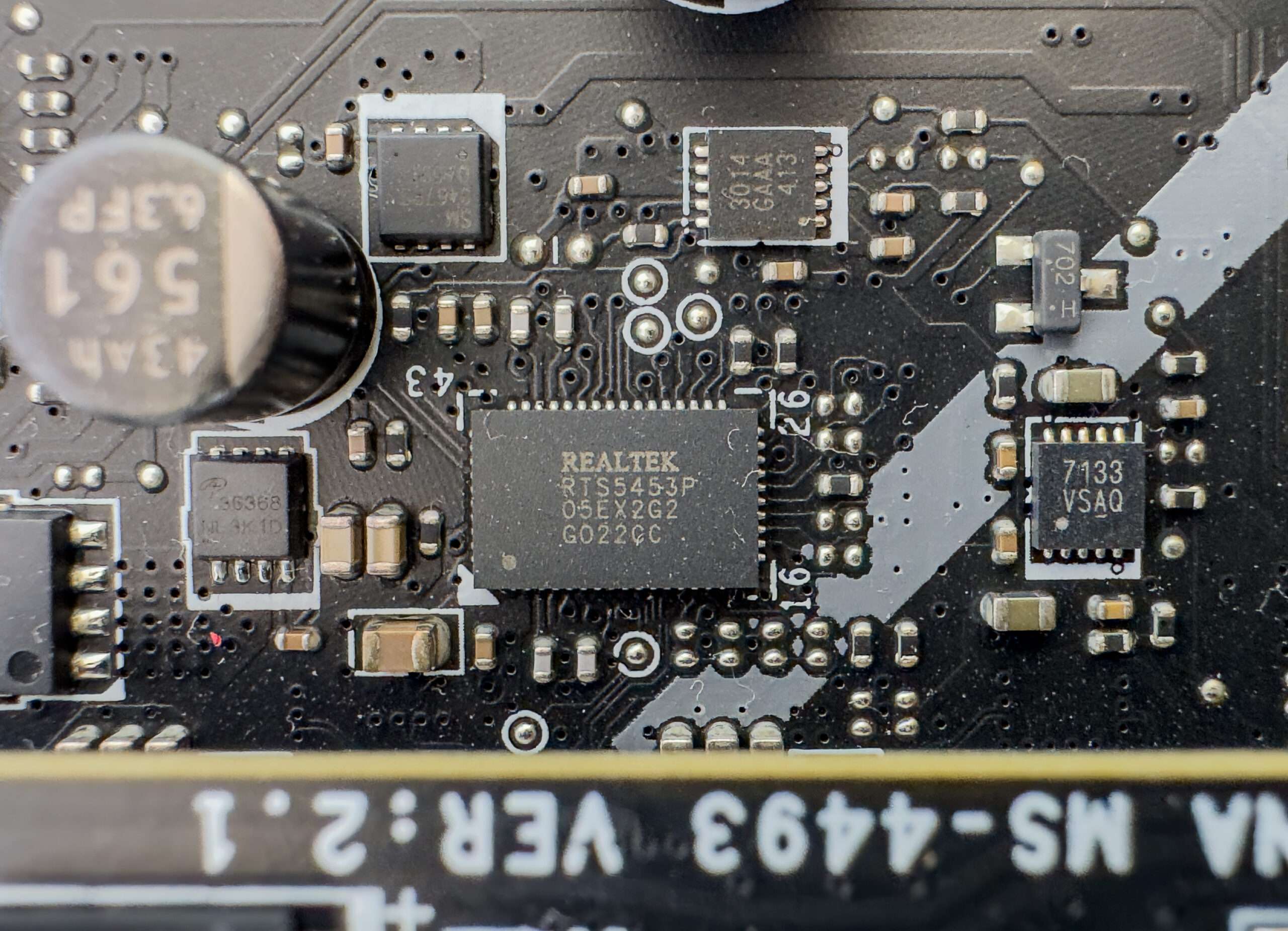
Realtek RTS5453P is a USB Type‑C Power Delivery 60w (PD) controller chip
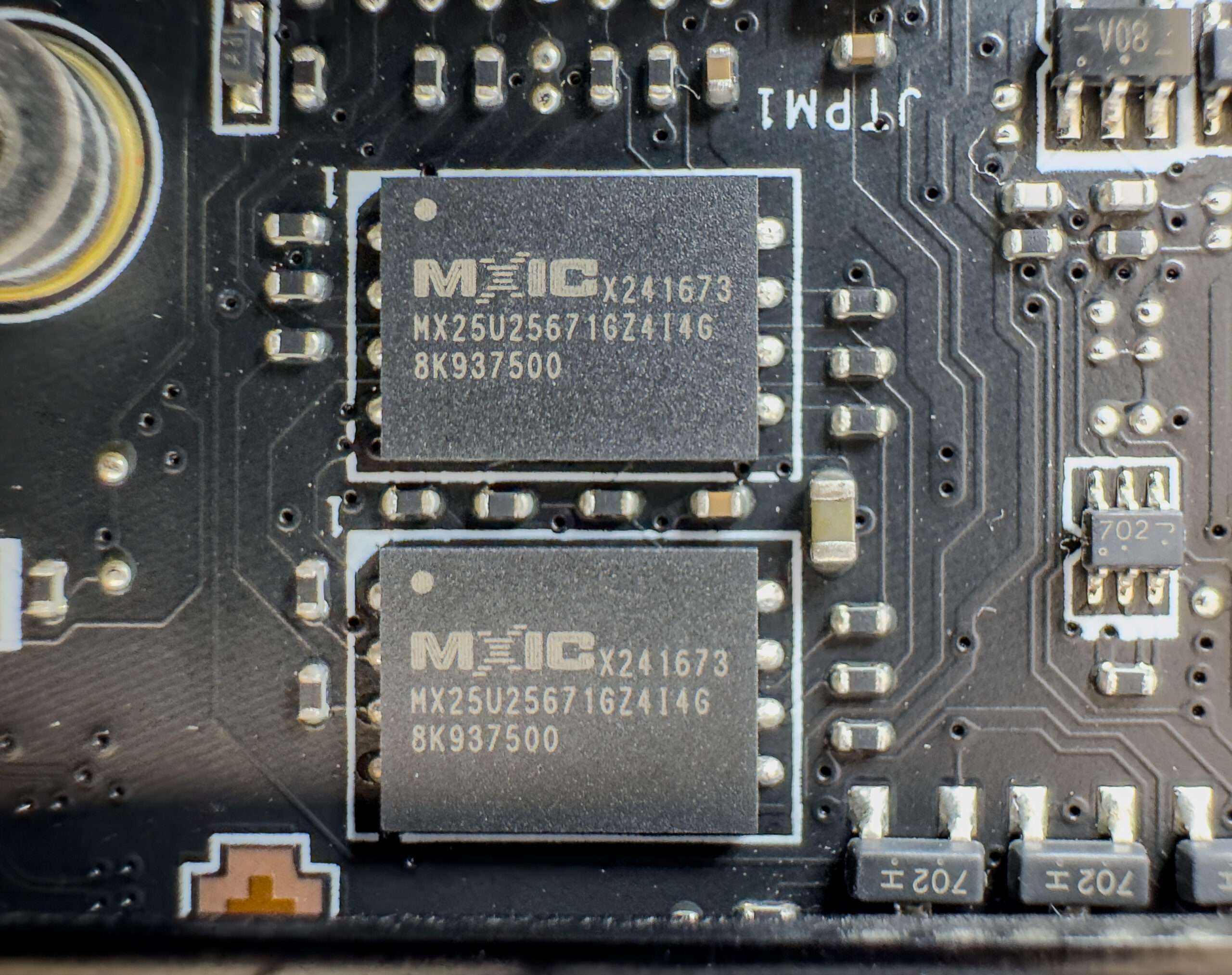
Dual SPI Bios 256Mb from Macronix
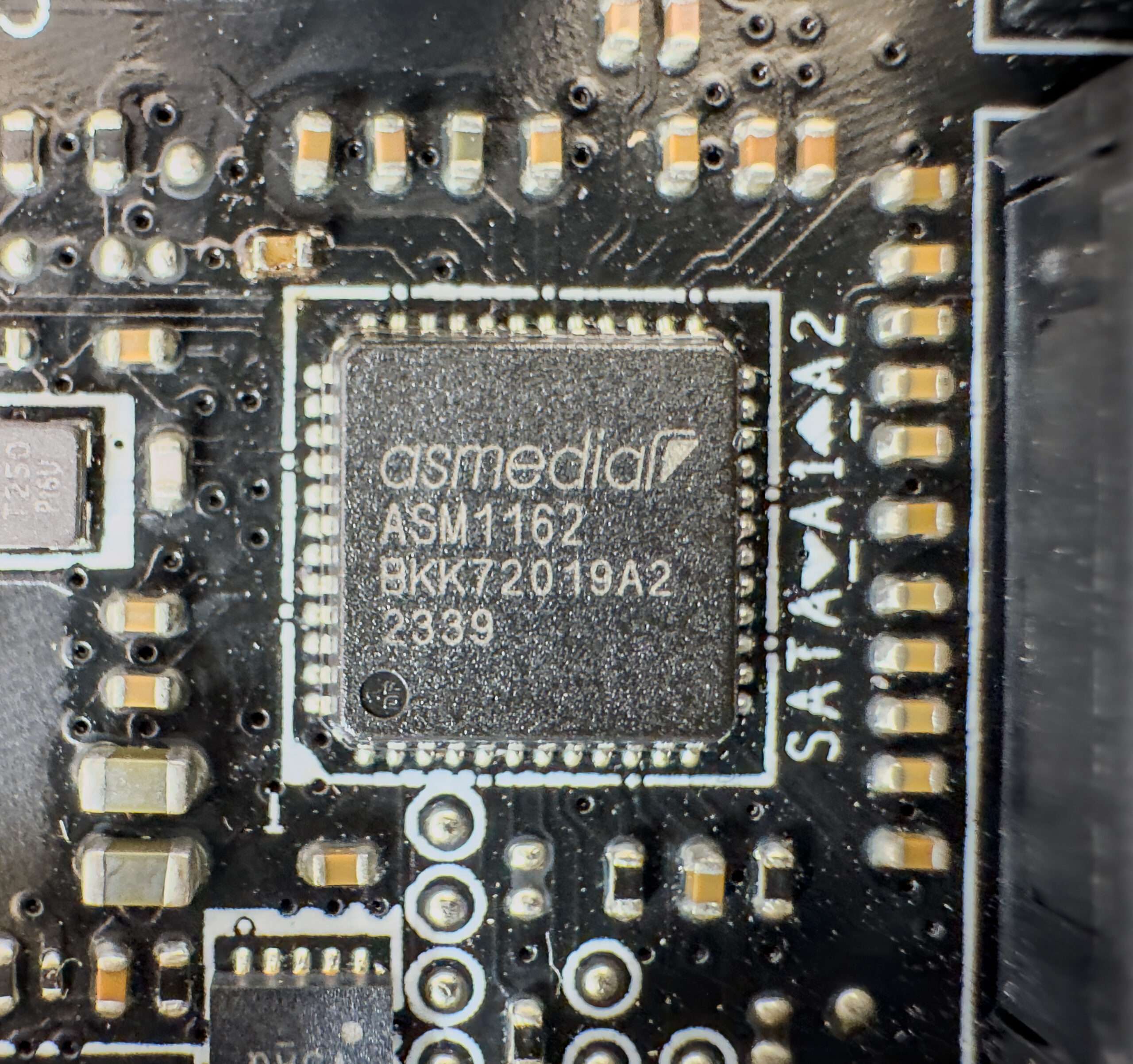
ASMedia ASM1162 is a PCIe-to-SATA host controller that provides additional SATA connectivity by converting a PCIe 2.0 interface into 2x SATA 6Gb/s ports.
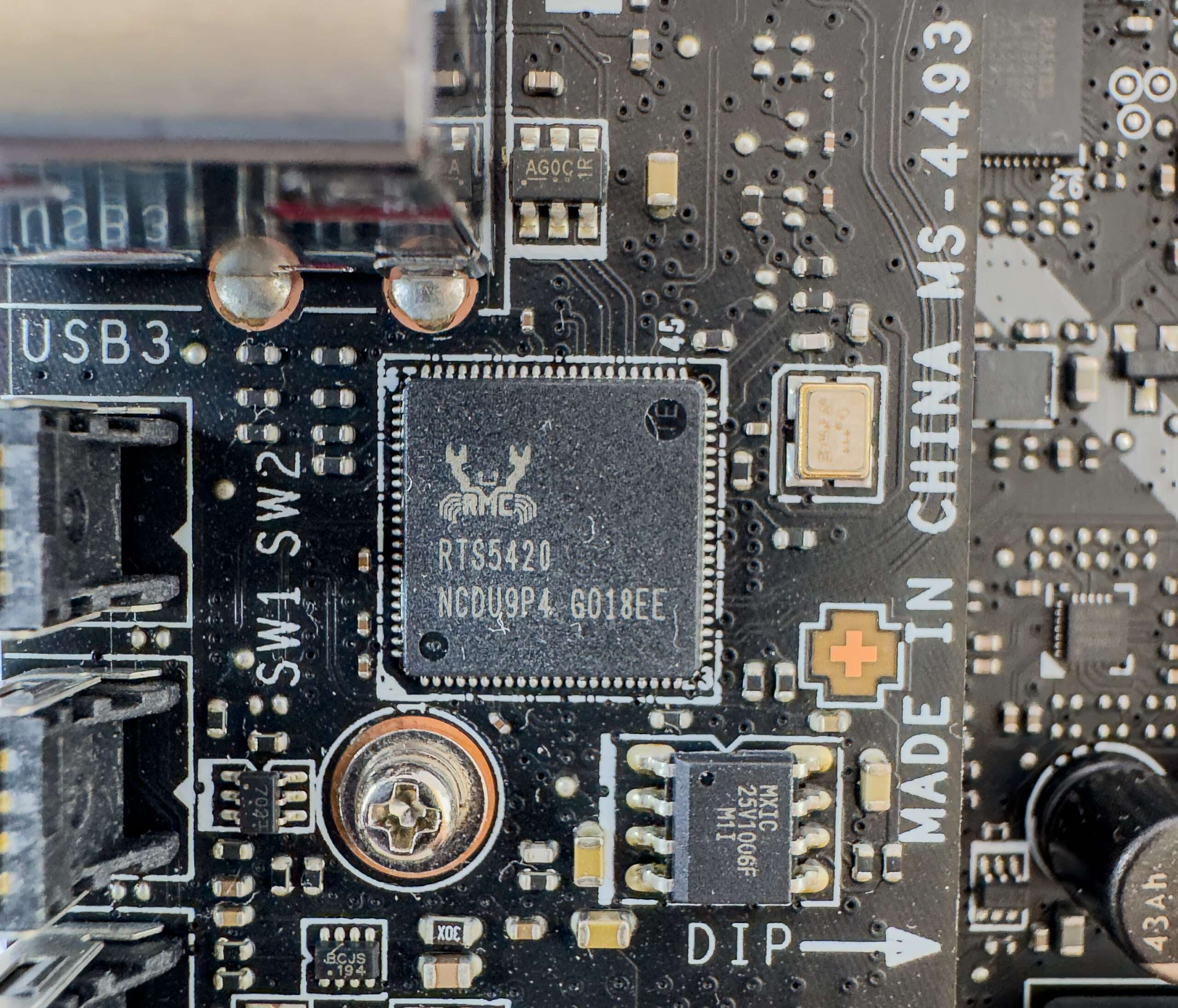
The Realtek RTS5420 is a USB 3.1 Gen 2 hub controller providing USB 3.1 Gen 2 (10Gbps)
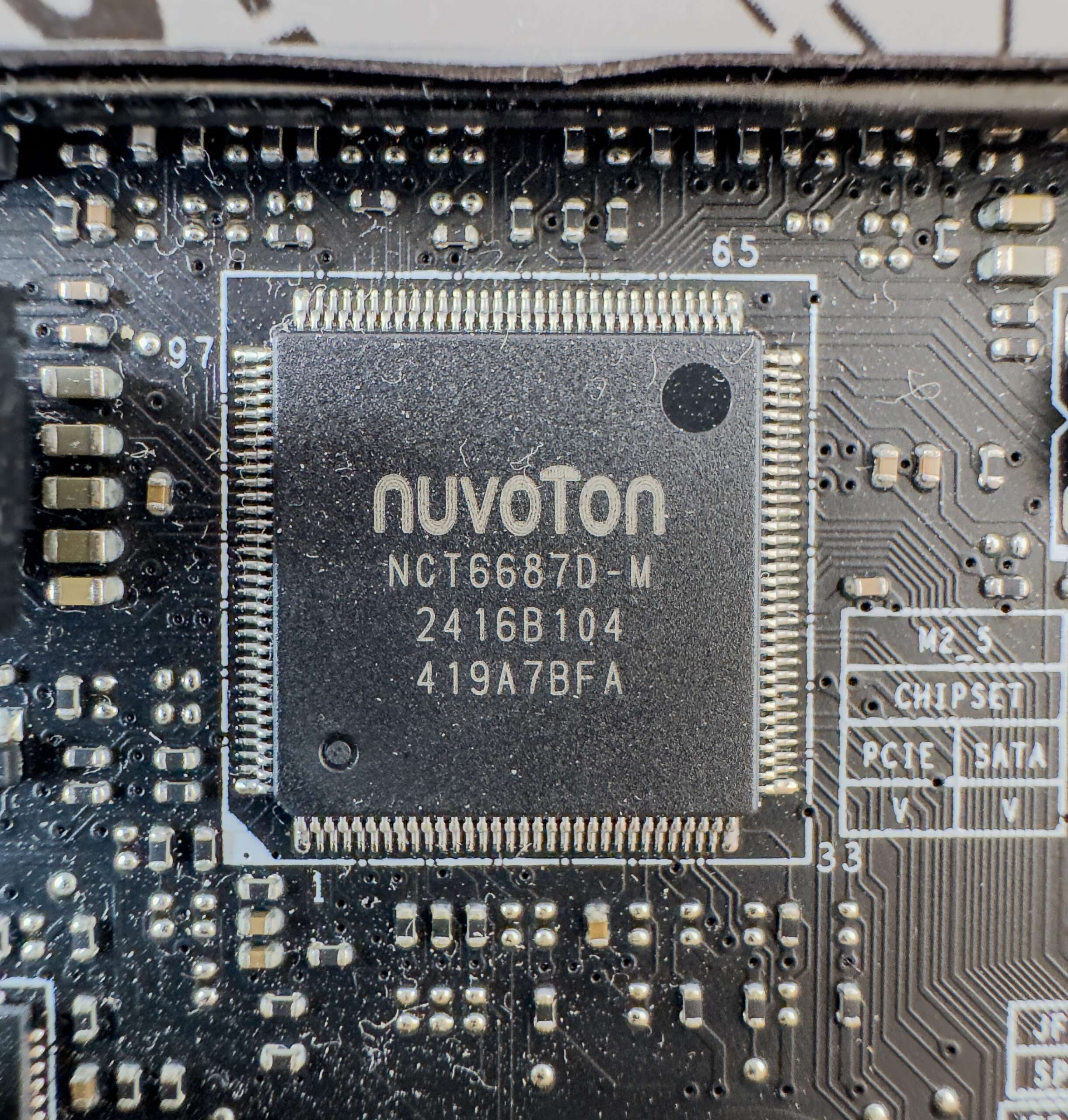
The Nuvoton NCT6687D controller is responsible for monitoring the motherboard’s status and coordinating the operation of all CO (Centralized Onboard) sockets.
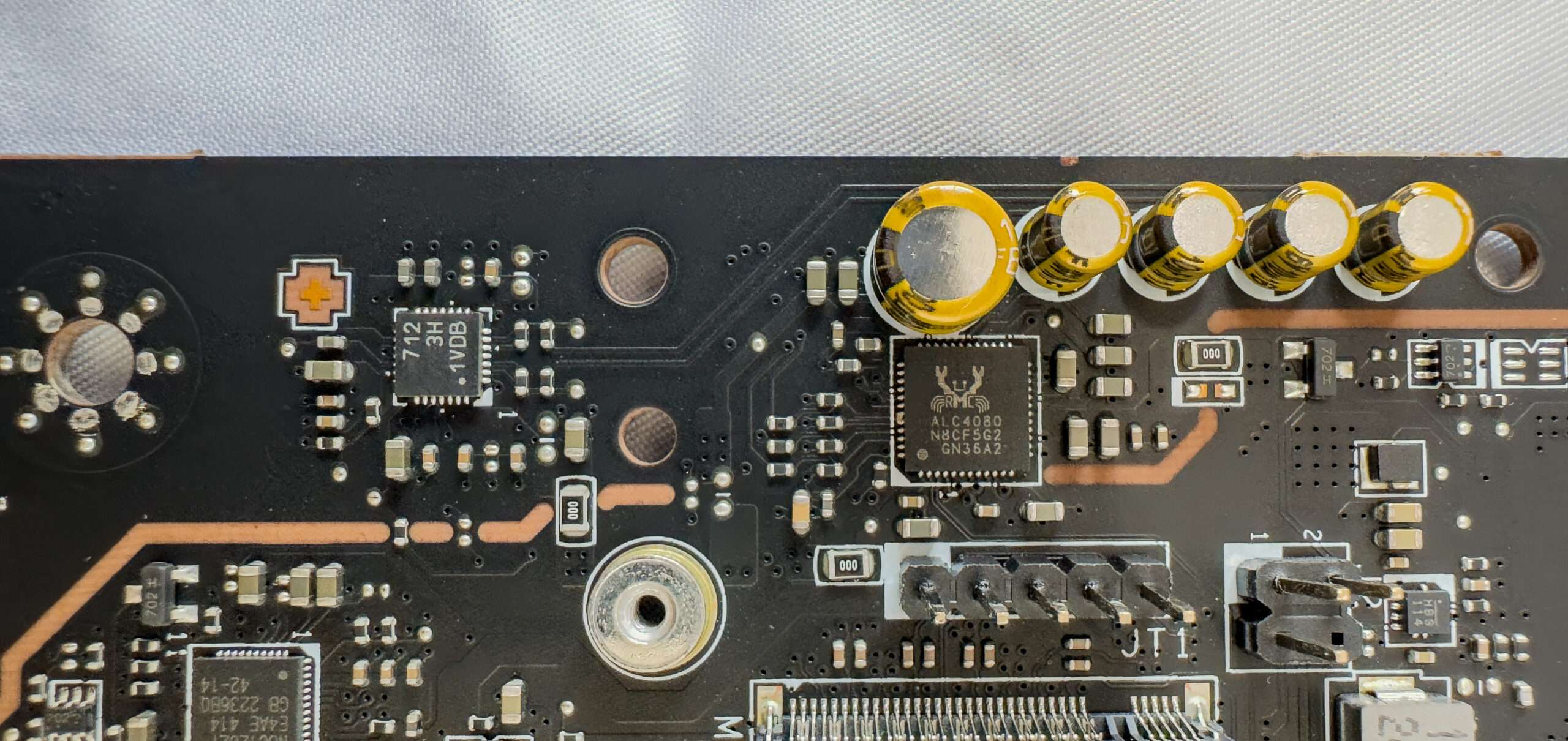
REALTEK ALC4080 CODEC & Savitech SV3H712 amp
Typically, audio components are built into the motherboard’s PCB. The Realtek ALC4080 codec is paired with an Savitech SV3H712, producing clean high-res audio with 120 dB SNR output and 113 dB SNR input and 32-bit / 384 kHz playback. I/O includes S/PDIF out that also supports 3.5mm mic input, and an additional 3.5mm combo jack that can host mics or headphones.
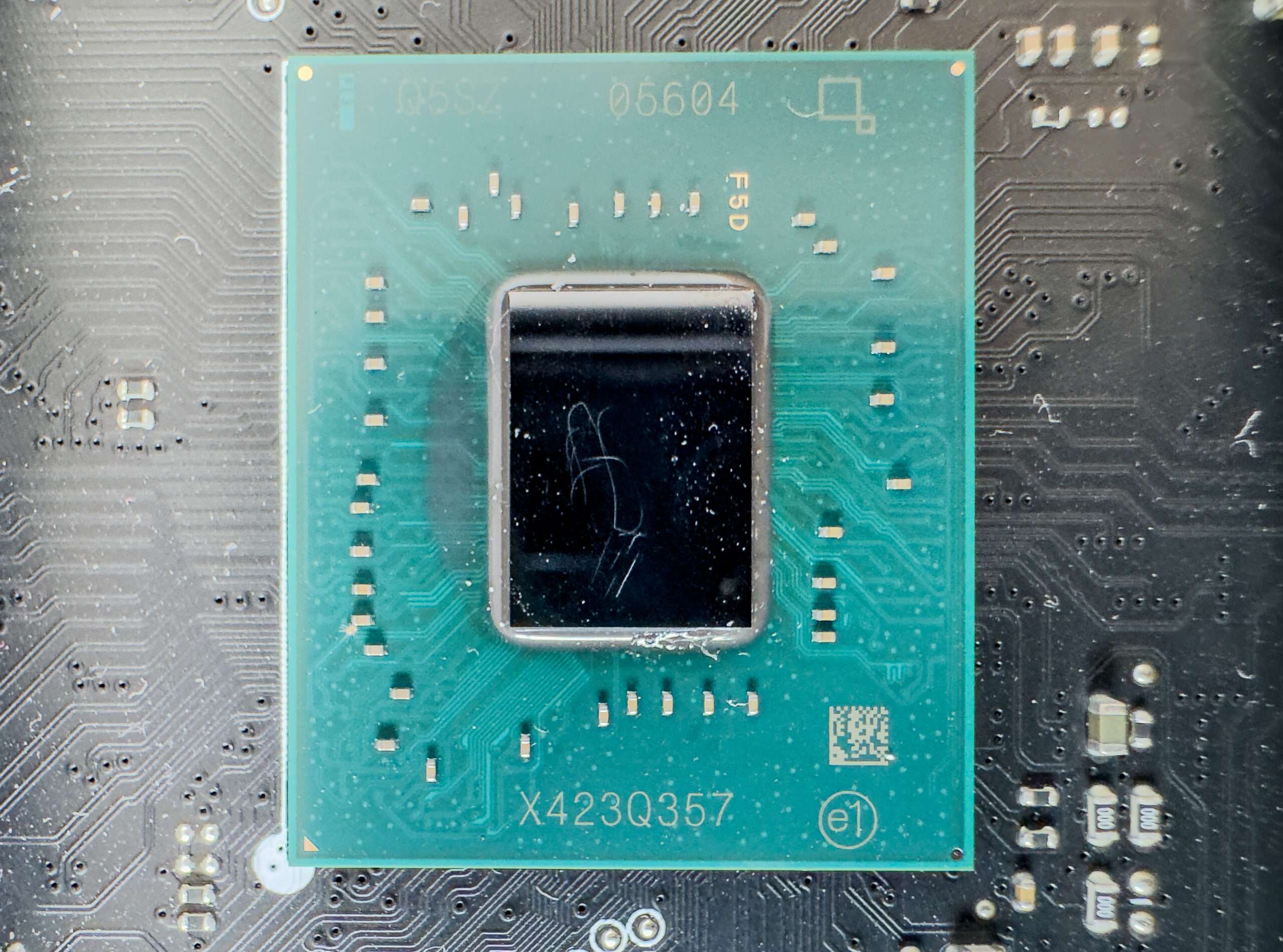
Intel Z890 Chipset
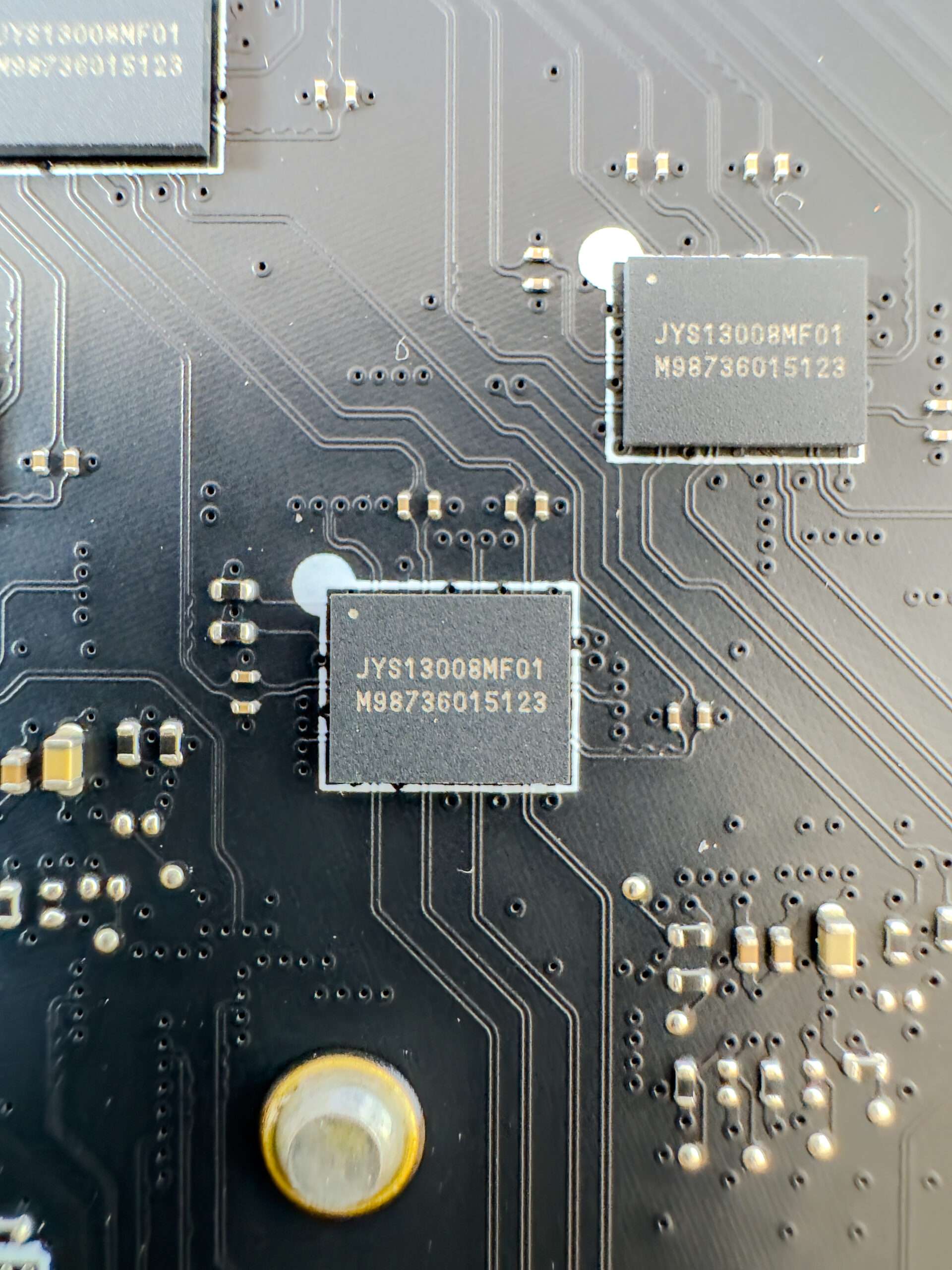
Five JYS13008MF01 is a PCIe 5.0 linear redriver with multiplexer (Mux) functionality by LeRain Technology
How We Test MSI MEG Z890 Unify-X?
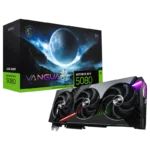
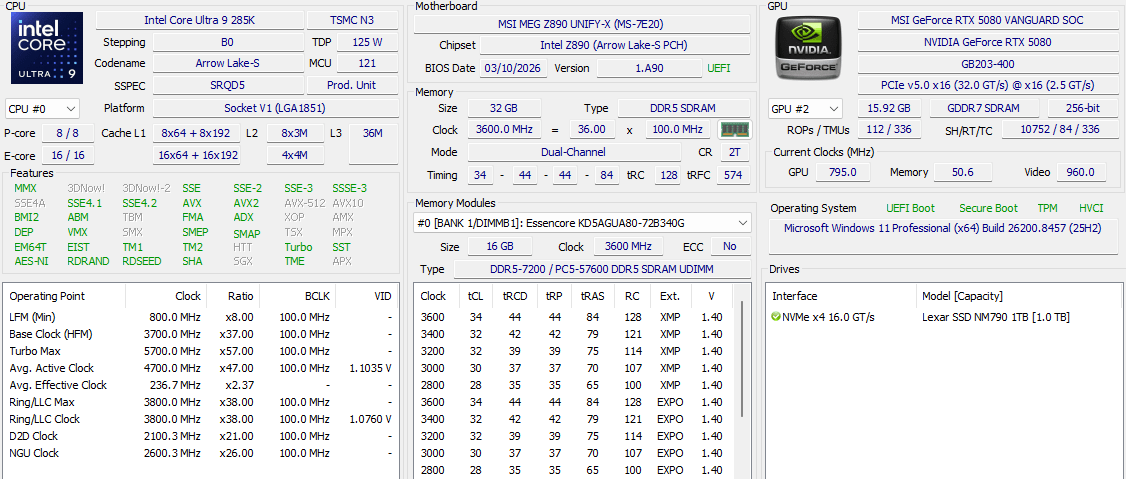
MEG Z890 Unift-X is a mainsteam motherboard from MSI. As such, our workstation, based on an MEG Z890 Unify-X motherboard and Intel Core i9 285K 24 cores 24 threads processor. The ram we will be using KLEVV DDR5 7200Mhz memory kit. MSI Vanguard RTX5080 SOC and Lexar NM790 PCIe 4.0 1TB SSD is used as well to run with benchmark. On the Comparison, we will be using ASUS ROG Z790 APEX with Intel Core i9 13900k @ 6Ghz to run side by side to see perform better.
| System 1 | System2 | |
| Motherboard | ROG Z790 APEX ENCORE | MEG Z890 Unify-X |
| Processor | Intel Core i9 13900K Delid Copper ISH @6Ghz offset -0.03 | Intel Core Ultra9 285K – Intel Default |
| Ram | ADATA DDR5 32GB 6000Mhz CL30 | KLEVV DDR5 32GB 7200Mhz CL34 |
| SSD | Samsung 980Pro 2TB NVMe PCIe Gen4 | Lexar NM790 1TB NVMe PCIe Gen4 |
| Graphics | ROG STRIX RTX4080 OC | MSI Vanguard RTX5080 SOC |
| Cooler | ARTIC Cooling III AIO 360mm With Liquid Metal | EK-D AIO 360 III 360mm With Liquid Metal |
| BIOS | 1801 | 7E20v1A90 |
| OS | Windows 11 64bits 24H23 Build 26100.3037 | Windows 11 64bits 25H2 Build 26200.8655 |
System Information
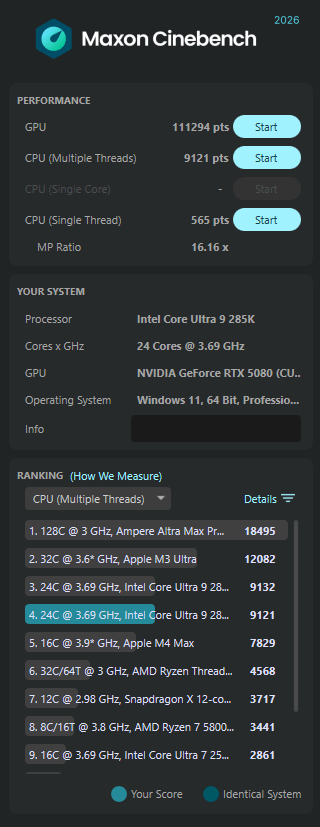
Cinebench R24
Improvements to Cinebench Release 24 reflect the overall advancements to CPU and rendering technology in recent years, providing a more accurate measurement of Cinema 4D‘s ability to take advantage of multiple CPU cores and modern processor features available to the average user
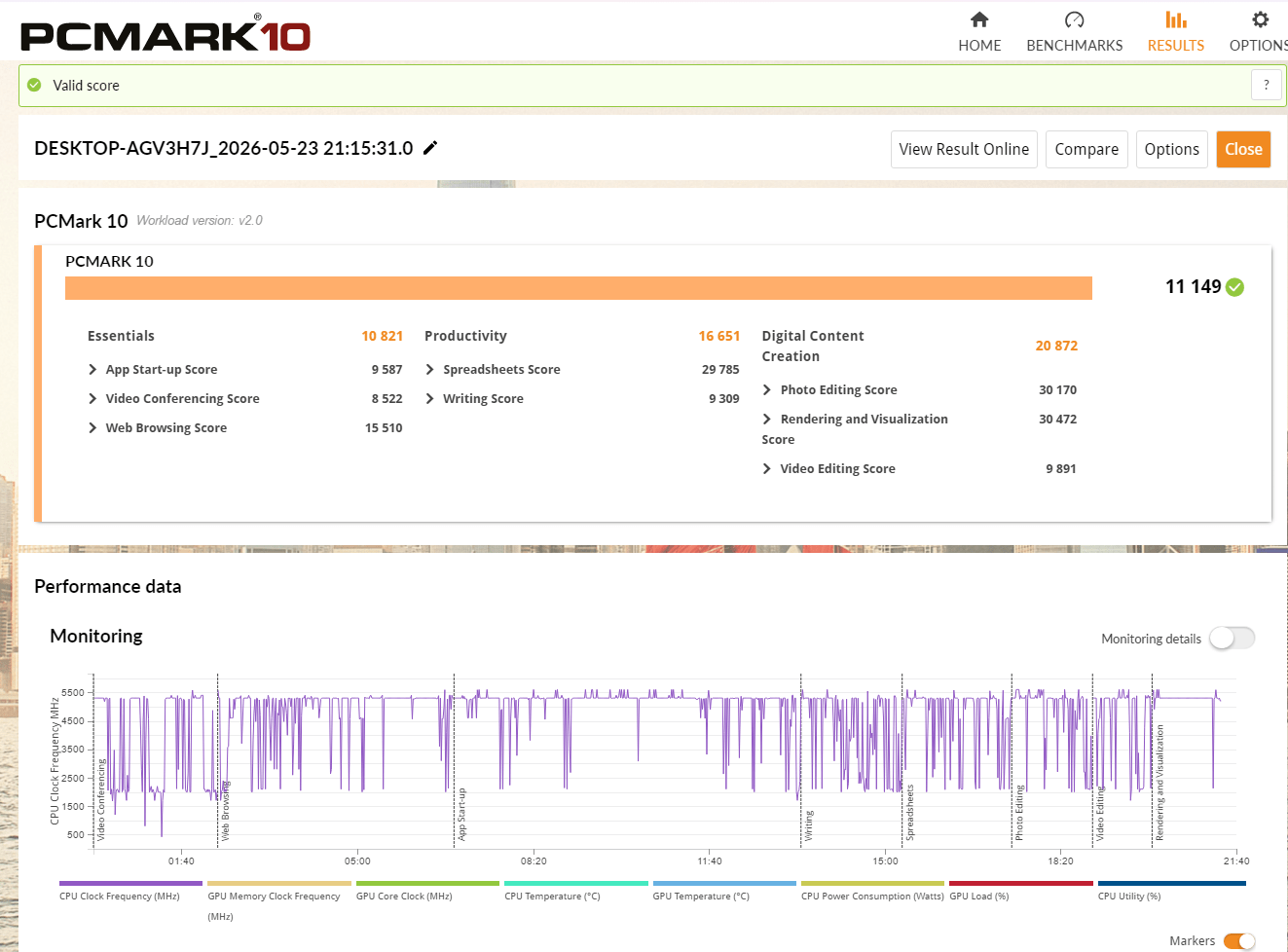
PCMark 10
PCMark 10 features a comprehensive set of tests that cover the wide variety of tasks performed in the modern workplace. With a range of performance tests, custom run options, Battery Life Profile, and new Storage benchmarks, PCMark 10 is the complete PC benchmark for the modern office.
| Essentials | Productivity | Digital Content Creation | Score | |
| ROG Z790 APEX ENCORE | 11569 | 11819 | 15693 | 9247 |
| MEG Z890 Unify-X | 10821 | 16651 | 20872 | 11149 |
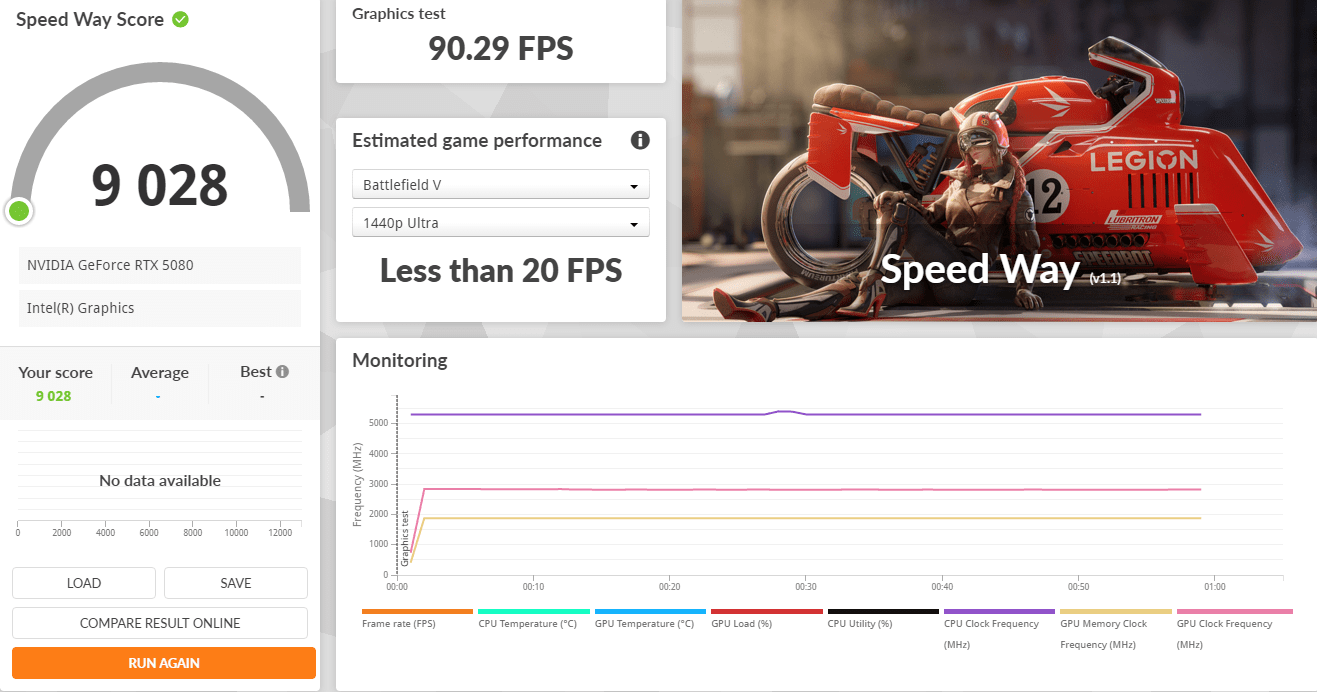
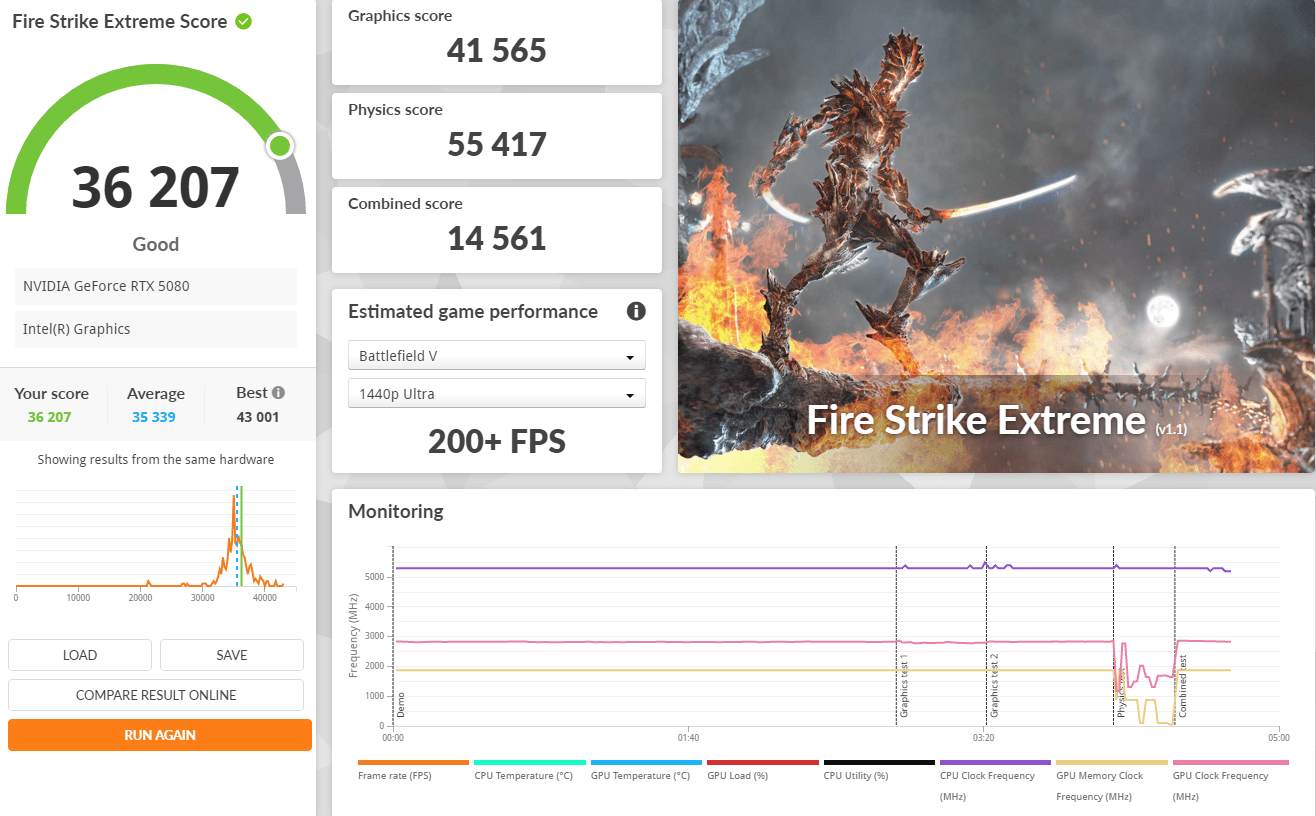
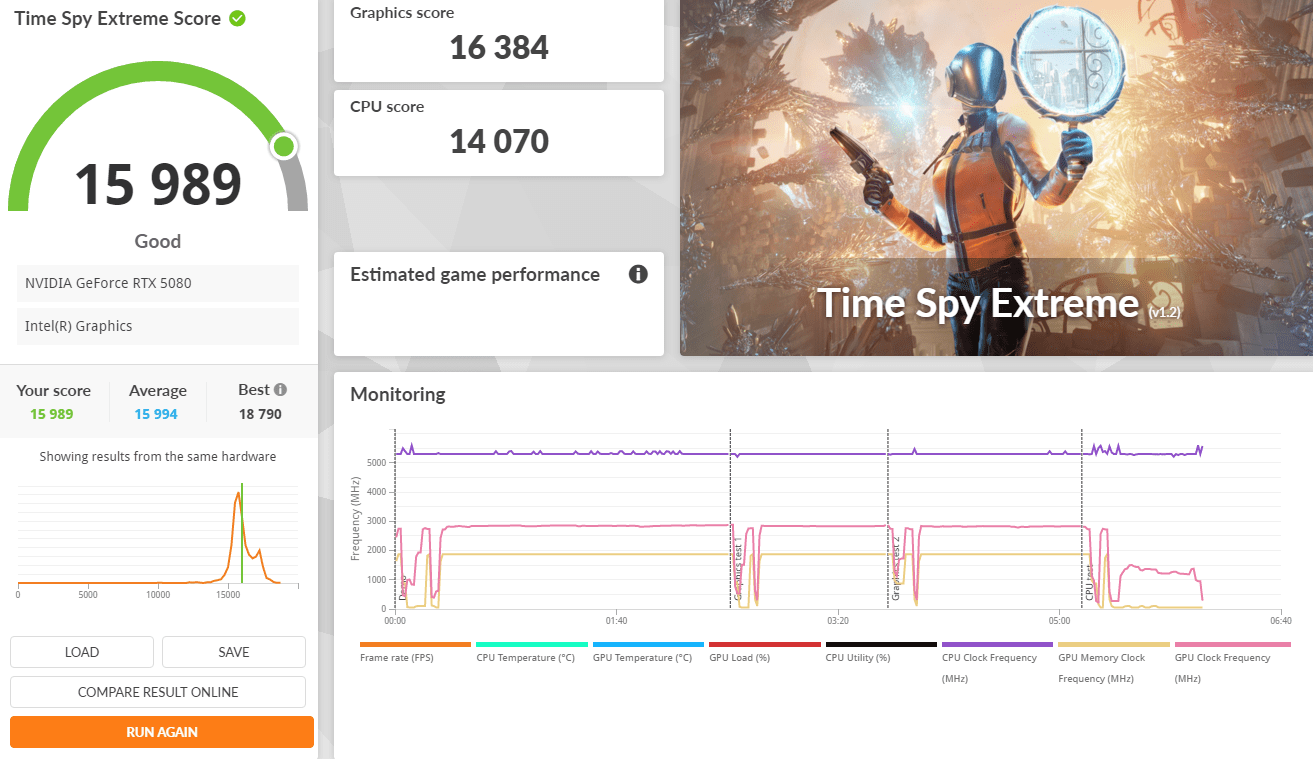
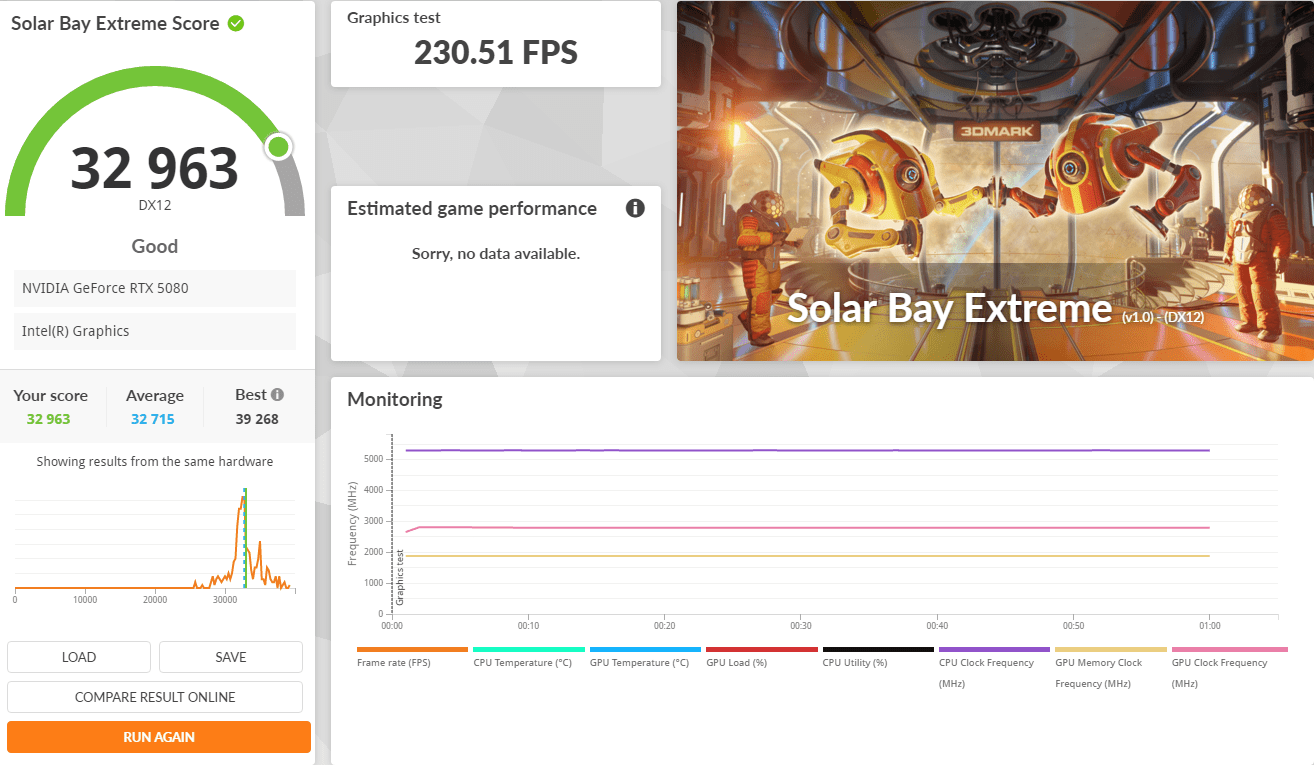
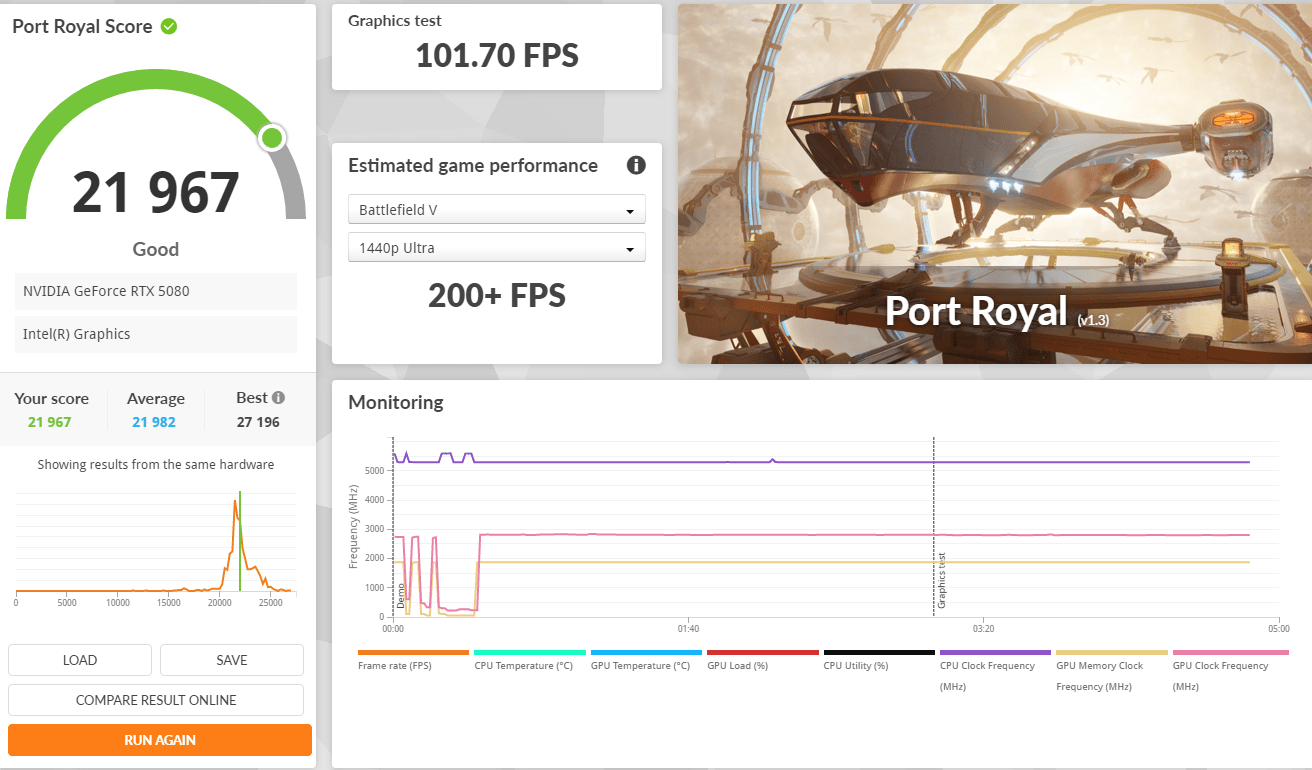
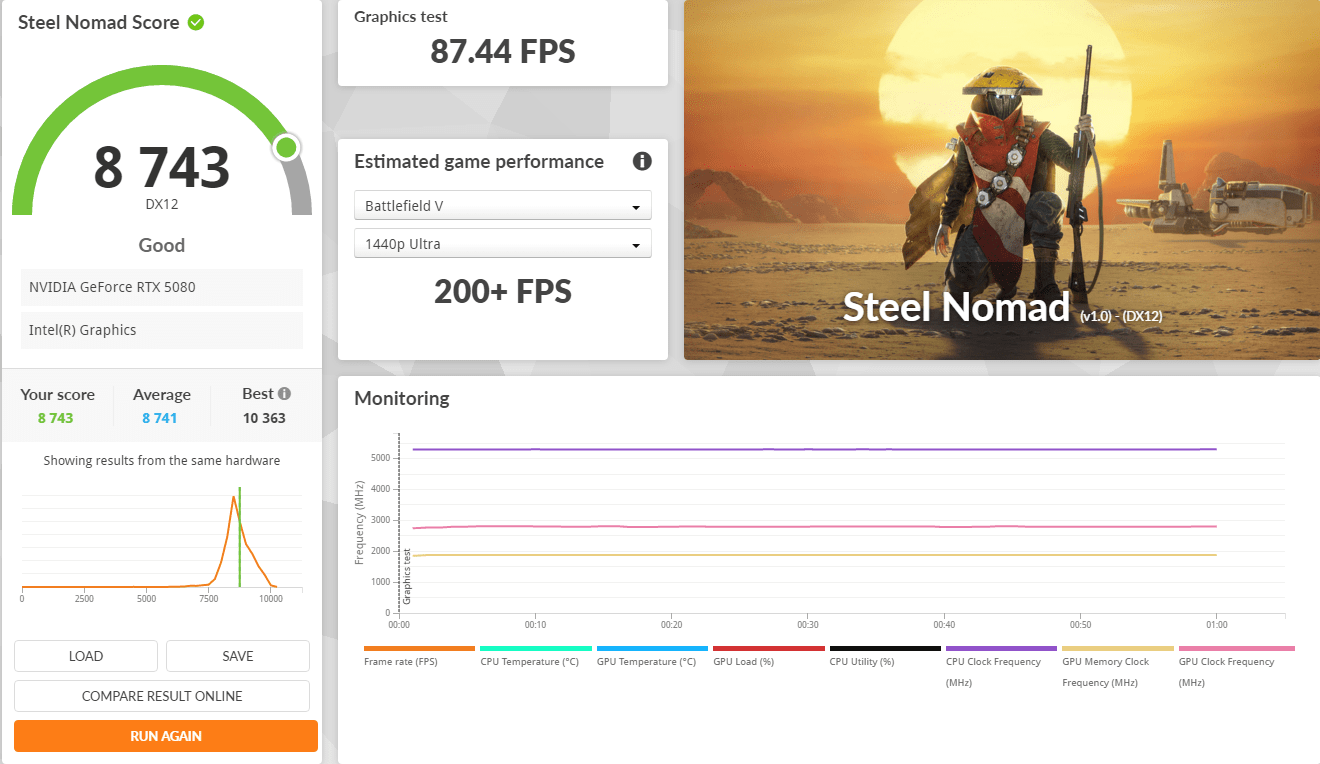
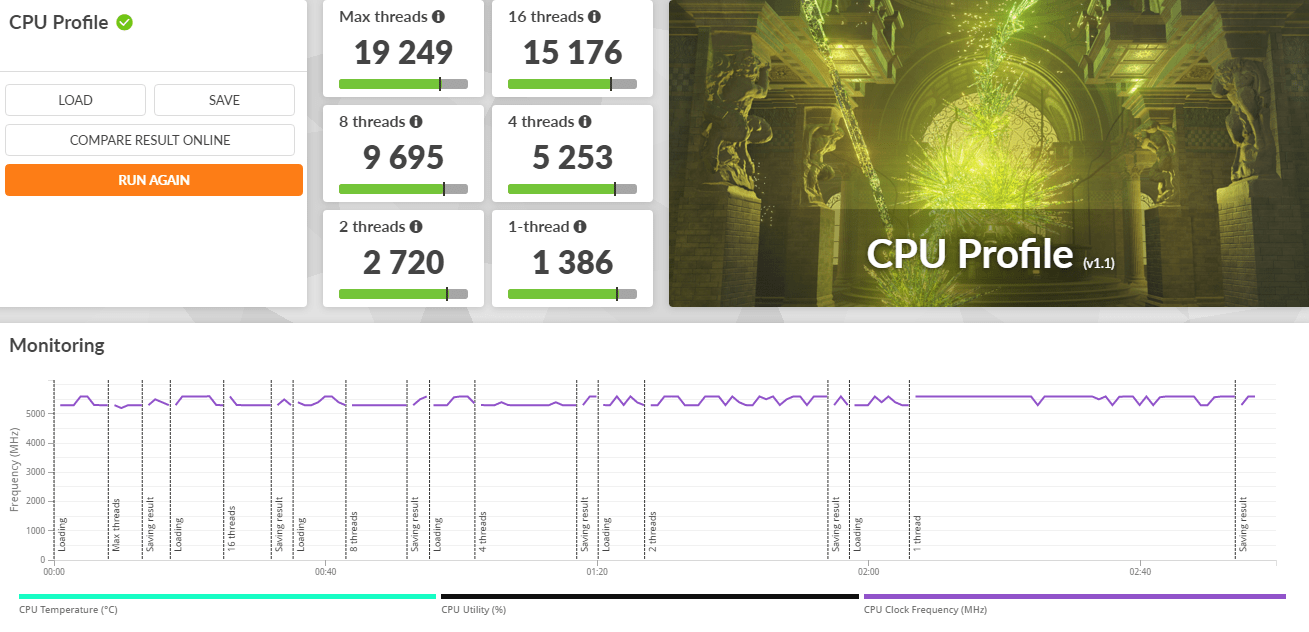
3Dmark Advanced Edition
3DMark includes everything you need to benchmark your PC and mobile devices in one app. Whether you’re gaming on a smartphone, tablet, notebook, or a desktop gaming PC, 3DMark includes a benchmark designed specifically for your hardware.
| ROG Z790 APEX ENCORE | MEG Z890 Unify-X | |
| Time Spy Extreme | 13739 | 15989 |
| Port Royal | 18172 | 21967 |
| Steel Nomad | 6675 | 8743 |
| Speed Way | 7408 | 9028 |
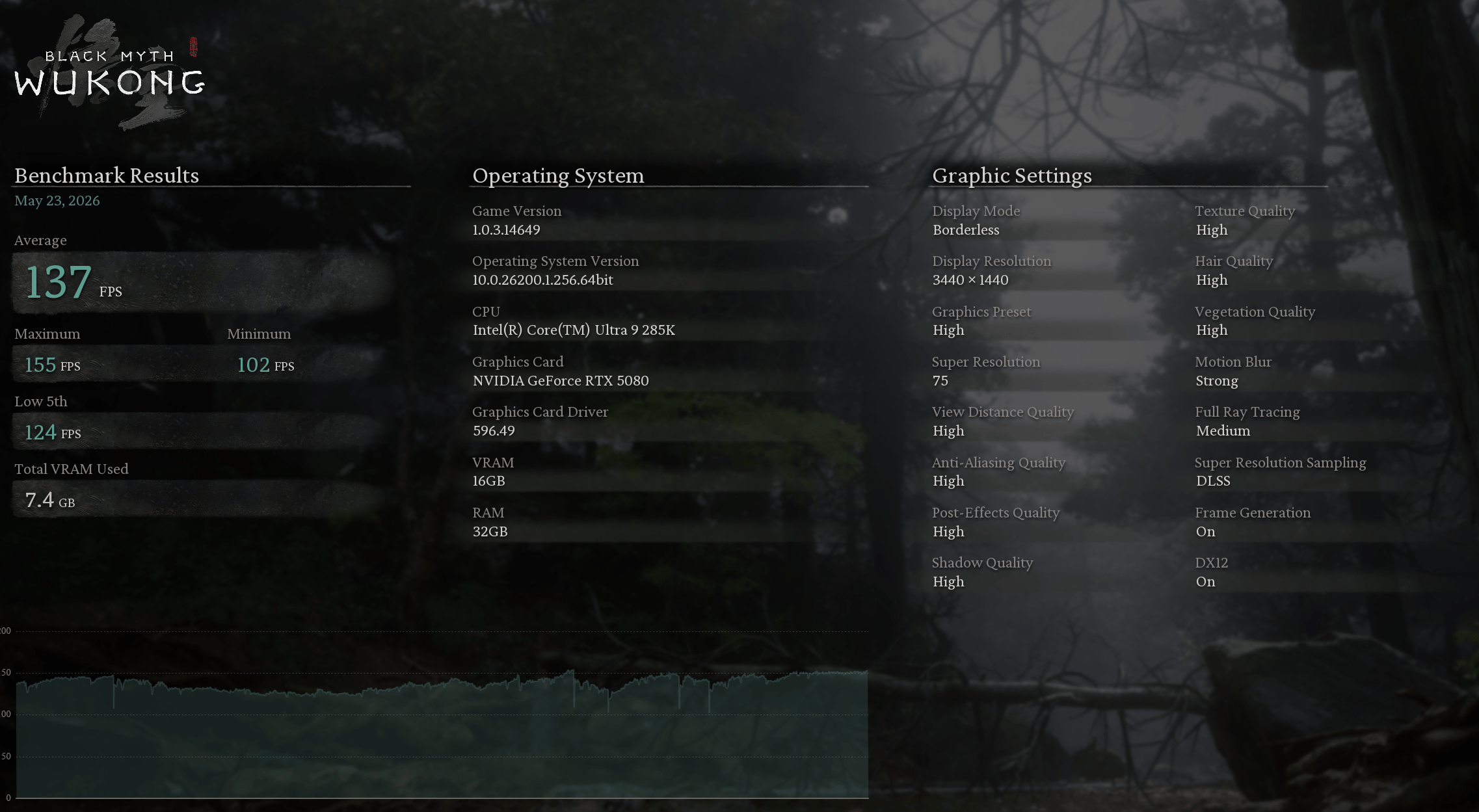
“Black Myth: Wukong”. It evaluates your hardware performance and system compatibility through the real-time rendering of an in-game sequence.
| ROG Z790 APEX ENCORE | MEG Z890 Unify-X | |
| Average FPS | 81 | 137 |
| Maximum FPS | 95 | 155 |
| Minimum FPS | 68 | 102 |
| Low 5th FPS | 71 | 124 |
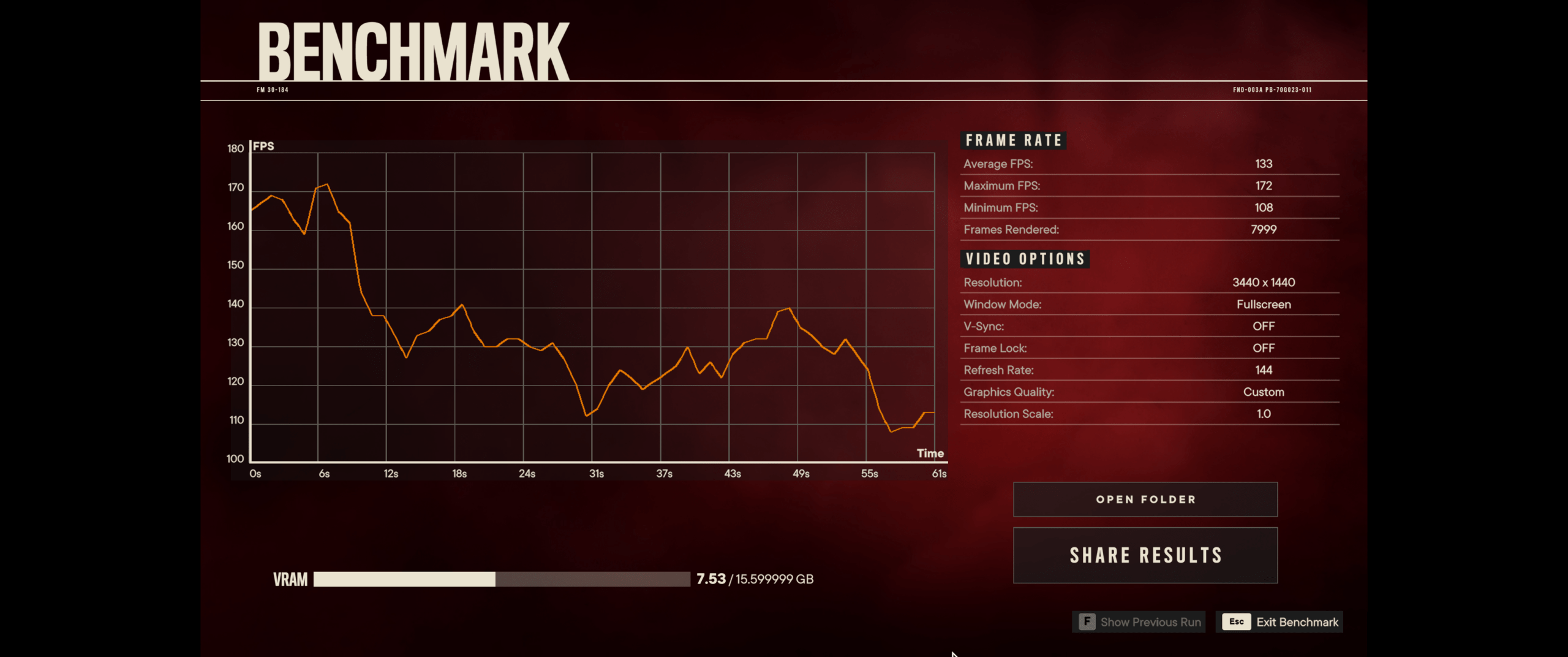
FarCry 6
Far Cry 6 supports ray tracing at launch, with the ability to enable DXR reflections and DXR shadows. But because DXR shadows are kind of pointless and not worth the performance hit, we haven’t tested with them enabled, but I have taken a look at DXR reflections, so we’ll look at that shortly using supported hardware.
| Benchmark | ROG Z790 APEX ENCORE | MEG Z890 Unify-X |
| Average FPS | 125 | 133 |
| Maximum FPS | 150 | 172 |
| Minimum FPS | 103 | 108 |
| Frames Rendered | 7603 | 7999 |
Ghost Recon Breakpoint
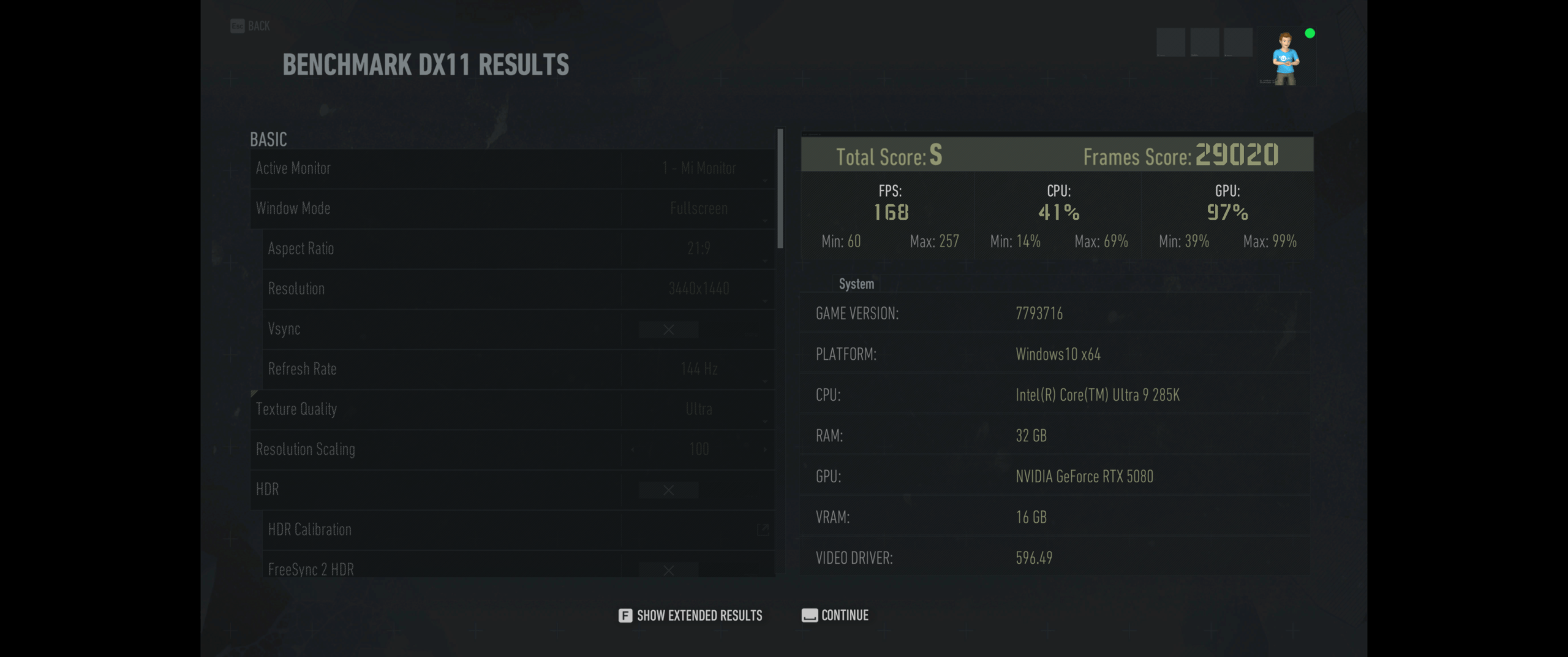
Ghost Recon Breakpoint is a military shooter set in a diverse, hostile, and mysterious open world that you can play entirely solo or in four-player co-op.
| Benchmark | ASUS ROG RTX4080OC | MEG Z890 Unify-X |
| Score | S | s |
| FPS | 150 | 168 |
| Frames Score | 25953 | 29020 |
AnTuTu Benchmark
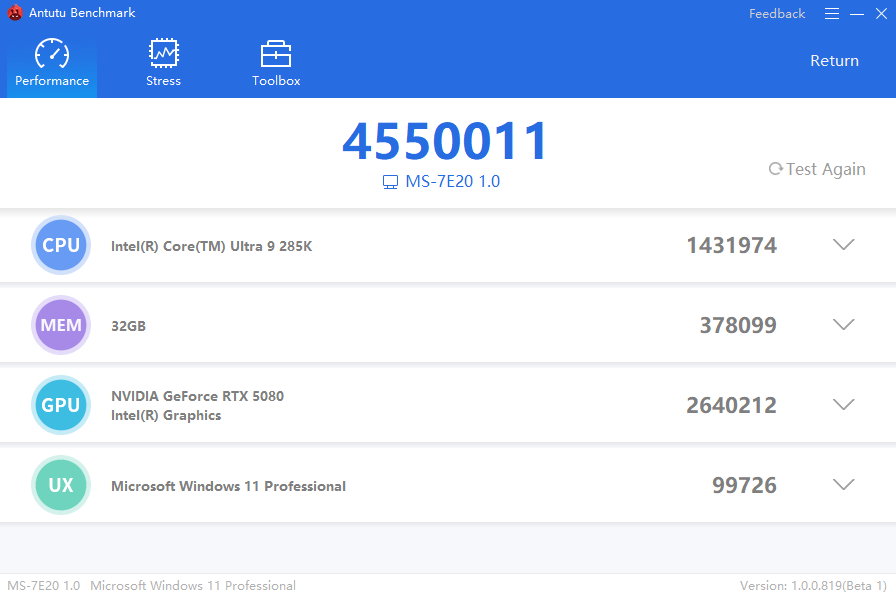
AnTuTu is a benchmarking app used to test and score the overall performance of smartphones and other devices, evaluating components like CPU, GPU, memory, and user experience (UX) through stress tests, helping users compare a phone’s raw power for tasks like gaming and multitasking, though scores should be balanced with real-world usage
Should you buy MSI MEG Z890 Unify-X Motherboard?
The MSI MEG Z890 UNIFY-X stands as a true flagship motherboard built for enthusiasts who demand extreme performance, stability, and tuning flexibility. With its refined dual-DIMM DDR5 design, it is clearly focused on memory overclocking excellence, enabling exceptionally high frequencies while maintaining strong signal integrity and low latency performance.
Its robust VRM architecture, driven by advanced Renesas PWM controllers and high-current power stages, ensures clean and stable power delivery even under heavy CPU loads and aggressive overclocking conditions. This makes the board highly capable of handling Intel Core Ultra processors at their performance limits without compromising reliability.
Storage expansion is another major highlight, with multiple M.2 slots providing PCIe Gen5 and Gen4 support, allowing users to build fast and flexible storage configurations. Combined with strong thermal solutions such as extended heatsinks and M.2 Shield Frozr cooling, sustained performance is well maintained even during intensive workloads.
Connectivity is equally modern and future-ready, featuring high-speed networking with 5GbE LAN and Wi-Fi 7, alongside Thunderbolt 4 and a wide range of USB options. These features ensure that the motherboard is not only powerful but also well-equipped for next-generation peripherals and high-bandwidth workflows.
From an enthusiast perspective, MSI also integrates practical tools such as hardware tuning controls, EZ DIY features, and BIOS recovery options, making the platform more accessible for both experienced overclockers and advanced builders.
Overall, the MSI MEG Z890 UNIFY-X is a specialized motherboard that prioritizes performance tuning, memory overclocking, and system stability above all else. It is not designed for casual users, but for those who want to push hardware to its absolute limits, it represents one of the most refined and capable Z890 platforms available.
MSI MEG Z890 Unify-X
1059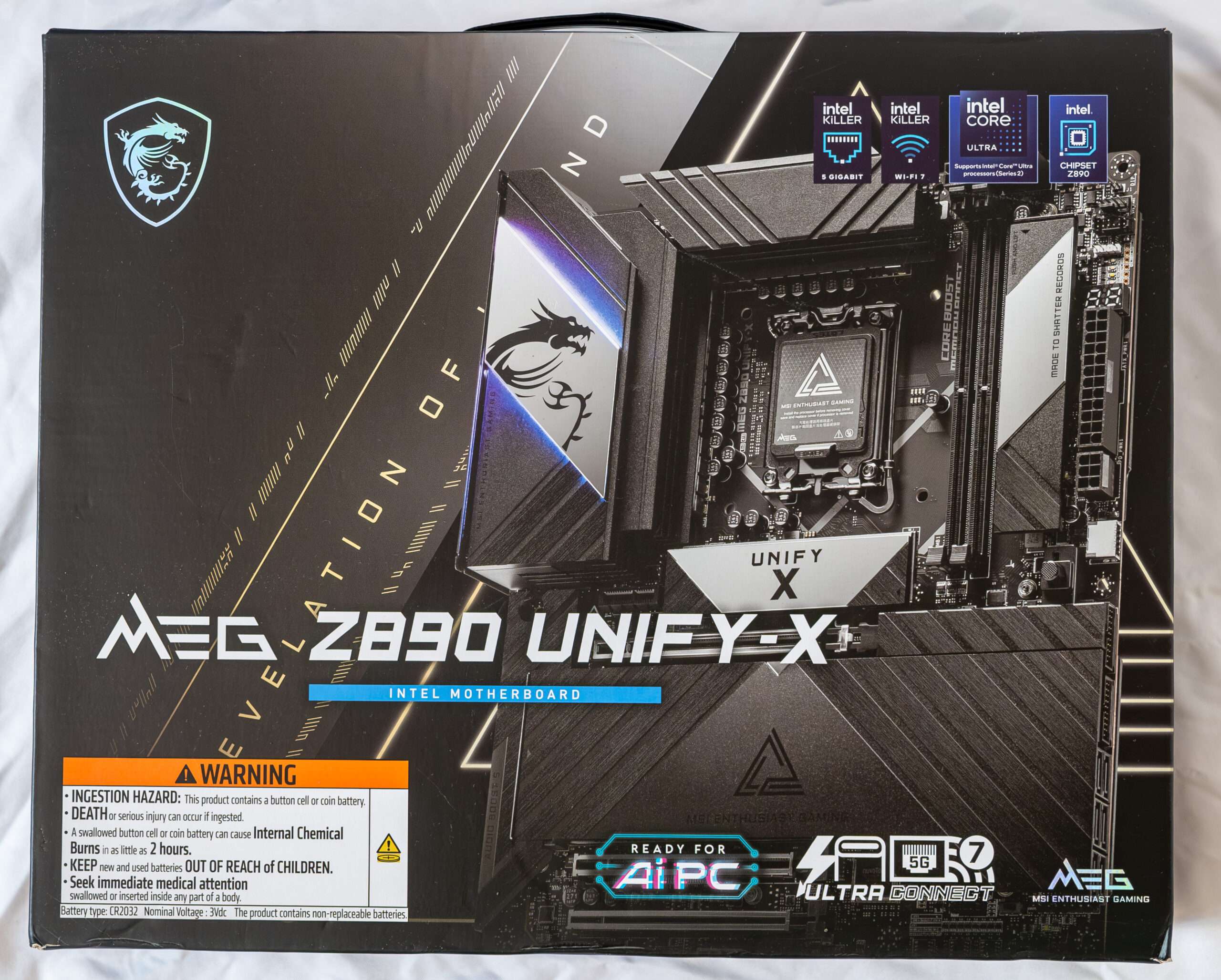
Pros
- 20 Power Phase 110A
- Massive USB port
- Massive M.2 Storage
- Turning Controller for Overclocker
- 5Gbps and WIFI 7 connectivity
Cons
- Replace CMOS Battery require dismantle entire board
- Not all AIO mounting can fit due to backplate