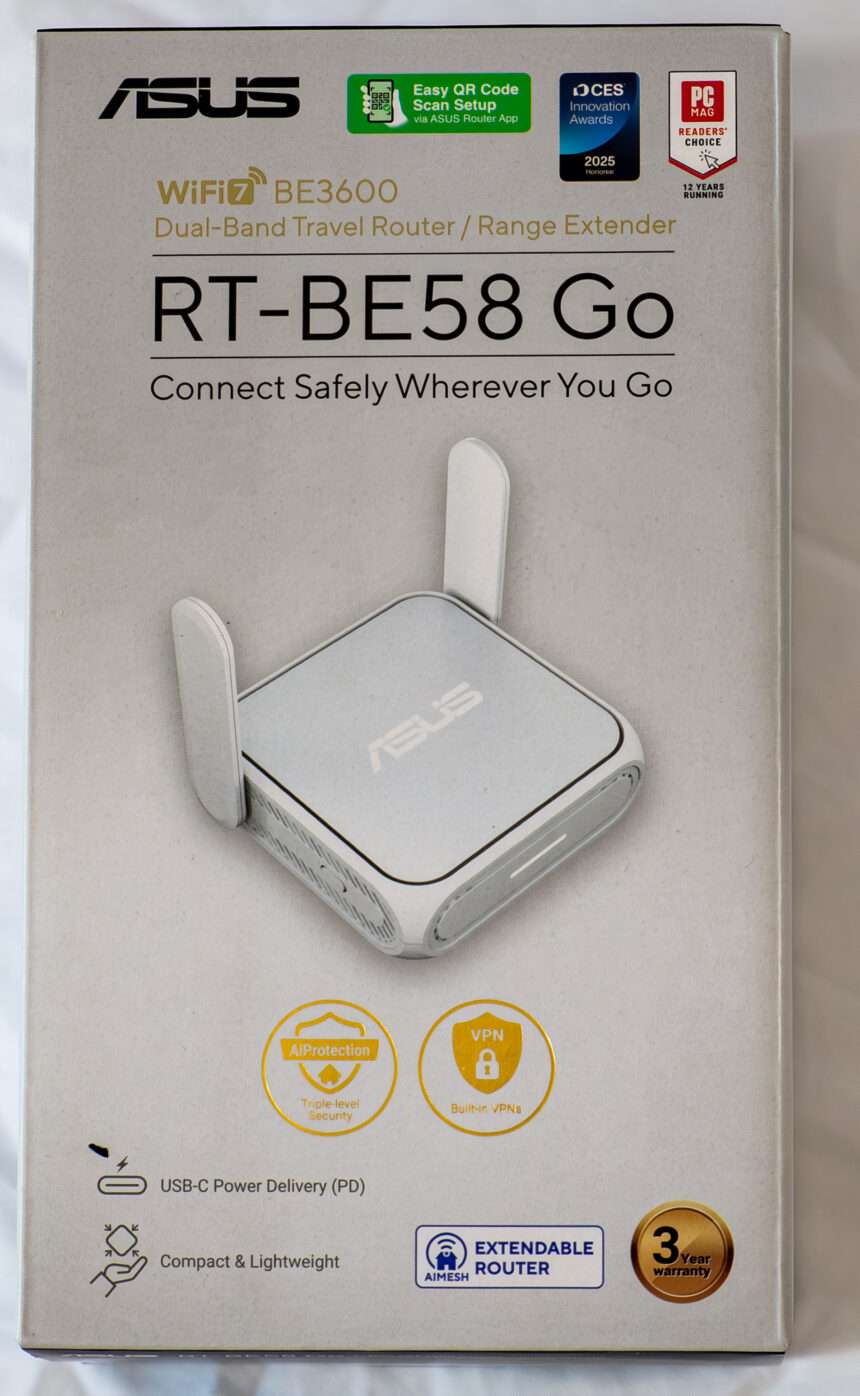
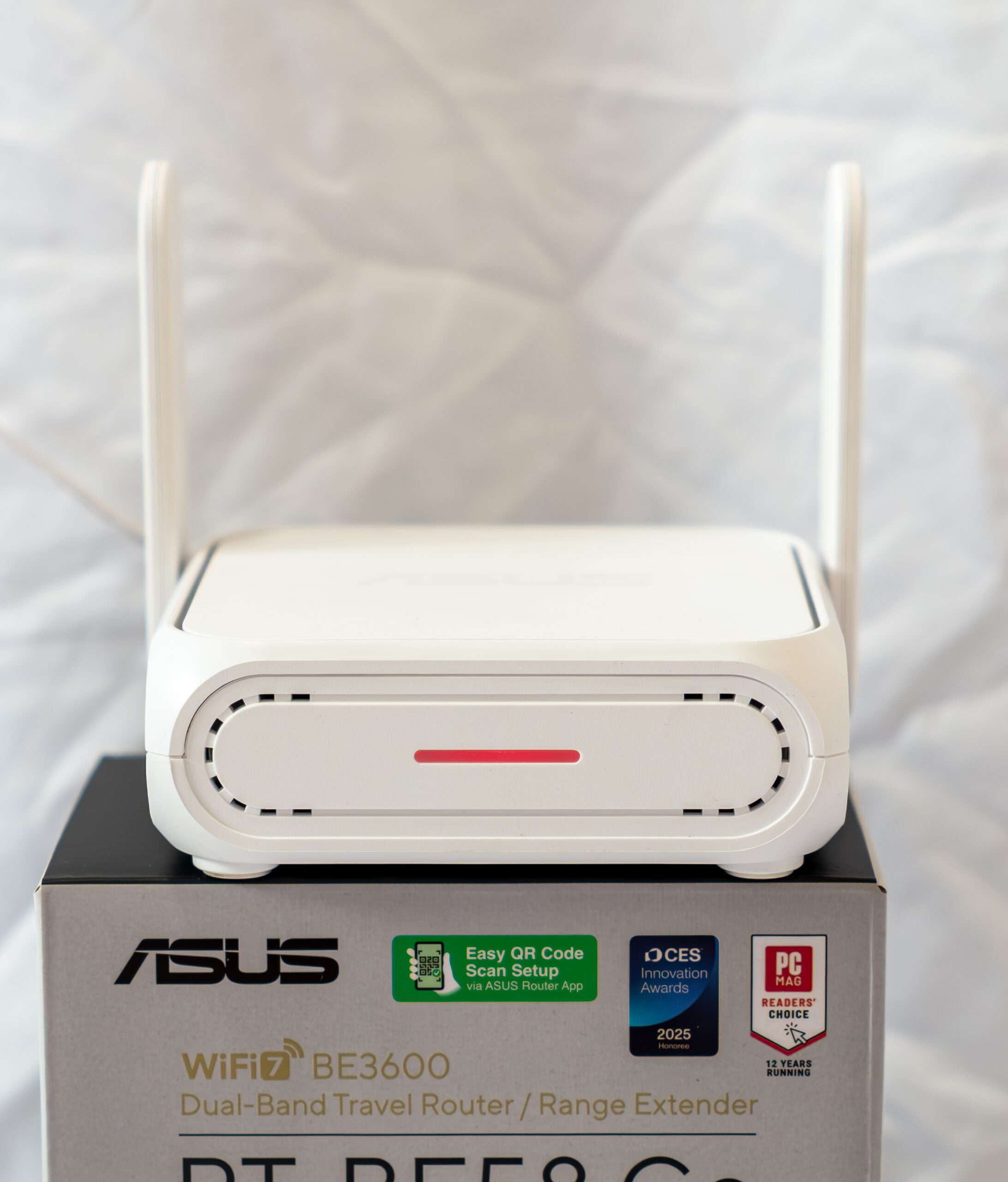
The ASUS RT-BE58 Go Router is designed to bring next-generation connectivity into a compact, travel-friendly form factor without compromising performance. Built with the latest WiFi 7 (802.11be) standard, this router delivers faster speeds, lower latency, and improved efficiency compared to previous generations, making it ideal for modern households and on-the-go users who demand stable, high-speed internet access.
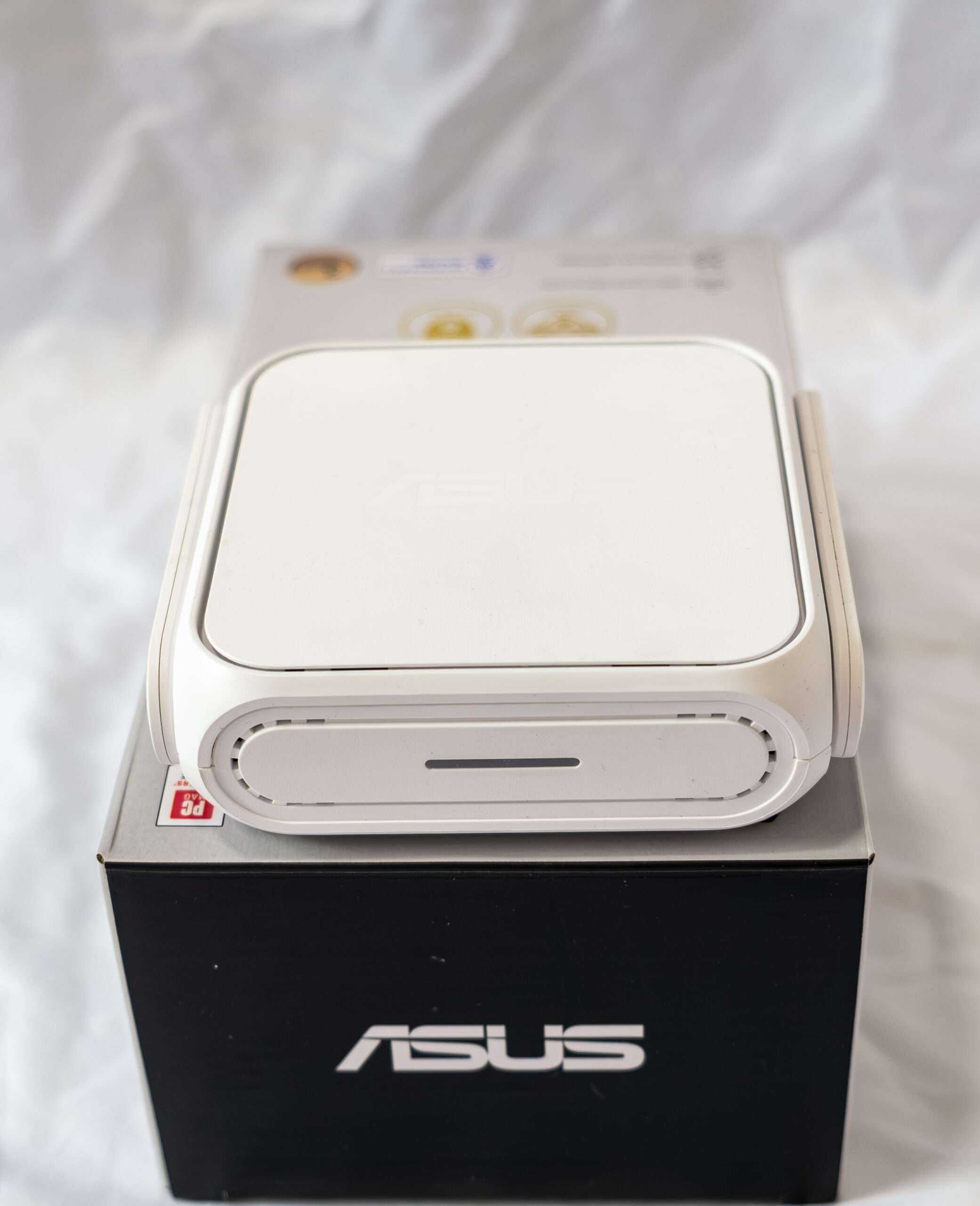
Despite its “Go” branding, which emphasizes portability, the RT-BE58 Go is far from being a basic travel router. ASUS has designed it to be a versatile networking solution capable of adapting to different scenarios.
Technical Specification
| Model | Asus RT-BE58 Go Wi-Fi 7 Portable Router |
| Wi-Fi Bandwidth | Dual-band BE3600 |
| 1st Band | 2×2 2.4GHz BE: up to 688Mbps |
| (Qchannel width) | (20/40MHz) |
| 2nd Band | 2×2 5GHz BE: up to 2882Mbps |
| (channel width) | (20/40/80/160MHz) |
| Premium Add-on | (all features are free for life) |
| Mesh-Ready | YES (AiMesh) |
| Operating Mode | Router |
| Access Point | |
| Repeater | |
| Public WIFI (WISP) | |
| Media Bridge | |
| Multi-Gig Port | 1x 2.5GBASE-T WAN |
| 1x 1GBASE-T LAN | |
| Dual-WAN | Yes |
| USB Port | 1 x USB 3.0 |
| Dimensions | 99 x 111 x 36 mm |
| Weight | 232 g |
| Processing Power | Quad-core 2.0GHz CPU, 256MB Flash, 1GB DDR4 RAM |
| Firmware | 3.0.0.6.102_39125 Build: 2026/03/27 |
| SGD Price | $149 – 3 Years Warranty |
Hardware: Processor information
The Broadcom BCM6764 is a 2×2 160 MHz Wi-Fi 7 system-on-a-chip (SoC) communications processor that enables low-power, small form factor multi-gigabit access points, routers, repeaters and service provider gateways for residential applications. The SoC features a quad-core ARMv7 CPU with dual 802.11be 2×2 spatial stream 160 MHz WLAN radios and an integrated 802.3-compliant 2.5 Gigabit Ethernet PHY.
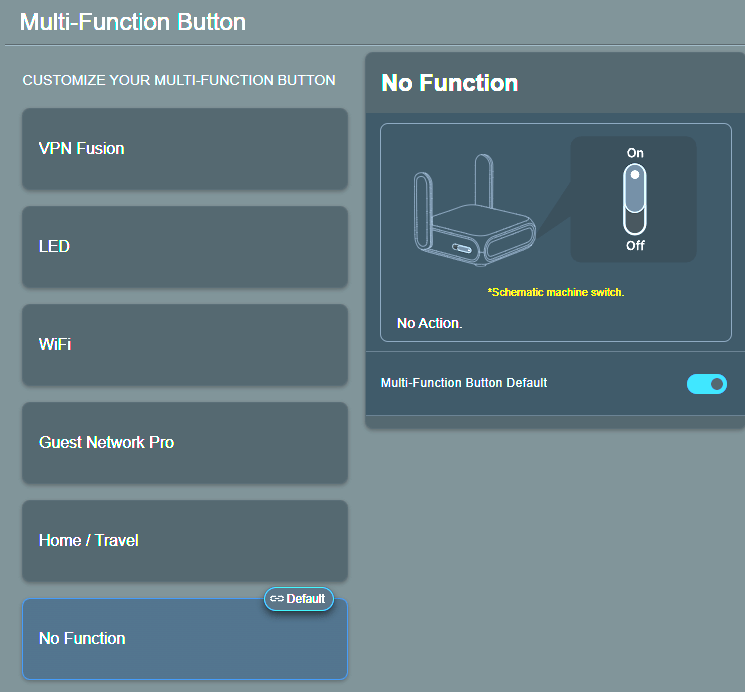
The integrated function switch button provides instant access to configurable settings, with full customization available via the user interface, allowing users to tailor its behavior to their preferred networking setup.
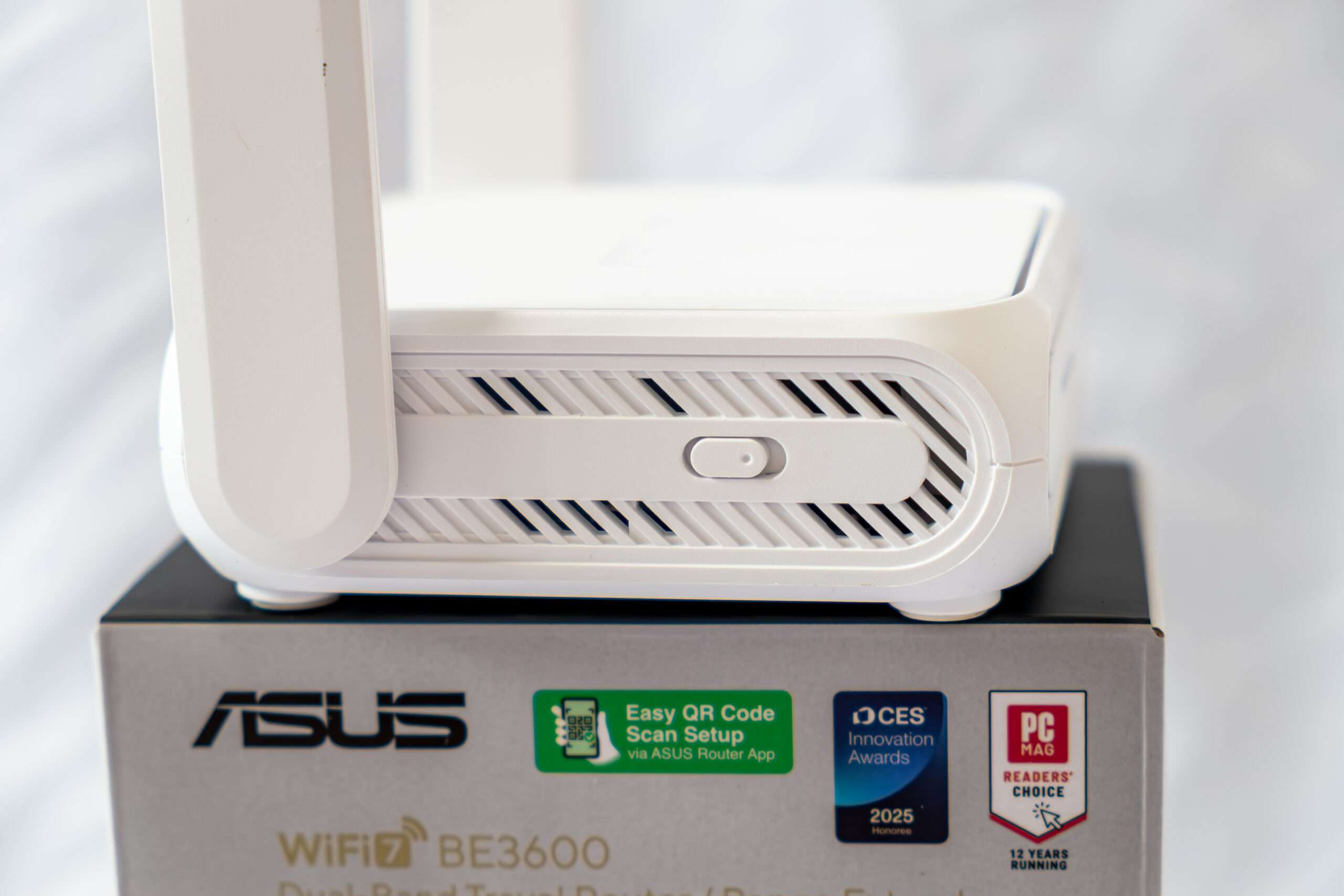
The ASUS RT-BE58 Go Router features a 2.5Gbps WAN port paired with a 1Gbps LAN port for multi-gigabit networking capabilities. In addition, its USB 3.0 interface enables 4G LTE and 5G mobile tethering, offering versatile WAN configurations for various deployment scenarios.
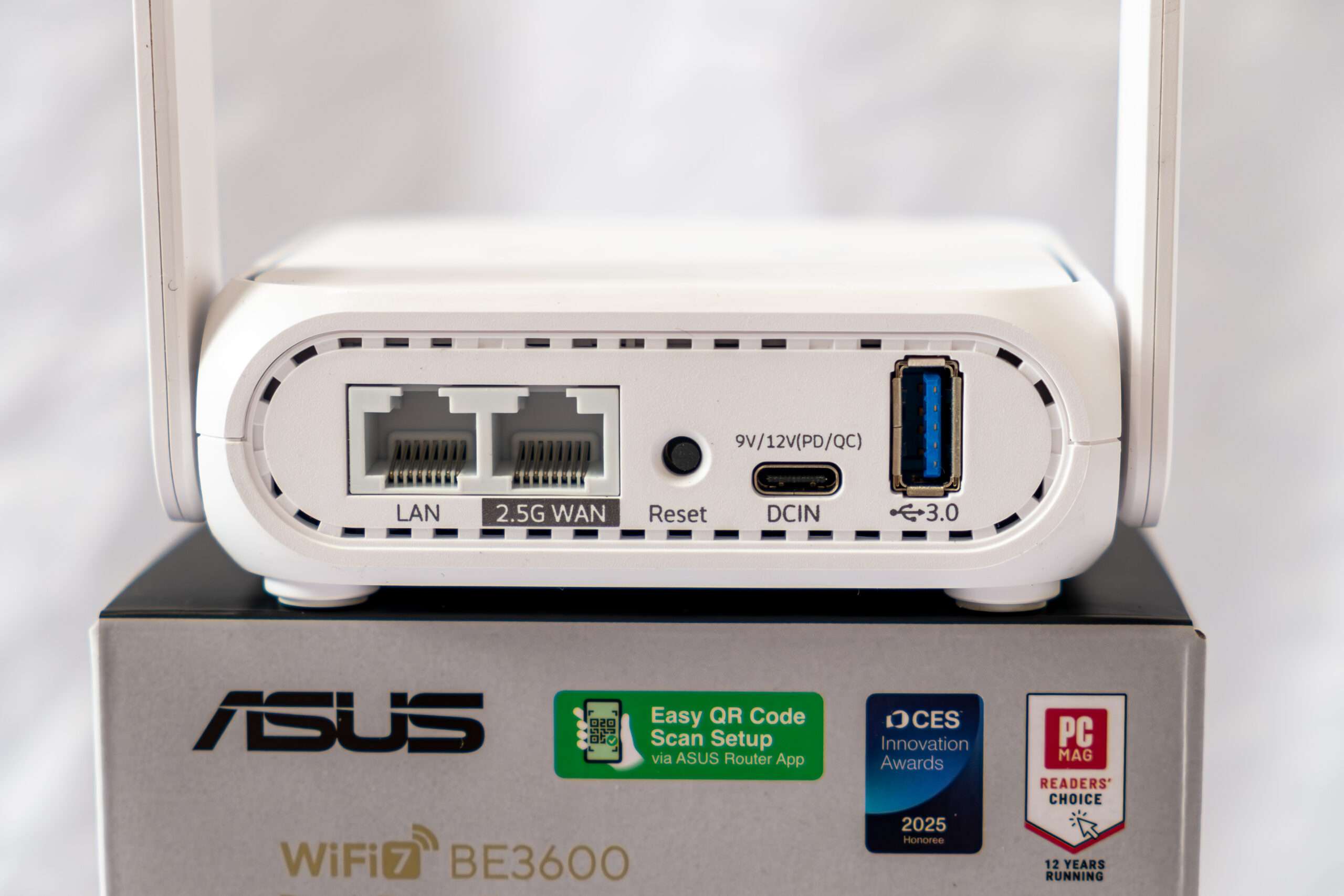
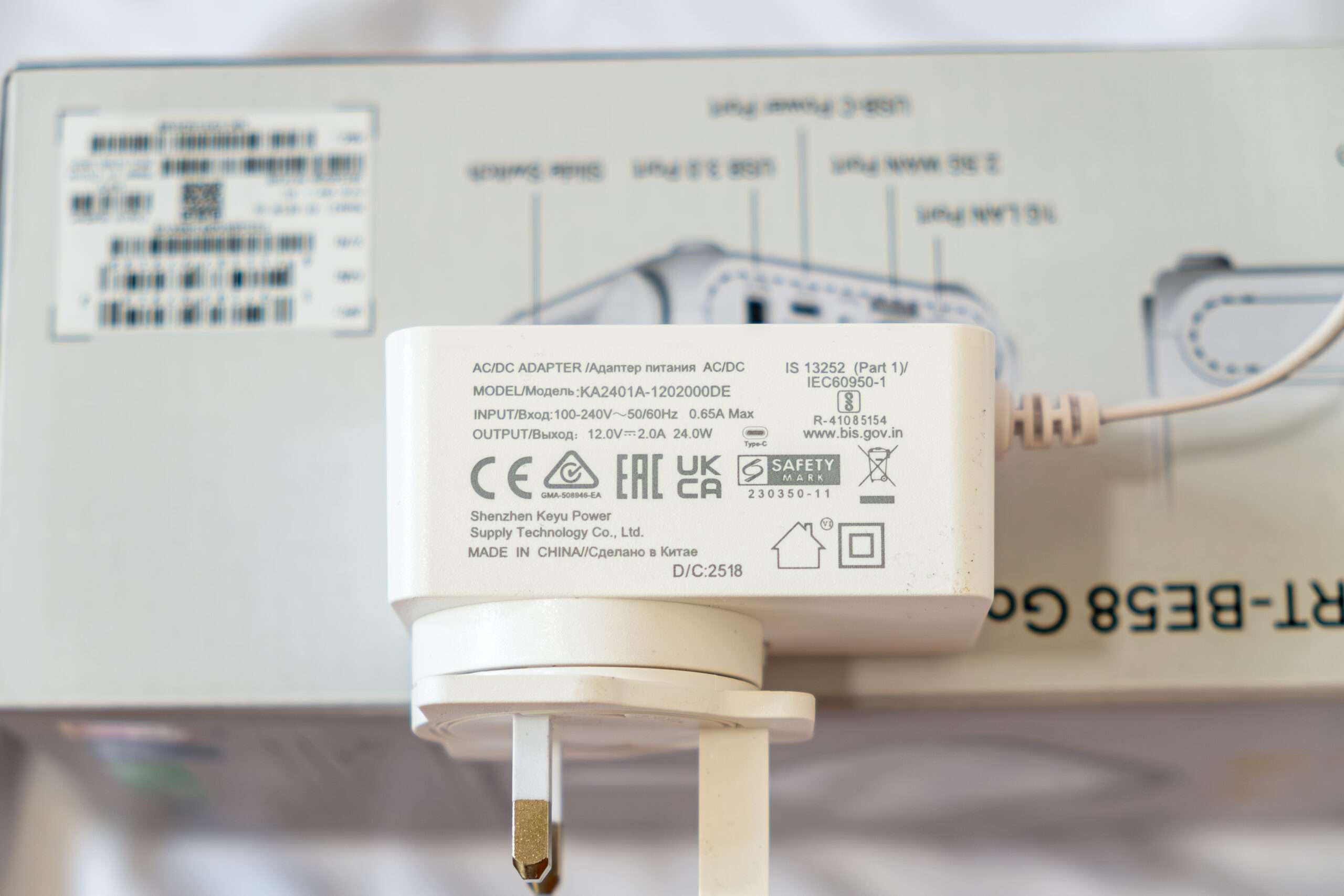
The ASUS RT-BE58 Go Router includes a 24W Keyu Power adapter in the box. However, it also supports USB-C Power Delivery (PD), allowing it to be powered by any compatible PD charger with an output of at least 24W, making it highly versatile for portable use.
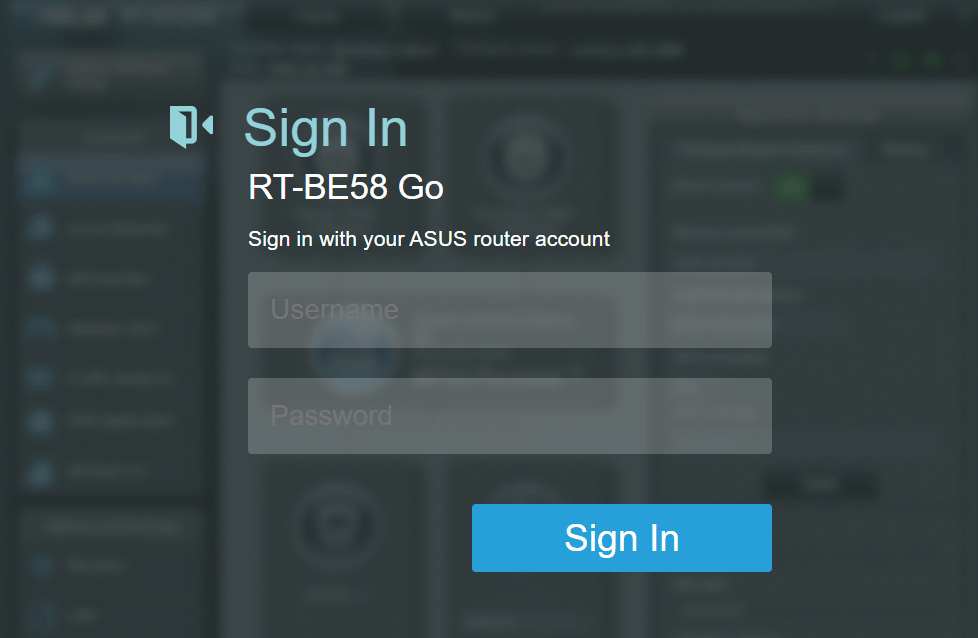
ASUSWRT 5.0 Web Interface
The new ASUSWRT 5.0 introduces enhancements such as a streamlined interface for easier configuration and the inclusion of default custom network channels, further solidifying its role as a reliable companion innavigating networking tasks. The ASUSWRT 5.0 label firmware version starting with 3.0.0.6 onward.
Below is the main login web page: 192.168.50.1 < Default login ip address
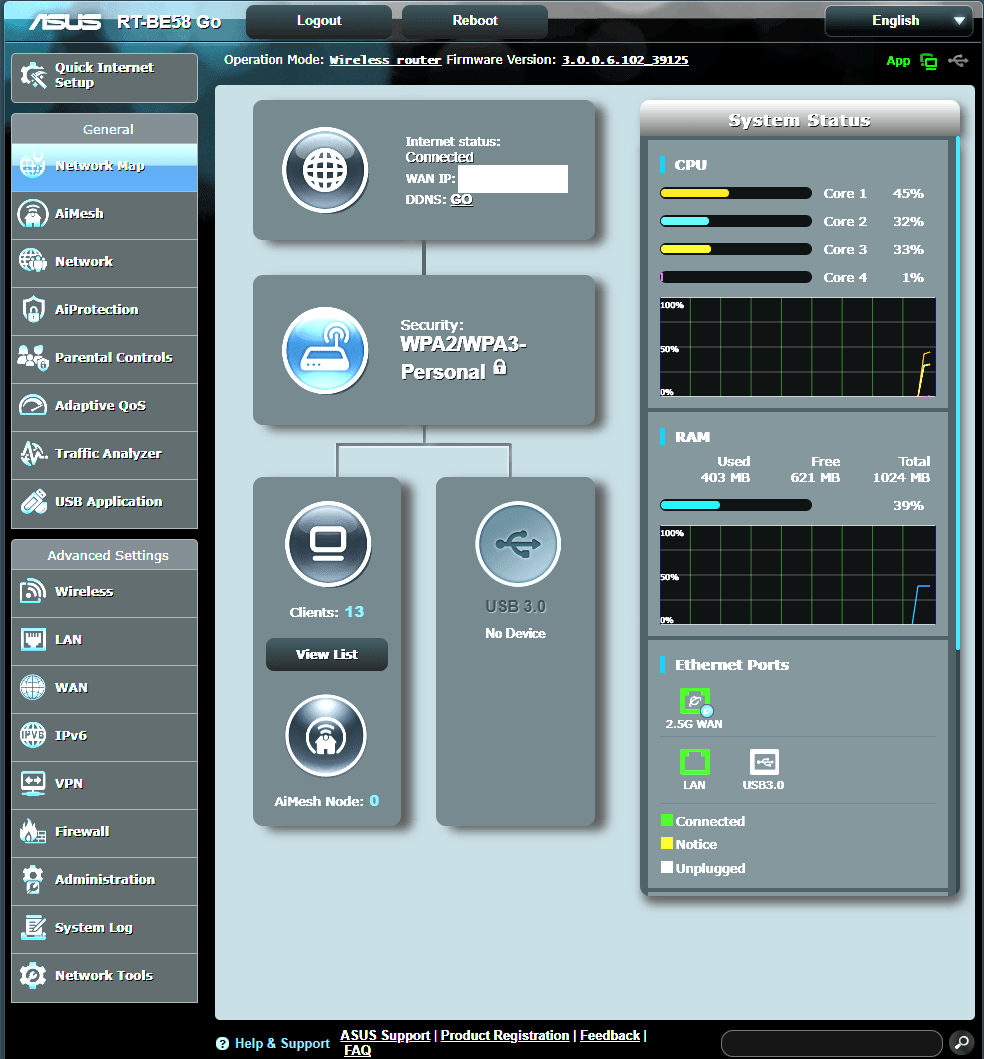
The usual main page of the router’s web GUI provides an overview of essential system metrics, including CPU and RAM usage. It also offers detailed information such as the number of devices connected to the wireless network or Ethernet ports, allowing users to monitor their network at a glance.
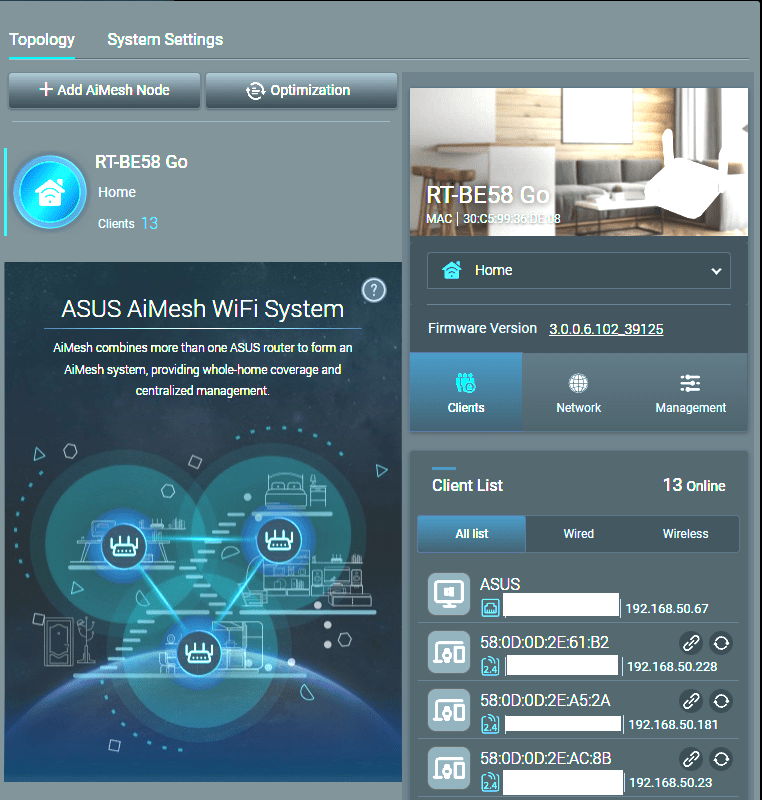
AiMesh can create a single, house-wide network name so there’s no need to constantly switch between networks as you roam around your home. AiMesh keeps an eye on the signal strength to your device, and switches it seamlessly to another source if necessary. If you prefer separate network names for each frequency band, you can do that as well — AiMesh is designed to work the way you want!
ASUS Ai Protection
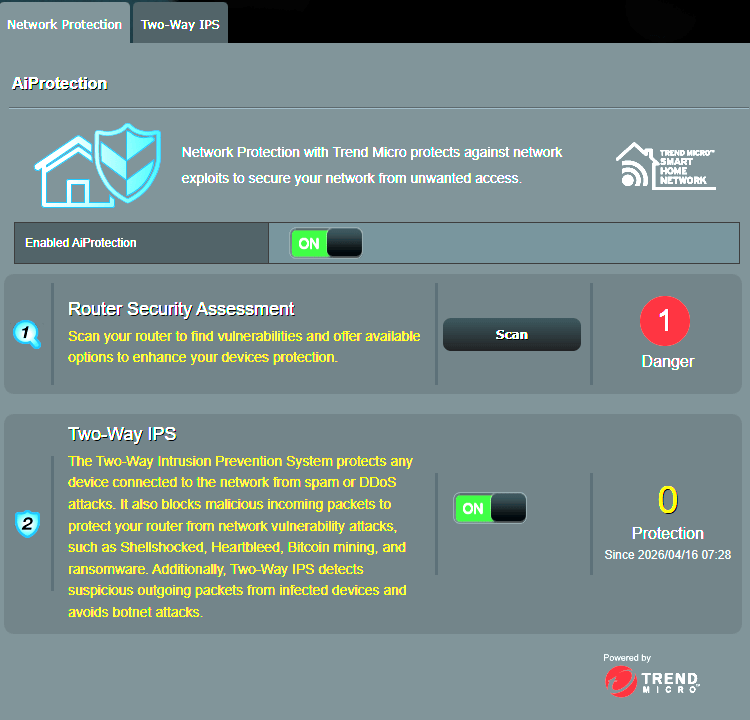
Security is another area where ASUS continues to maintain a strong focus. The router comes equipped with ASUS AiProtection Pro, a built-in security suite powered by Trend Micro, which helps protect your network from potential threats such as malware, phishing attacks, and unauthorized access.
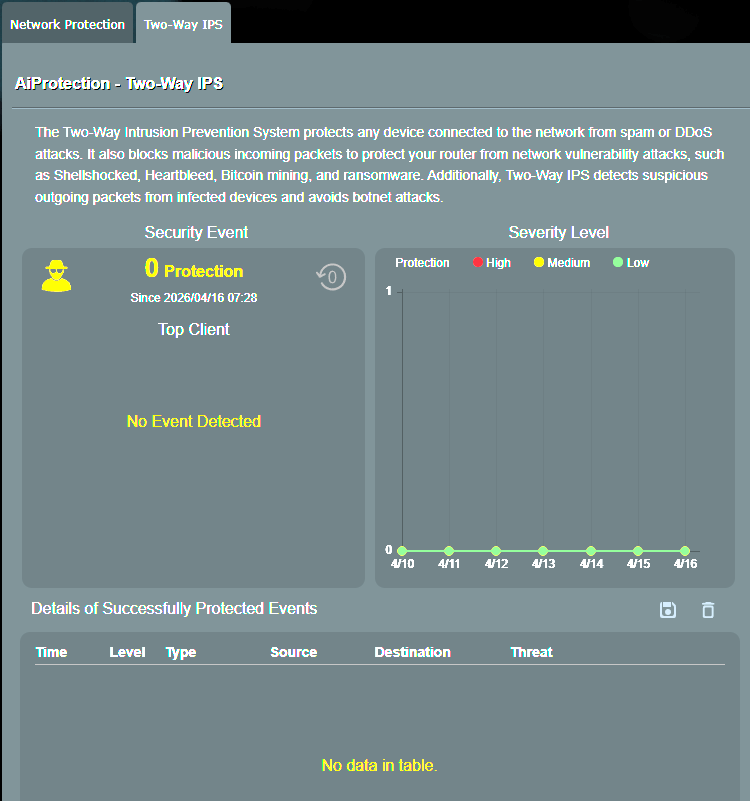
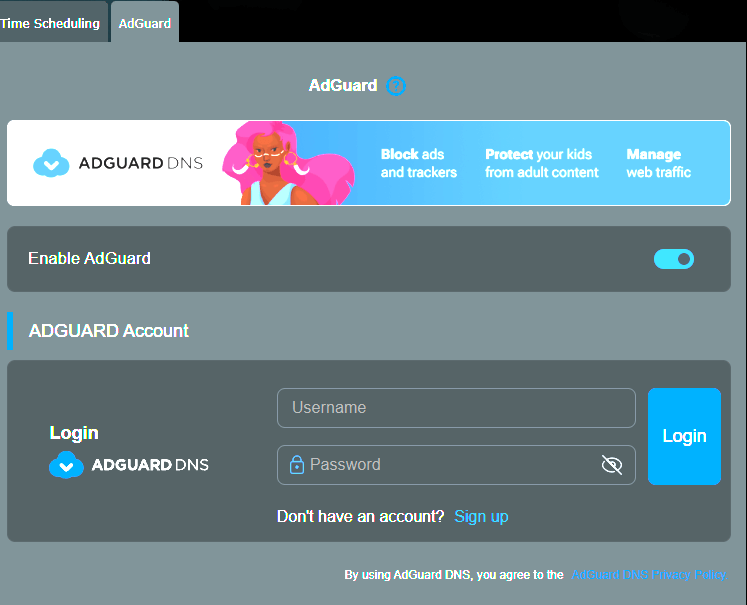
However, the ASUS RT-BE58 Go Router falls short in terms of advanced web and app filtering capabilities. It provides only basic parental control features, such as device time scheduling, alongside AdGuard integration for ad blocking, which may feel limited for users seeking more comprehensive network management tools.
Wireless
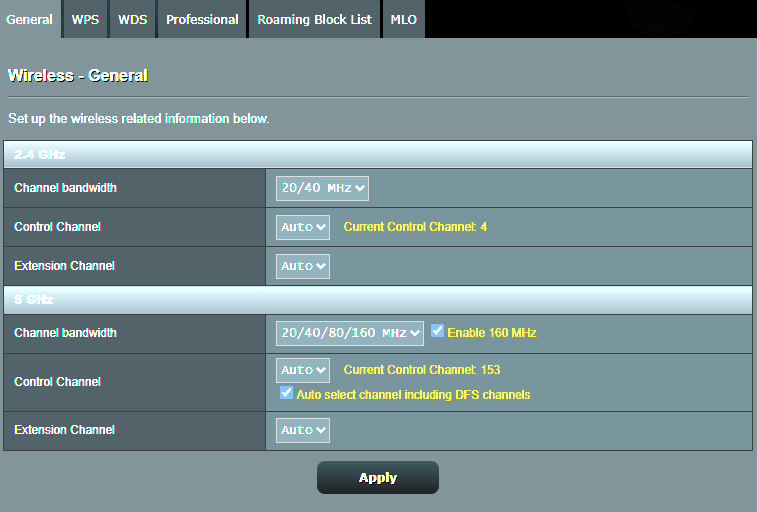
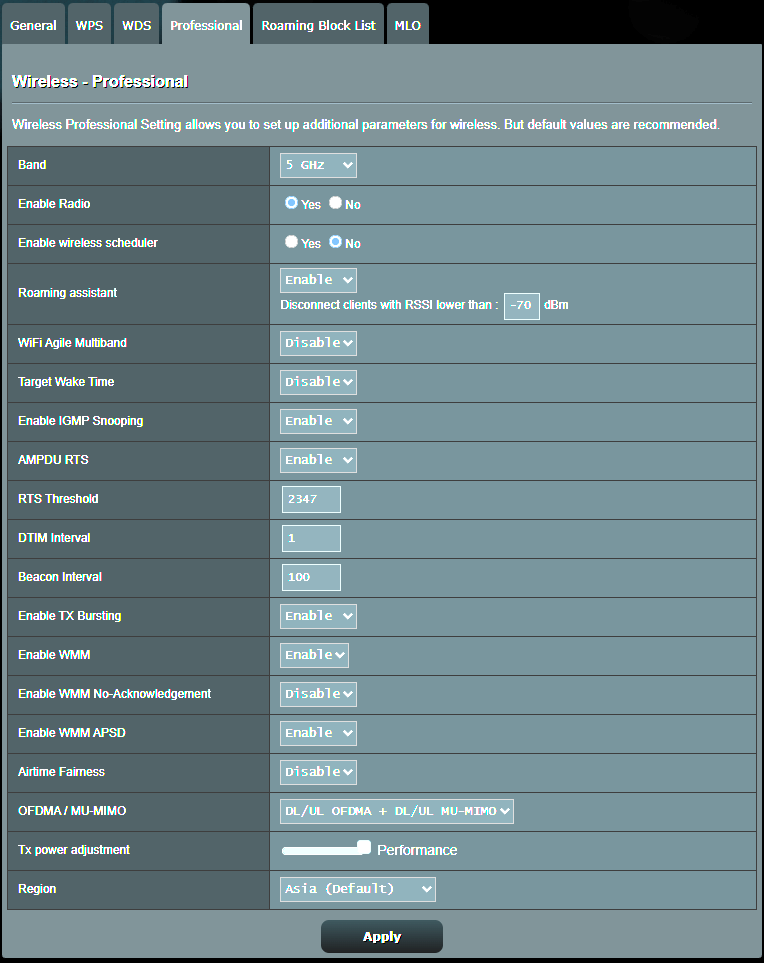
ASUS routers stand out by offering an extensive range of options and settings to customize your wireless configuration to suit your needs. In contrast, many other brands only provide basic settings, limiting customization and control over your network.
MLO
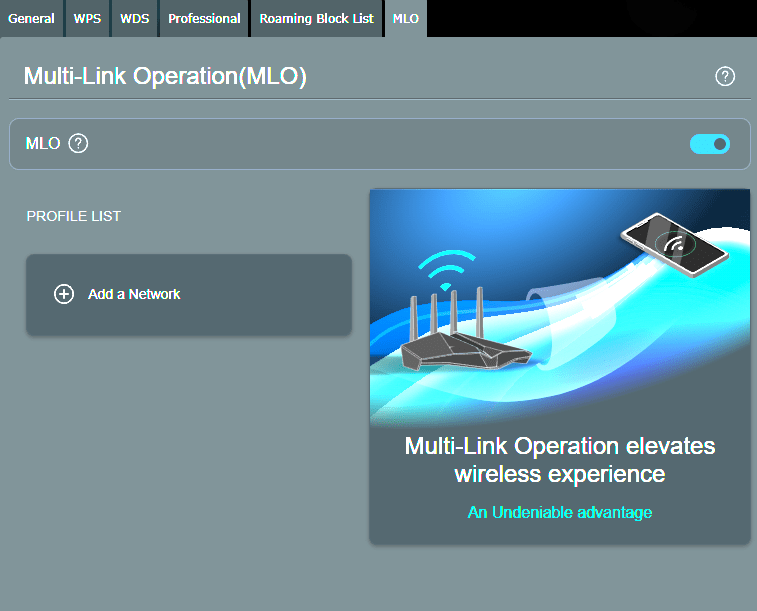
You have the option to create a new MLO (Multi-Link Operation) SSID and connect it to the same subnet for enhanced flexibility and improved network performance. Alternatively, you can choose not to create a new SSID for MLO; instead, enable MLO on your main SmartConnect SSID by navigating to the network > advanced menu and toggling on the MLO feature.
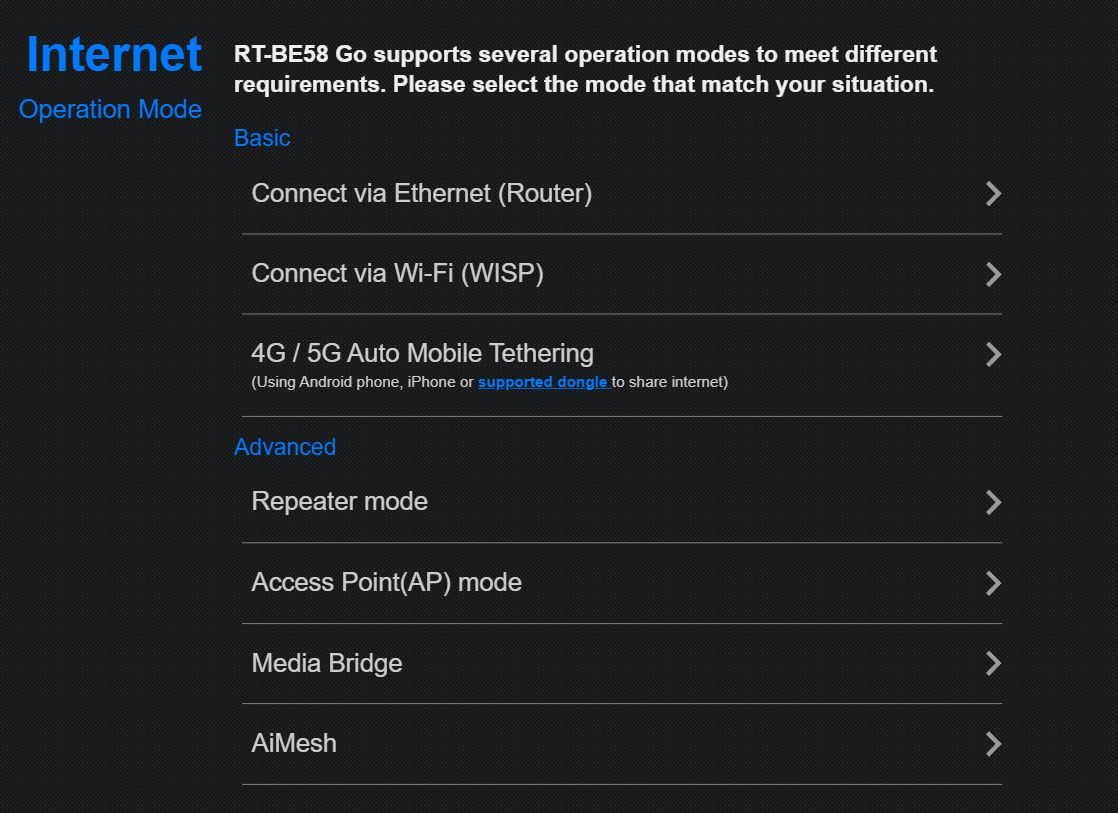
ASUS has designed it to be a versatile networking solution capable of adapting to different scenarios. Whether used as a primary router in a small apartment, an access point to extend an existing network, or a portable hotspot for hotel or on-the-road use, it offers the flexibility to switch between modes easily. This makes it especially appealing for users who need a single device that can handle both everyday home networking and mobile connectivity needs.
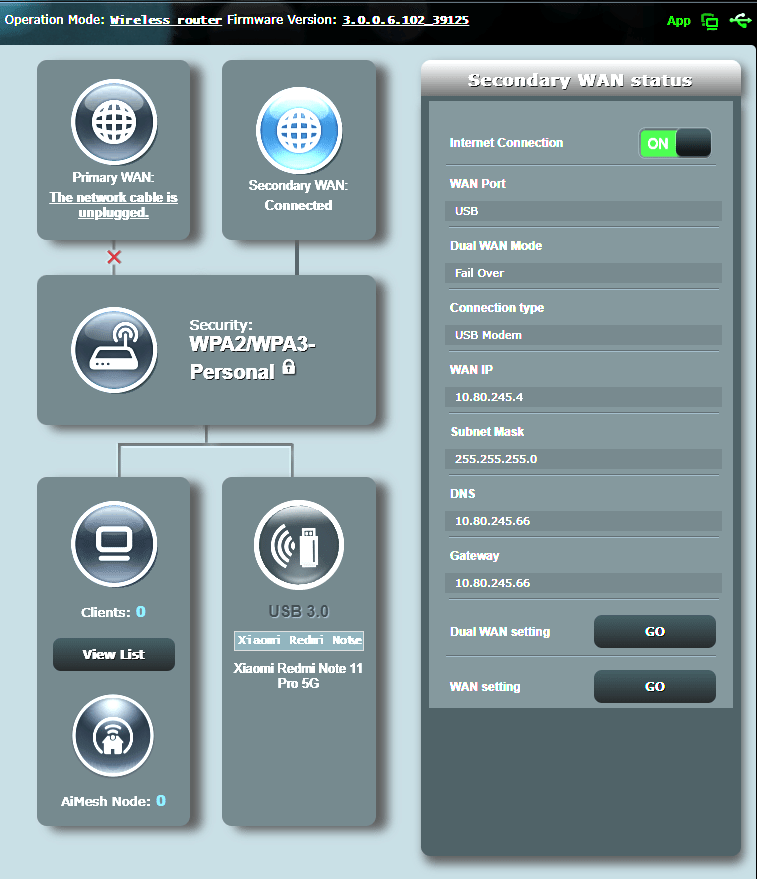
We connected a Redmi Note 11 Pro 5G running the latest custom LineageOS ROM to the ASUS RT-BE58 Go Router via the USB 3.0 interface for mobile tethering. The connection was established seamlessly and delivered stable, consistent performance.
Notice: Mobile 5G and 4G performance is largely dependent on your location relative to nearby cell towers, with signal strength directly impacting connection stability and overall network quality.
Benchmark Test WIFI 7
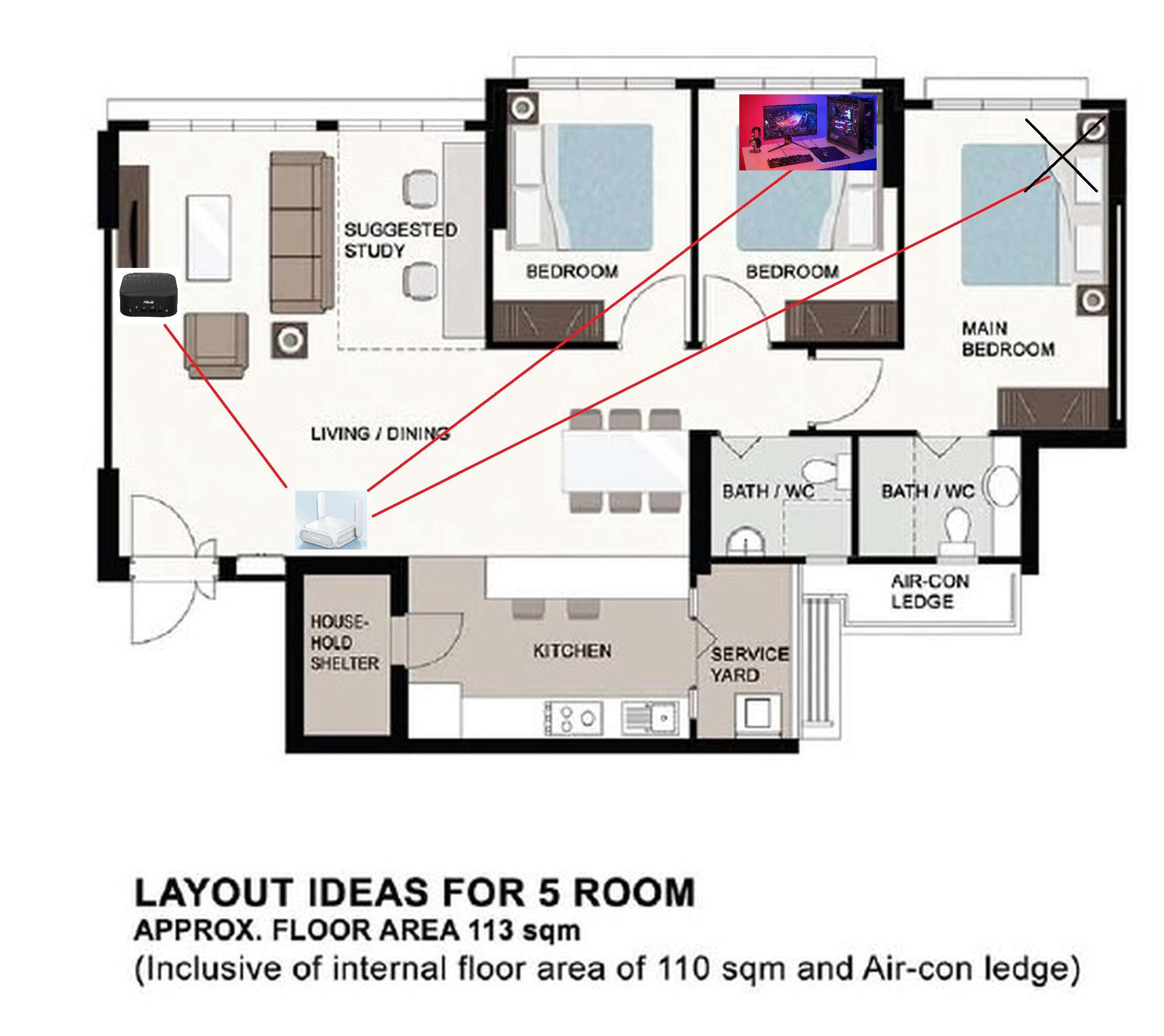
Below is the floor plan of the 5 rooms BTO layout.
The service provider will utilize M1 Fibre 2.5Gbps, and our primary router is the RT-BE58 Go. For our WIFI 7 testing, we will be utilizing the two computer and all our devices installed with latest driver.
| DIY Computers | Bedroom | Living Room |
| Processor | Intel Core i9 13900K | Intel Core Ultra 9 285H |
| RAM | 32Gb DDR5 6000mhz | 32Gb DDR5 6000mhz |
| GPU | RTX 4080 | Intel Arc 140V |
| Network Card | Intel BE201 WIFI 7 Driver 24.30.1.1 | Intel BE201 WIFI 7 Driver 24.30.1.1 |
| Storage | Samsung 980Pro 2TB Nvme SSD PCIE 4.0 | Samsung 1TB Nvme SSD PCIE 4.0 |
Living room – Benchmark
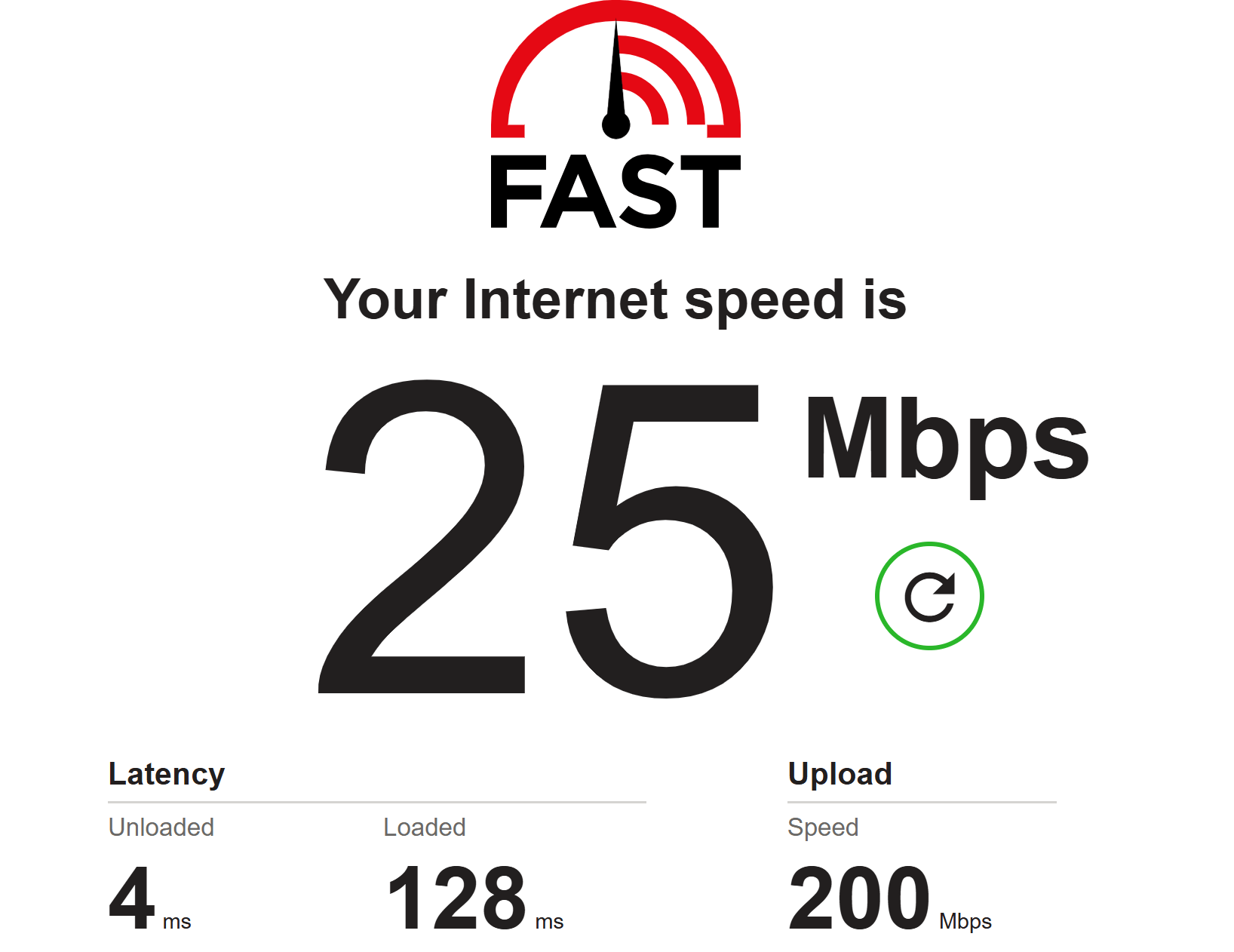
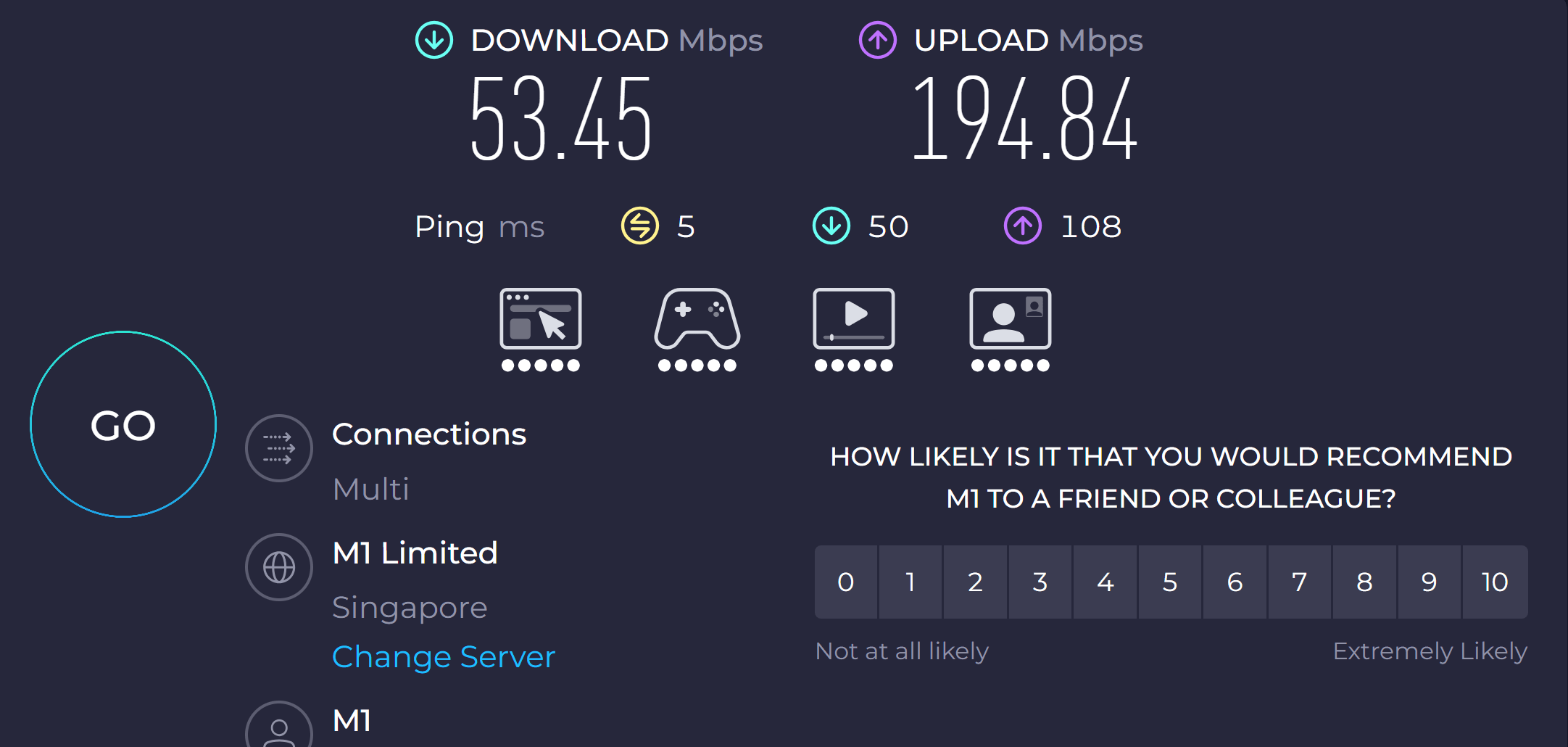
The benchmark test results below were obtained in the living room, positioned 5 meters away from the router.
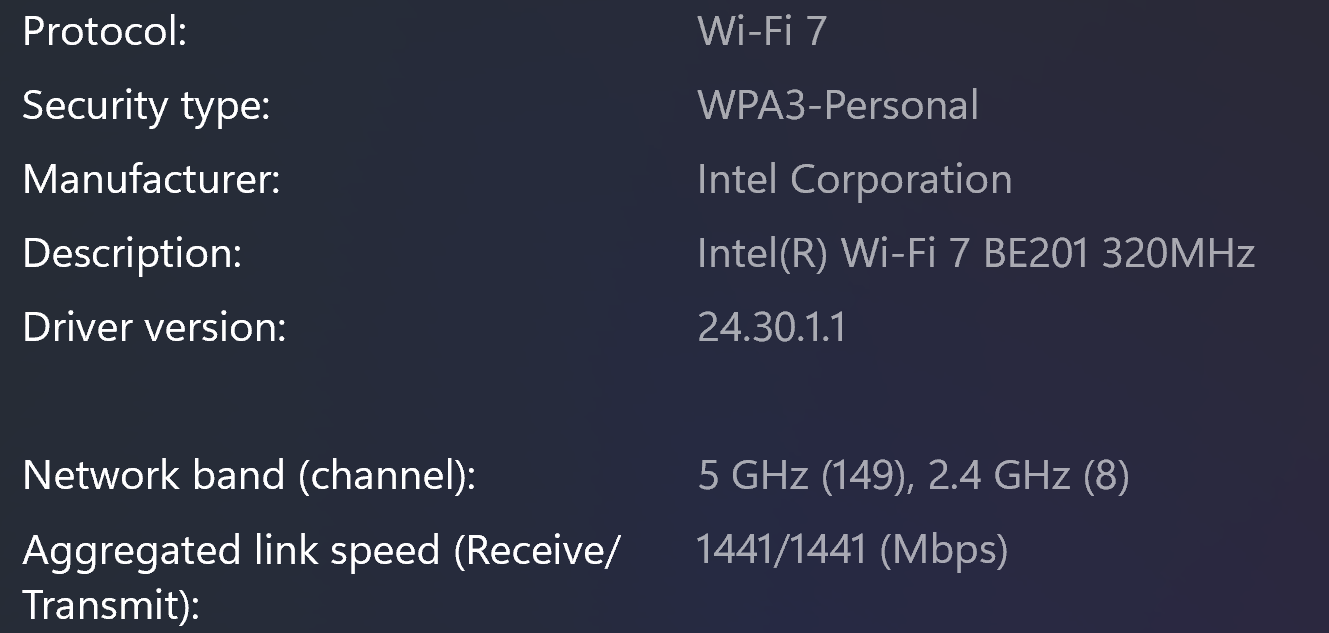
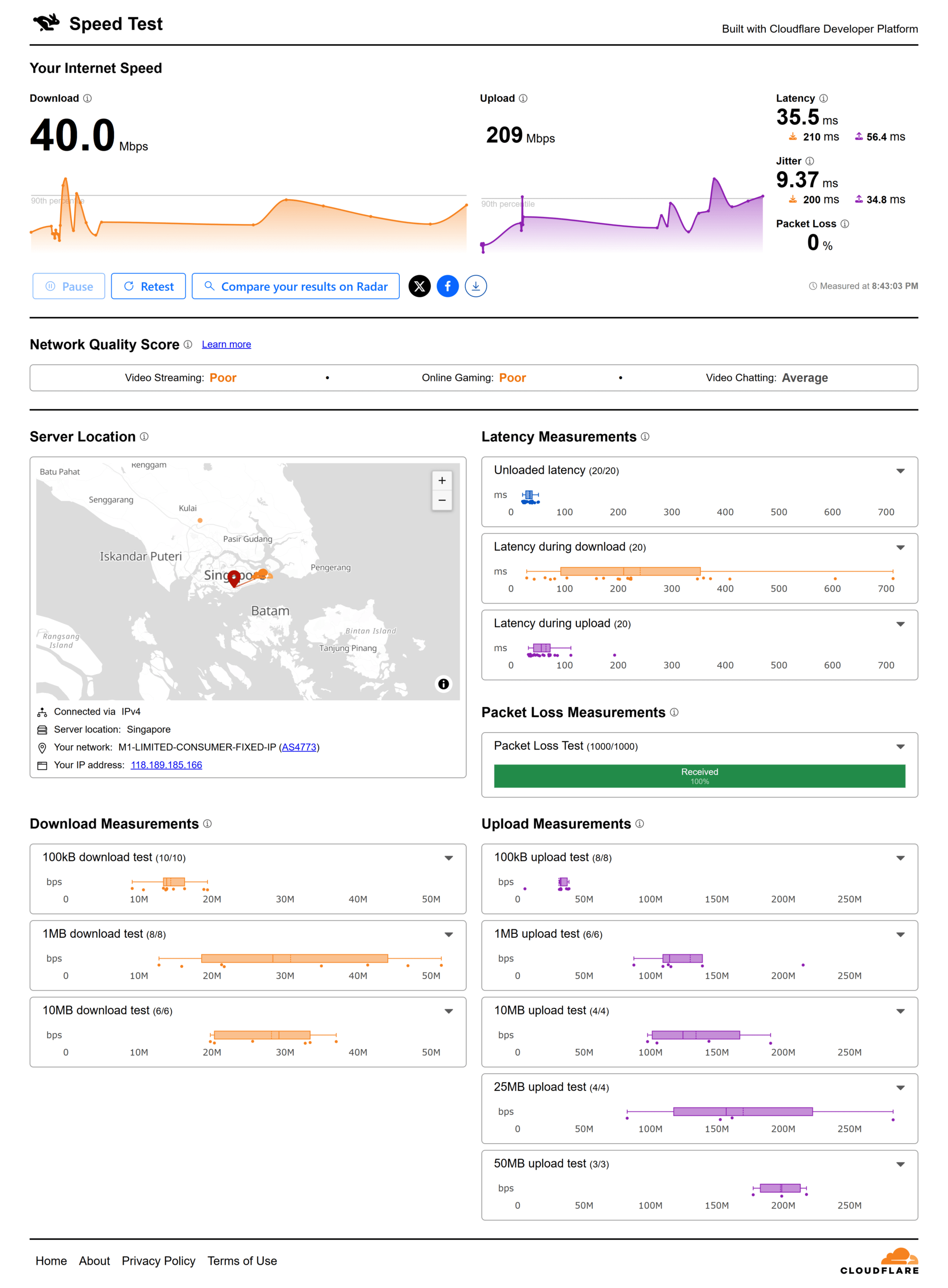
Bedroom – Benchmark
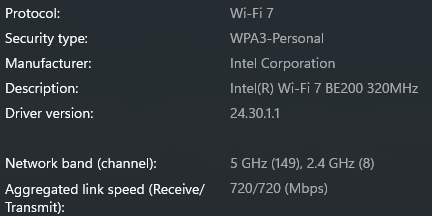
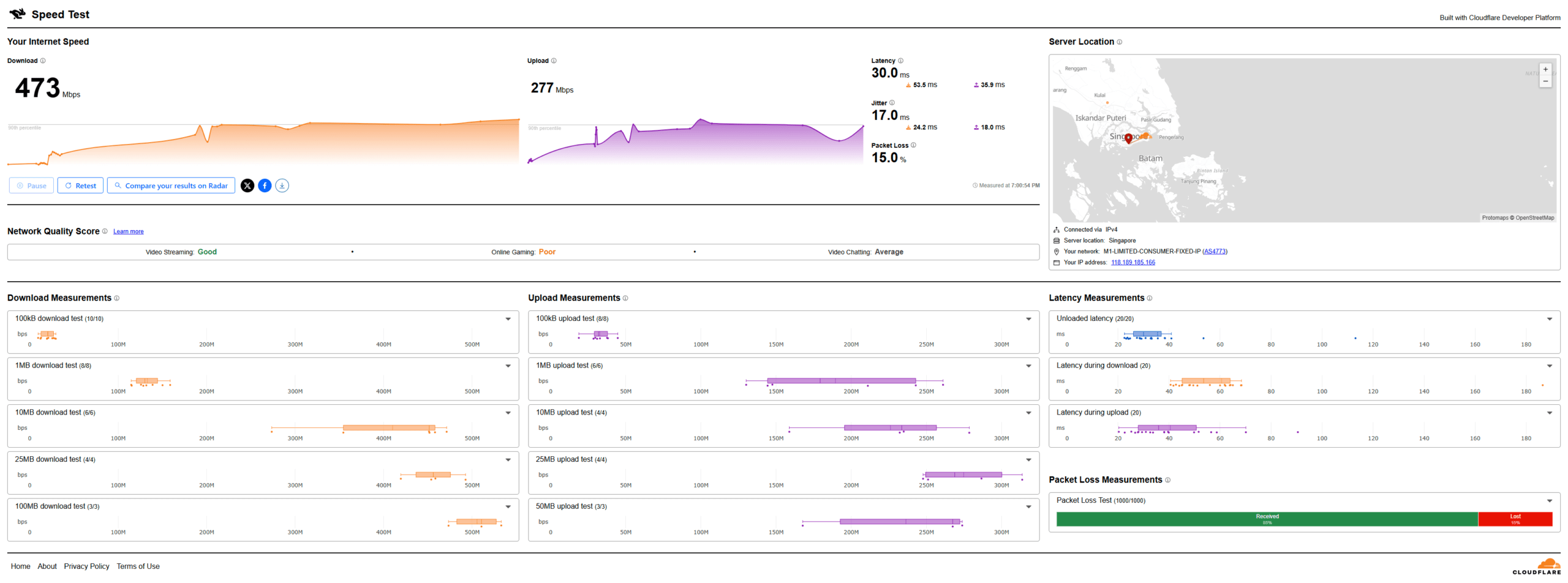
The benchmark test results below were obtained in the Bedroom.
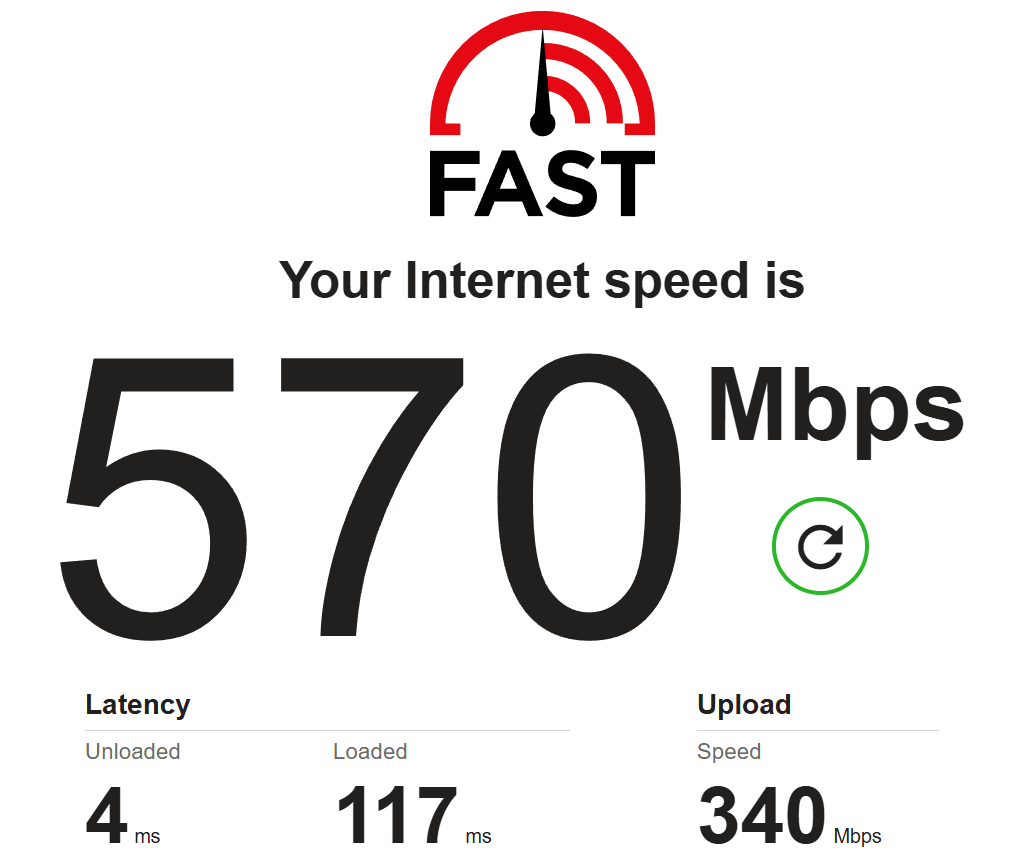
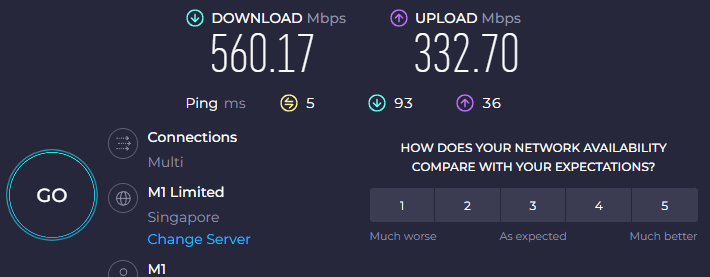
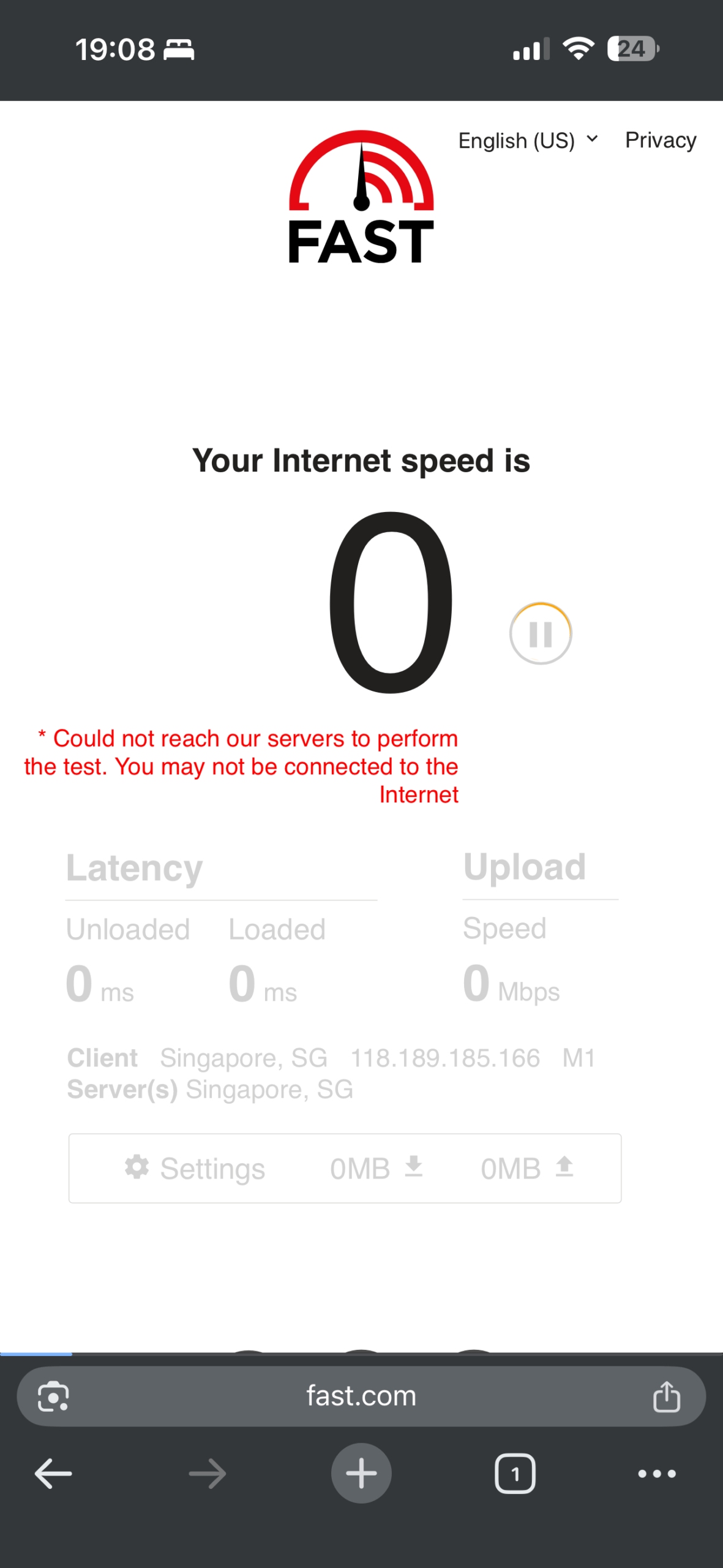
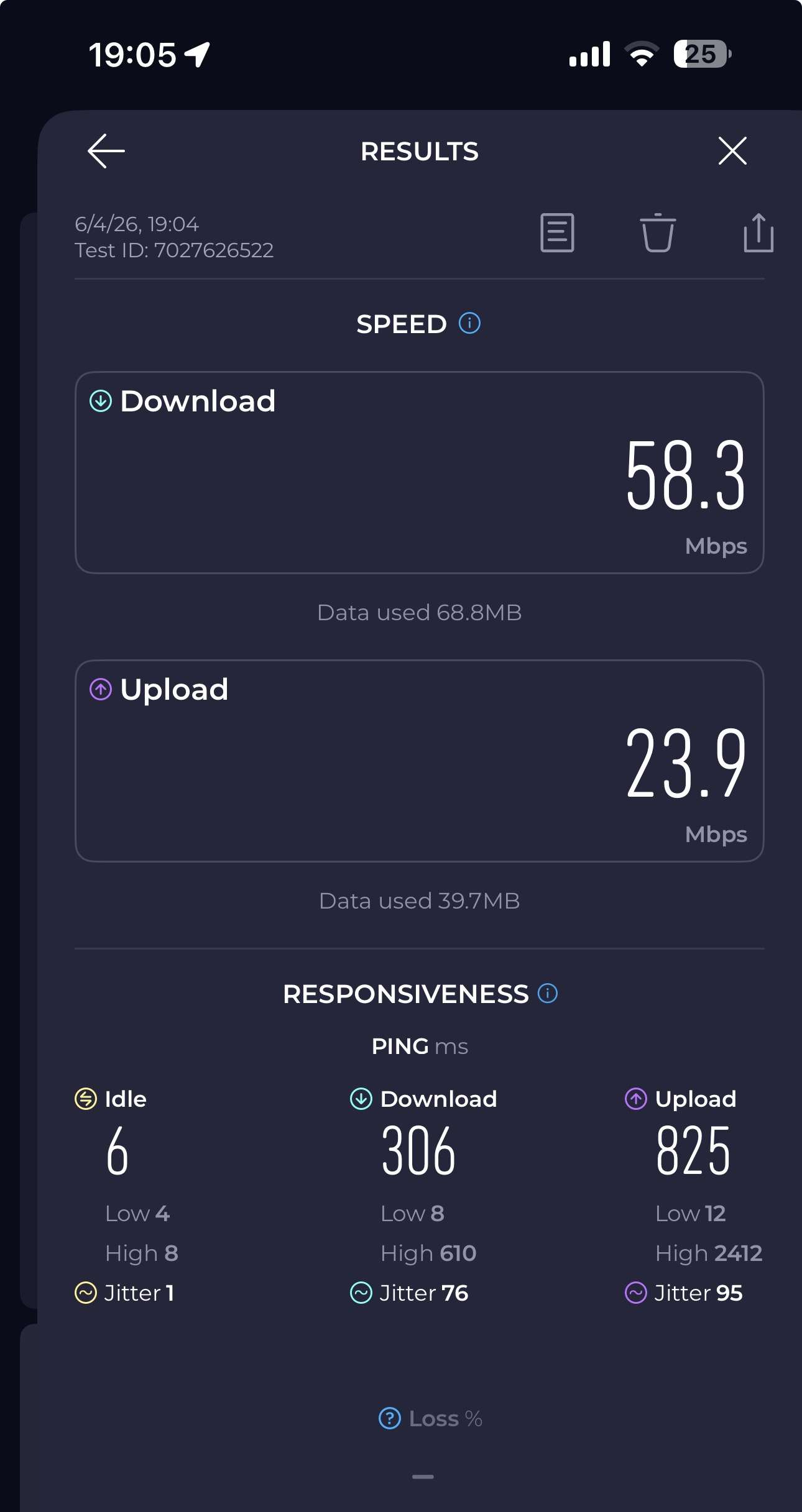
Master room – Benchmark
The benchmark test results below were obtained in the Master room.
Notice: It failed to maintain a stable connection in the master bedroom due to weak WiFi signal strength.
Why should you buy ASUS RT-BE58 Go?
The ASUS RT-BE58 Go Router is a unique and forward-looking networking solution that successfully blends WiFi 7 performance with true portability. Unlike traditional routers that are designed purely for fixed home use, the RT-BE58 Go stands out by offering a compact form factor, flexible power options via USB-C Power Delivery, and versatile operating modes that make it equally suitable for both home setups and on-the-go scenarios.
In terms of connectivity, the inclusion of dual 2.5Gbps Ethernet ports and USB 3.0 for 4G/5G mobile tethering adds a strong layer of flexibility, allowing users to adapt to different internet sources with ease. During testing, mobile tethering proved to be reliable, further reinforcing its role as a travel-friendly router. The customizable function button and simple setup process also enhance overall usability, making it accessible even for users who prefer a hassle-free experience.
However, the RT-BE58 Go is not without its limitations. The lack of advanced web and app filtering may be a drawback for users seeking more comprehensive parental control features. While it does include basic device scheduling and AdGuard integration, these features feel somewhat limited compared to more fully equipped home routers. Additionally, wireless coverage may not be sufficient for larger spaces, as signal strength can struggle to reach further rooms such as a master bedroom.
Despite these shortcomings, the router delivers solid performance within its intended use case. It excels as a portable or secondary router, ideal for travel, small apartments, or users who require flexible connectivity options rather than full-scale whole-home coverage. Its WiFi 7 capabilities also provide a level of future-proofing, making it a worthwhile investment for users looking to stay ahead of evolving wireless standards.
Overall, the ASUS RT-BE58 Go Router is best suited for users who prioritize portability, versatility, and next-generation wireless performance in a compact package. While it may not fully replace a high-end home router for larger environments, it serves as an excellent companion device that delivers reliable connectivity wherever you go.
ASUS RT-BE58 GO
149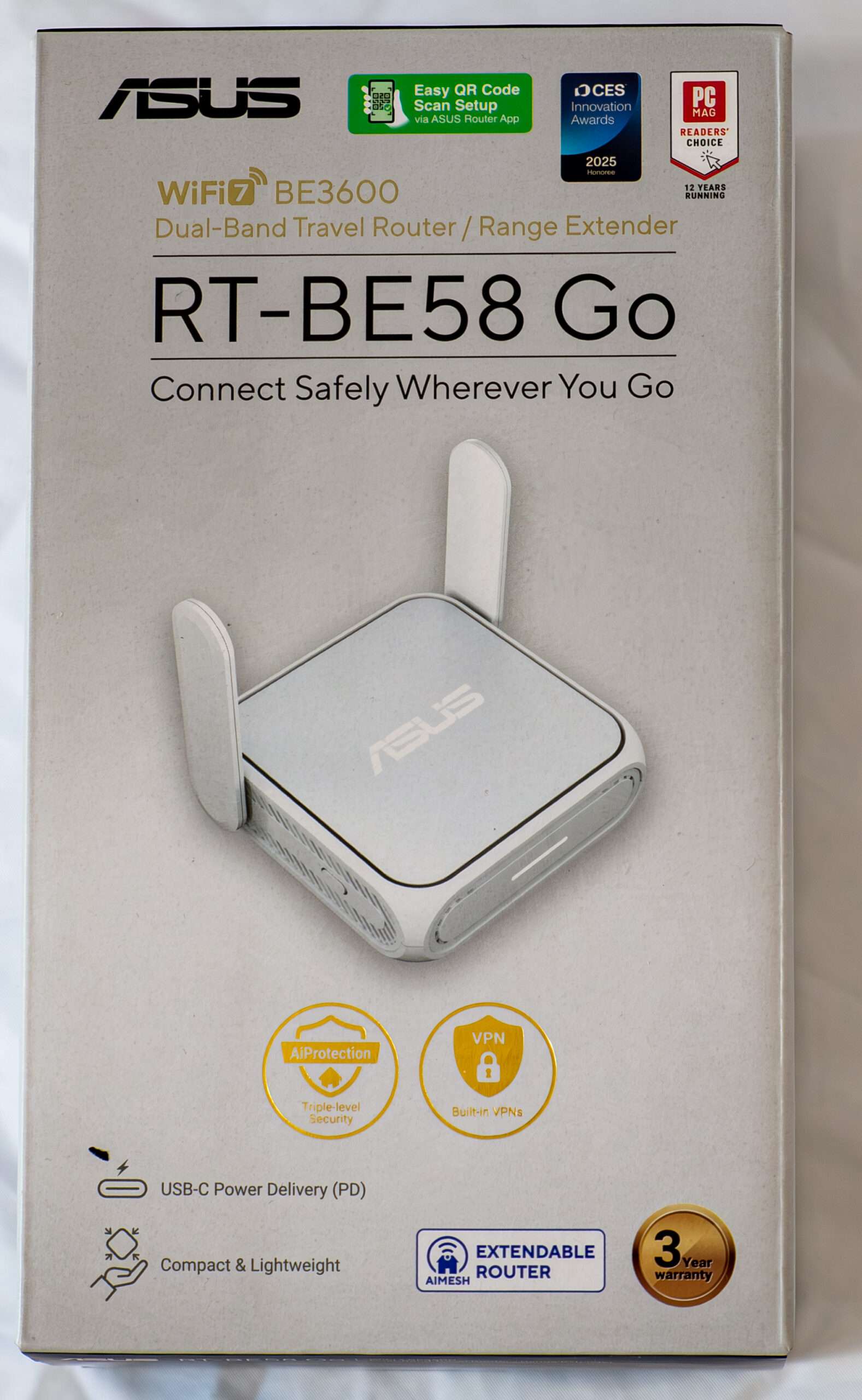
Pros
- Small size
- WIFI 7
- PD USB C Port
- USB 3.0 Port for faster mobile tethering tee
Cons
- High idle temperature @ 81 degree
- Dual Band
- Wireless Range