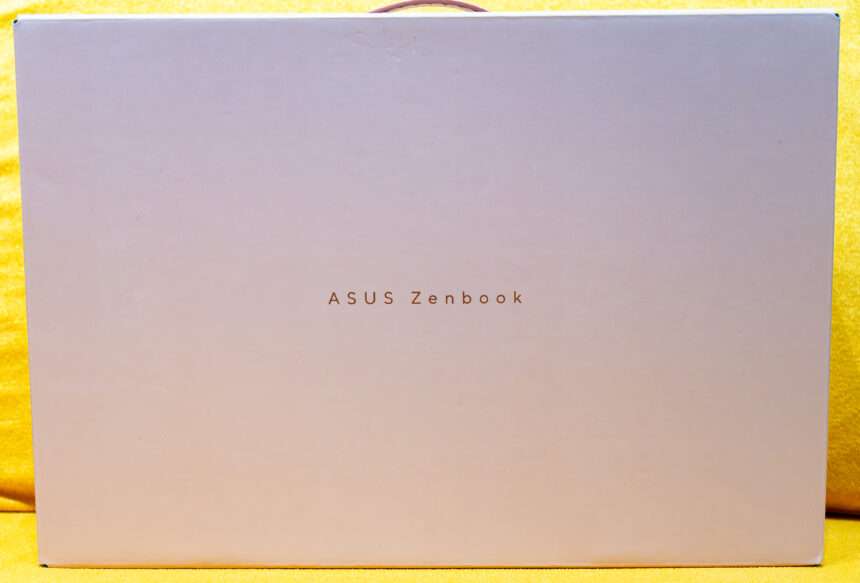
The ASUS Zenbook series has long been recognised for its combination of premium design, portability, and productivity-focused features. Designed for users who need a reliable laptop for work, study, and everyday computing, the Zenbook lineup continues to evolve to meet the demands of modern users.
Today, a laptop is more than just a device for browsing the internet or editing documents. It has become an essential tool for multitasking, content creation, online meetings, and entertainment. With these changing requirements, users are increasingly looking for a laptop that combines capable hardware, a high-quality display, comfortable usability, and a lightweight design without compromising everyday performance.
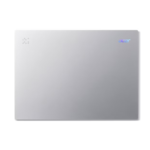
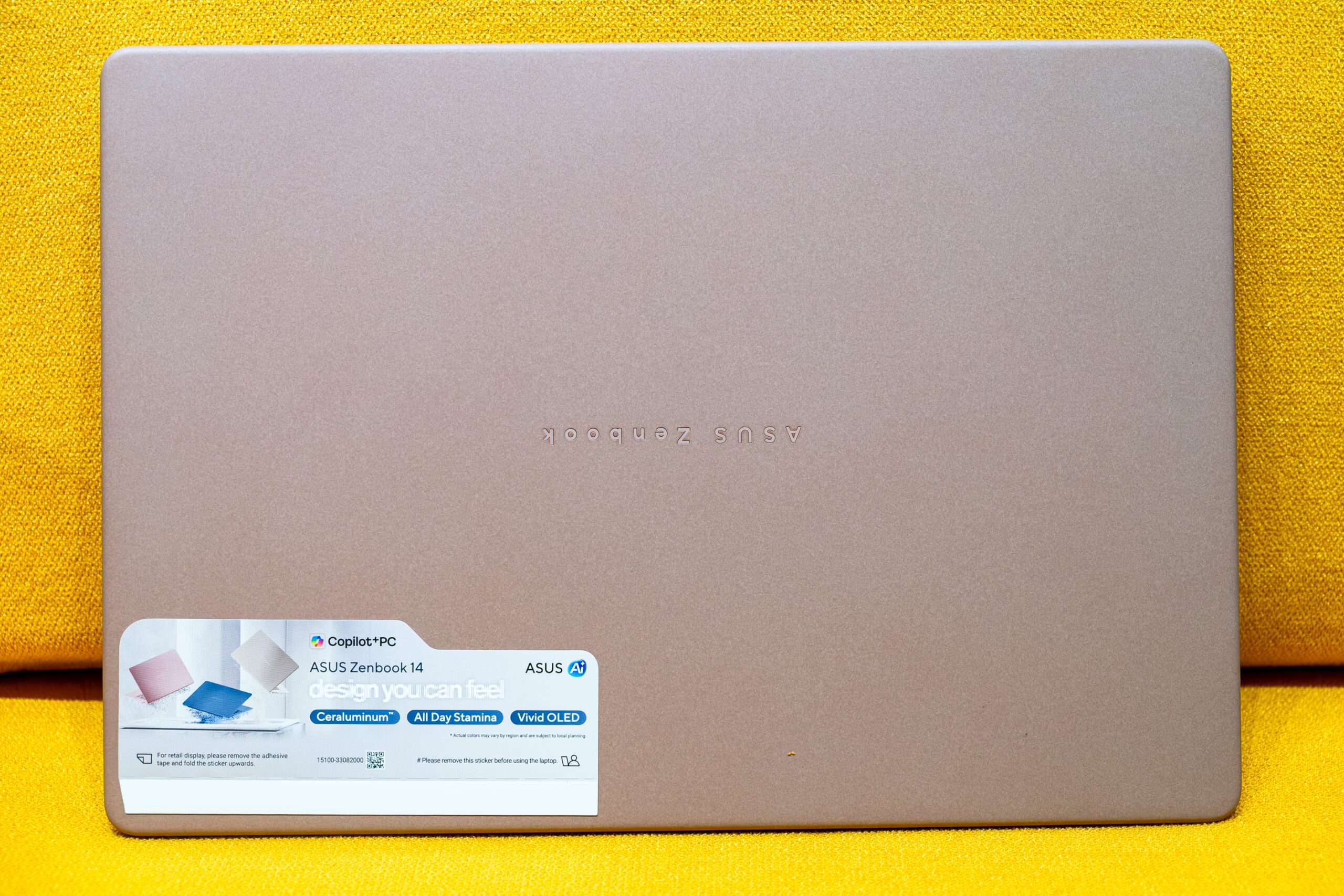
Introducing the ASUS Zenbook 14 (UX3480), a compact laptop that combines modern styling with everyday practicality. Finished in an elegant Rose Pink colour, it offers a distinctive appearance that stands out from the traditional silver and grey laptop designs. The soft pink finish adds a touch of personality while maintaining the refined aesthetic expected from the Zenbook series, making it an attractive option for users who appreciate both style and functionality.
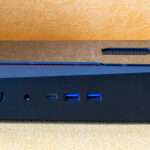
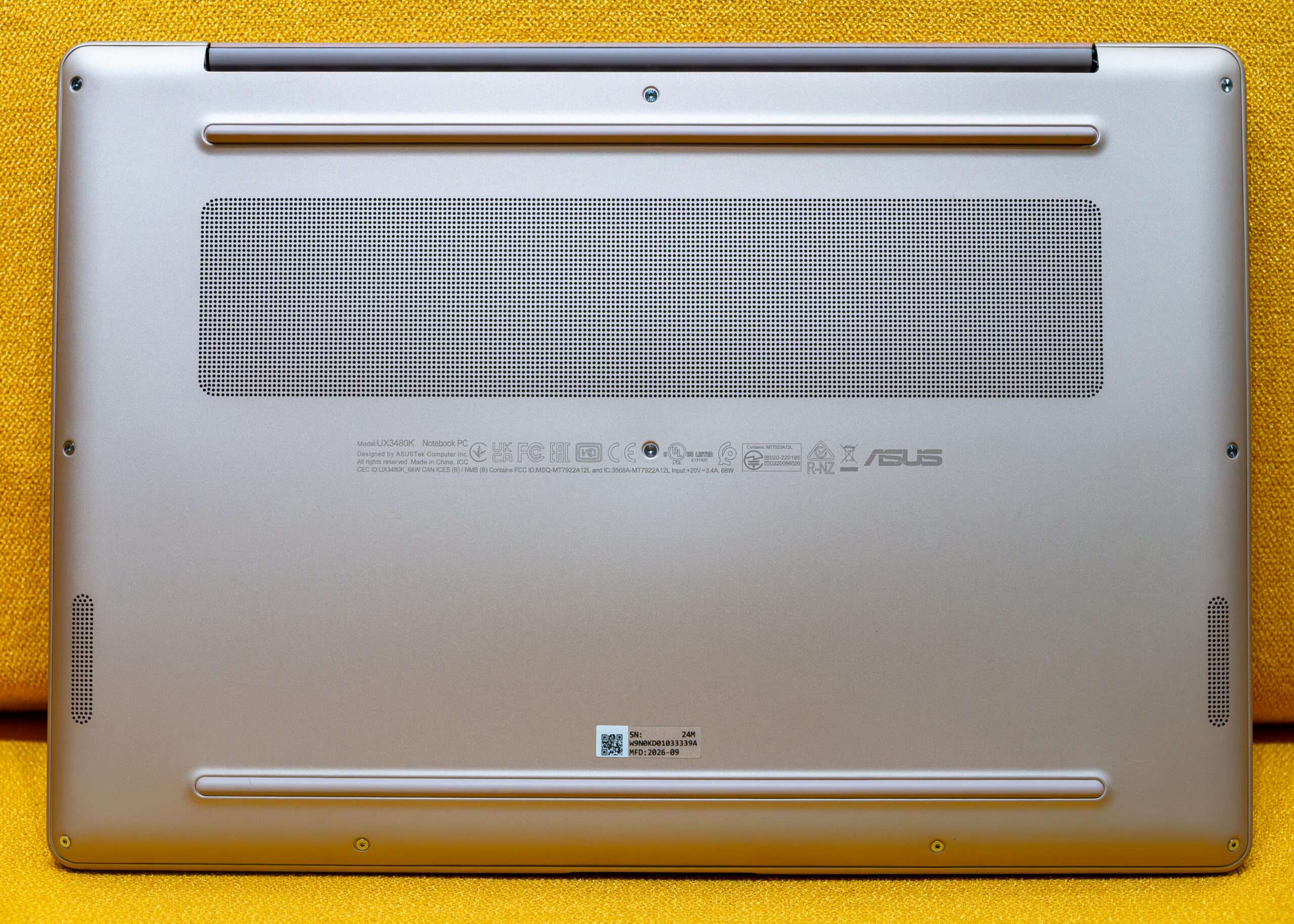
The rear ventilation design plays an important role in the laptop’s thermal management system. The ventilation openings allow hot air generated by the internal components to escape, helping to maintain suitable operating temperatures during everyday use. This cooling design is particularly important for a slim laptop like the ASUS Zenbook 14, where internal space is limited. Proper airflow helps manage heat from the processor and other components, supporting stable performance during extended workloads.
Technical Specification
At its core, the laptop is powered by the AMD Ryzen™ AI 7 345 processor, featuring dedicated AI acceleration capabilities that enhance performance across productivity, creativity, and multitasking workflows. Paired with 24GB LPDDR5X memory and a fast 1TB PCIe Gen4 SSD, the Zenbook 14 AI ensures smooth responsiveness, efficient multitasking, and quick data access for both casual and demanding tasks.
| Model: ASUS ZenBook 14 UX3480 – Bios 300 | |
| Processor | AMD Ryzen AI 7 345 [2 Core Zen 5 + 4 Cores Zen 5c] |
| GPU | AMD Radeon 840M RDNA 3.5 4CUs 256 Stream Processor 2.9Ghz |
| RAM | SK Hynix 6GBx 4 Quad Channel LPDDR5 8000MHz |
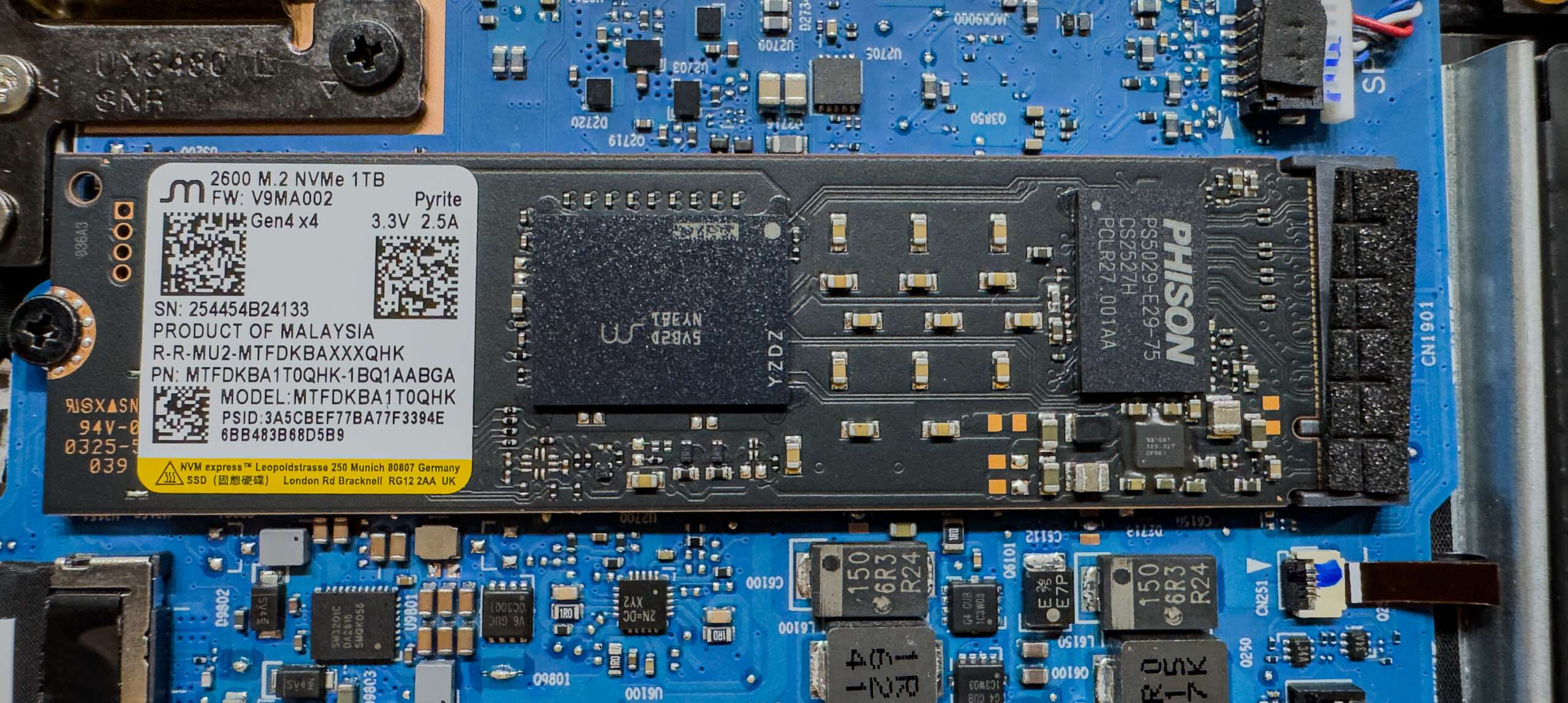
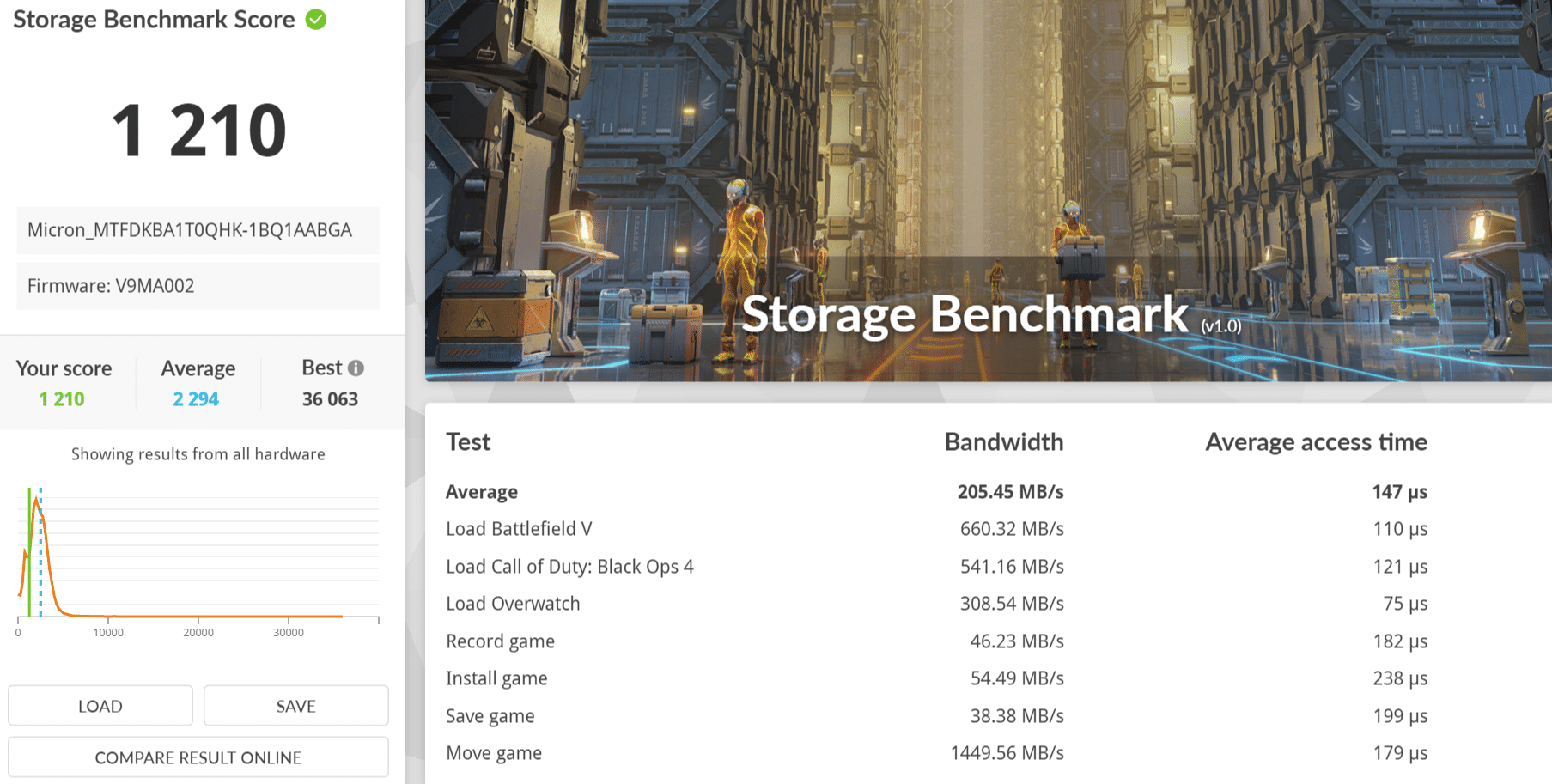
| SSD | Micron 1TB PCIe 4.0 NVMe 2.0 HMB 64MB QLC NAND Flash MTBF 2.0 Million Hours |
| Display | 14inch (1920 x 1200) WUXGA FHD 60Hz HDR Samsung Panel: SDC4210 |
| Network | Mediatek Filogic 330 RZ616 WIFI 6E 160Mhz up to 2.2Gbps & Bluetooth 5.2 |
| I/O Ports | 1x USB 4.0 Gen 3 Type-C with support for display / power delivery (data speed up to 40Gbps) 1x USB 3.2 Gen 2 Type-C with support for display / power delivery (data speed up to 10Gbps) 1x USB 3.2 Gen 1 Type-A (data speed up to 5Gbps), 1x 3.5mm Combo Audio Jack 1x HDMI 2.1 TMDS |
| Battery | 70WHrs, 4S1P, 4-cell Li-ion |
| Weight | 1.2Kg |
| Price | SGD 3,299 / 2 Years International Warranty |
Left-Side I/O Ports
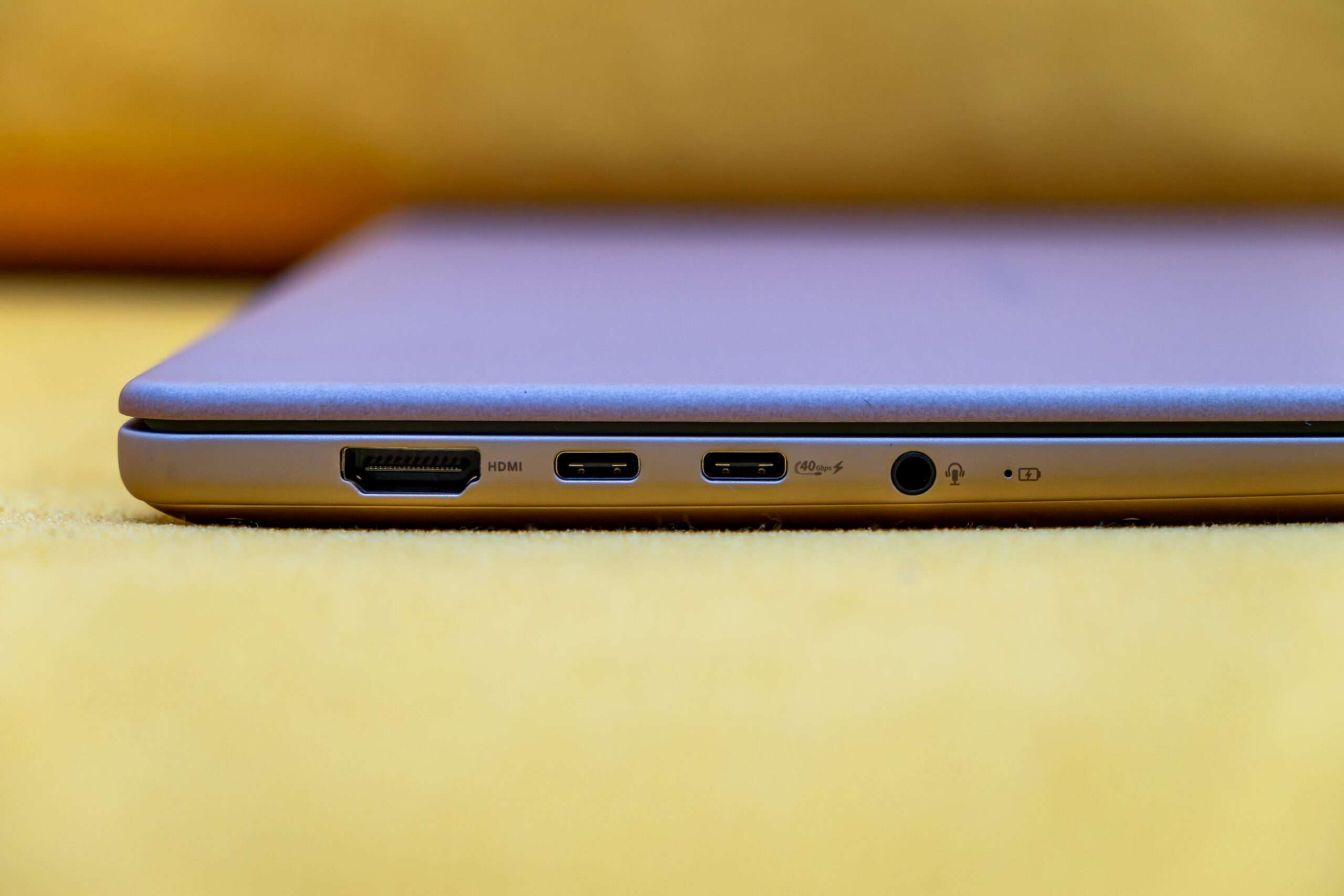
The left side of the ASUS Zenbook 14 features a 3.5mm combo audio jack and HDMI 2.1 port.
For high-speed connectivity, the laptop includes one USB4 Gen 3 Type-C port with data transfer speeds of up to 40Gbps, alongside one USB 3.2 Gen 2 Type-C port supporting speeds of up to 10Gbps. Both Type-C ports support display output and Power Delivery, providing flexibility for compatible peripherals and charging accessories.
Right- Side I/O Ports
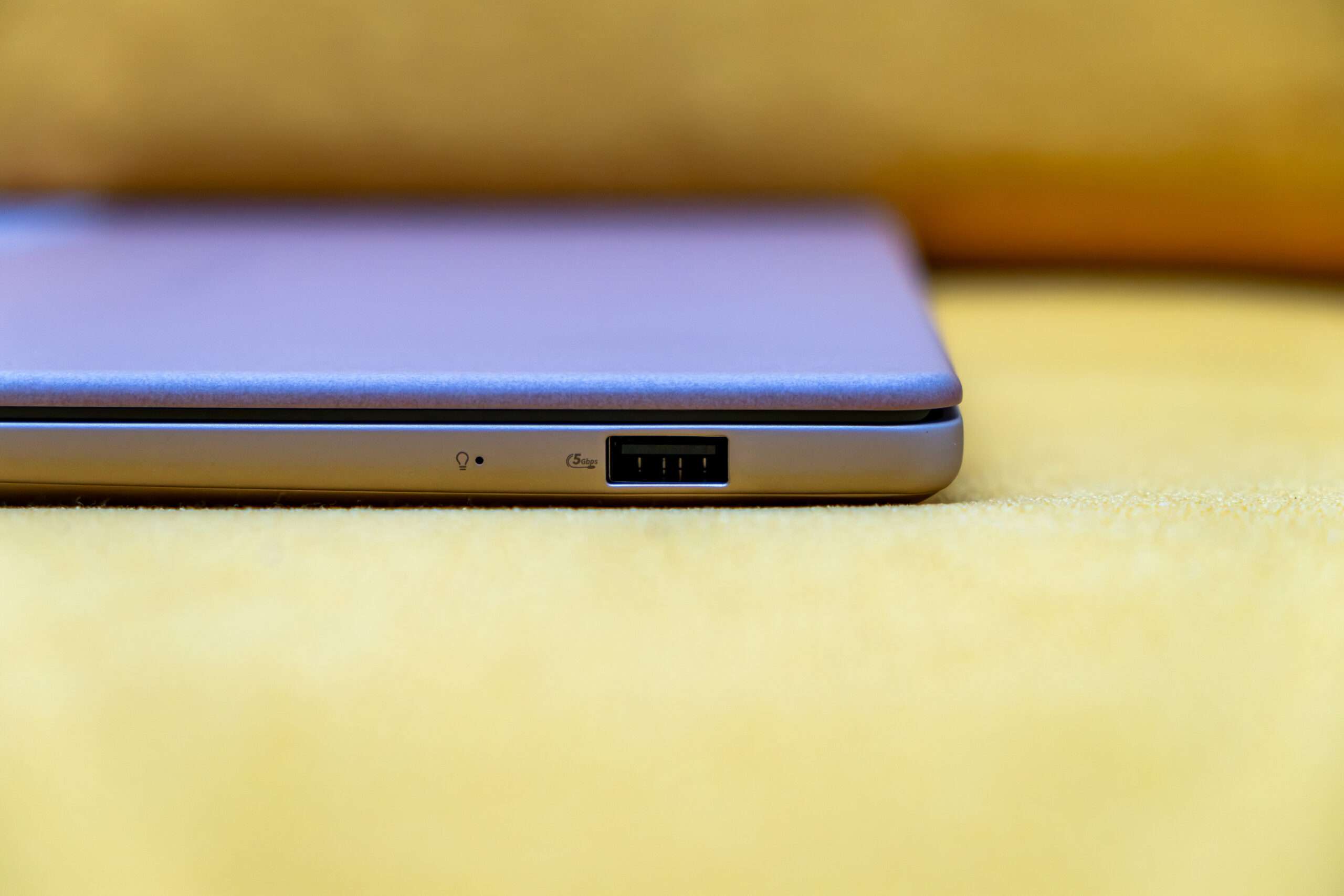
The right side of the ASUS Zenbook 14 features one USB 3.2 Gen 1 Type-A port, supporting data transfer speeds of up to 5Gbps for connecting peripherals and external storage devices.
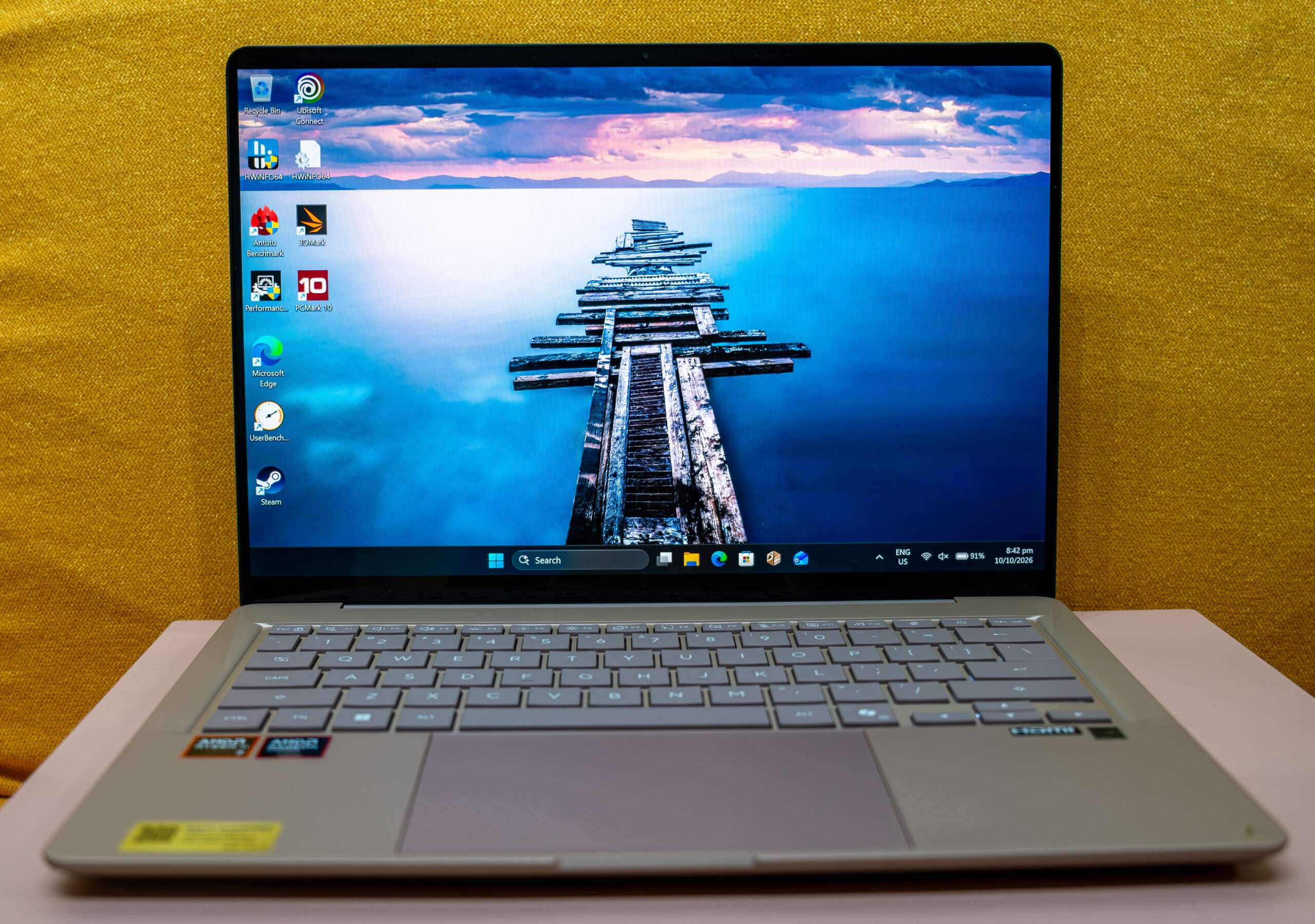
It’s features a low-profile keyboard with backlighting for comfortable typing and improved visibility in low-light environments.

The ASUS Zenbook 14 features a 14-inch OLED touchscreen with a resolution of 1920 × 1200 pixels and a 16:10 aspect ratio. The OLED panel delivers vibrant colours and deep blacks, while the taller 16:10 screen provides additional vertical workspace for productivity. With a 60Hz refresh rate and 10-point touch support, users can navigate applications and interact with on-screen content using intuitive touch gestures.
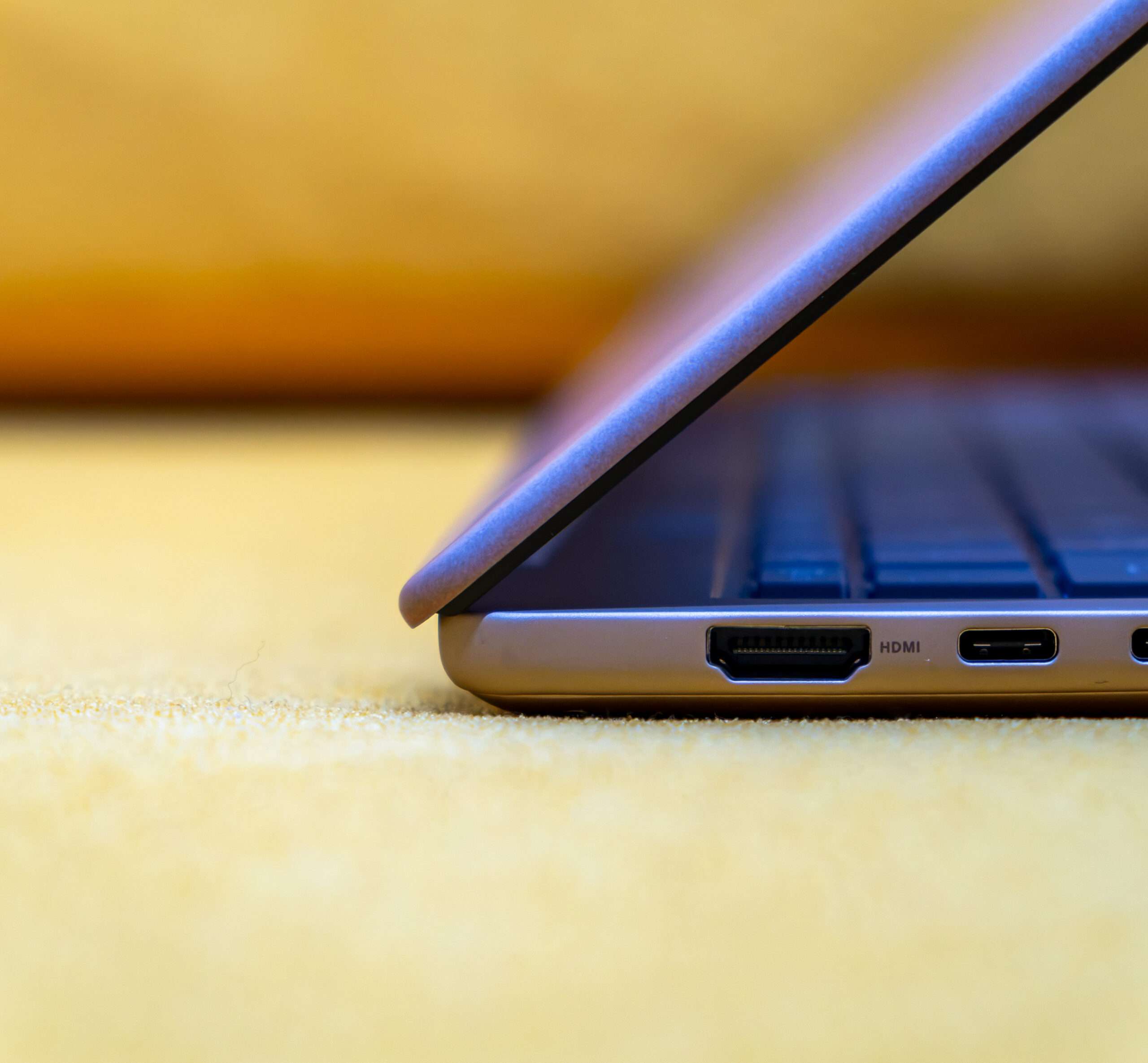
The laptop is slim, lightweight design crafted from Ceraluminum, combining a premium appearance with portability. Weighing just 1.1kg, it is easy to carry between home, the office, and on the go, making it an excellent choice for users who prioritise mobility without compromising style.
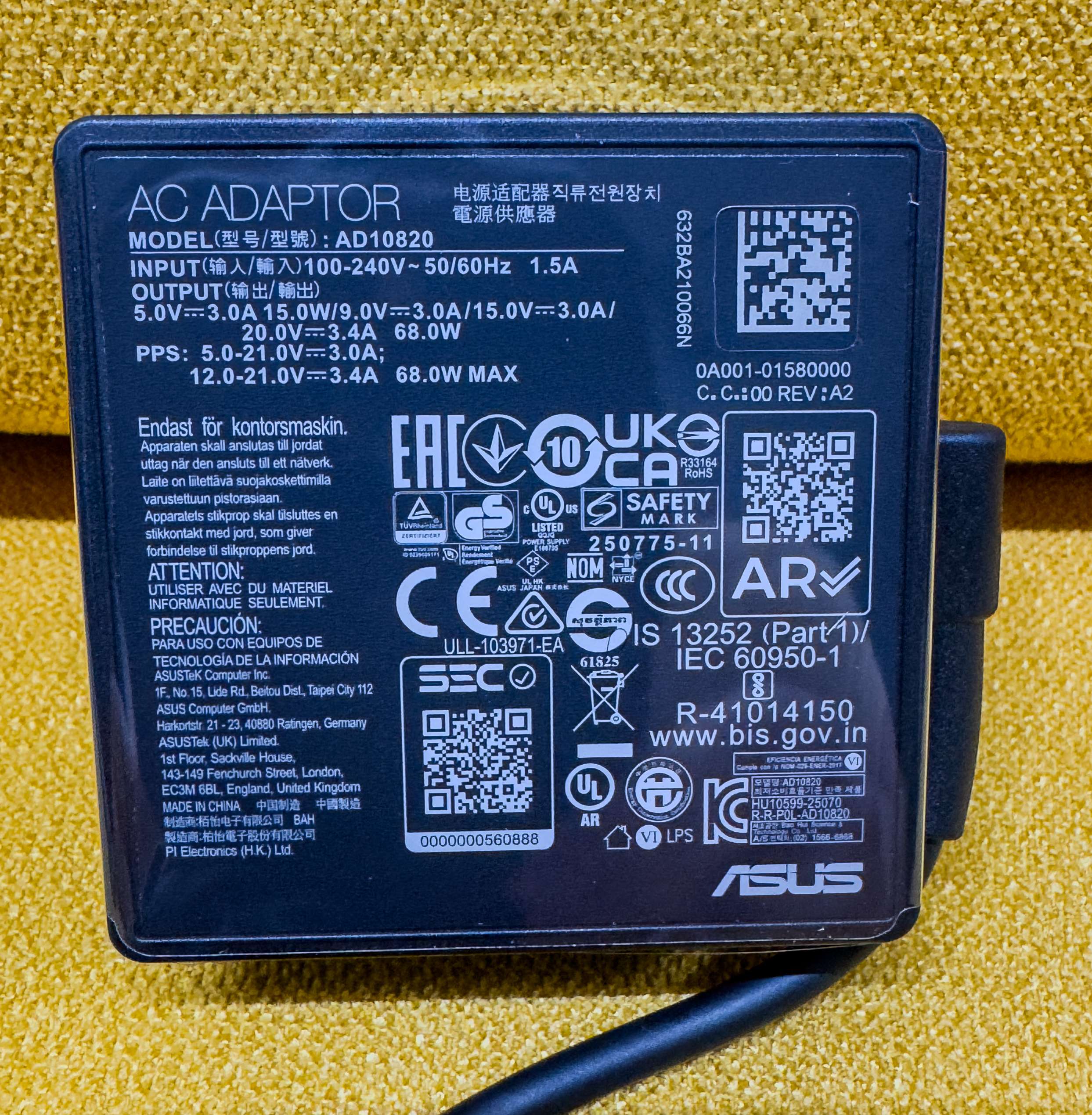
A compact 68W USB-C power adapter from ASUS is included, providing reliable and efficient charging on the go.
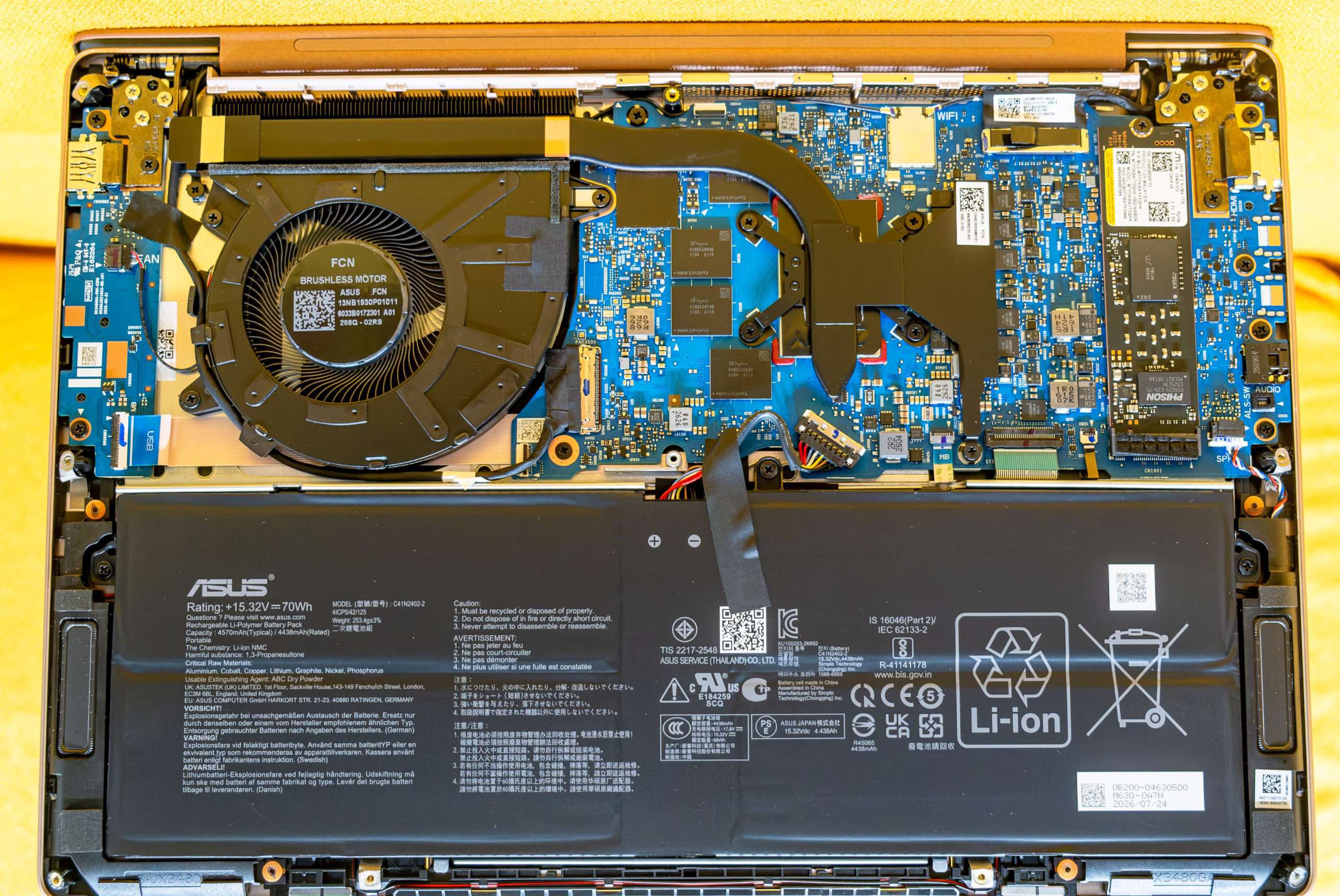
Dismantle & Component:
In this section, we will carefully disassemble the ASUS Zenbook 14 (UX3480) to examine its internal layout and hardware components. This teardown will provide a closer look at the laptop’s internal construction, motherboard, battery, and other key components, offering insight into its engineering and overall design.
Micron 1TB PCIe 4.0 NVMe 2.0 HMB 64MB QLC NAND Flash MTBF 2.0 Million Hours
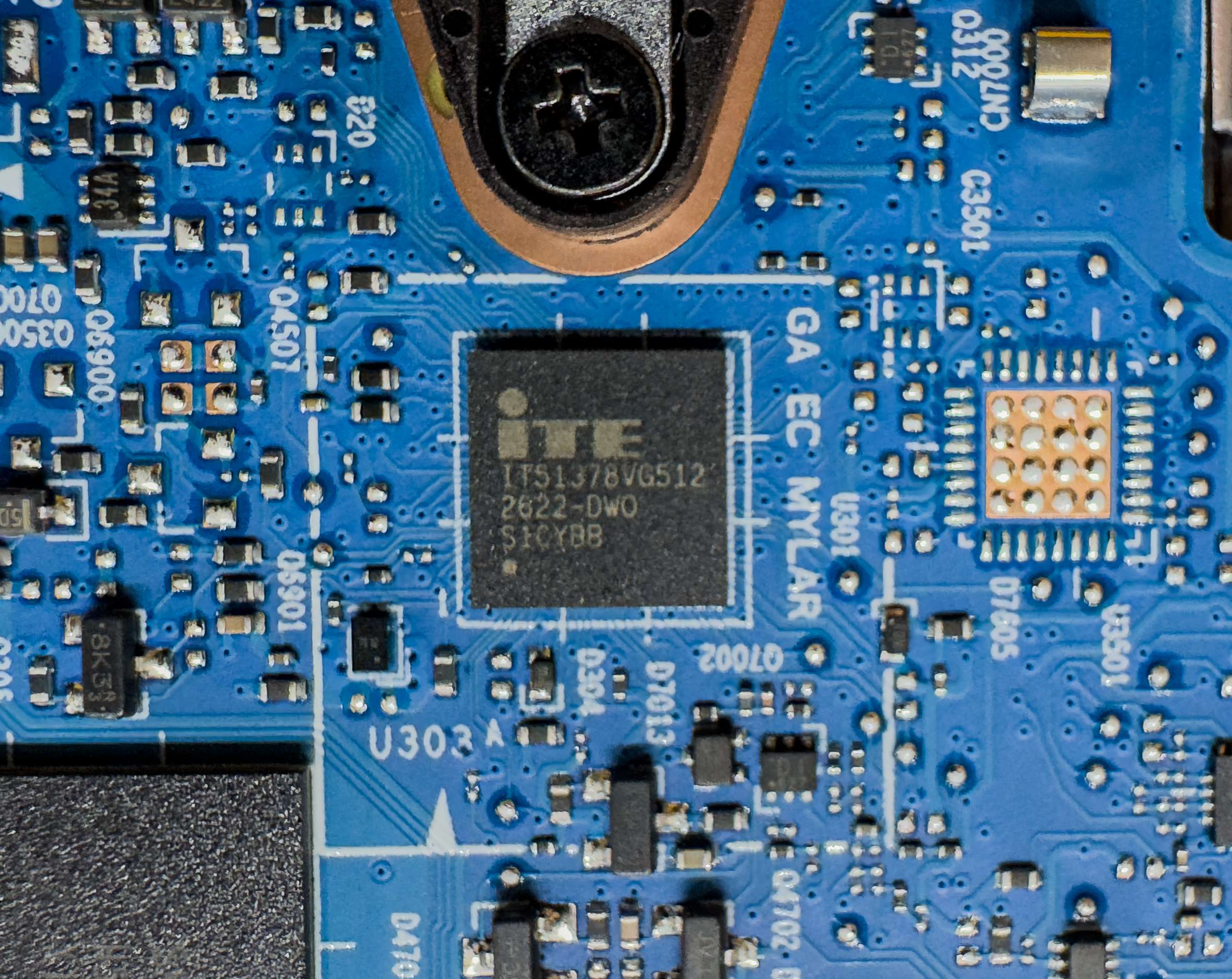
The ITE IT81378VG512 directly interfaces to the eSPI/LPC bus and provides ACPI embedded controller function, an SPI slave interface, keyboard controller (KBC) and matrix scan, PWM and ADC for hardware monitor, BRAM and system wake-up functions for system power management.
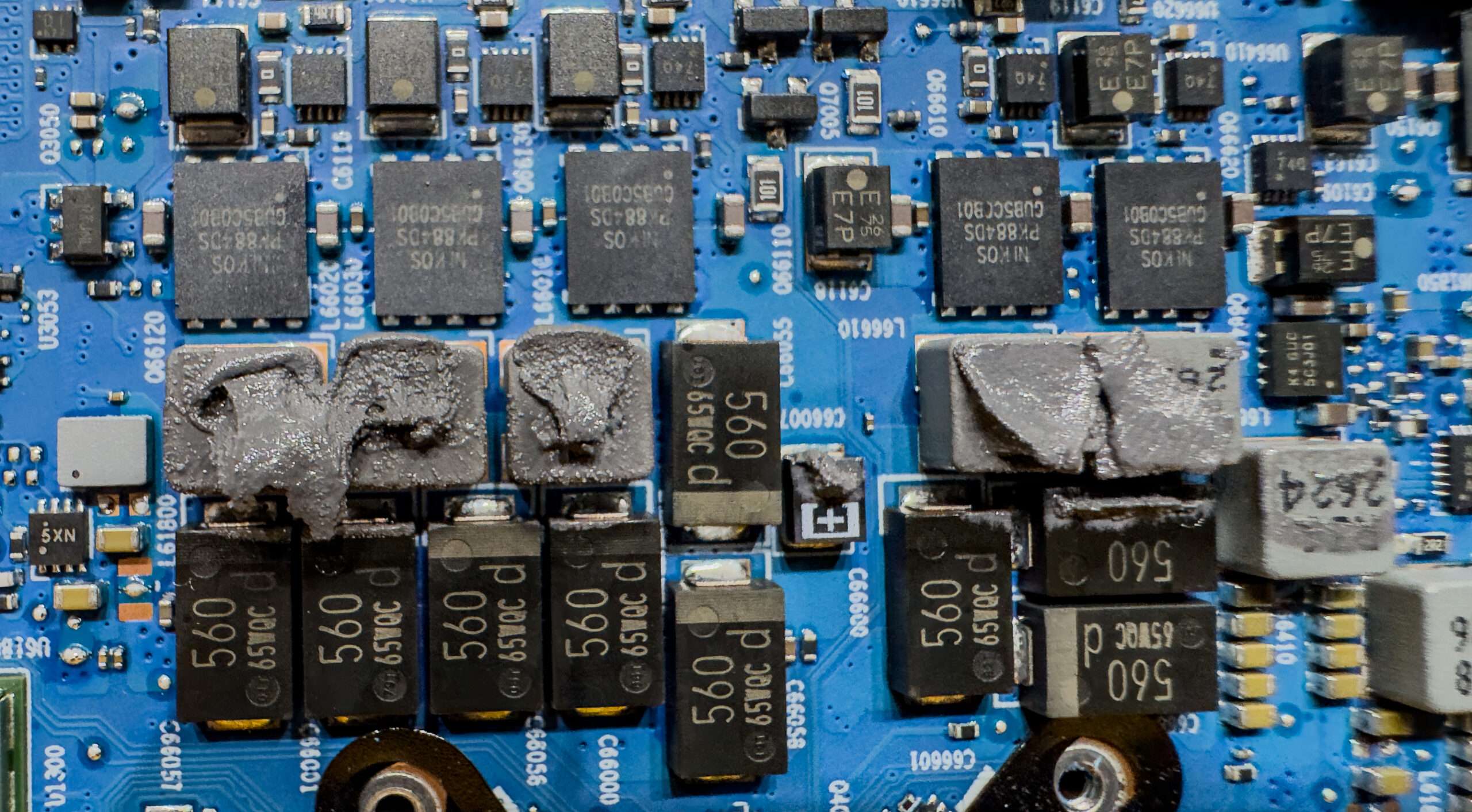
Power Phase Design
The processor power supply circuit is designed according to the 3+2 +1 scheme (a total of 6 phases: 3 on VCore (processor core), 2 on iGPU (integrated graphics core), 1 on SoC (Ryzen I/O).
The NIKOS PK884DS is a Dual N-Channel Enhancement Mode Field Effect Transistor (MOSFET) manufactured by NIKO SEMICONDUCTOR CO., LTD. (NIKOSEM). It integrates both the high-side (Q1) and low-side (Q2) transistors into a single package.
- Q1 (High-Side MOSFET): 53 Amps
- Q2 (Low-Side MOSFET): 85 Amp
- Three VCore phase channel has a superferrite choke and PK884DS from NIKOS
- Two VDD_MISC [IGPU] phase channel has a superferrite choke and PK884DS from NIKOS
- One SoC [Ryzen I/O] phase channel has a superferrite choke and PK884DS from NIKOS
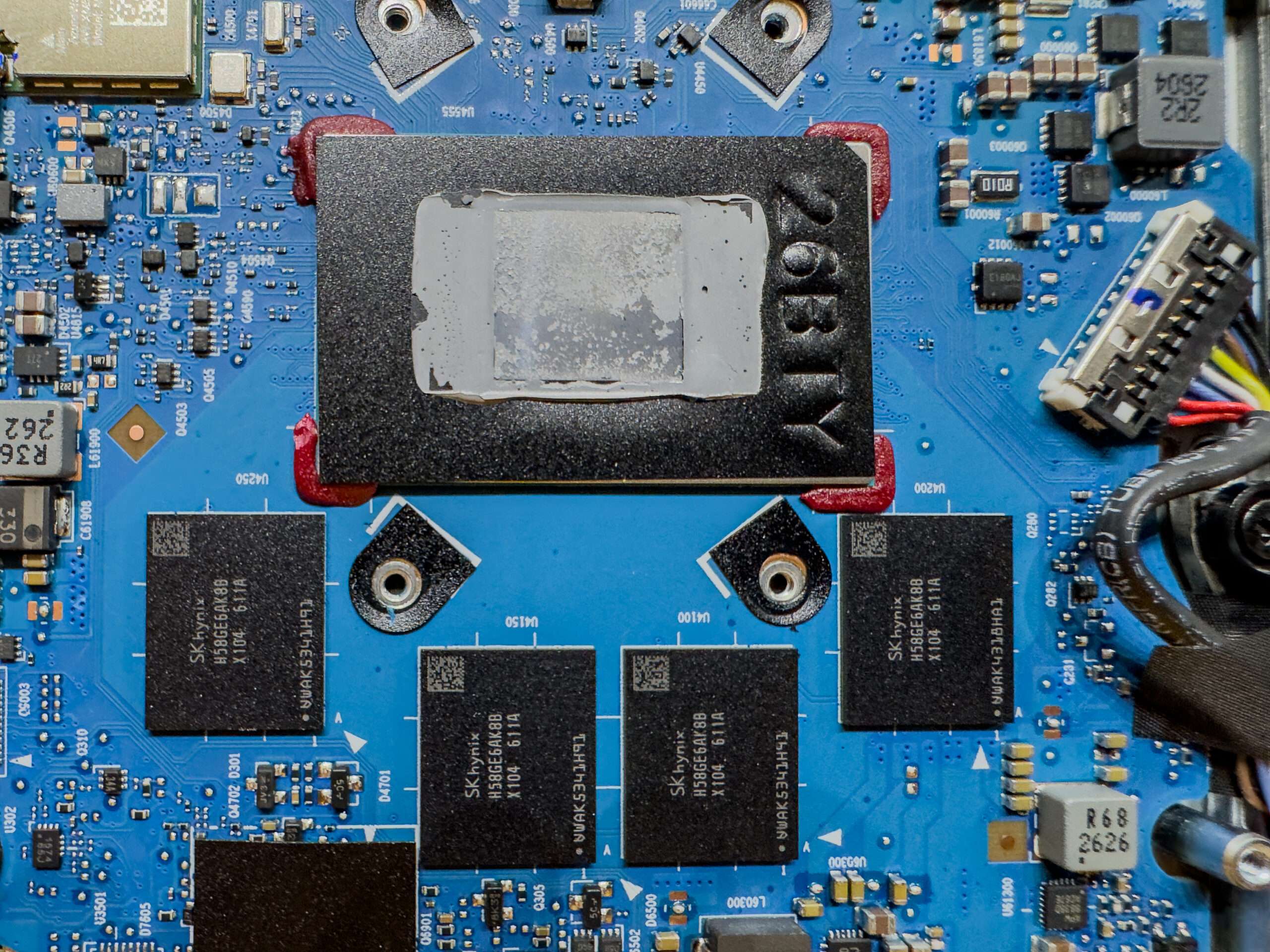
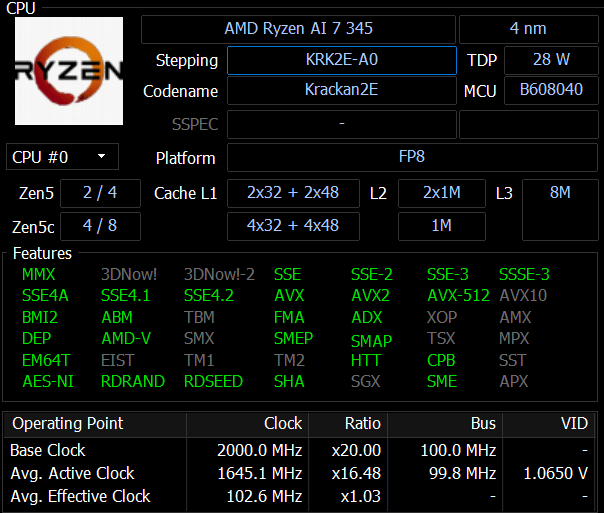
AMD Ryzen AI 345 Accelerated Processing Unit (APU)
-
Cores: 6 (2 Zen 5 and 4 Zen 5c cores)
-
Threads: 12
-
Base Clock: 2 GHz
-
Boost Clock: Up to 4.6 GHz
-
L3 Cache: 4 MB
-
TDP: 28 W
-
Architecture: Zen 5 / Zen 5c
-
Integrated Graphics: Radeon 840M
Below, you can see four SK Hynix DDR5 DRAM chips operating at 8000MT/s.”
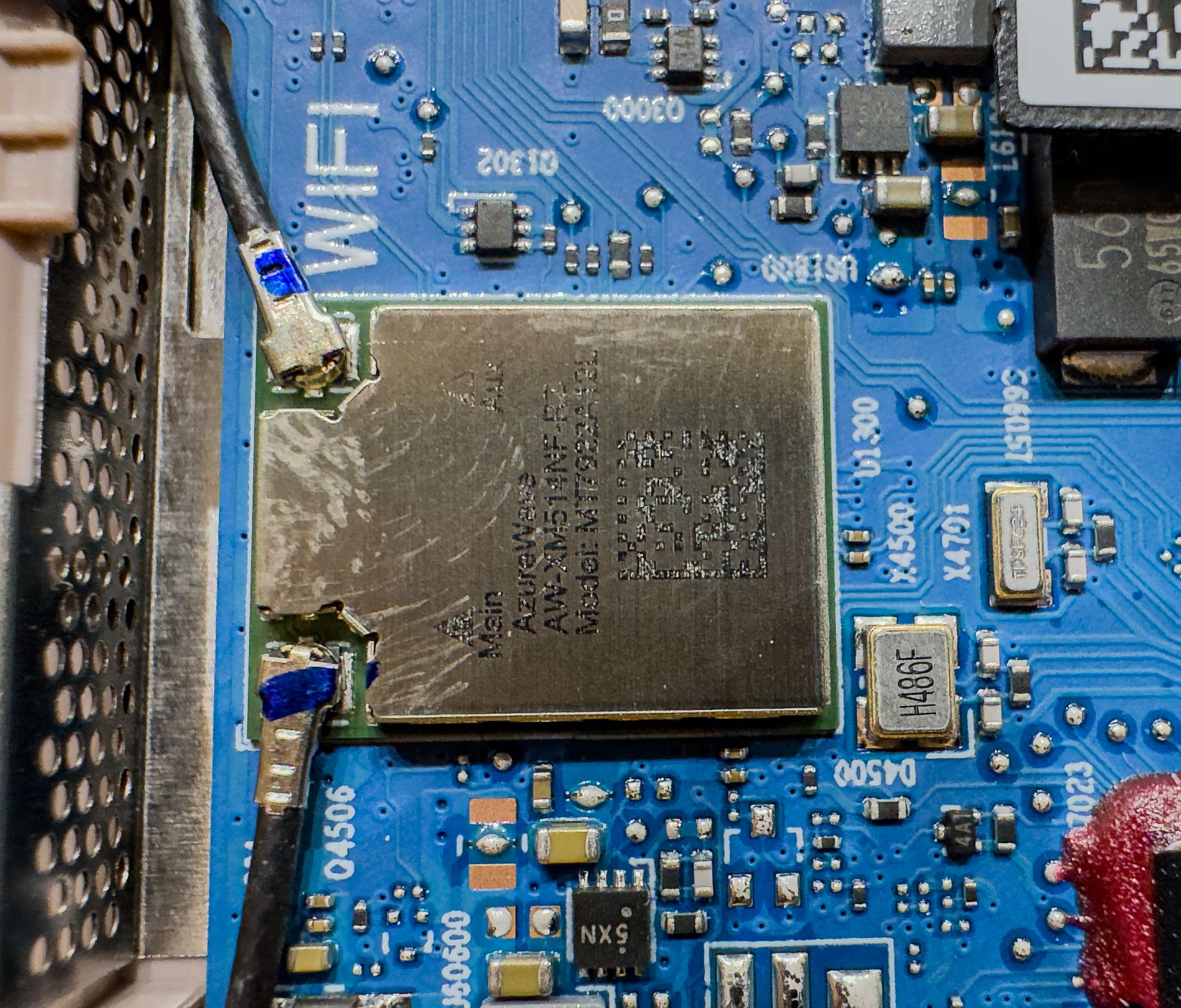
The MediaTek Filogic 330-based AMD RZ616 is a Wi-Fi 6E wireless networking solution designed to deliver fast, reliable, and low-latency wireless connectivity. It supports tri-band operation across the 2.4GHz, 5GHz, and 6GHz frequency bands, with support for 160MHz channel bandwidth to provide higher wireless throughput.
However, the MediaTek Filogic 330 Wi-Fi 6E chip is soldered directly onto the PCB, meaning it cannot be easily replaced or upgraded.
Information & Benchamark
How We Test ASUS ZenBook 14 UX3480 ?
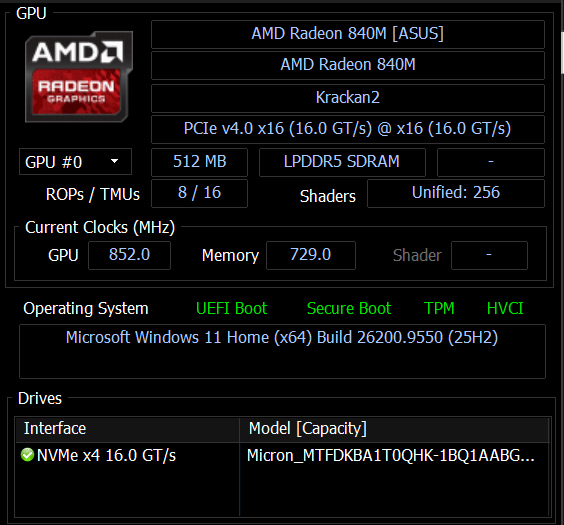
Zenbook 14 UX3480 is a mainstream laptop from Acer. As such, our laptop, based on an AMD Ryzen AI 7 345 6 cores 12 threads processor. The ram we will be using SK Hynux LDDR5 8000Mhz memory kit. AMD Radeon 840M and Micron PCIe 4.0 1TB SSD is used as well to run with benchmark. On the Comparison, we will be using Acer Aspire A14-61M-R8C0 with AMD Ryzen AI 7 350 with AMD Radeon 860M to run side by side to see perform better.
| Model | Acer Aspire A14-61M-R8C0 | ASUS Zenbook 14 (UX3480) |
| Processor | AMD Ryzen AI 7 350 – 8 Cores/16 Threads | AMD Ryzen AI 7 345 – 6 Cores/12 Threads |
| Ram | Micron LDDR5 16GB 8000Mhz | SK Hynix LODDR5 24GB 8000Mhz |
| SSD | Kingston 512GB NVMe PCIe Gen4 | Micron 1TB NVMe PCIe Gen4 |
| Graphics | AMD Radeon 860M | MD Radeon 840M |
| BIOS | 1.29 | 300 |
| OS | Windows 11 64bits 26H2 | Windows 11 64bits 26H2 |
Cinebench 2026
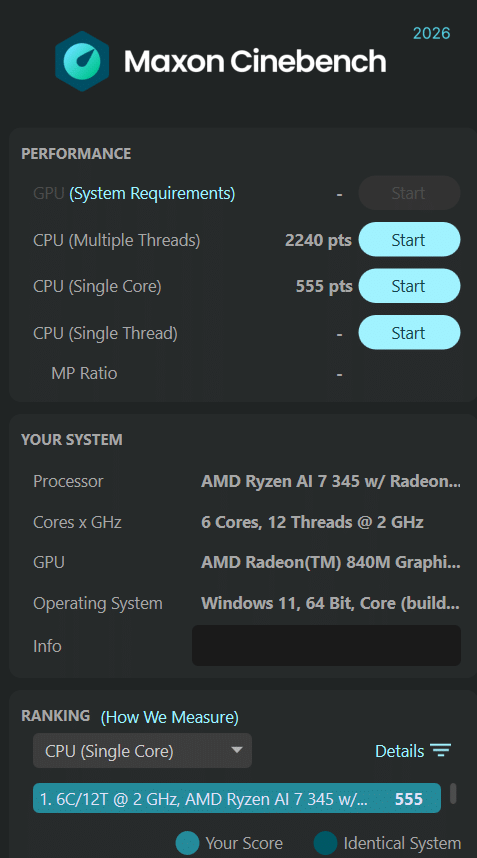
Improvements to Cinebench Release 2026 reflect the overall advancements to CPU and rendering technology in recent years, providing a more accurate measurement of Cinema 4D‘s ability to take advantage of multiple CPU cores and modern processor features available to the average user
| Acer Aspire A14-61M-R8C0 | ASUS Zenbook 14 (UX3480) | |
| CPU Multiple Theads | 2372 | 2240 |
| CPU Single Core | 627 | 555 |
PCMark 10
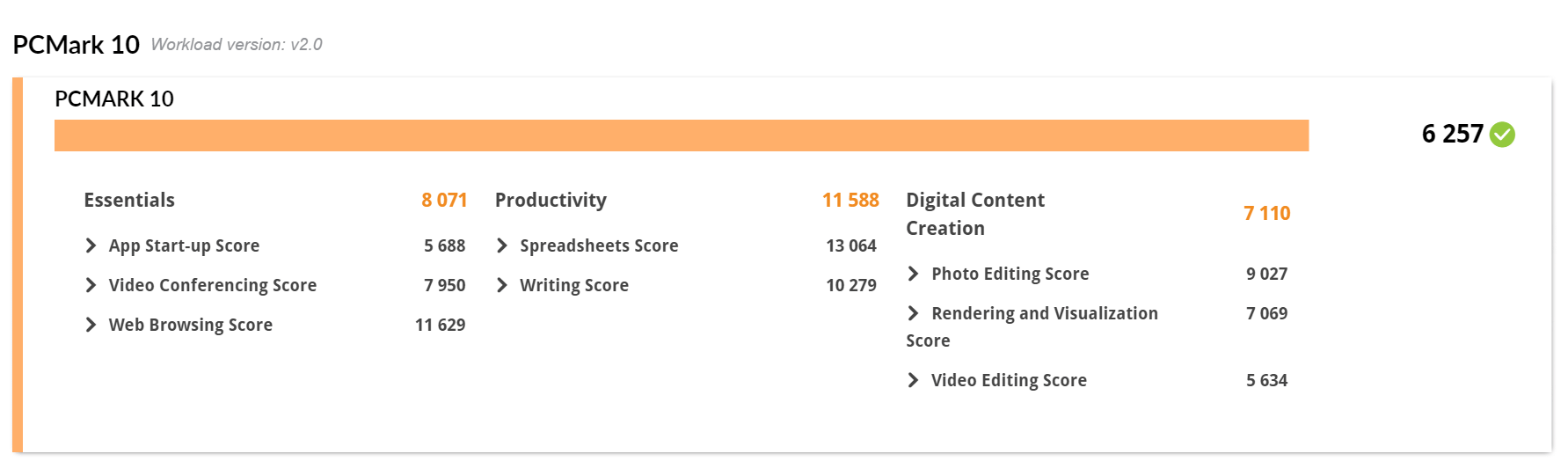
PCMark 10 features a comprehensive set of tests that cover the wide variety of tasks performed in the modern workplace. With a range of performance tests, custom run options, Battery Life Profile, and new Storage benchmarks, PCMark 10 is the complete PC benchmark for the modern office
| Essentials | Productivity | Digital Content Creation | Score | |
| Acer Aspire A14-61M-R8C0 | 9828 | 14619 | 9958 | 8079 |
| ASUS Zenbook 14 (UX3480) | 8071 | 11588 | 7110 | 6257 |
3Dmark Advanced Edition
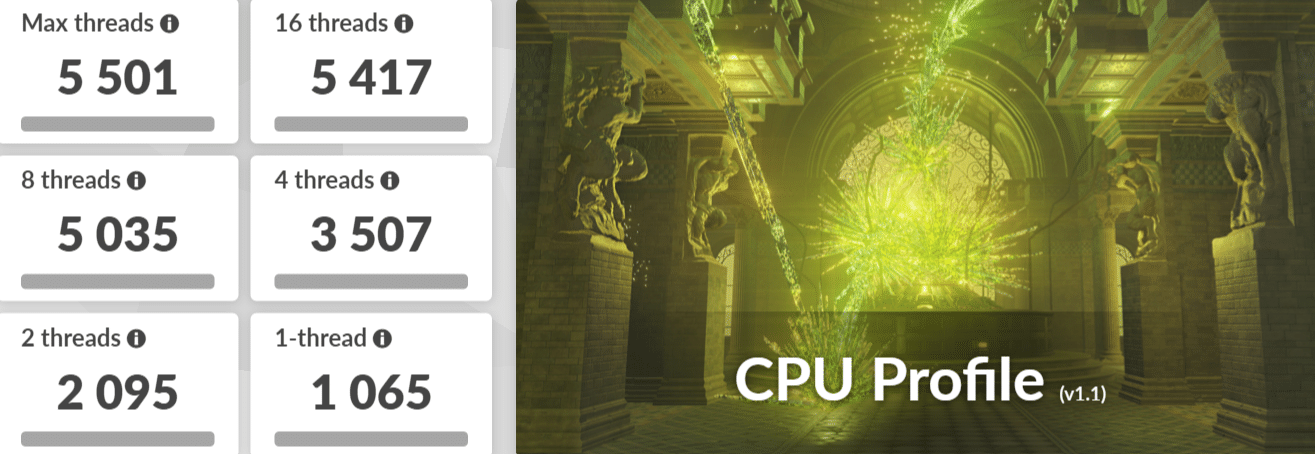
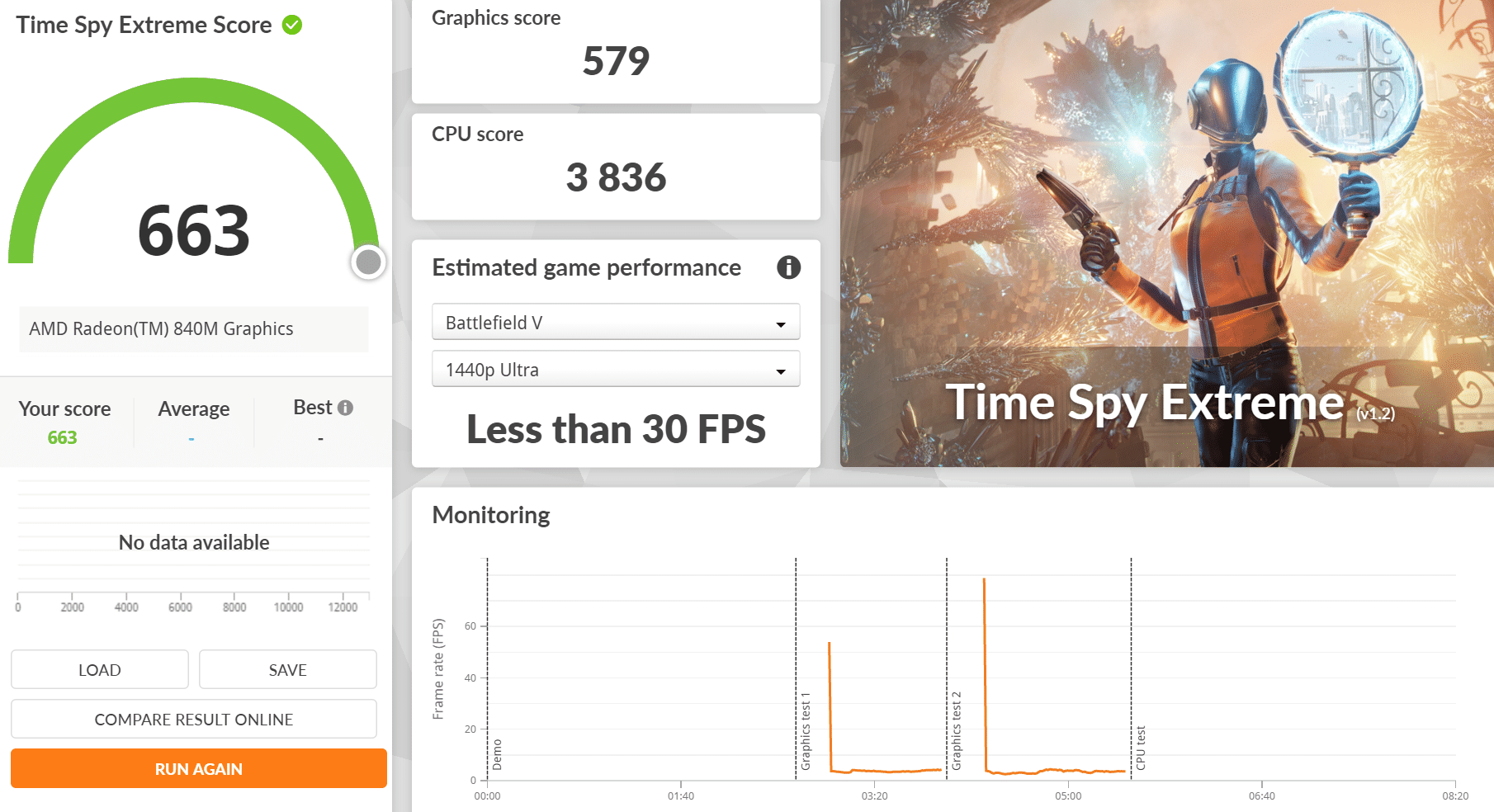
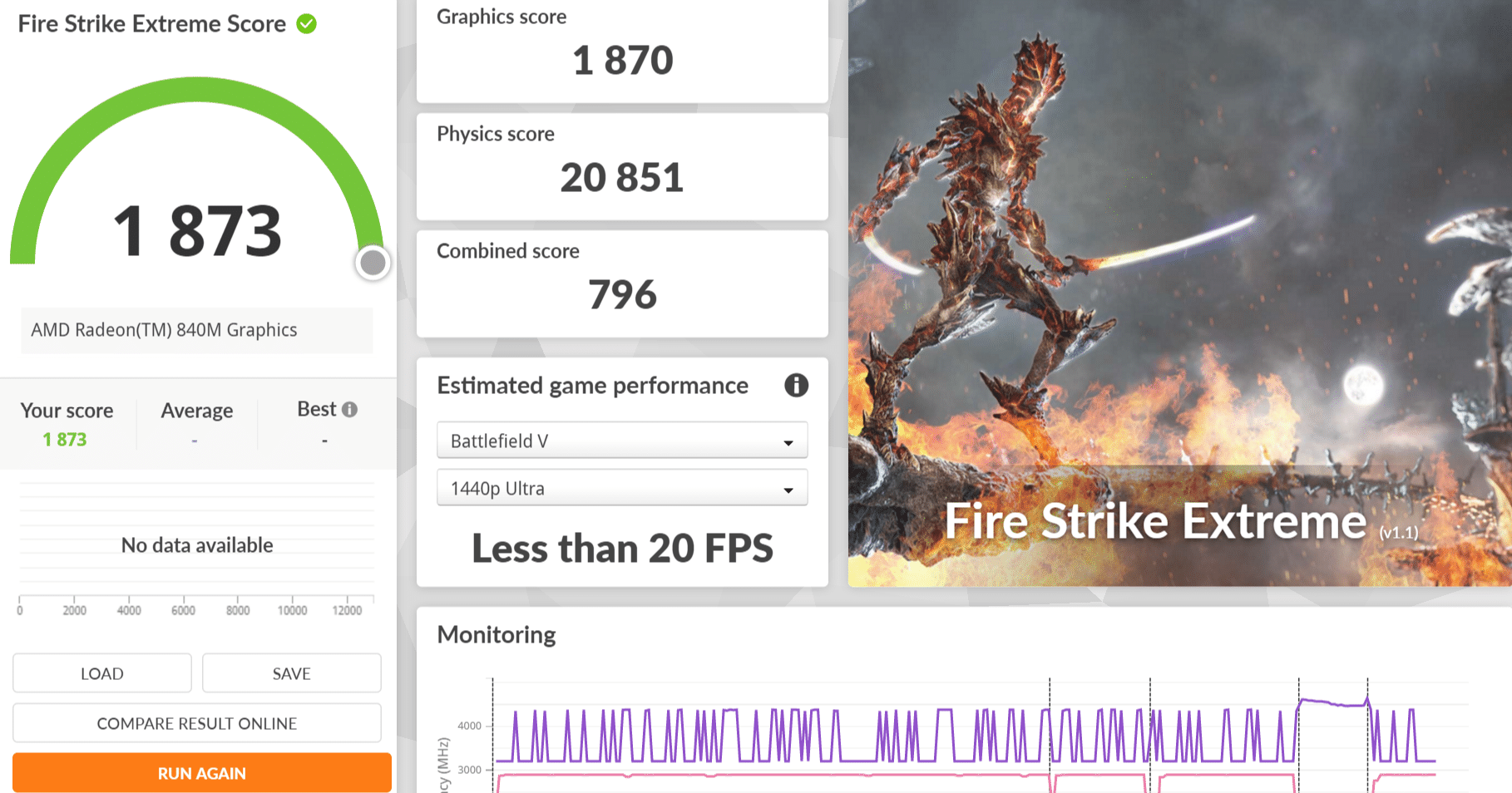
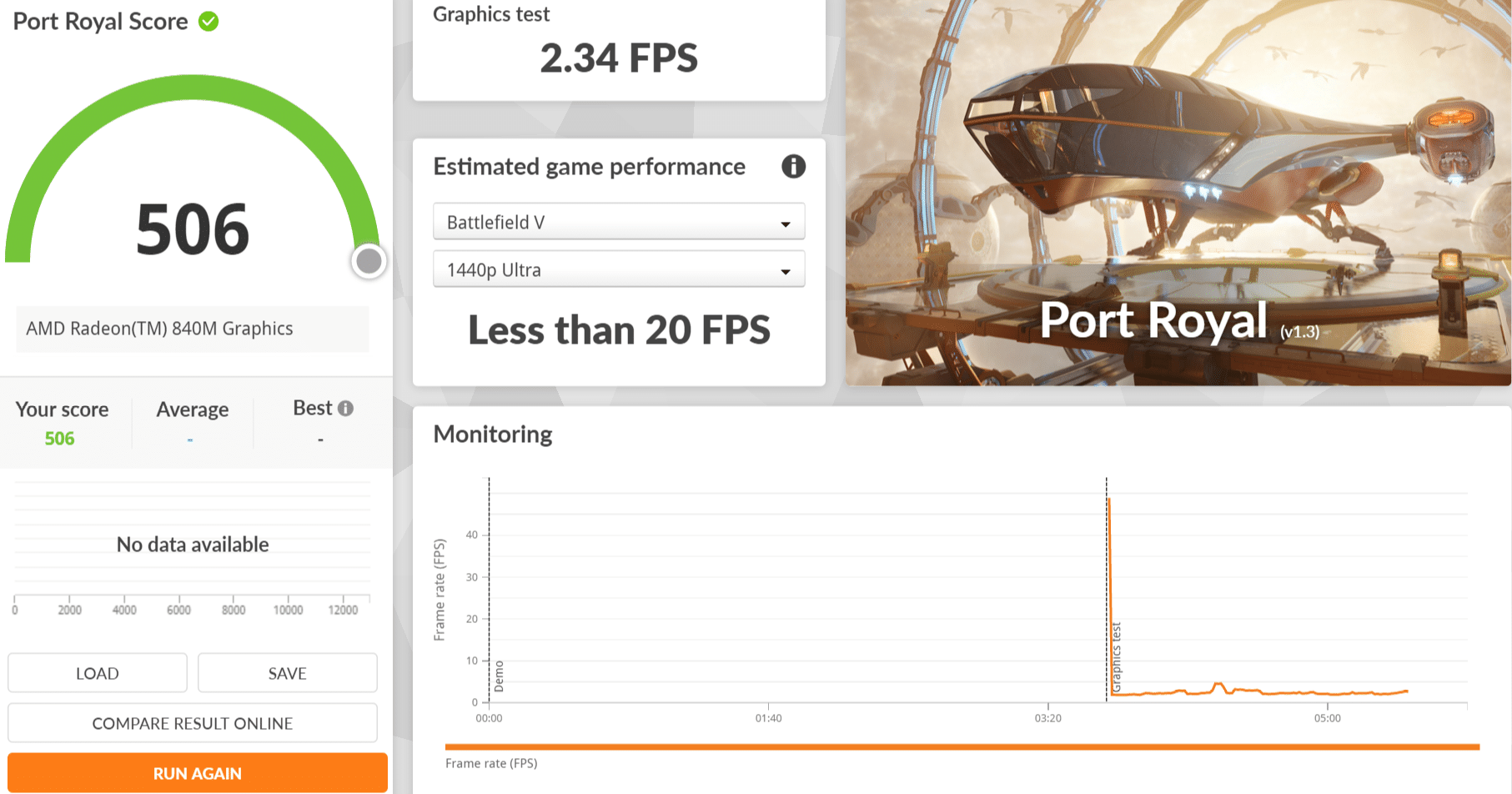
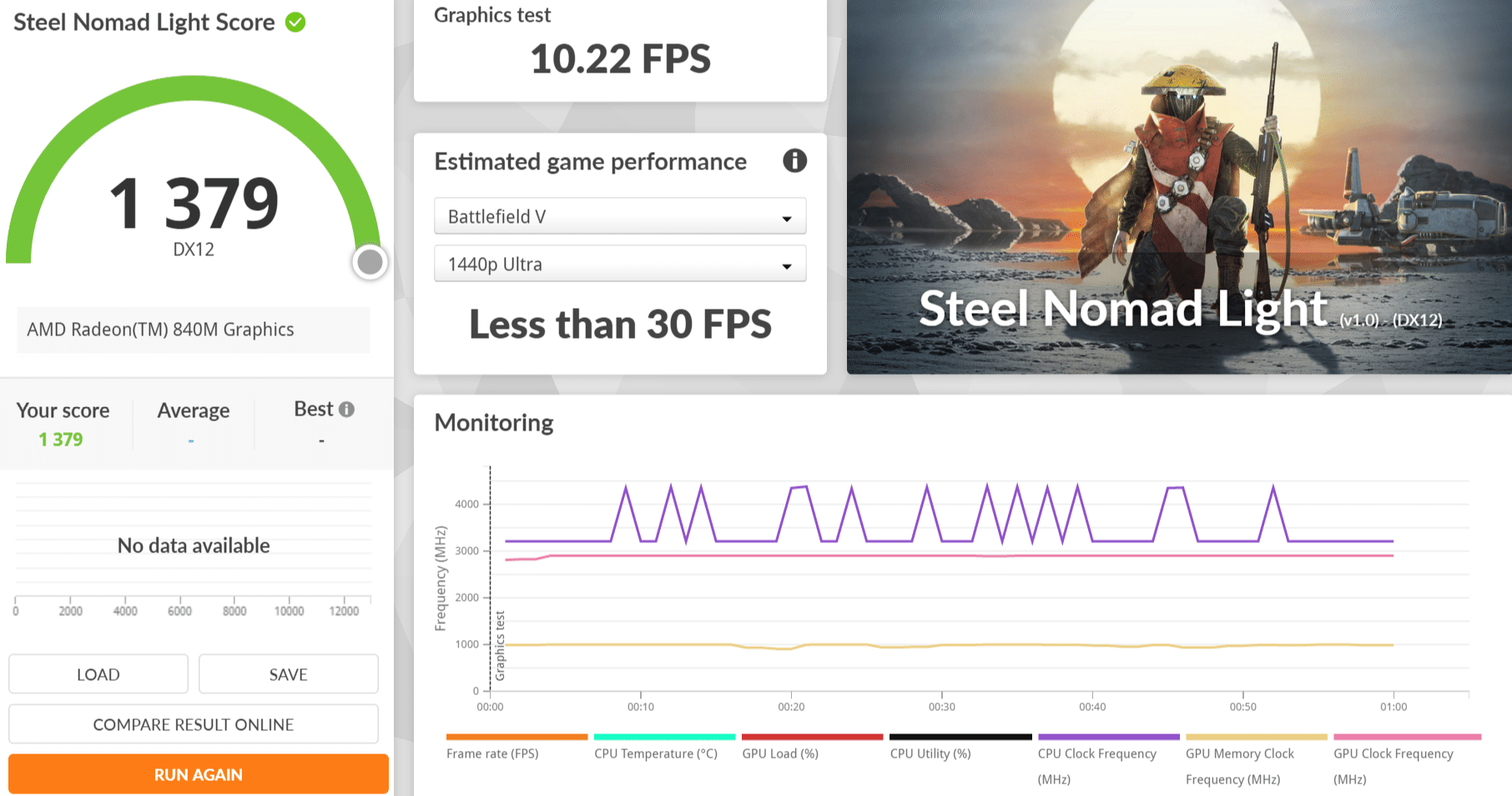
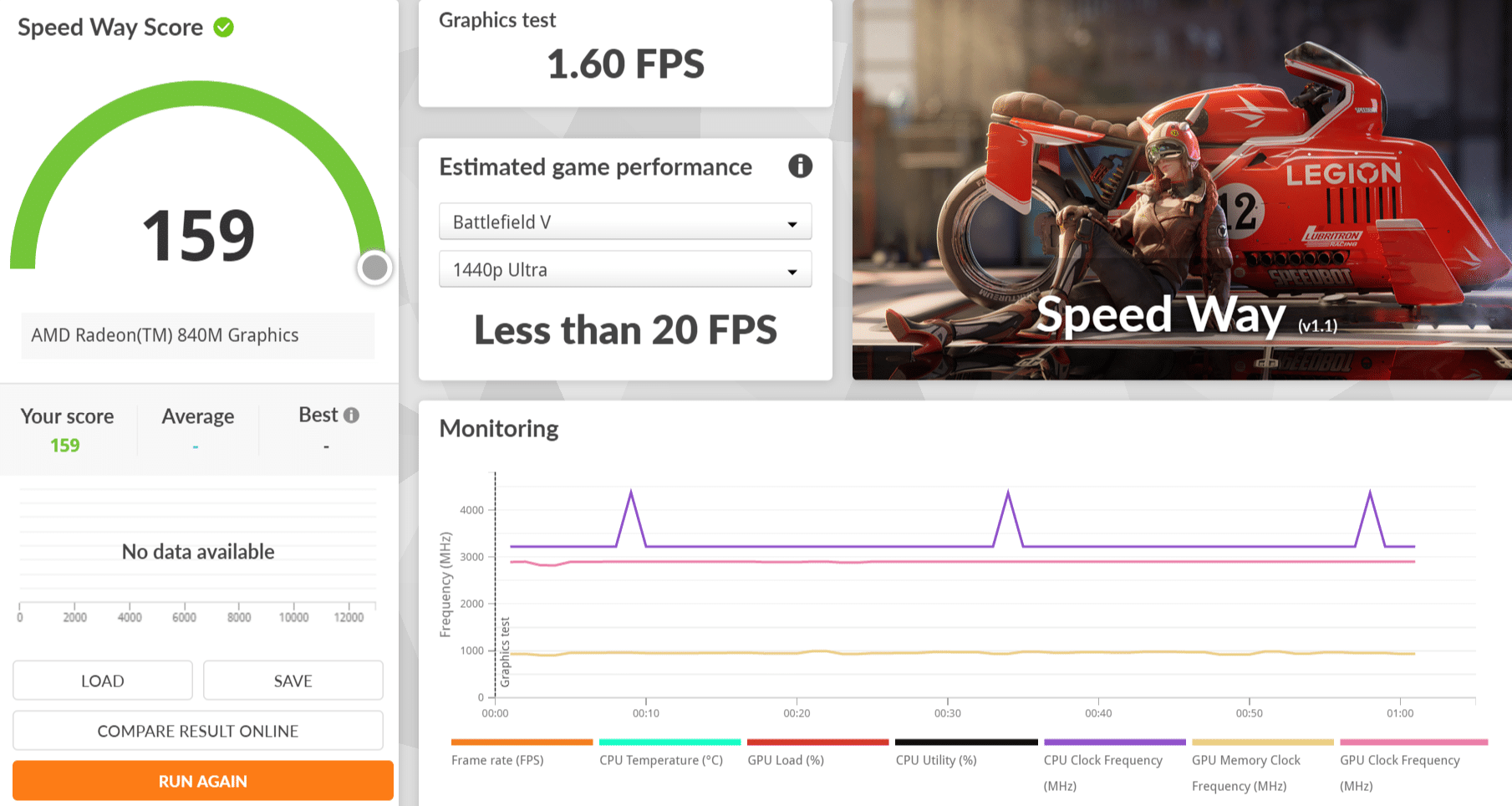
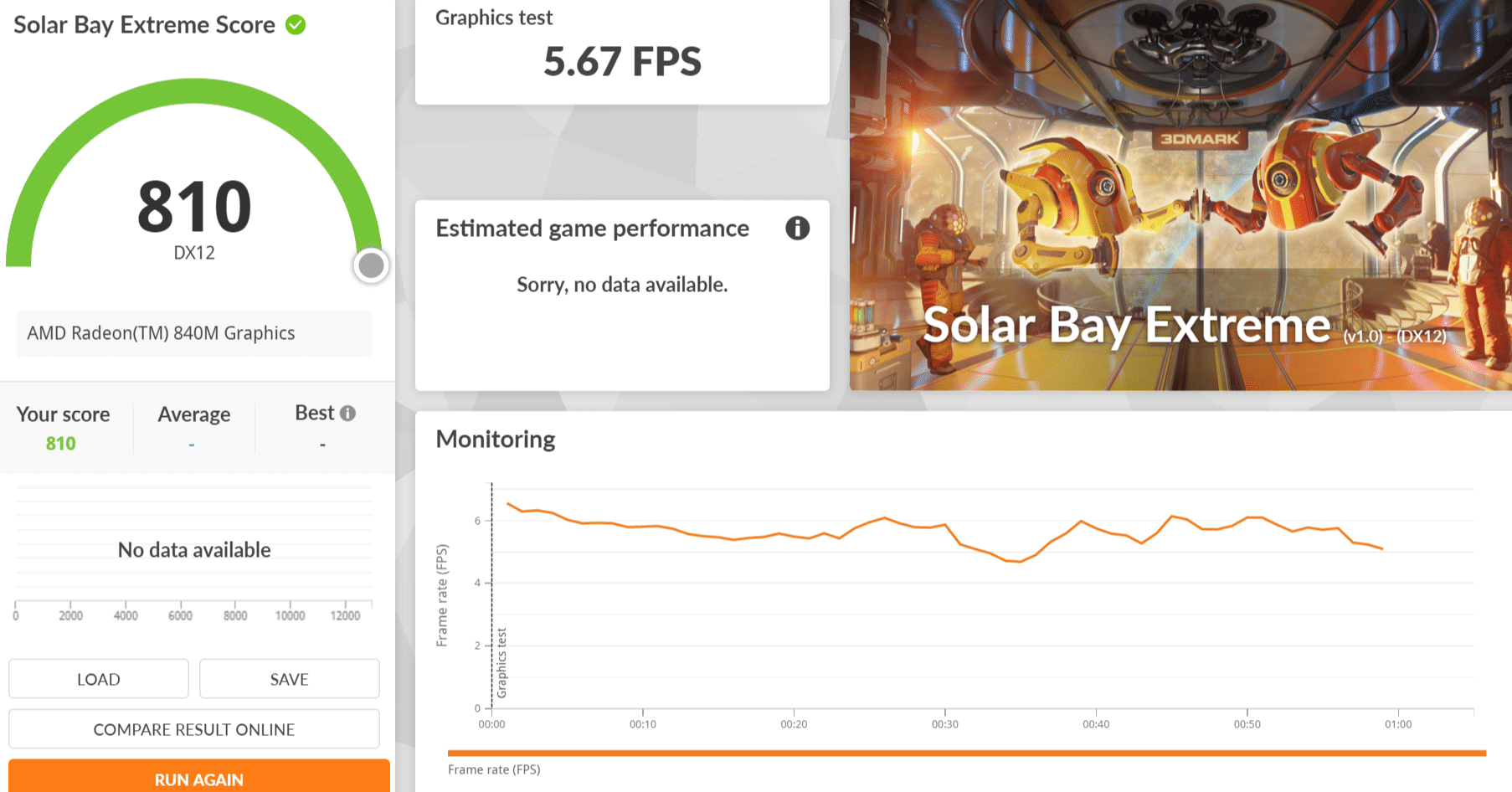
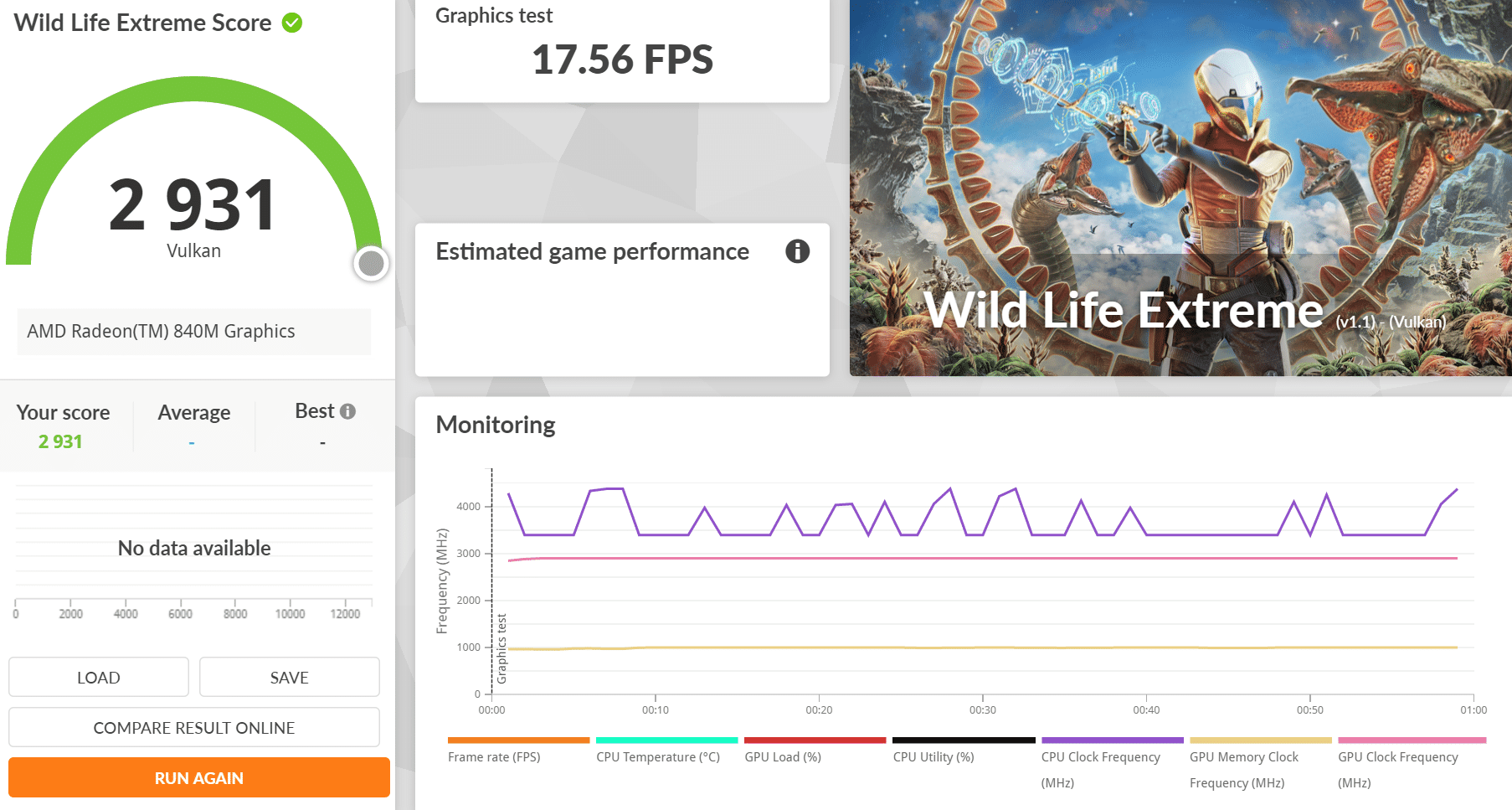
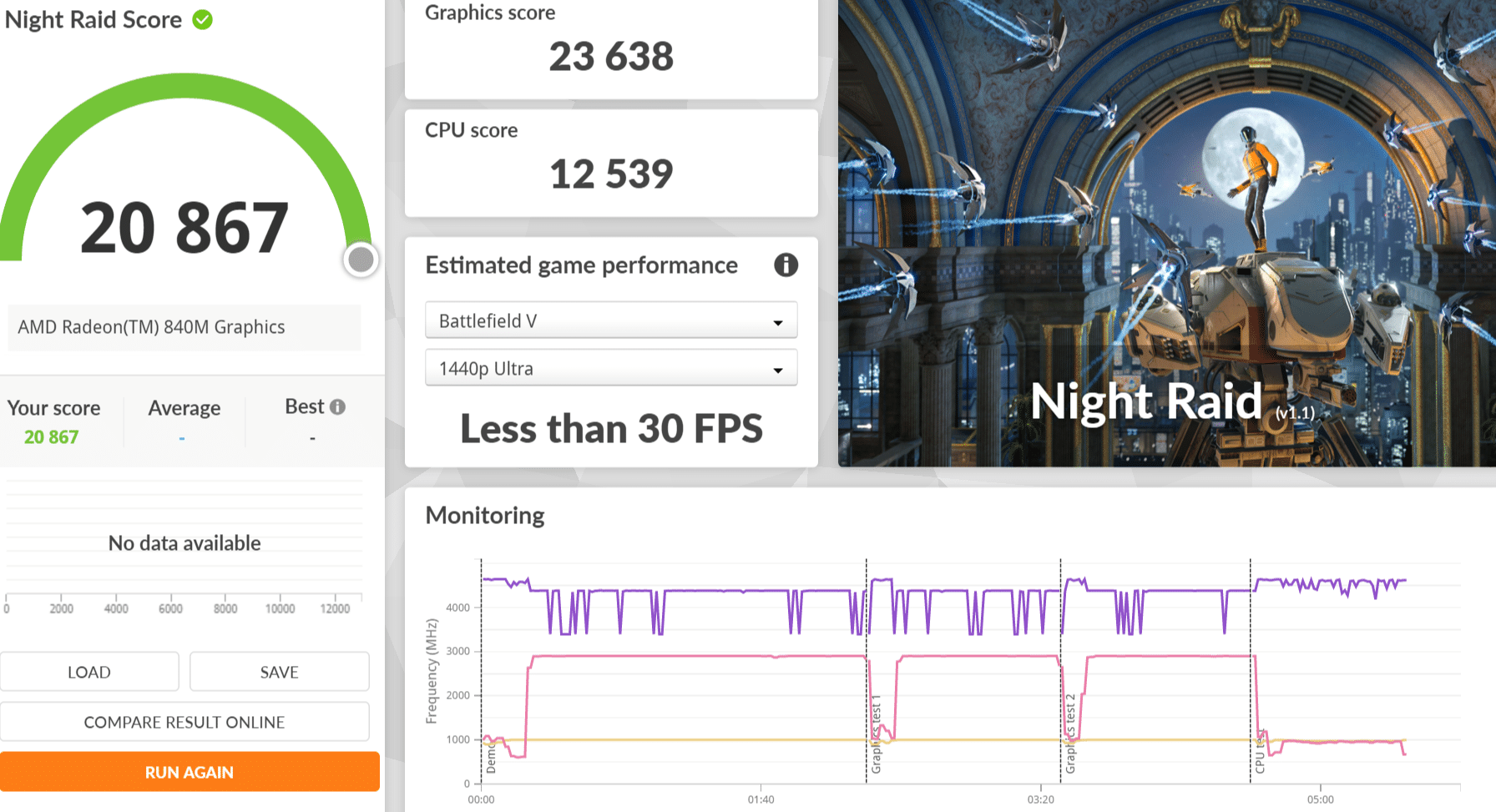
3DMark includes everything you need to benchmark your PC and mobile devices in one app. Whether you’re gaming on a smartphone, tablet, notebook, or a desktop gaming PC, 3DMark includes a benchmark designed specifically for your hardware.
| Max Threads | 16 Threads | 8 Threads | 4 Threads | 2 Threads | 1 Threads | |
| Acer Aspire A14-61M-R8C0 | 6891 | 6754 | 5998 | 3888 | 2151 | 1112 |
| ASUS Zenbook 14 (UX3480) | 5501 | 5417 | 5035 | 3507 | 2095 | 1065 |
| Acer Aspire A14-61M-R8C0 | ASUS Zenbook 14 (UX3480) | |
| Time Spy Extreme | 1107 | 663 |
| Fire Strike Extreme | 3106 | 1873 |
| Solar Bay Extreme | 1281 | 810 |
| Wild Life Extreme | 5258 | 2931 |
| Port Royal | 750 | 506 |
| Steel Nomad | 317 | Not Tested |
| Speed Way | 249 | 159 |
| Night Raid | 24233 | 20867 |
AnTuTu Benchmark
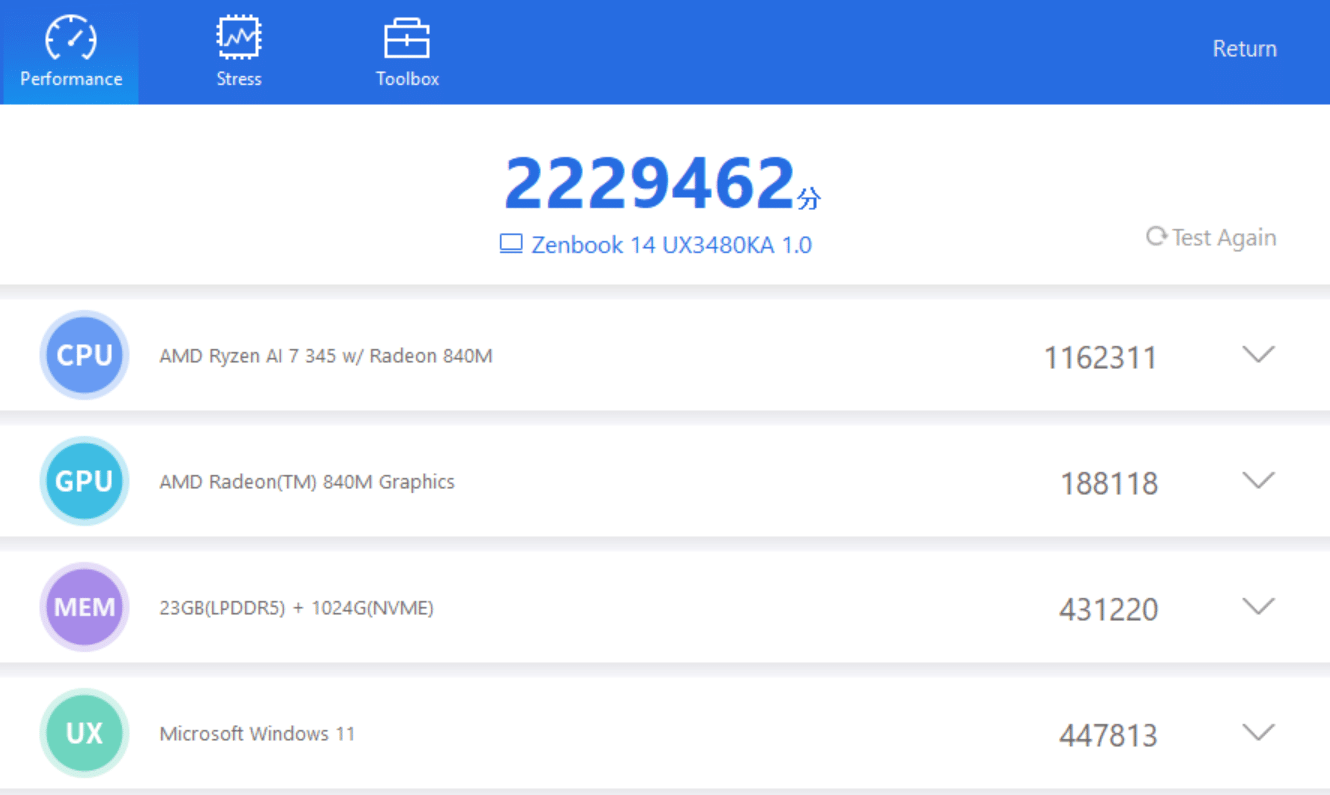
AnTuTu is a benchmarking app used to test and score the overall performance of smartphones and other devices, evaluating components like CPU, GPU, memory, and user experience (UX) through stress tests, helping users compare a phone’s raw power for tasks like gaming and multitasking, though scores should be balanced with real-world usage
| Acer Aspire A14-61M-R8C0 | ASUS Zenbook 14 (UX3480) | |
| CPU | 1287735 | 1162311 |
| GPU | 185971 | 188118 |
| MEM | 351102 | 431220 |
| UX | 478908 | 447813 |
| Total | 2303716 | 2229462 |
Final Conclusion
Purchase: Official Store Click Here
The ASUS Zenbook 14 (UX3480) is a premium ultraportable laptop that combines an elegant design with practical features for everyday productivity. Its Rose Pink finish gives it a distinctive appearance, while the Ceraluminum construction and lightweight 1.2kg design make it an attractive choice for users who value portability and style.
The 14-inch OLED touchscreen is another highlight, offering a 1920 × 1200 resolution, a 16:10 aspect ratio, and 10-point touch support. These features provide a convenient viewing and navigation experience for everyday tasks, including document editing, web browsing, and multimedia entertainment.
Connectivity is also well considered, with USB4 Gen 3 Type-C supporting up to 40Gbps, USB 3.2 Gen 2 Type-C supporting up to 10Gbps, and HDMI 2.1 for external display connectivity. The combination of these ports provides flexibility for users who need to connect peripherals and expand their workspace.
However, with a retail price of S$3,299, the ASUS Zenbook 14 (UX3480) sits firmly in the premium laptop category. Buyers should carefully consider its hardware specifications, performance, battery life, and upgradeability before making a purchase. At this price point, expectations for overall performance and long-term value are understandably high.
Overall, the ASUS Zenbook 14 (UX3480) is worth considering for professionals and users seeking a stylish, lightweight laptop with an OLED touchscreen and versatile connectivity. Its combination of portability, premium materials, and modern features makes it appealing for mobile productivity, although its value ultimately depends on whether its performance and capabilities justify the asking price.
ASUS Zenbook 14 (UX3480)
3299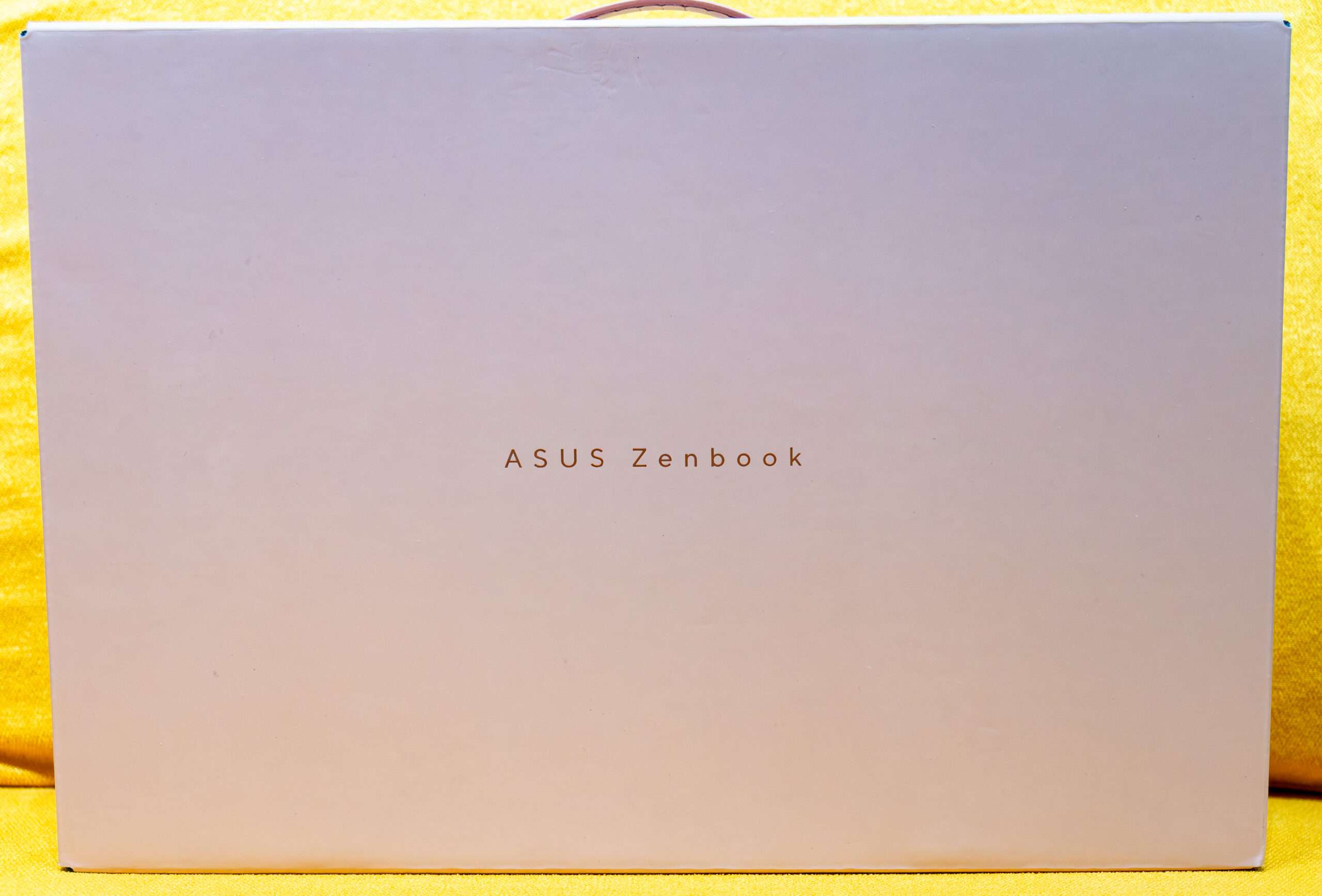
Pros
- Slim and light weight
- Strong IGPU RDNA 3.5
- Excellent Performance
- Nice Colour Theme
Cons
- Lack of WIFI 7 Support and cannot upgrade to WIFI 8
- Solder DRAM - Cannot upgrade
- Slightly Expensive