Einfoldtech

The Official Einfoldtech

Reading: Tips for Keeping Your Smartphone Clean
Share
Font ResizerAa

Einfoldtech

The Official Einfoldtech

Font ResizerAa
Search
  • Home
    • Home 1
  • Categories
  • Bookmarks
  • More Foxiz
    • Sitemap
Follow US
  • Advertise
© 2026 Einfoldtech Company. All Rights Reserved.
Einfoldtech > News > Tips for Keeping Your Smartphone Clean
News

Tips for Keeping Your Smartphone Clean

admin
Last updated: 16/05/2020 8:41 AM
admin
Share
3 Min Read
SHARE

Just as thorough hand washing and other hygienic practices have become key aspects of our daily lives, keeping our smartphones clean should also form a key part of our self-sanitation routines given just how much we interact with our mobile devices.

Contents
  • Why Do You Need to Clean Your Smartphone?
  • Best Practice Smartphone Hygiene

So, how exactly can you continue to use your smartphone and stay hygienic? Read on for some suggestions as to how you can effectively and safely clean your smartphone.

Why Do You Need to Clean Your Smartphone?

According to a study by global consultancy firm Deloitte, American users view their smartphones around 14 billion times a day, with each individual user picking up their phone 52 times a day on average. As we enter a phase of telecommuting and remote communication, these numbers are only set to increase.

“Our studies show us that viruses can survive on plastic or metal surfaces for up to 2 or 3 days”

Best Practice Smartphone Hygiene

The first thing to remember when looking to keep your device clean is not to use general cleaners, compressed air sprays or disinfectant and bleach-based products. While these might be useful in keeping communal spaces around the home hygienic, these solutions can peel off or damage the oleophobic coating layer over your smartphone’s display that shields the screen from fingerprint smudging.

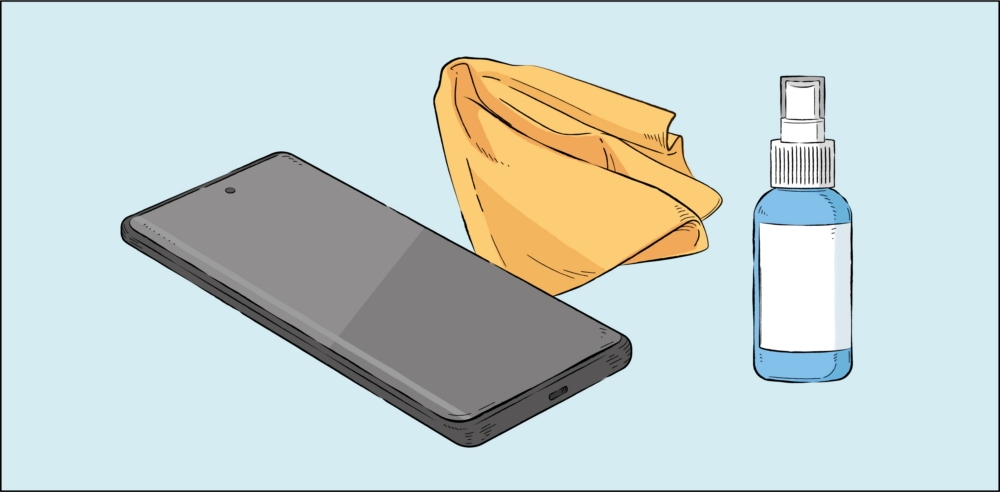
In order to keep enjoying the best experience with your smartphone after cleaning, be sure to fully power down your device and remove its case, cables and other accessories. Once you have done this, use a lint-free microfiber cloth to wipe down the exterior of the device.

If needed, you can use a small amount of distilled water or disinfectant, such as a hypochlorous acid-based (50-80ppm) or alcohol-based (over 70% ethanol or isopropyl alcohol) product – but always apply these to your microfiber cloth, not directly to your phone, and be sure to avoid getting any liquid in your phone’s openings. Dampen your cloth with disinfectant and gently wipe the front and back of your device to cleanse it.

You can use the same methods as above for cleaning the watch face of your SmartWatch once you have removed its straps. While such disinfection methods should be avoided for leather or rubber surfaces, they are suitable for glass, ceramic and metal surfaces, such as the display of your smartphone and the watch face of your SmartWatch.
Samsung Introduces Fast and Durable PRO Plus and Enhanced EVO Plus MicroSD Cards for Day-to-Day Users and Professionals
GIGABYTE Unveils New Notebook Lineup Upgraded with NVIDIA GeForce RTX 30 Series Laptop GPUs
ASUS Intel 700, 600 Series and AMD AM5 Motherboards Are Ready to Support up to 256 GB of DDR5 Memory
Republic of Gamers Unveils the Availability of the Convertible Gaming Laptop ROG Flow X16 in Singapore
HTC Unveils New Flagship Smartphone Made for the Brilliant U: Meet the HTC U11
TAGGED:Clean
Share This Article
Facebook Copy Link Print
Previous Article ASUS Announces the New VivoBook S Laptops with All New Colourway in Singapore
Next Article Axiomtek’s Quad-View 3.5” Embedded Board with AMD Ryzen™ Embedded V1807B/V1605B Processor – CAPA13R
Leave a Comment

Leave a Reply Cancel reply

Your email address will not be published. Required fields are marked *

This site uses Akismet to reduce spam. Learn how your comment data is processed.

Recent Review

ASUS Zenbook 14 (UX3480) 2026 – Lightweight Design Meets Next-Gen AI Performance
Review
Acer Aspire A14-61M Review – Lightweight Design Meets Everyday Performance
Review
Logitech G304X Gaming Mouse – Lightweight Performance for Everyday Gaming
Review
Logitech G316 X 98 Review – Fast, Flexible and Feature-Packed
Review
ASUS ZenBeam L2 Smart Portable LED Projector Review
Review
REDMI Note 17 Pro Max 5G Review – The 10,000mAh Battery Monster!
Review
ASUS ROG NUC 16 [2026 Model] – Massive Gaming Performance in a Tiny Package
Review
Xiaomi 17T Pro – Leica Imaging Meets Next-Generation AI
Review
POCO X8 Pro Max Review: Flagship Killer
Review
MSI GeForce RTX5080 16G VANGUARD SOC
Review

Facebook Page

© 2026 Einfoldtech Company. All Rights Reserved.
Welcome Back!

Sign in to your account

Username or Email Address
Password

Lost your password?