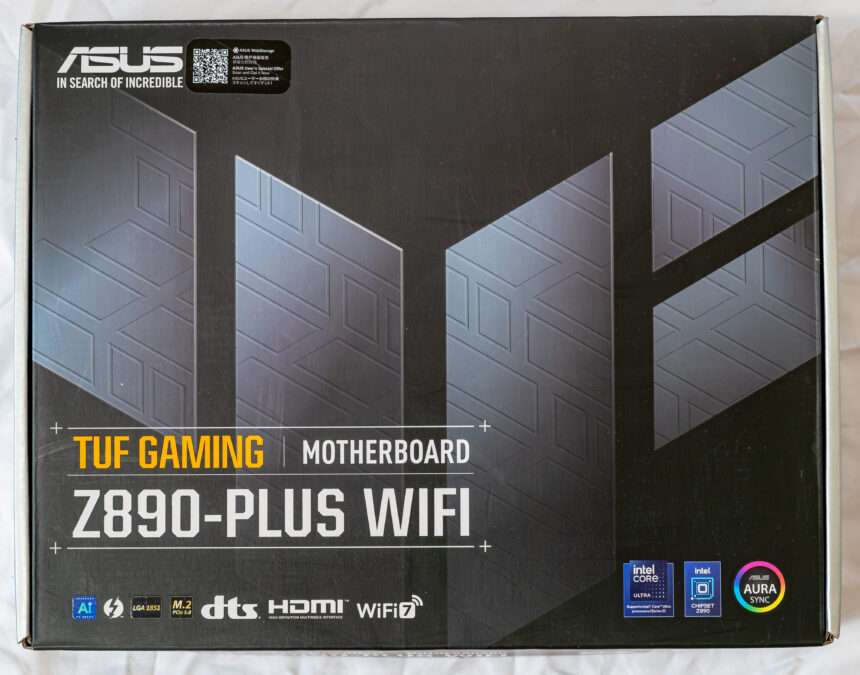
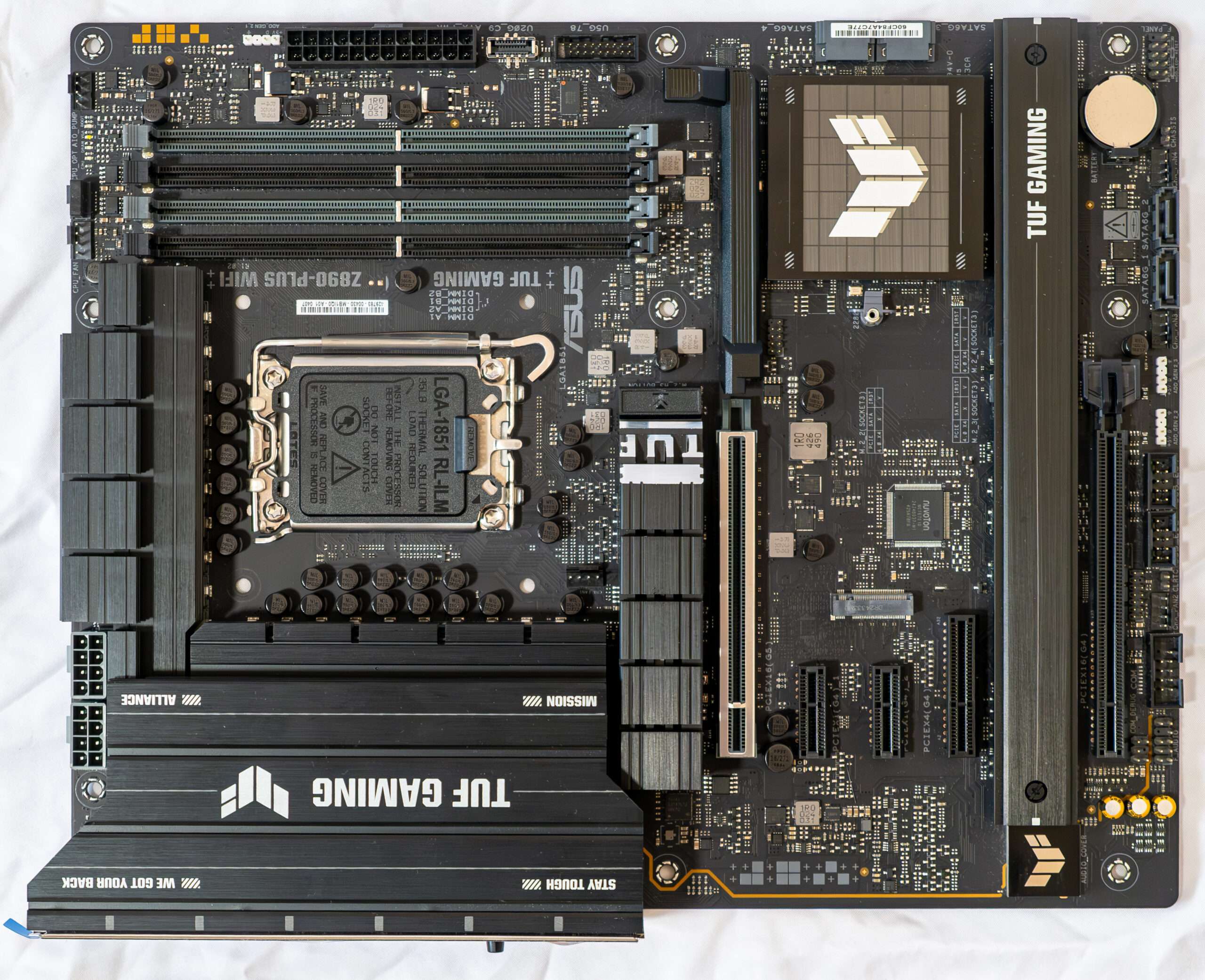
The ASUS TUF GAMING Z890-PLUS WIFI is a mainstream enthusiast motherboard designed for users who value long-term durability, stable performance, and modern connectivity on Intel’s latest Z890 platform. Staying true to the TUF Gaming philosophy, this board emphasizes military-grade components, reinforced power delivery, and comprehensive cooling to ensure reliable operation even under sustained workloads and gaming sessions.
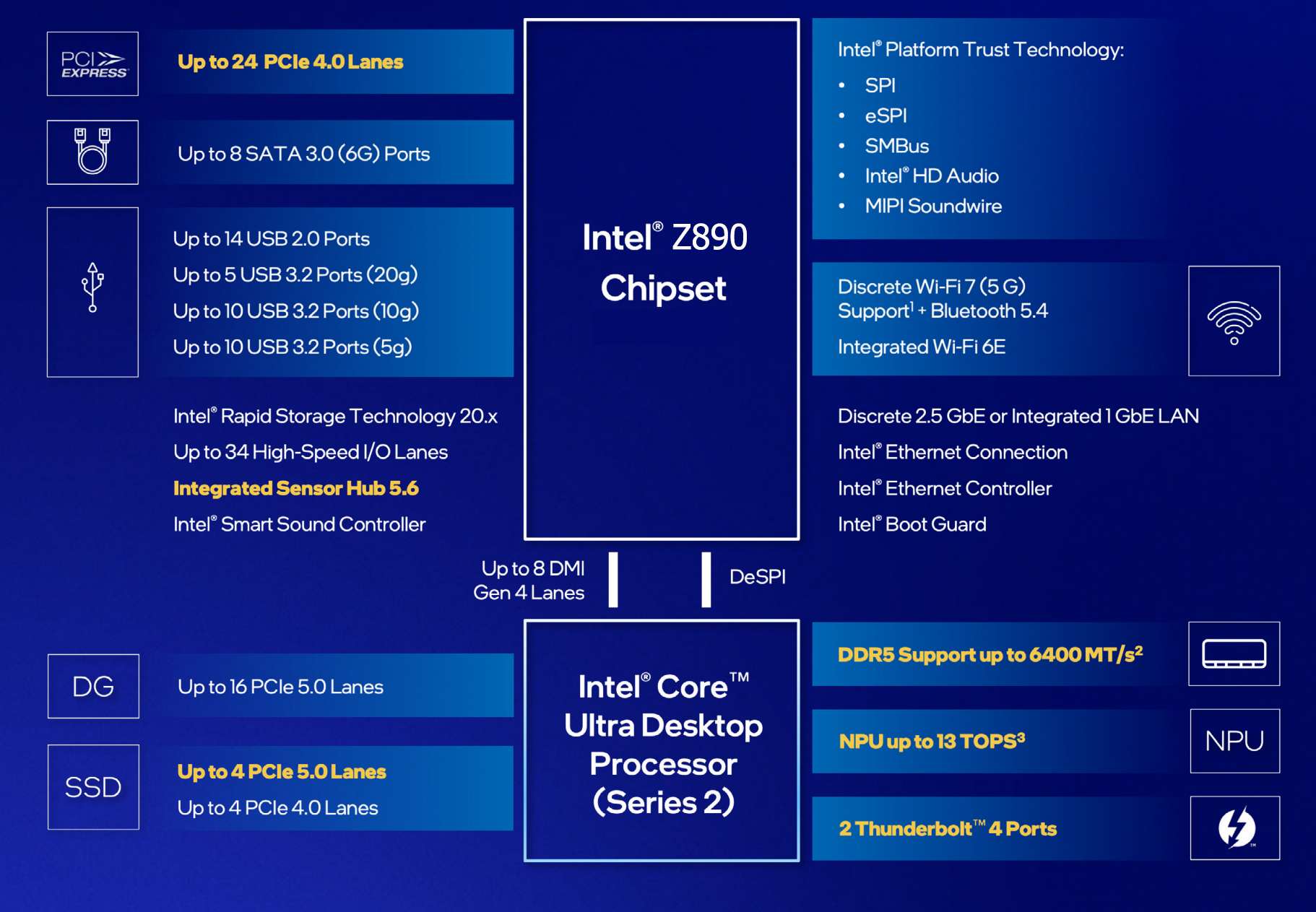
Let’s look again at the comparison table of the last 4 generations of Z series system chipsets.
| Chipset | Z890 | Z790 | Z690 | Z590 |
|---|---|---|---|---|
| Compatibility with Intel processors | Core Ultra 2xx | Core 14/13/12 | Core 14/13/12 | Core 11/10 |
| PCIe Version (CPU) | 4.0 & 5.0 | 4.0 & 5.0 | 4.0 & 5.0 | 3.0 (10th Gen) or 4.0 (11th Gen) |
| Number of PCIe lanes (processor) | 20 versions 5.0 & 4 versions 4.0 = 24 | 16 versions 5.0 & 4 versions 4.0 = 20 | 16 versions 5.0 & 4 versions 4.0 = 20 | 16 (10th Gen) or 20 (11th Gen) |
| PCIe version (chipset) | 4.0 | 3.0 & 4.0 | 3.0 & 4.0 | 3.0 |
| Number of PCIe/SATA lanes (chipset) | 24 4.0 & 8 SATA = 32 | 20 v4.0 & 8 v3.0 or 8 SATA = 28 | 12 v4.0 & 16 v3.0 or 8 SATA = 28 | 18 version 3.0 or 6 SATA = 18 |
| Number of SATA 6.0 Gb/s ports up to | 8 | 8 | 8 | 6 |
| DMI version | 4.0 | 4.0 | 4.0 | 3.0 |
| Number of DMI lines | x8 | x8 | x8 | x8 |
| RAM generation | DDR5 | DDR4 & DDR5 | DDR4 & DDR5 | DDR4 |
| Number of RAM channels | 2 | 2 | 2 | 2 |
| Maximum number of RAM slots | 4 | 4 | 4 | 4 |
| Maximum RAM | 256 GB | 256GB DDR5/128GB DDR4 | 256GB DDR5/128GB DDR4 | 128 GB |
| USB4 ports (40Gbps)(processor) up to | 2 | – | – | – |
| USB 3.2 Gen 2×2 ports (20Gbps) up to | 5 | 5 | 4 | 3 |
| USB 3.2 Gen 2×1 ports (10Gbps) up to | 10 | 10 | 10 | 10 |
| USB 3.2 Gen 1×1 ports (5Gbps) up to | 10 | 10 | 10 | 10 |
| USB 2.0 ports up to | 14 | 14 | 14 | 14 |
| Built-in Wi-Fi support | Wi-Fi 7 | Wi-Fi 7/ WIFI 6E | Wi-Fi 6E | Wi-Fi 6 |
Note that the Z790 has SATA ports included in the total number of PCIe lanes (28 in total), while the Z890 has 24 PCIe 4.0 lanes plus a maximum of 8 SATA lines, meaning that the Z890 chipset essentially has 32 PCIe lines, but 8 lines for SATA ports cannot be reconfigured for other use (while the Z790 simply had 8 PCIe 3.0 lanes, and they could be used for up to 8 SATA ports).
The Core Ultra processors have a total of 24 PCIe lanes (20 of which are version 5.0, and 4 are version 4.0), and there is also a built-in Thunderbolt 4 controller, which essentially gives us 2 USB4 ports (up to 40 Gb/s each).
In total, the new LGA1851 platform (processor + Z890) gives us an increase of 8 PCIe lanes (relative to the LGA1700 platform).
With the transition to a tiled layout, Arrow Lake brings improvements to nearly every component of the processor, including the compute cores, graphics core, input-output interfaces, and the addition of an NPU neural processor. Leveraging one of the most advanced manufacturing technologies—TSMC’s 3nm process—it’s no surprise that expectations were high for improved energy efficiency and reduced heat generation compared to the Raptor Lake series. Notably, Raptor Lake, though significantly refined, still relied on Intel’s older 10nm process. As a result, Arrow Lake was anticipated to deliver a substantial boost in both performance and energy efficiency.
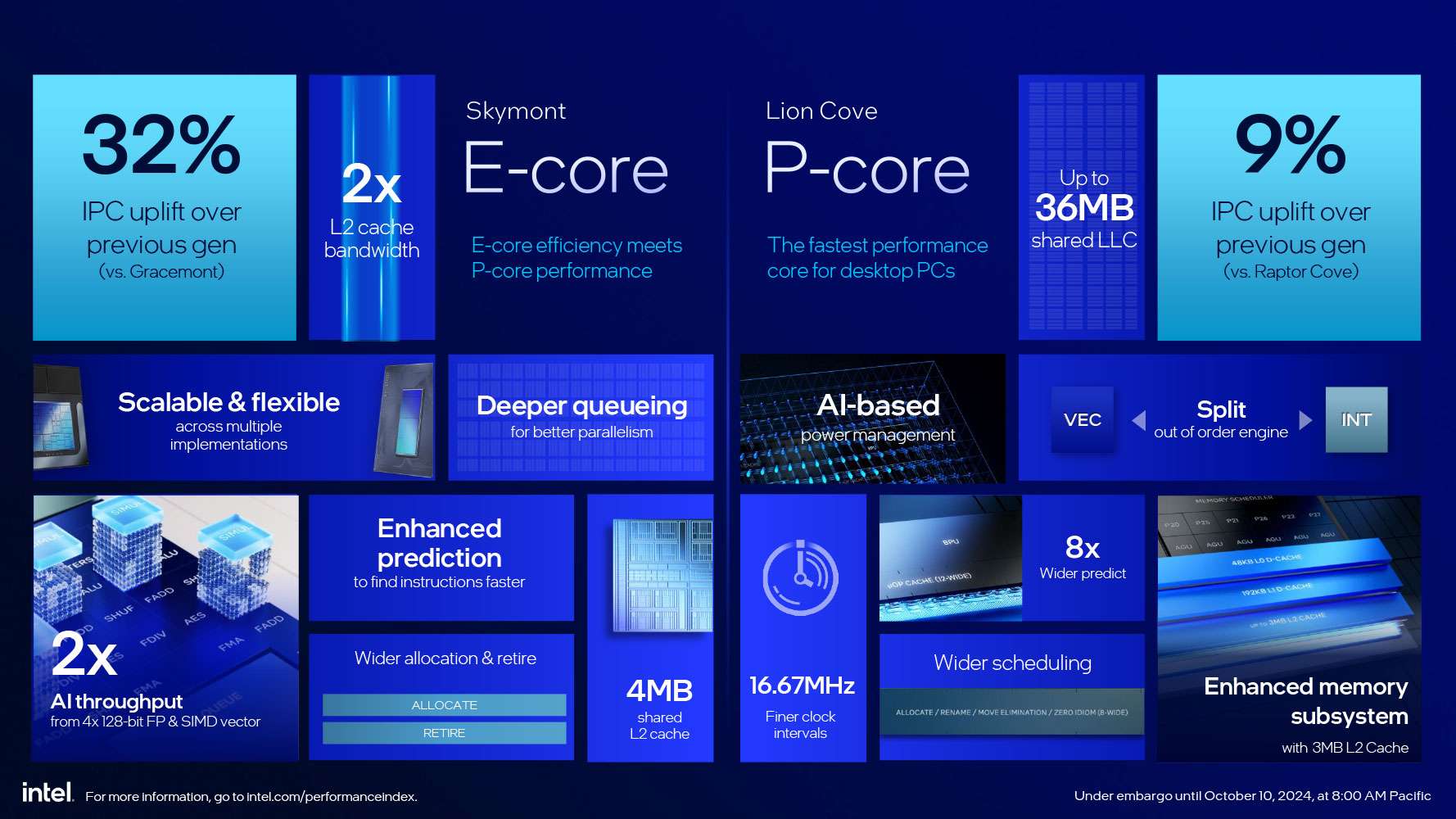
The Compute tile is the centerpiece, housing eight high-performance Lion Cove P-cores and 16 power-efficient Skymont E-cores, with improvements to these cores discussed below. All cores are interconnected via a ring bus and share a 36MB L3 cache for data exchange. Each of the eight P-cores is equipped with a dedicated 3MB L2 cache, while the E-cores are organized into clusters of four, with each cluster sharing a 4MB L2 cache.
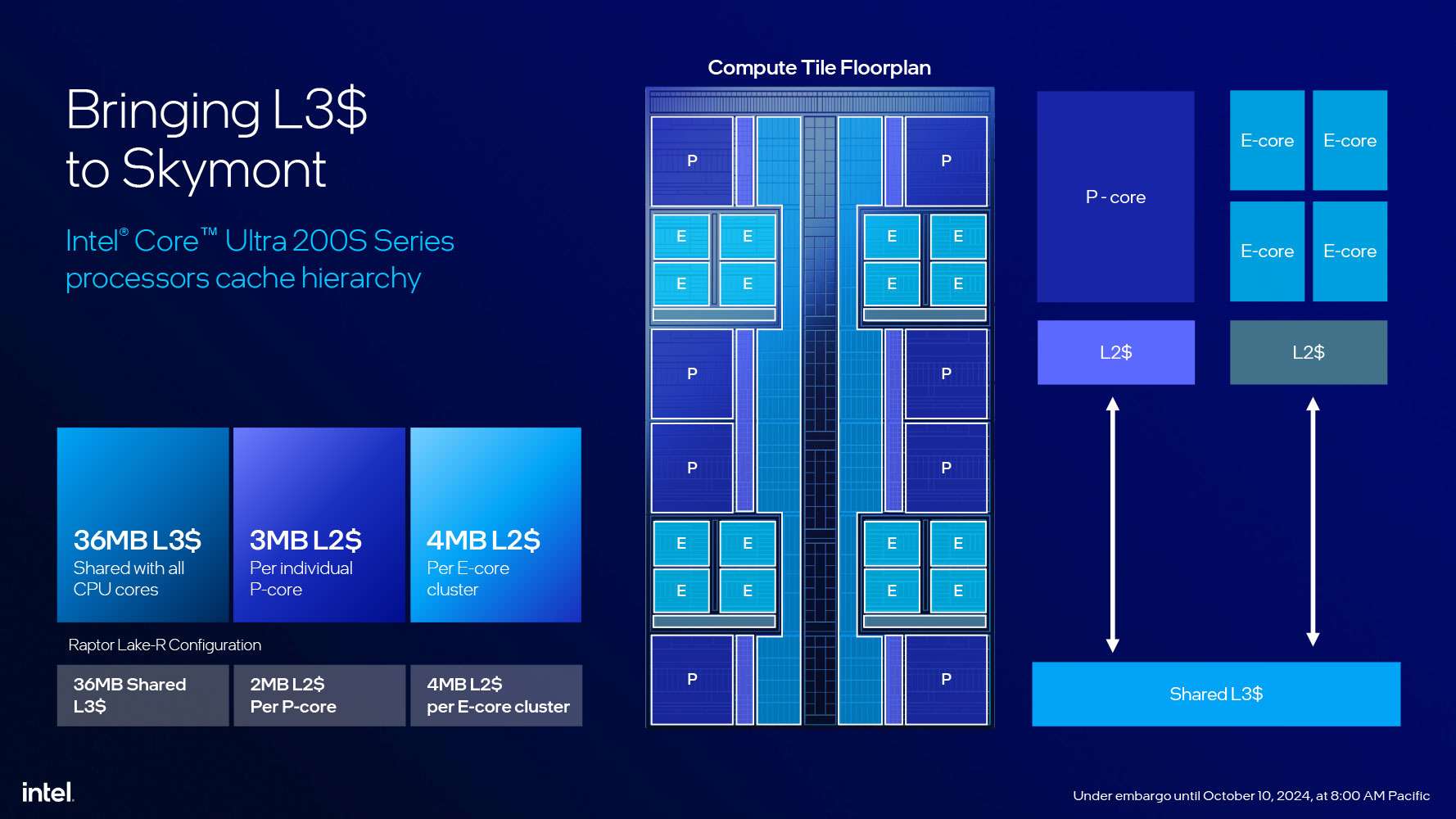
The memory controller in Arrow Lake has also been updated, dropping support for the DDR4 standard. Unlike Alder Lake and Raptor Lake, which featured controllers for both DDR4 and DDR5, the new architecture exclusively supports DDR5. This shift eliminates the outdated DDR4 standard and, in theory, allows for slightly more efficient operation of DDR5 subchannels.

The graphics core components in Arrow Lake are distributed across the Graphics and SoC tiles. The Graphics tile serves as the primary component, housing the elements of the graphics pipeline and the computing units located within the Xe cores. Meanwhile, the SoC tile contains the display and media processing engines, as well as the display output interface.
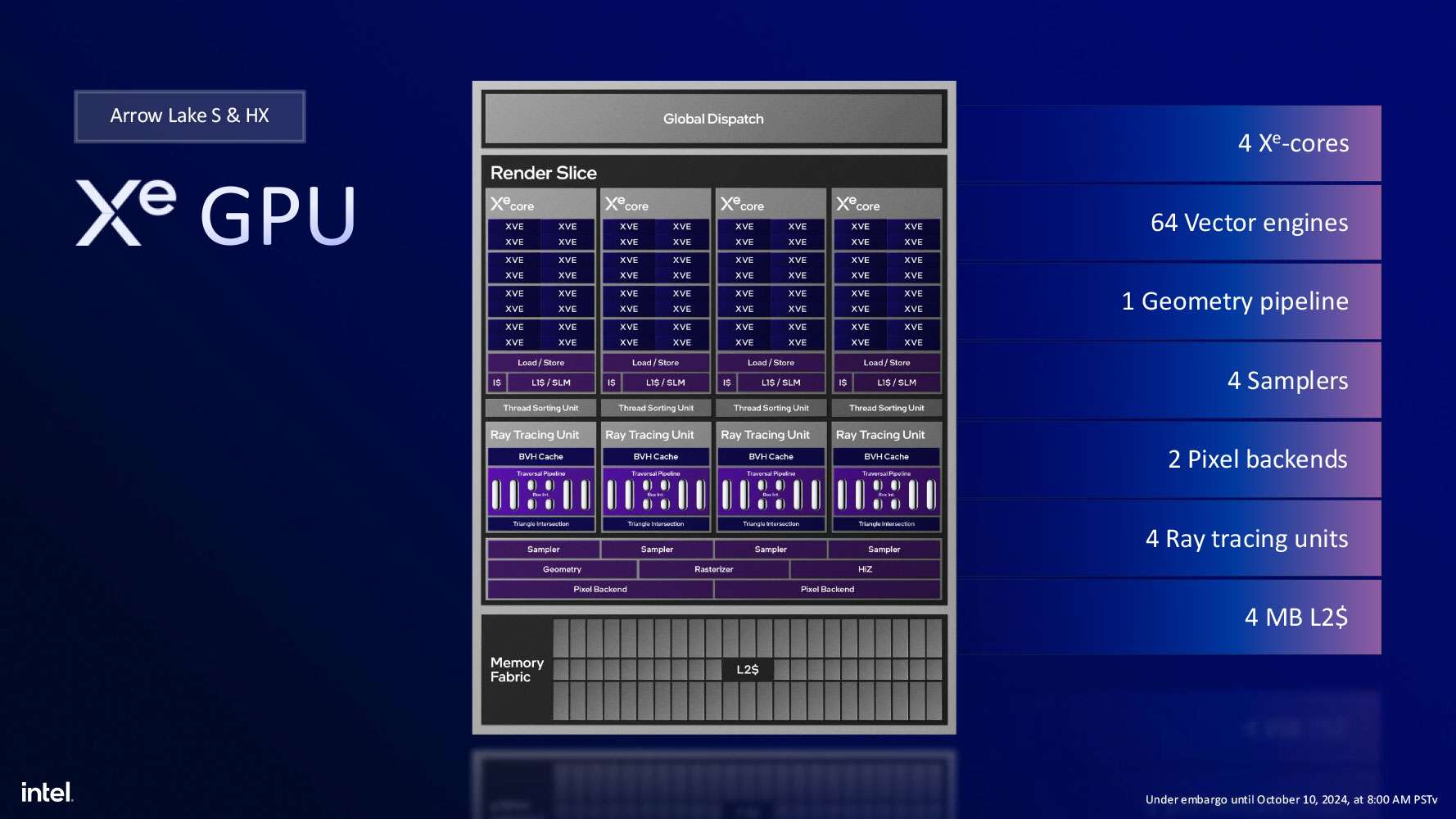
The graphics core in Arrow Lake-S is based on the Xe-LPG graphics architecture, which was first introduced in Meteor Lake mobile processors. This architecture is a significant upgrade over the Xe-LP found in Raptor Lake desktop processors. The Graphics tile features the Xe-LPG core, built on TSMC’s advanced 5nm N5P process. It includes a Xe Render Slice with four Xe cores, comprising 64 EU streaming units, which correspond to 512 unified shader units in competing solutions.
Unlike other architectures in the Xe family, the integrated graphics controller in Arrow Lake lacks XMX blocks for AI tasks. Instead, AI acceleration is handled using DP4a instructions on the main computing units. Despite this limitation, the same XeSS technology will still function, albeit at a somewhat reduced performance level.
The media engine in Arrow Lake-S offers hardware acceleration for video decoding at resolutions of up to 8K at 60 FPS in 10-bit HDR format, with support for VP9, AVC, HEVC, AV1, and SSC video formats. It also supports hardware-accelerated video encoding at resolutions up to 8K at 120 FPS in 10-bit HDR, compatible with VP9, AVC, HEVC, and AV1 formats.
The display output engine can drive up to four displays simultaneously, supporting HDMI 2.1, DisplayPort 2.1, and eDP 1.4 connections. It delivers output signal capabilities of 8K HDR at 60 Hz or 2560×1440p at up to 360 Hz for a single display, and 4K HDR at 60 Hz across four displays.
Overall, at the time of their release, Arrow Lake processors stand out as the most technologically advanced solutions in the desktop CPU market. They feature a sophisticated multi-chiplet design, utilize the most advanced manufacturing process for the main compute die, and integrate powerful GPU and NPU capabilities. Initially, five processor models were launched, offering varying specifications and price points.
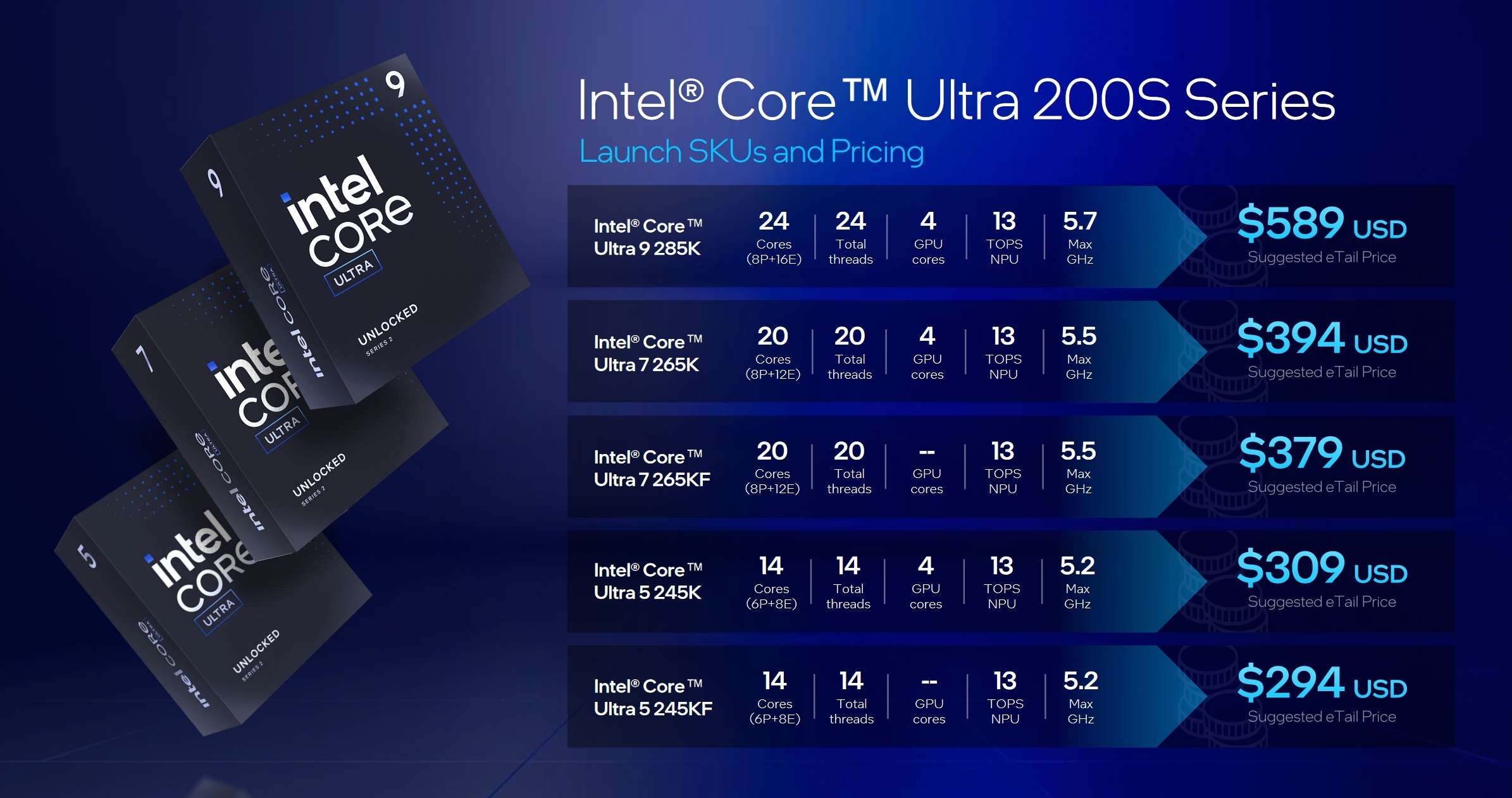
| P-nuclei | E-cores | Streams | P-core frequency, GHz | E-core frequency, GHz | L2/L3 cache, MB | Consumption, W | Price, $ | |
|---|---|---|---|---|---|---|---|---|
| Core Ultra 9 285K | 8 | 16 | 24 | 3.7-5.7 | 3.2-4.6 | 40/36 | 125/250 | 589 |
| Core Ultra 7 265K | 8 | 12 | 20 | 3.9-5.5 | 3.3—4.6 | 36/30 | 125/250 | 394 |
| Core Ultra 7 265KF | 8 | 12 | 20 | 3.9-5.5 | 3.3—4.6 | 36/30 | 125/250 | 379 |
| Core Ultra 5 245K | 6 | 8 | 14 | 4.2-5.2 | 3.6-4.6 | 26/24 | 125/159 | 309 |
| Core Ultra 5 245KF | 6 | 8 | 14 | 4.2-5.2 | 3.6-4.6 | 26/24 | 125/159 | 294 |
- Core Ultra 9 285K is a flagship processor with 8 P and 16 E cores and a maximum turbo frequency of 5.7 GHz (for comparison, the flagships of previous generations had frequencies of up to 6 GHz and even more).
- Core Ultra 7 265K(F) is a pre-top model with 8 P-cores and 12 E-cores (one of the four clusters with E-cores is disabled) and a turbo frequency of 5.5 GHz.
- Core Ultra 5 245K(F) are currently the youngest models of the family with the number of P-cores reduced to 6 and only eight E-cores (2 of 4 clusters are disabled) with a turbo frequency of up to 5.2 GHz.
| Supported Processors | Intel Core Ultra 2xx |
|---|---|
| Processor socket | LGA 1851 |
| Chipset | Intel Z890 |
| Memory | 4×DDR5, up to 9066+MT/s (XMP), up to 256GB, dual-channel (DIMM/CUDIMM) |
| Audio subsystem | 1 × Realtek ALC1220P 7 (7.1) |
| Network controllers | 1×Intel i226-V Ethernet 2.5Gbps 1×Intel Dual Band Wireless BE200 (Wi-Fi7 802.11a/b/g/n/ac/ax/be (2.4/5/6GHz) + Bluetooth 5.4) |
| Expansion slotsI | Intel Core Ultra Processor 1x PCIe 5.0 x16 Intel Z890 Chipset 1x PCIe 4.0 x 16 [Support 4x mode] 1x PCIe 4.0 x4 1 PCIe 4.0 x 1 |
| Storage connectors | Intel Core Ultra Processor 1×M.2 (M.2_1, CPU, PCIe 5.0 x4 for 2230/2242/2260/2280 devices) 1×M.2 (M.2_2, CPU, PCIe 4.0 x4 for 2280 devices) Intel Z890 Chipset 4×SATA 6Gb/s (Z890) 1x M.2 (M.2_3 PCIe 4.0 x4 for 2211/2280 devices) 1x M.2 (M.2_4 PCIe 4.0 & SATA mode x4 for 2242/2260/2280 devices) |
| USB ports | Rear USB (Total 8 ports) 1 x Thunderbolt™ 4 port (1 x USB Type-C®) 1 x USB 20Gbps port (1 x USB Type-C®) 3 x USB 10Gbps ports (3 x Type-A) 3 x USB 5Gbps ports (3 x Type-A) Front USB (Total 7 ports) 1 x USB 20Gbps connector (supports USB Type-C®) 1 x USB 5Gbps header supports 2 additional USB 5Gbps ports 2 x USB 2.0 headers support 4 additional USB 2.0 ports USB Type-C® power delivery output: max. 5V/3A |
| Rear panel connectors | 1 x Thunderbolt™ 4 USB Type-C® port 1 x USB 20Gbps port (1 x USB Type-C® with DP Alt mode) 3 x USB 10Gbps ports (3 x Type-A) 3 x USB 5Gbps ports (3 x Type-A) 1 x DisplayPort 1 x HDMI™ port 1 x Wi-Fi module 1 x Intel® 2.5Gb Ethernet port 5 x Audio jacks 1 x Optical S/PDIF out port 1 x BIOS FlashBack™ button |
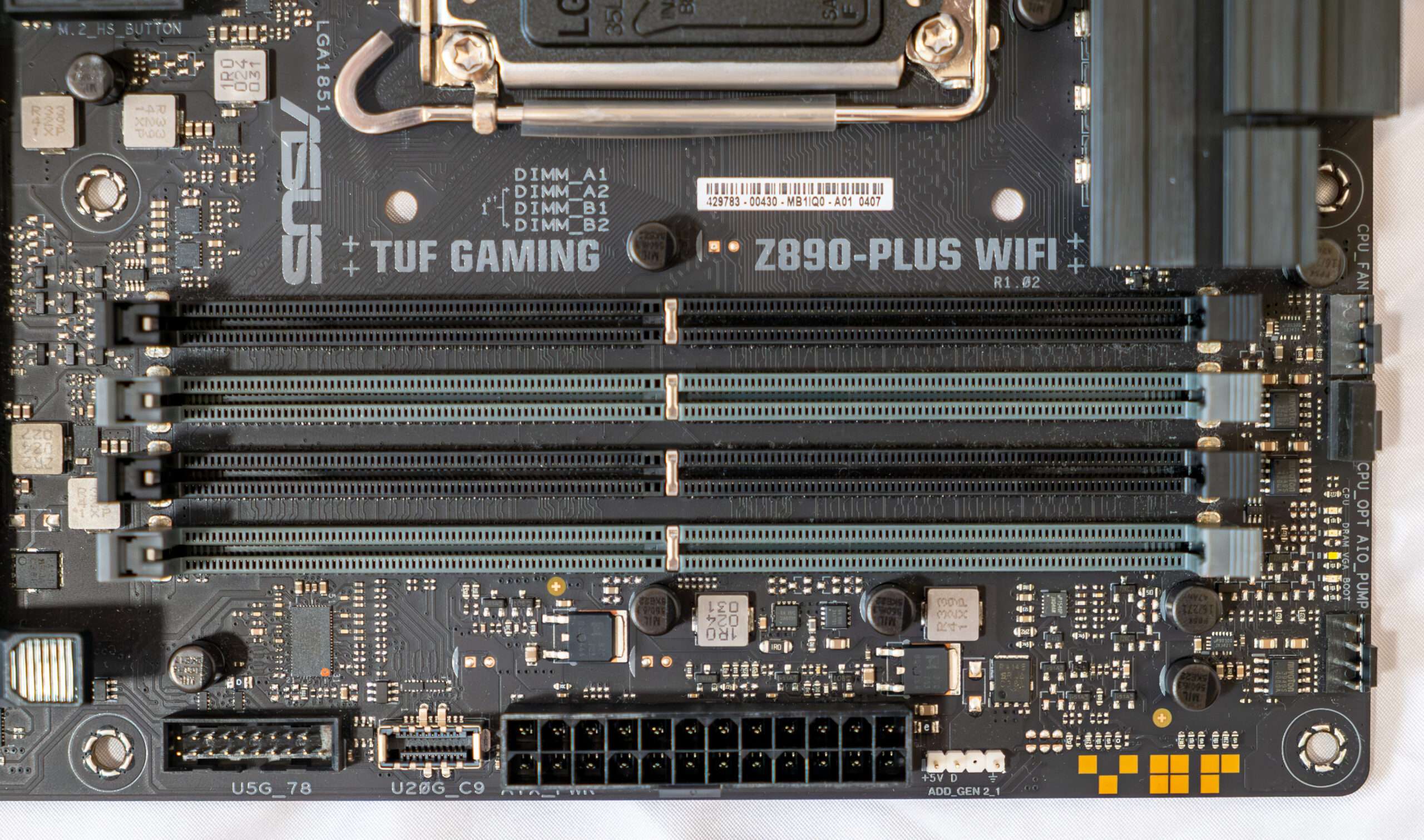
| Other internal elements | Fan and Cooling Related 1 x 4-pin CPU Fan header 1 x 4-pin CPU OPT Fan header 1 x 4-pin AIO Pump header 4 x 4-pin Chassis Fan headers Power Related 1 x 24-pin Main Power connector 2 x 8-pin +12V CPU Power connector Storage Related 4 x M.2 slots (Key M) 4 x SATA 6Gb/s ports USB 1 x USB 20Gbps connector (supports USB Type-C® ) 1 x USB 5Gbps header supports 2 additional USB 5Gbps ports 2 x USB 2.0 headers support 4 additional USB 2.0 ports Miscellaneous 3 x Addressable RGB Gen 2 headers 1 x Clear CMOS header 1 x Chassis Intrusion header 1 x COM Port header 1 x Front Panel Audio header (F_AUDIO) 1 x 10⁻¹ pin Front System Panel header 1 x Thunderbolt™ (USB4®) header |
| Form factor | ATX (305×244 mm) |
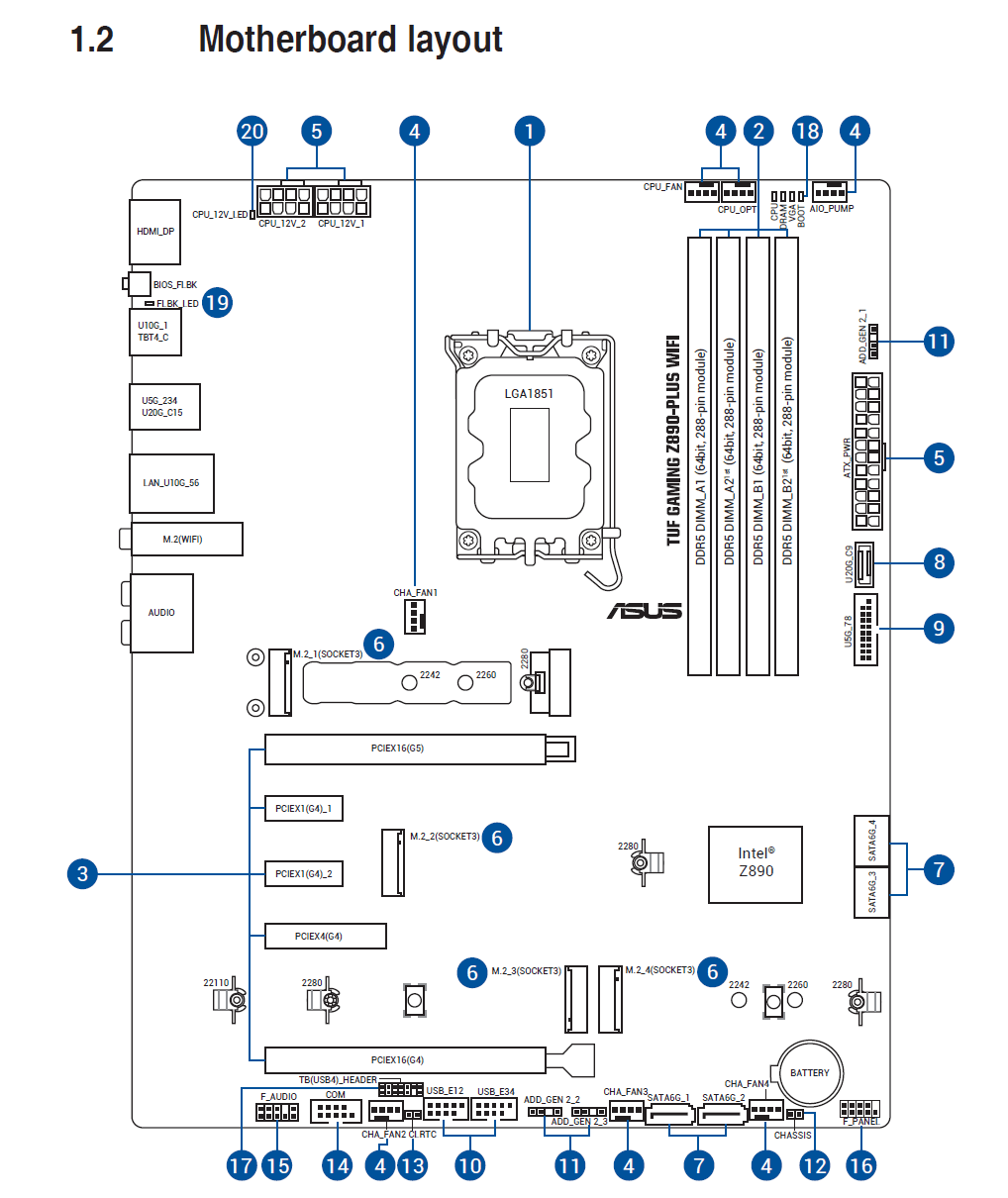
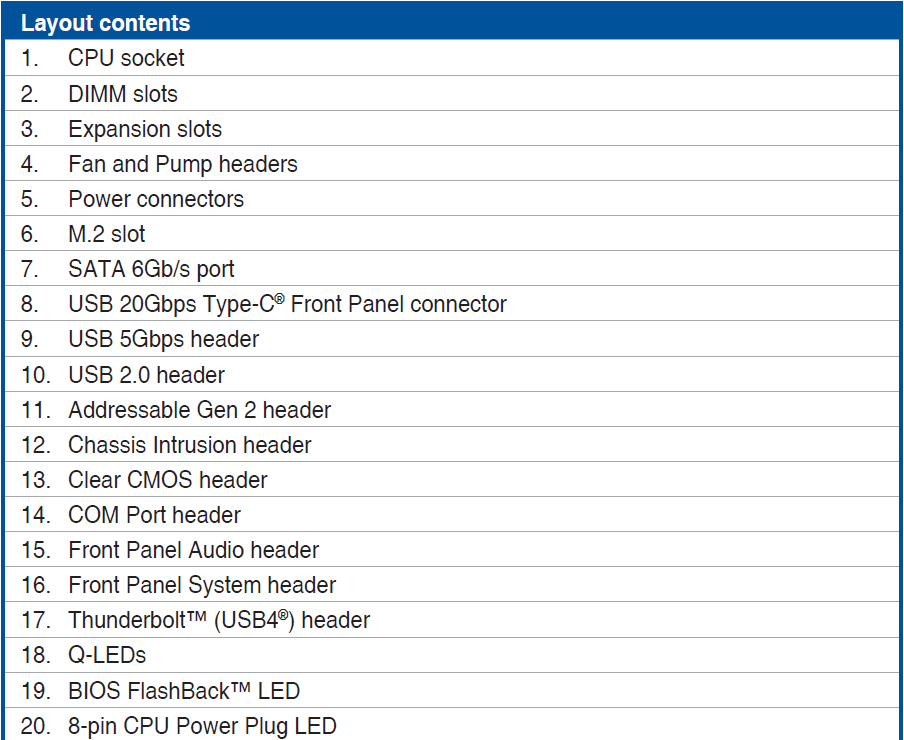
Built to support the newest Intel processors, the Z890-PLUS WIFI features a robust VRM design paired with enlarged heatsinks, ensuring consistent power delivery for high-core-count CPUs. ASUS also equips the board with next-generation connectivity, including high-speed DDR5 memory support, PCIe 5.0 expansion for both graphics and storage, and integrated WiFi for fast, low-latency wireless networking.
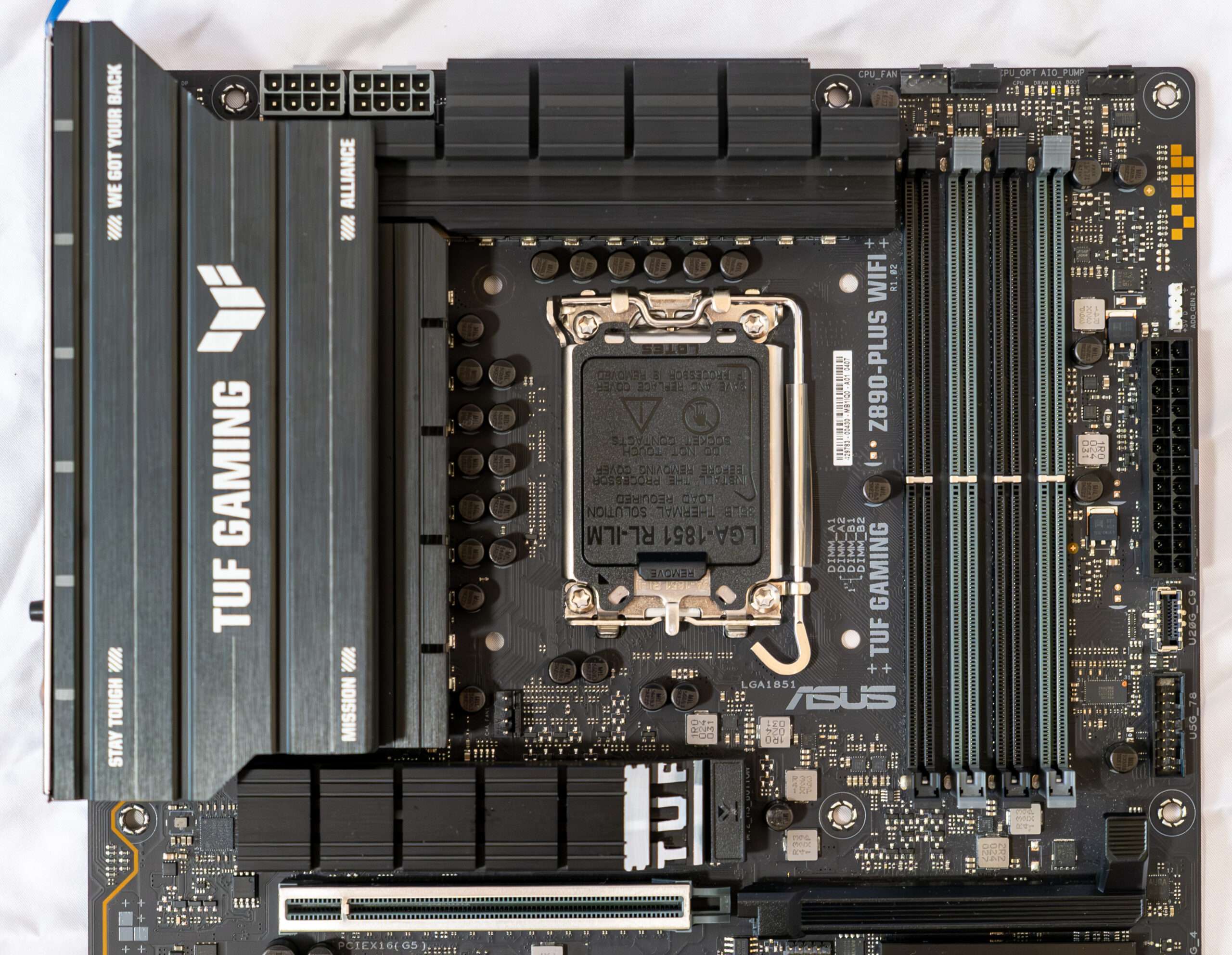
On the connectivity side, the motherboard offers a well-balanced selection of USB ports, high-speed Ethernet, and multiple M.2 slots with dedicated cooling, making it suitable for both gaming builds and productivity-focused systems. Subtle TUF styling, reinforced PCIe slots, and extensive BIOS tuning options further enhance its appeal for users who want performance without unnecessary RGB excess.
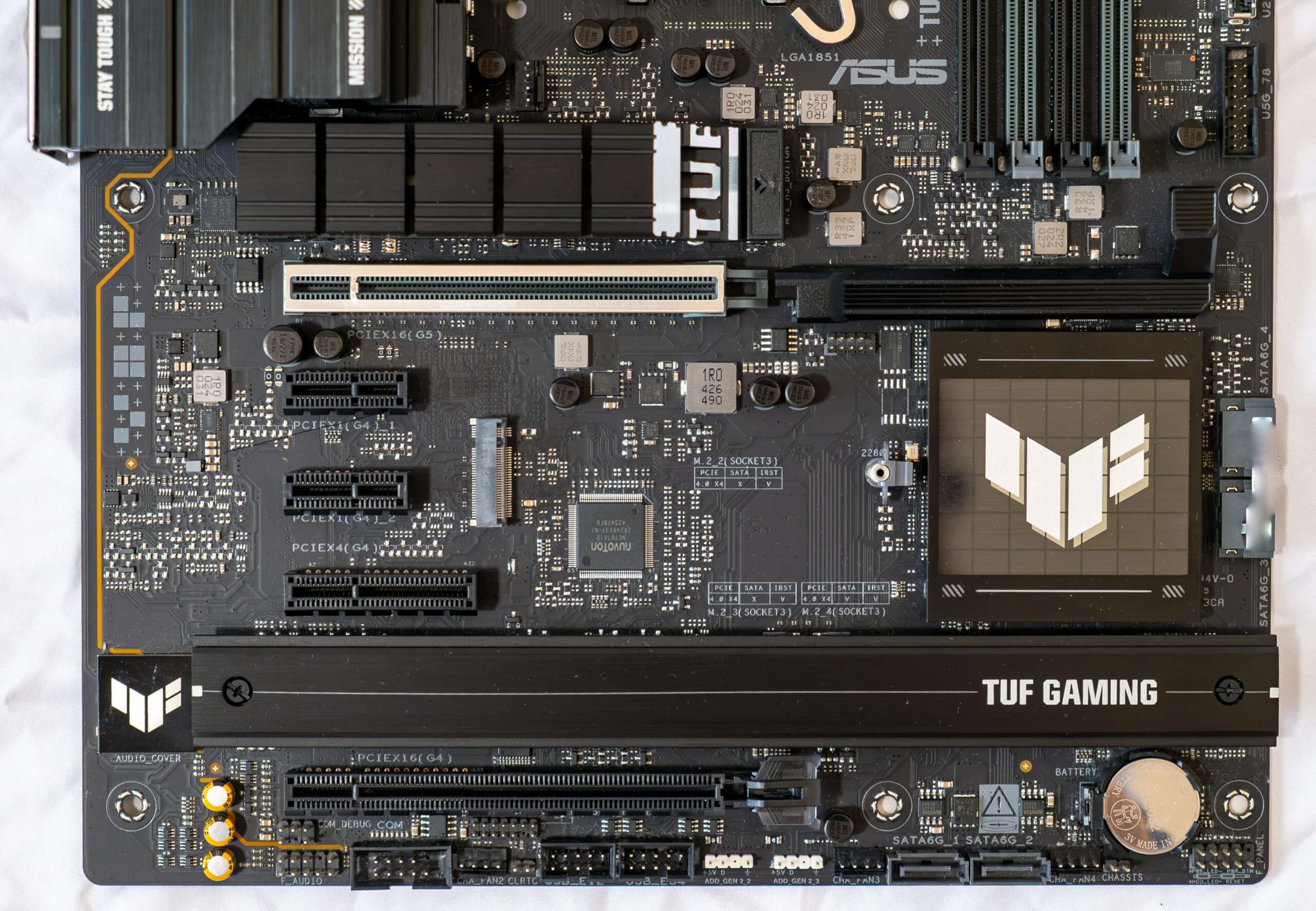
The board has four DIMM slots for installing memory modules. The board supports unbuffered DDR5 (non-ECC) memory, and the maximum memory capacity is 256 GB. Of course, XMP profiles are supported.
PCIe Slot Q-Release
A physical button unlocks the first PCIe slot’s security latch with one tap, greatly simplifying the process of detaching a PCIe card from the motherboard when it’s time to upgrade to a new GPU or other compatible device.

Peripheral functionality: USB ports, network interfaces, I/O
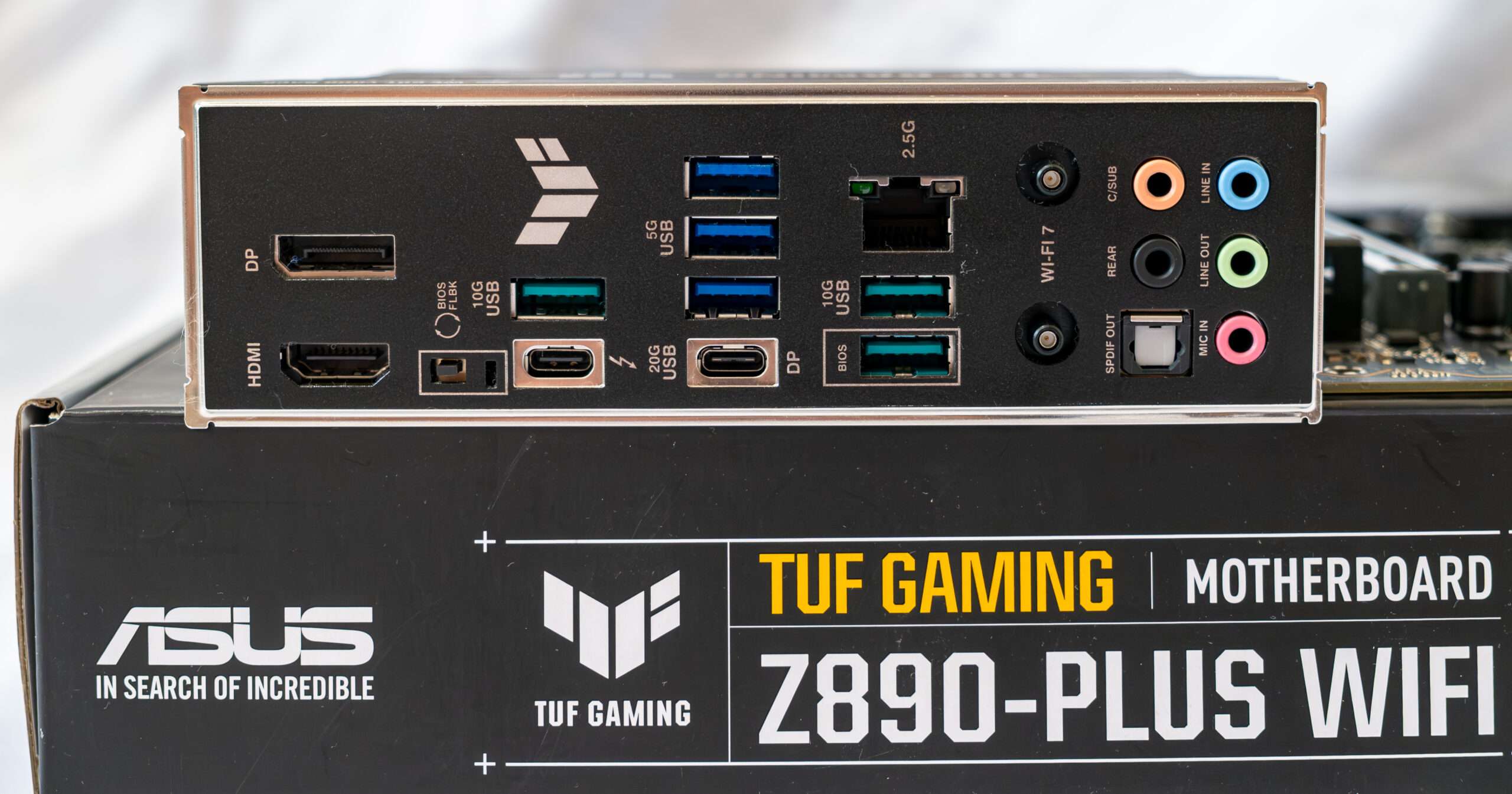
Now it’s the turn of USB ports and other I/O. And let’s start with the back panel, where most of them are displayed.
On the back I/O panel of connections including 1x DisplayPort 1.4 (iGPU), 1x HDMI 2.0 (iGPU), 3x USB-A 3.2 Gen2 (10Gb/s), 3x USB 3.1 Gen1 (5Gb/s), 1x USB-C USB 4.0 with Power Devilery [Thunderblot 4, 1x 2.5GBase-T (Intel), Intel WiFI 7, Also present on the rear panel feature for the bios flashback is included.
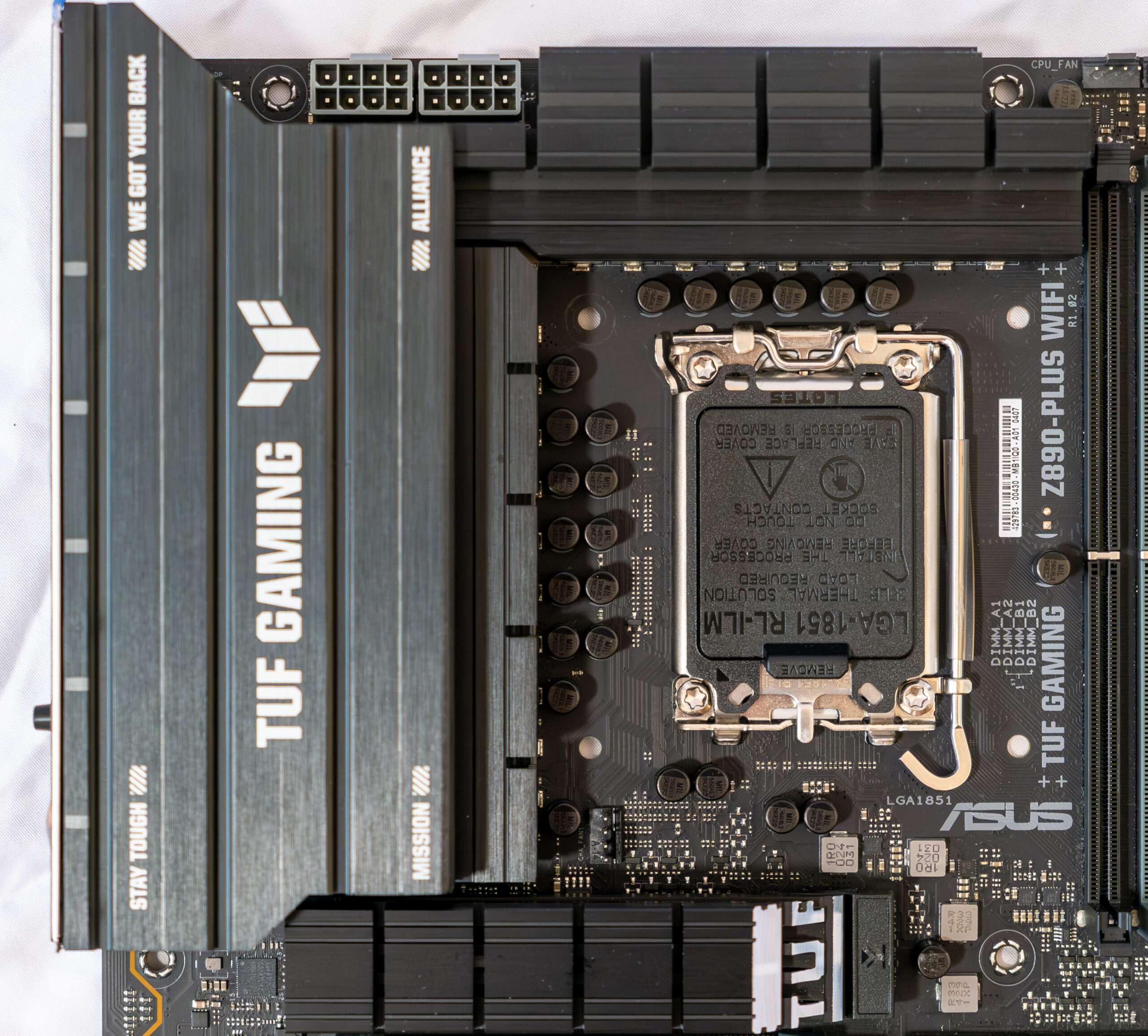
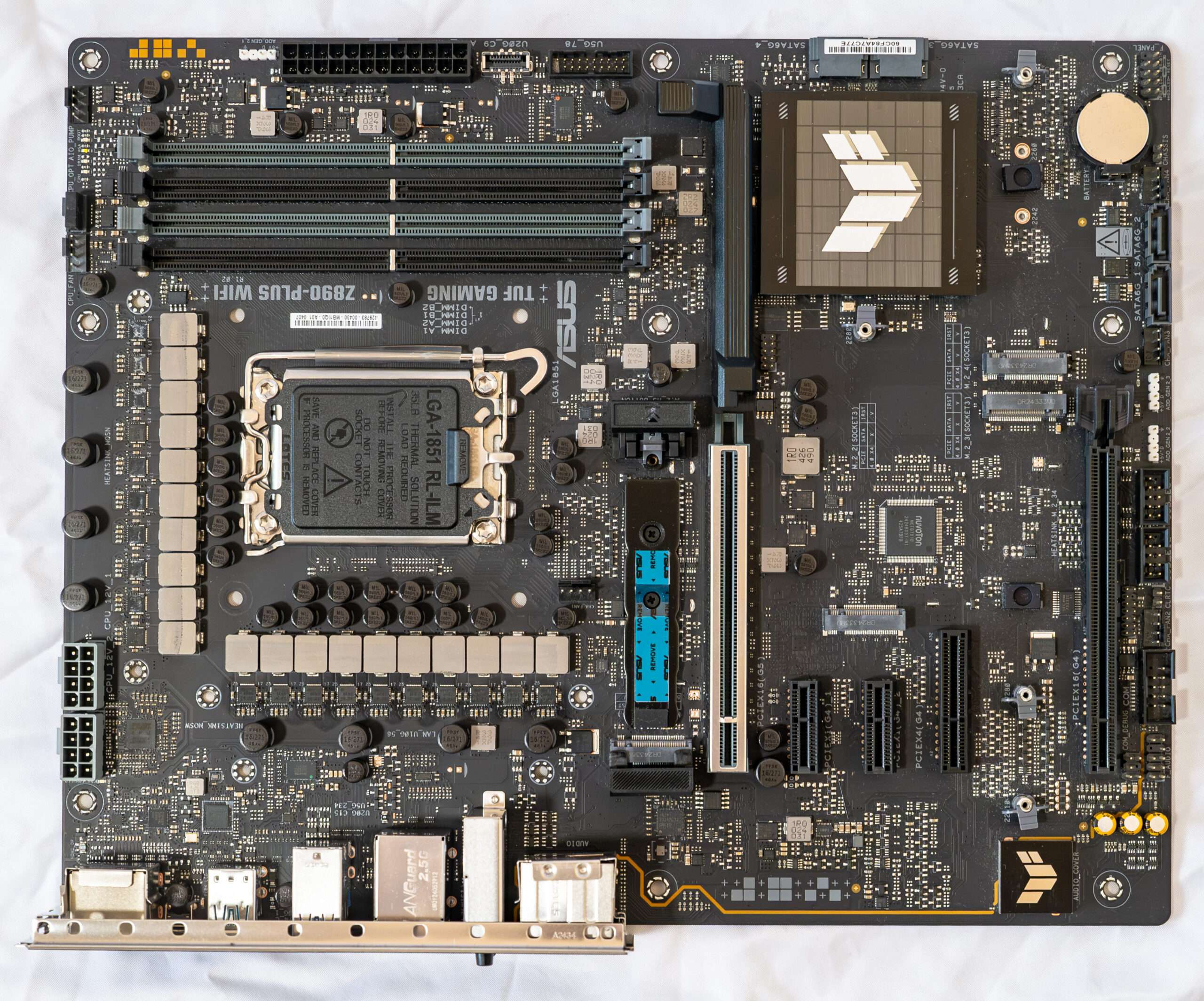
The ASUS Z890-Plus WIFI motherboard may not be considered a high-end board, but it does feature robust cooling for its MOSFETs. MOSFETs are an essential component of the motherboard’s power delivery system, responsible for regulating and supplying power to the CPU. ASUS has implemented heatsinks in the vicinity of the MOSFETs to aid in heat dissipation. These cooling features can contribute to better overall system stability and longevity, particularly when the motherboard is subjected to heavy loads or extended usage
Power Phase Design & Component
The ASUS TUF Z890-PLUS WIFI motherboard requires two ATX12V power connector with 8 pins to provide power to the CPU.
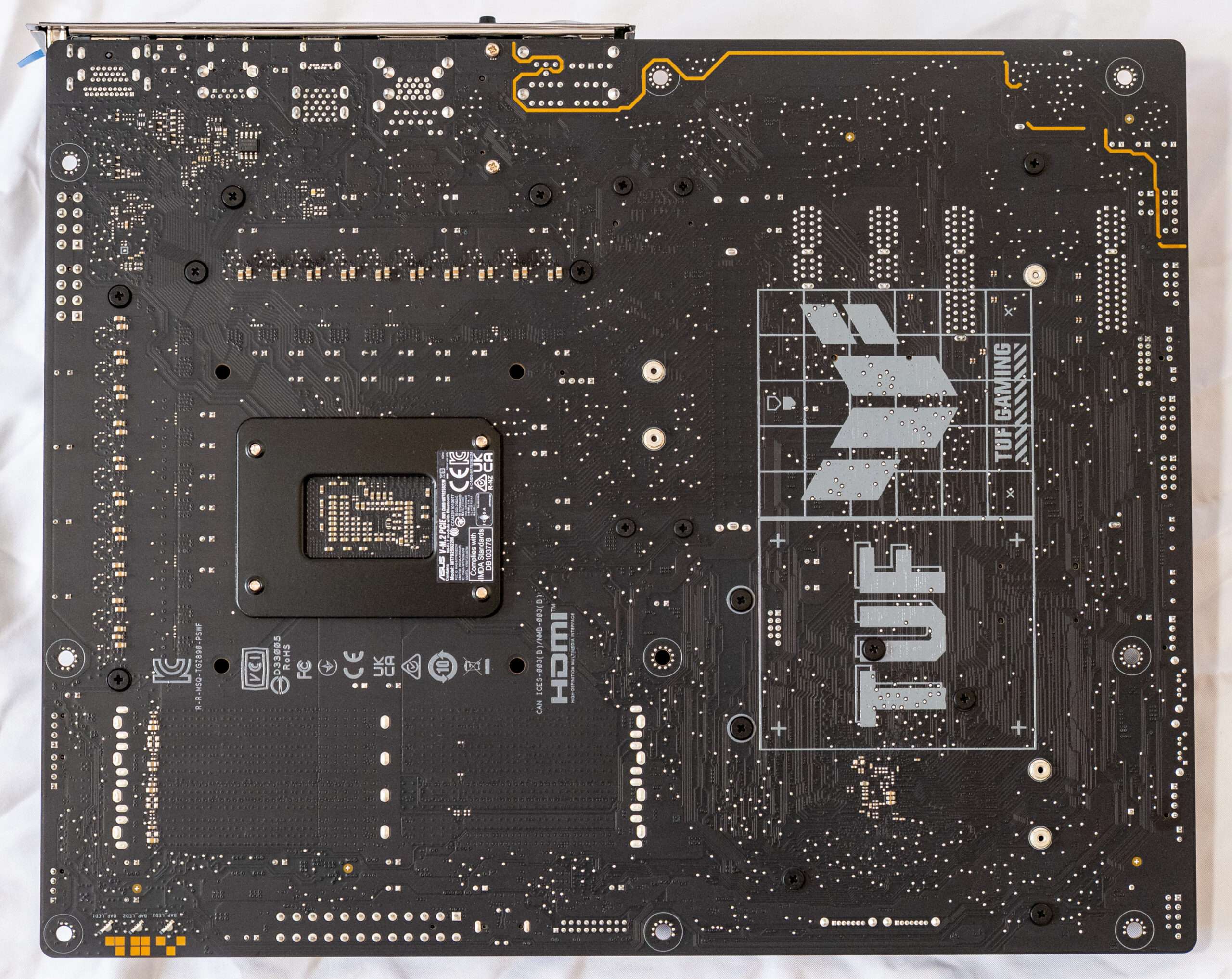
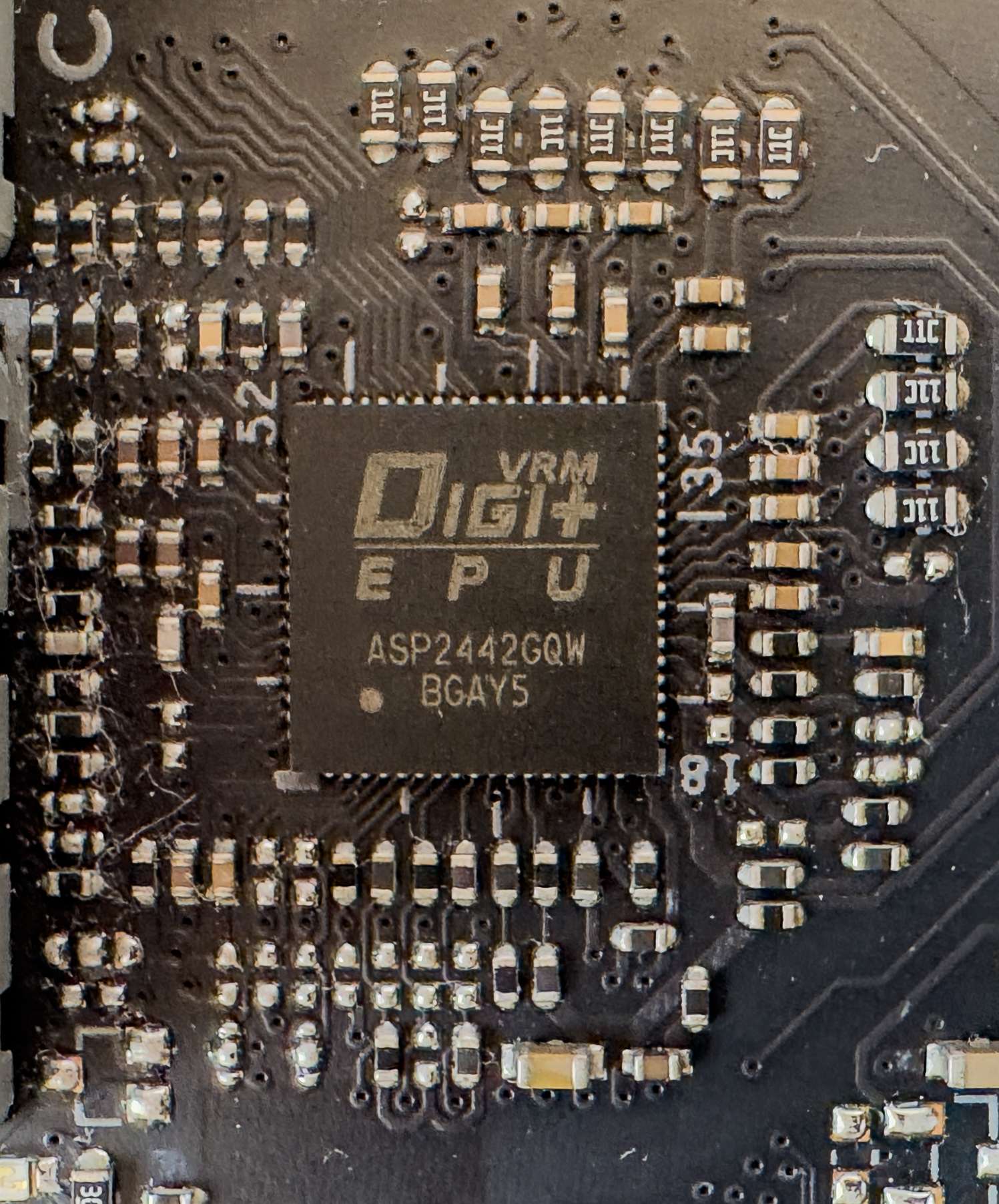
The power supply unit is a 16+1 + 2 +1 phase configuration without doubler configuration and integrated MOSFETs. On this board, ASUS used ALPHA & OMEGA integrated MOSFETs, which have a maximum continuous current of 80 A, which means that the CPU can receive a maximum of 1280 amps of current. The VRM controller is a ASP2442GQW, and it is located on the top side of the board
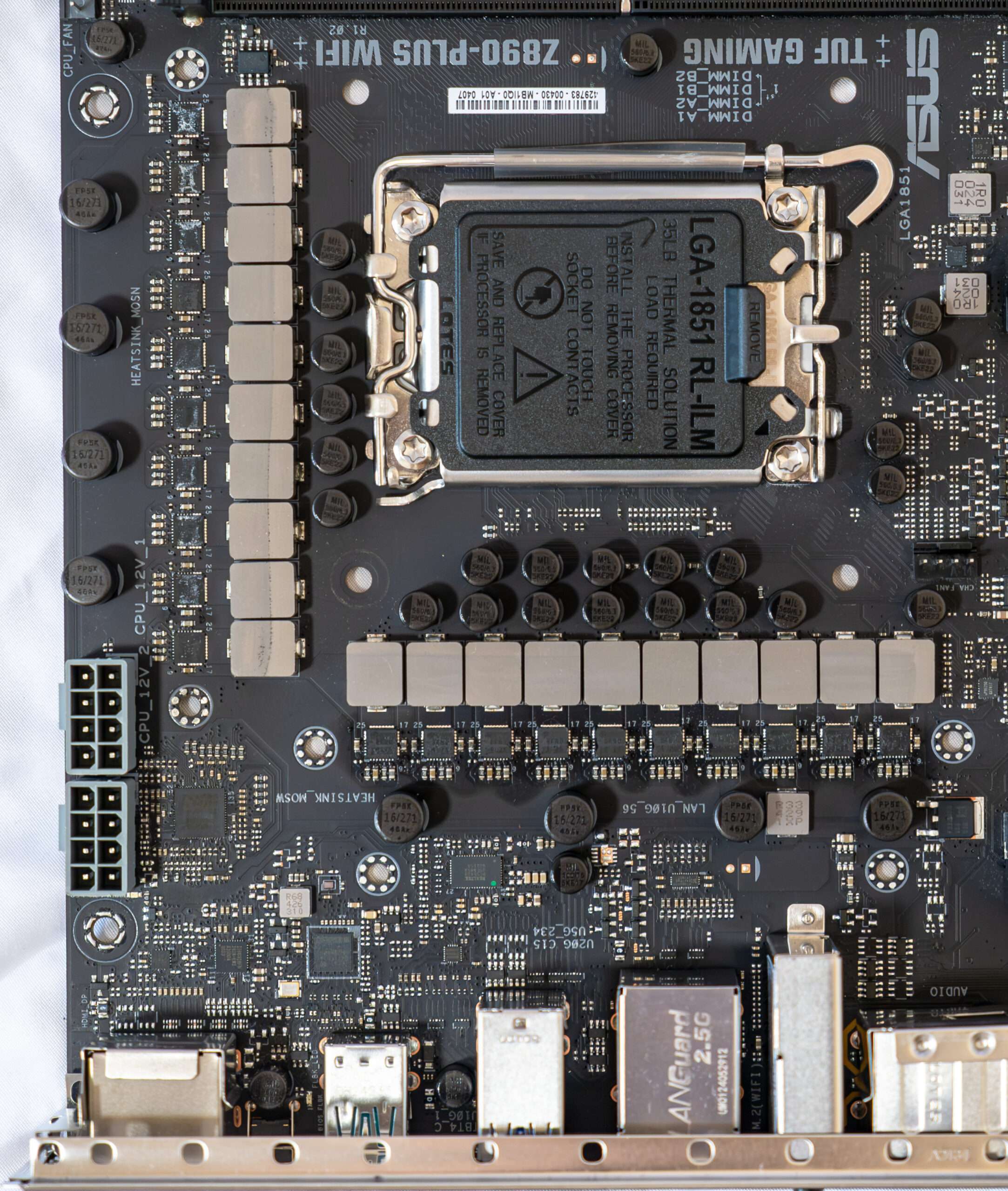
The processor power supply circuit is designed according to the 16+1+2+1 scheme (a total of 20 phases: 16 on VCore (processor core), 1 on iGPU (integrated graphics core), 2 on VCCSA (System Agent, ring bus) and 1 on VNNAON (power saving management).
- Sixteen VCore phase channel has a superferrite choke and 4L26(80 A) from Alpha & Omega
- One VCCGT phase channel has a superferrite choke and 4L26(80 A) from Alpha & Omega
- Two VCCSA phase channel has a superferrite choke and 4L26(80 A) from Alpha & Omega
- One VCCAON phase channel has a superferrite choke and 4L26(80 A) from Alpha & Omega

The control of the VCore, VNNAON, and iGPU circuits is managed by the proprietary Digi+ ASP2442GQW PWM controller.
- One Intel JHL9040R for ThunberBlot 4/ USB 4 interface with Power Delivery support
- One IT66318FN is a HDMI 2.0 Retiming buffer that support up to 6.0 Gbps signaling
- One 3532GABB 420 is a Display Port Retiming buffer chip
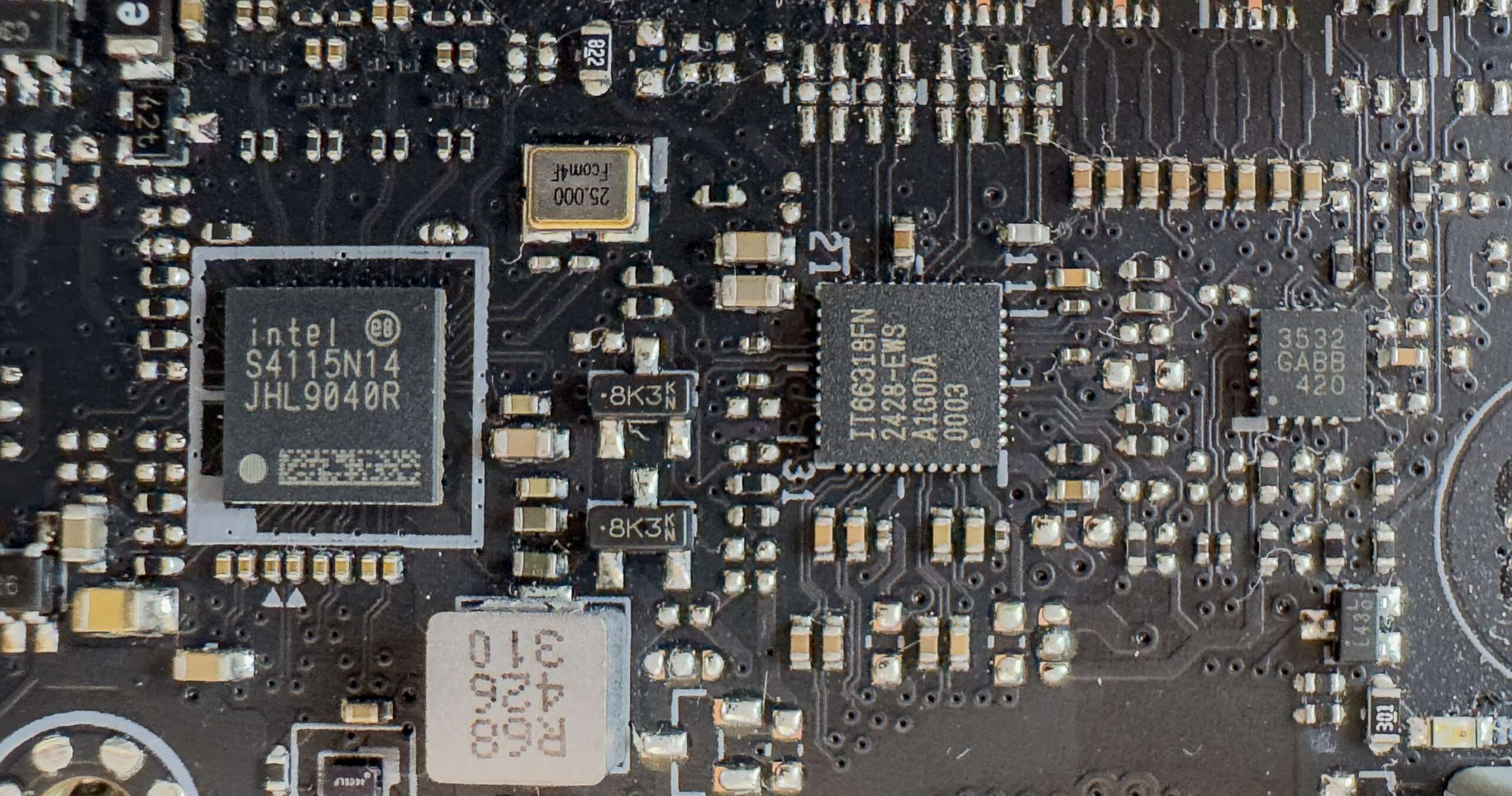
- One Realtek RTS5439 chip is used to support Power Delivery (PD) and other functions of the Type-C interface.
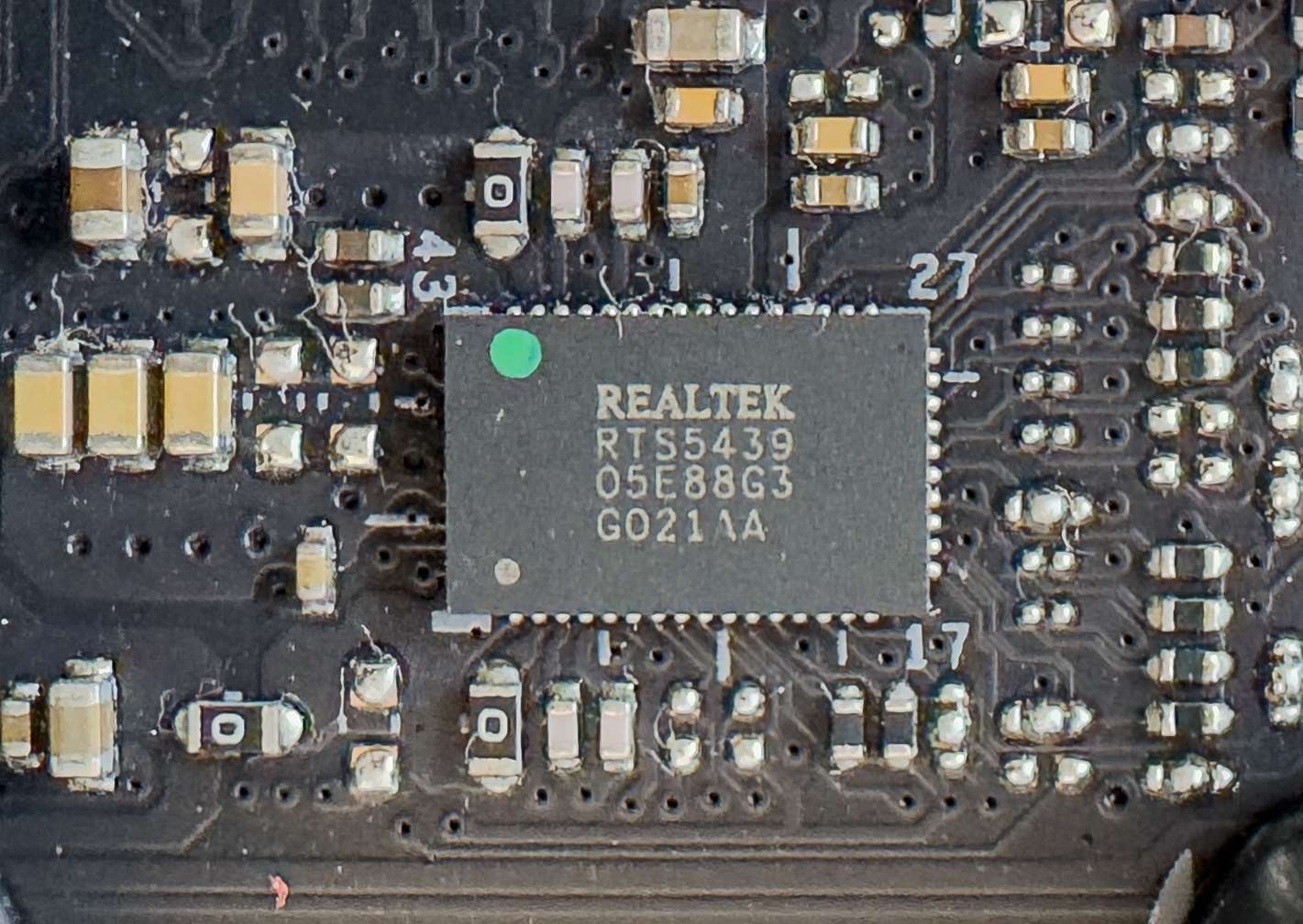
- One Realtek RTS5424 is an advanced USB3.2 Gen2x1 Hub controller that functions as a 2-Port USB3.2.
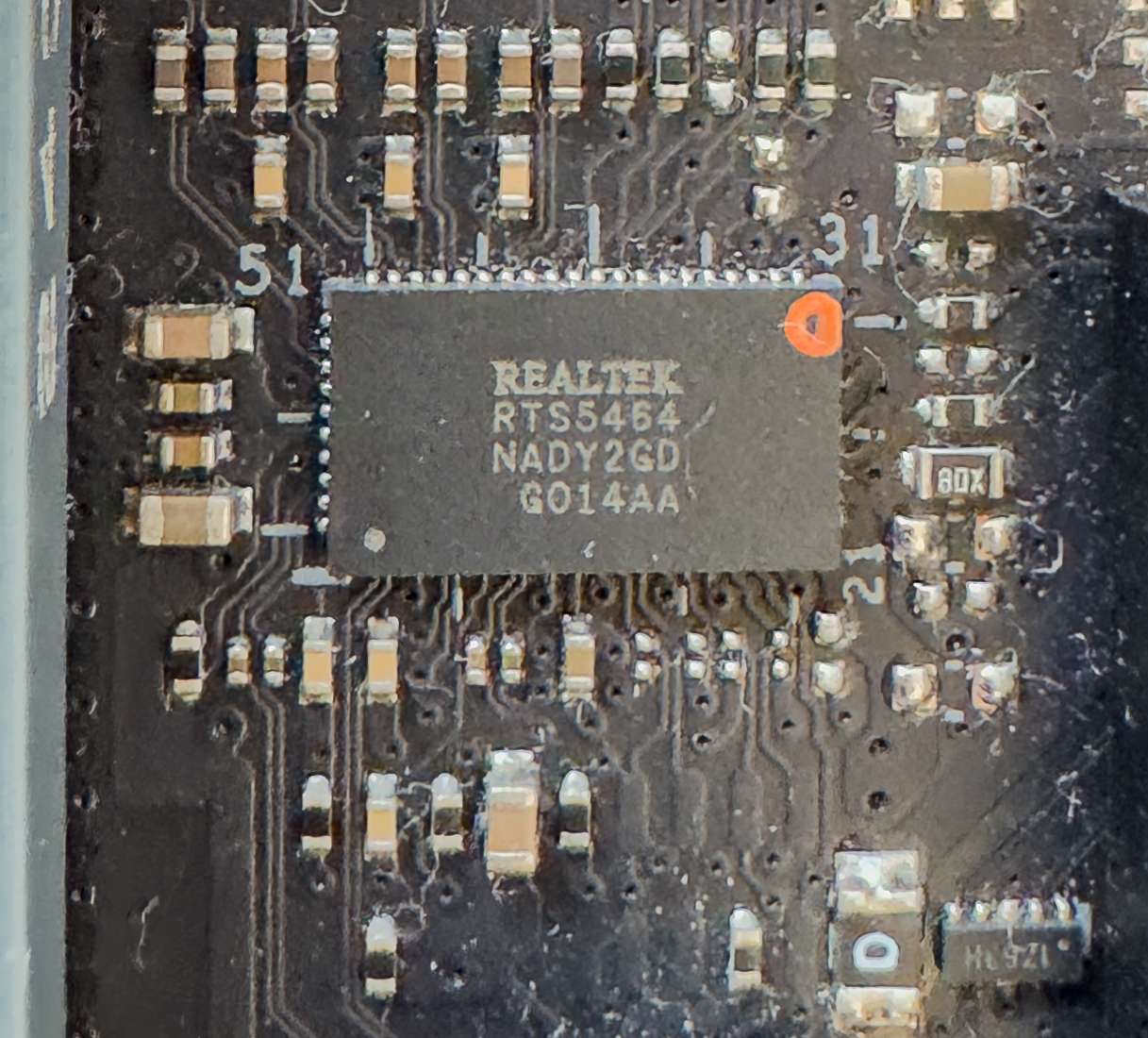
- Intel S3243L12 is a 2.5Gbe LAN
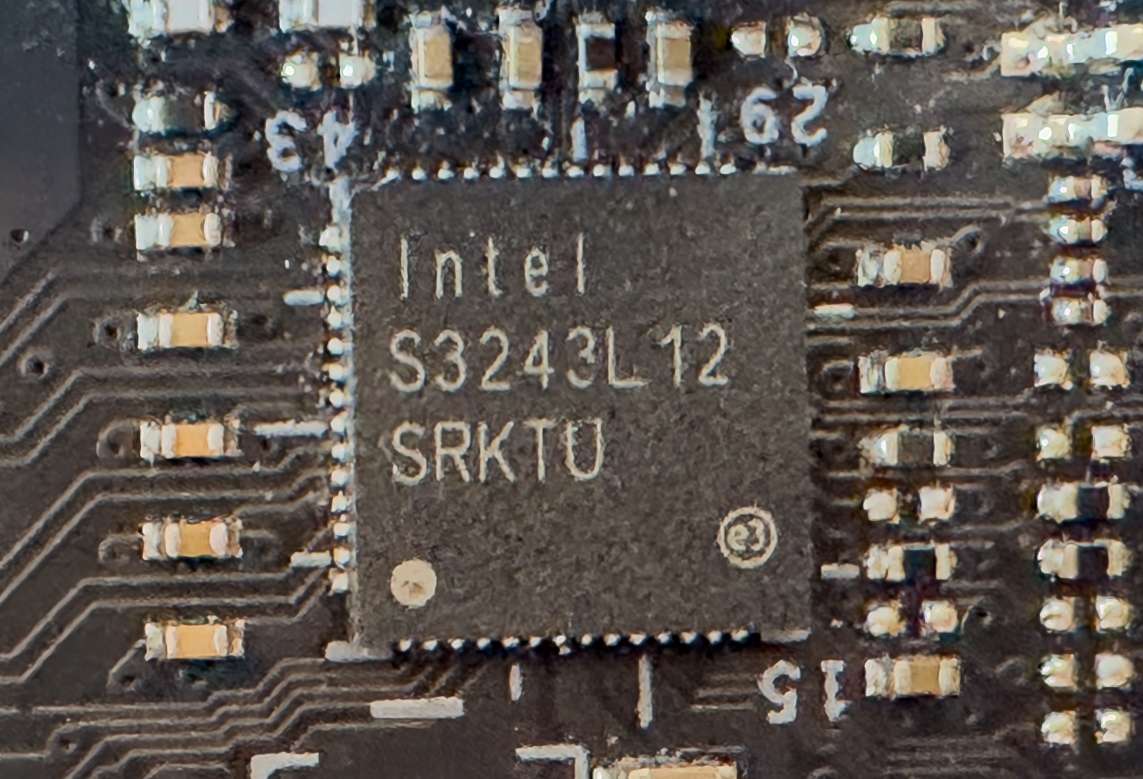
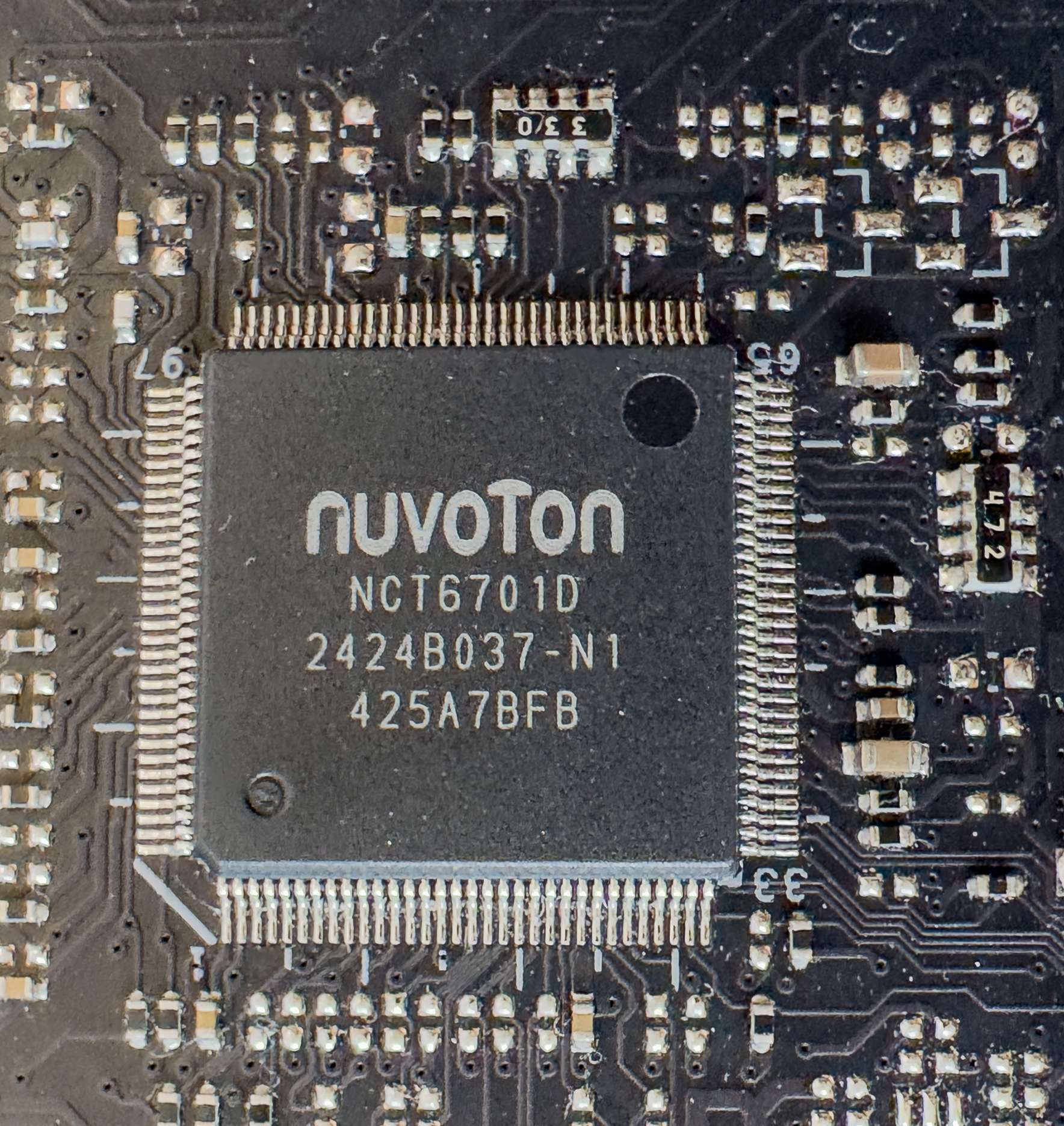
The Nuvoton NCT6701 controller is responsible for monitoring the motherboard’s status and coordinating the operation of all CO (Centralized Onboard) sockets.
3 ARGB LED at the back of the PCB

How We Test ASUS TUF Z890-PLUS WIFI?
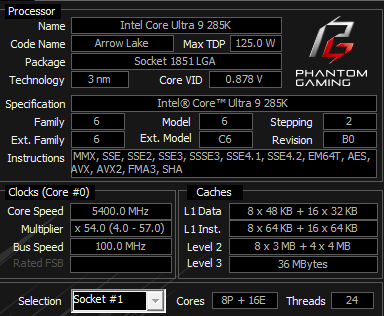
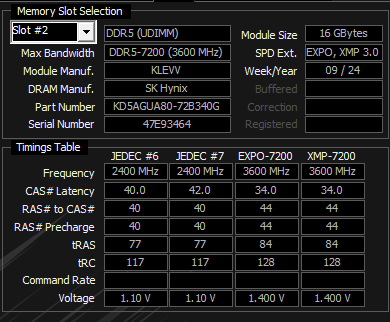
ASUS TUF Z890-Plus WIFI is a mainsteam motherboard from ASUS. As such, our workstation, based on an TUF Z890-Plus WIFI motherboard and Intel Core i9 285K 24 cores 24 threads processor. The ram we will be using KLEVV DDR5 7200Mhz memory kit. ASUS ROG STRIX RTX4080 and ADATA PCIe 4.0 1TB SSD is used as well to run with benchmark. On the Comparison, we will be using ASUS ROG Z790 APEX with Intel Core i9 13900k @ 6Ghz to run side by side to see perform better.
| System 1 | System2 | |
| Motherboard | ROG Z790 APEX ENCORE | TUF Z890-PLUS WIFI |
| Processor | Intel Core i9 13900K Delid Copper ISH @6Ghz offset -0.03 | Intel Core Ultra9 285K – Intel Default |
| Ram | ADATA DDR5 32GB 6000Mhz CL30 | KLEVV DDR5 32GB 7200Mhz CL34 |
| SSD | Samsung 980Pro 2TB NVMe PCIe Gen4 | Lexar NM790 1TB NVMe PCIe Gen4 |
| Graphics | ROG STRIX RTX4080 OC | ROG STRIX RTX4080 OC |
| Cooler | ARTIC Cooling III AIO 360mm With Liquid Metal | EK-D AIO 360 III 360mm With Liquid Metal |
| BIOS | 1801 | 1401 |
| OS | Windows 11 64bits 24H23 Build 26100.3037 | Windows 11 64bits 25H2 Build 26200.7623 |
System Information
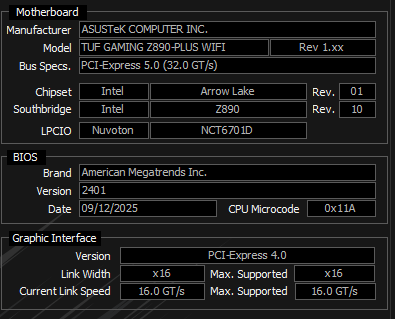
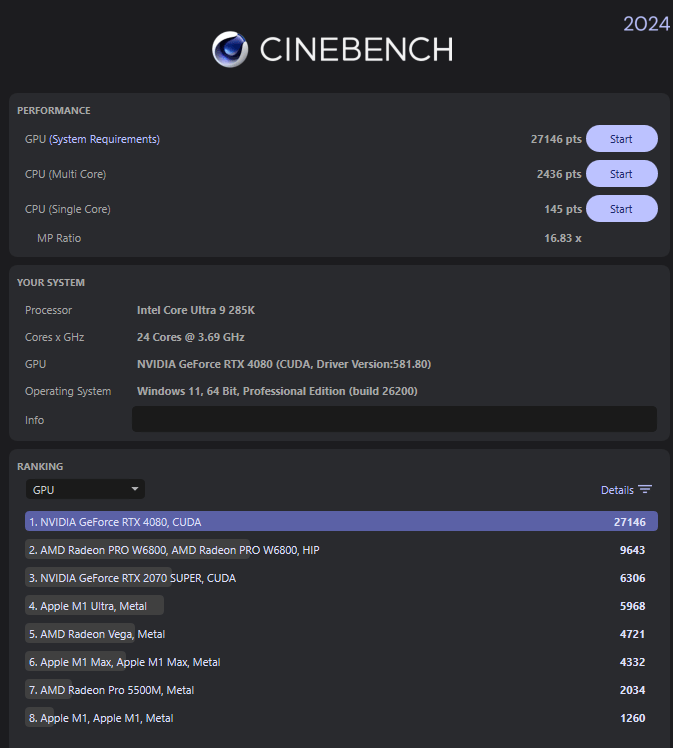
Cinebench R24
Improvements to Cinebench Release 24 reflect the overall advancements to CPU and rendering technology in recent years, providing a more accurate measurement of Cinema 4D‘s ability to take advantage of multiple CPU cores and modern processor features available to the average user
| GPU | CPU Multi Core | Single Core | |
| ROG Z790 APEX ENCORE | 27225 | 2211 | 133 |
| TUF Z890-PLUS WIFI | 21146 | 2436 | 145 |
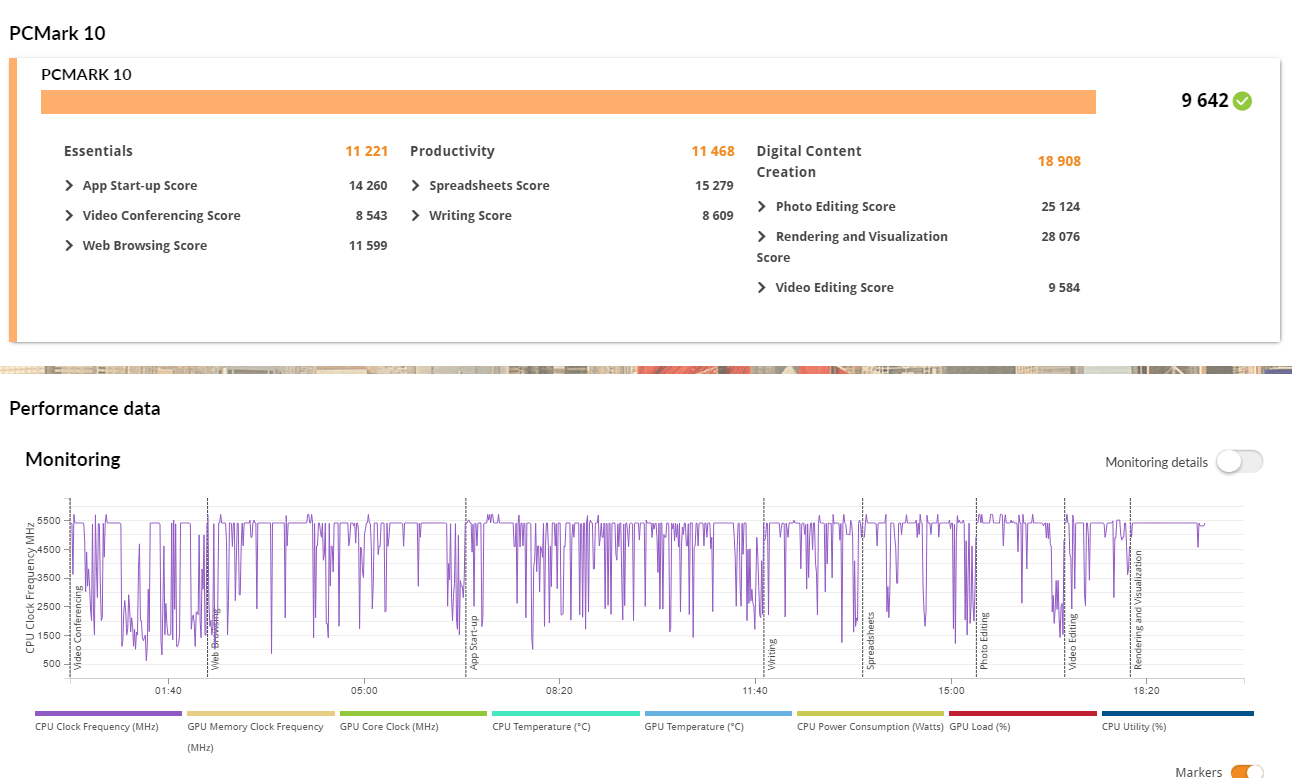
PCMark 10
PCMark 10 features a comprehensive set of tests that cover the wide variety of tasks performed in the modern workplace. With a range of performance tests, custom run options, Battery Life Profile, and new Storage benchmarks, PCMark 10 is the complete PC benchmark for the modern office.
| Essentials | Productivity | Digital Content Creation | Score | |
| ROG Z790 APEX ENCORE | 11569 | 11819 | 15693 | 9247 |
| TUF Z890-PLUS WIFI | 11221 | 11468 | 18908 | 9642 |
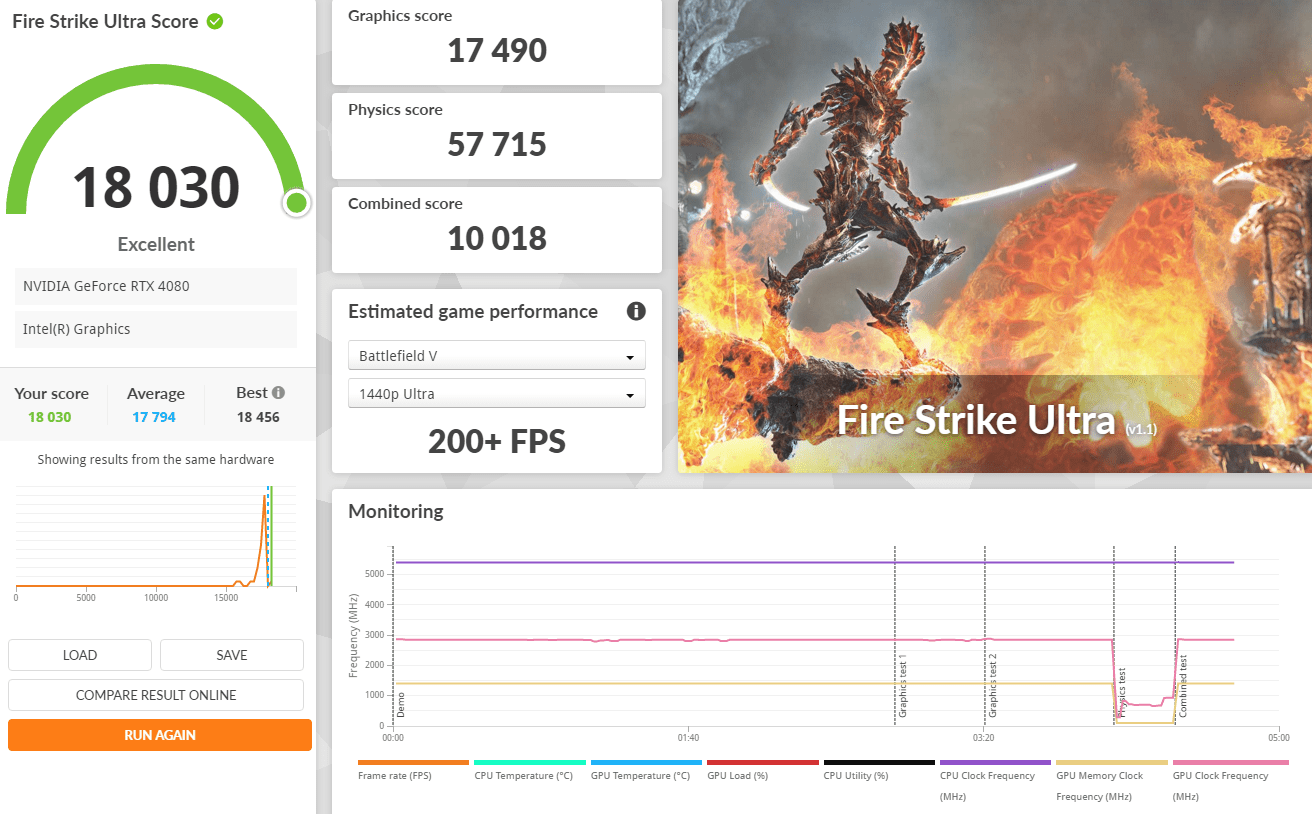
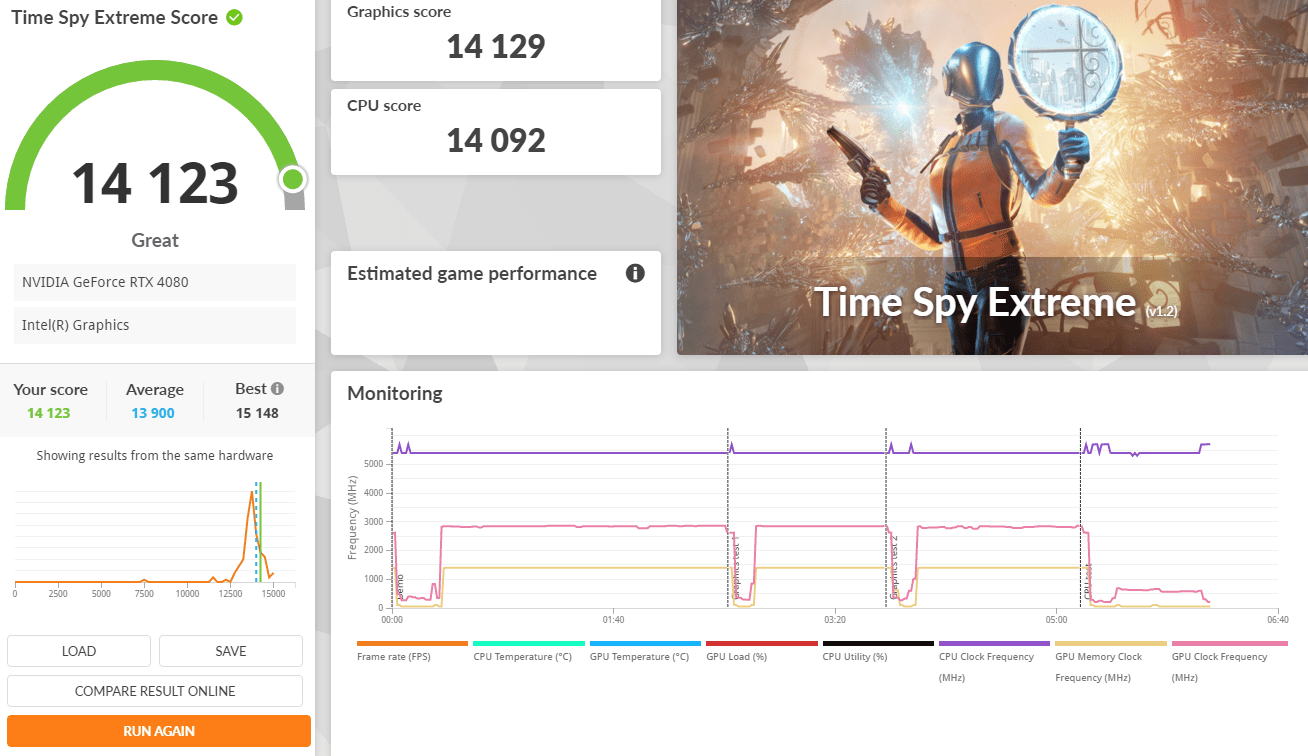
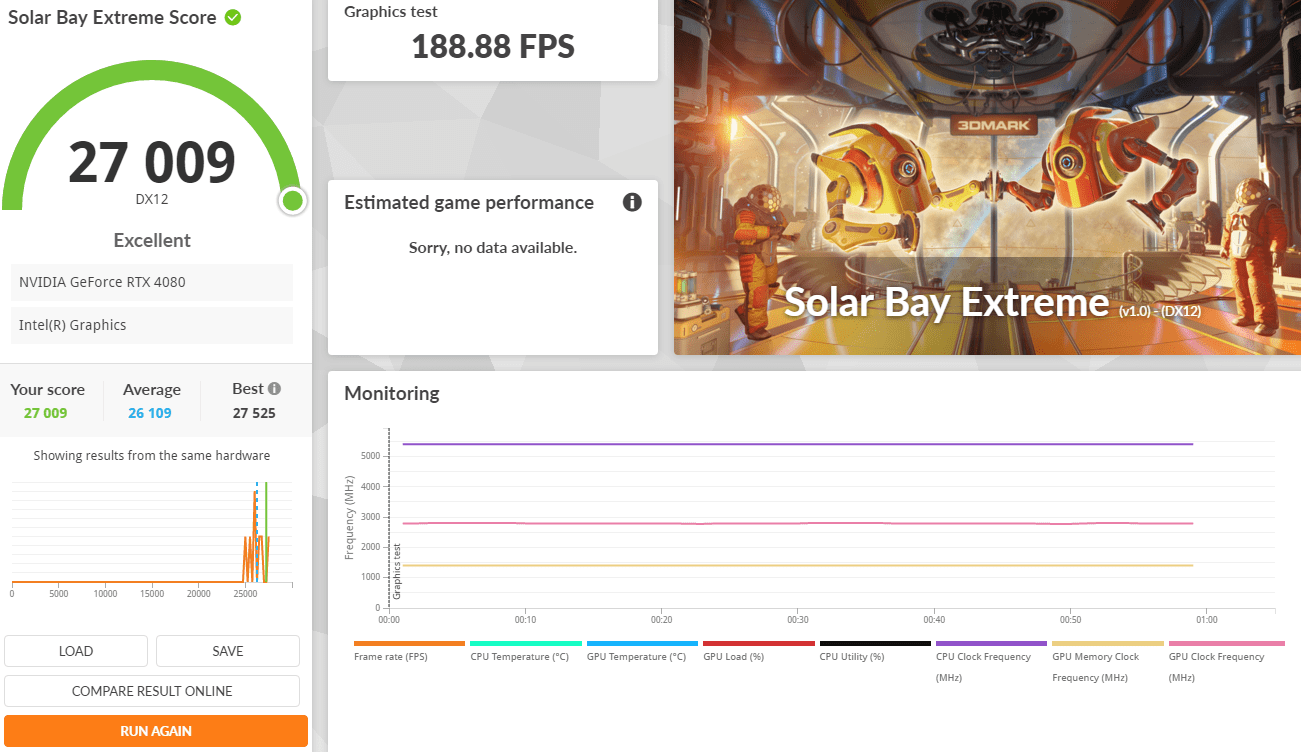
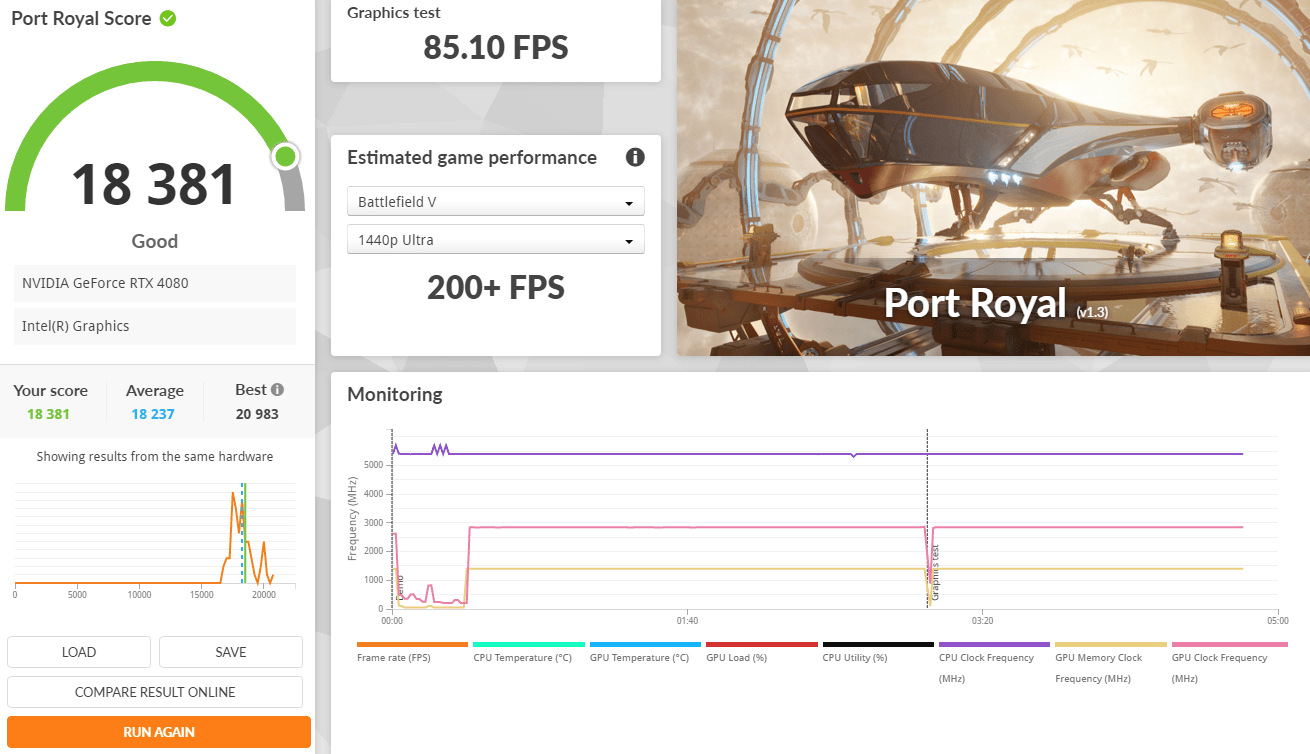
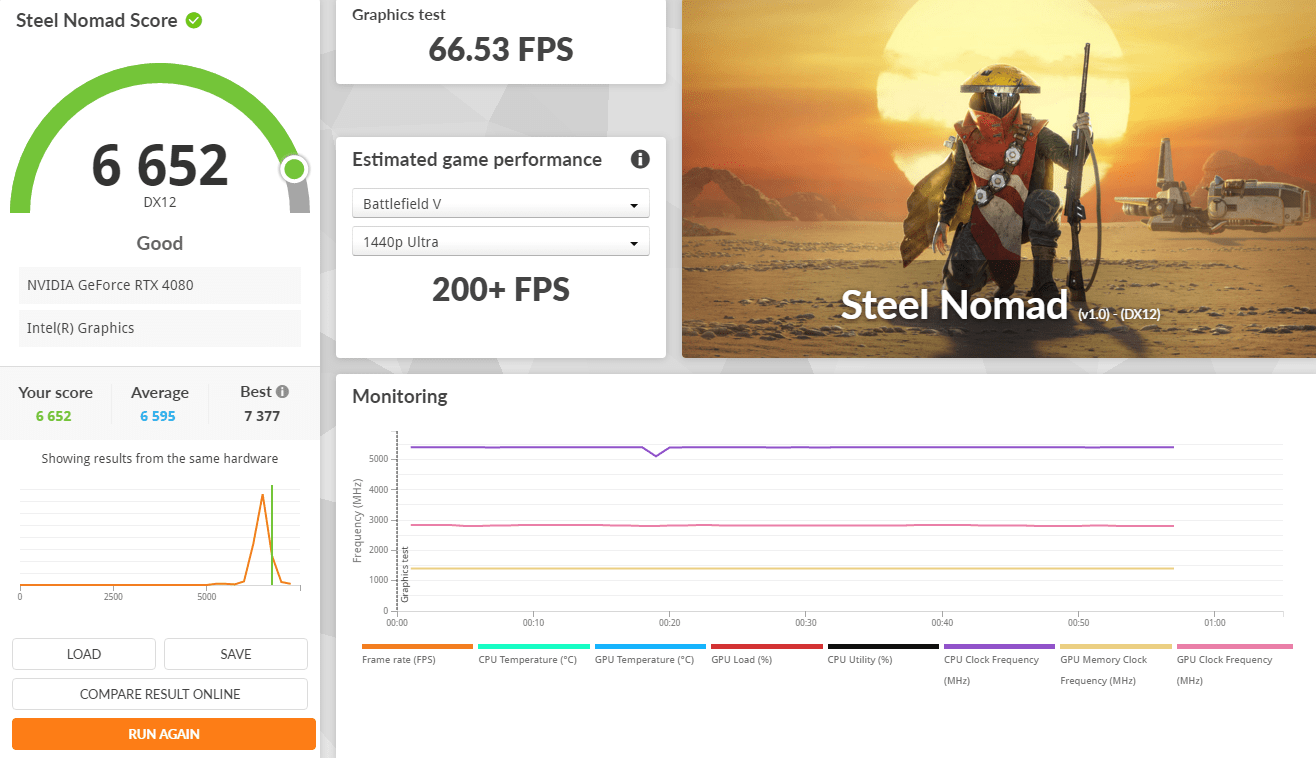
3Dmark Advanced Edition
3DMark includes everything you need to benchmark your PC and mobile devices in one app. Whether you’re gaming on a smartphone, tablet, notebook, or a desktop gaming PC, 3DMark includes a benchmark designed specifically for your hardware.
| ROG Z790 APEX ENCORE | TUF Z890-PLUS WIFI | |
| Fire Strike Ultra | 17619 | 18030 |
| Time Spy Extreme | 13739 | 14123 |
| Solar Bay | 135018 | 27009 |
| Port Royal | 18172 | 18321 |
| Steel Nomad | 6675 | 6652 |
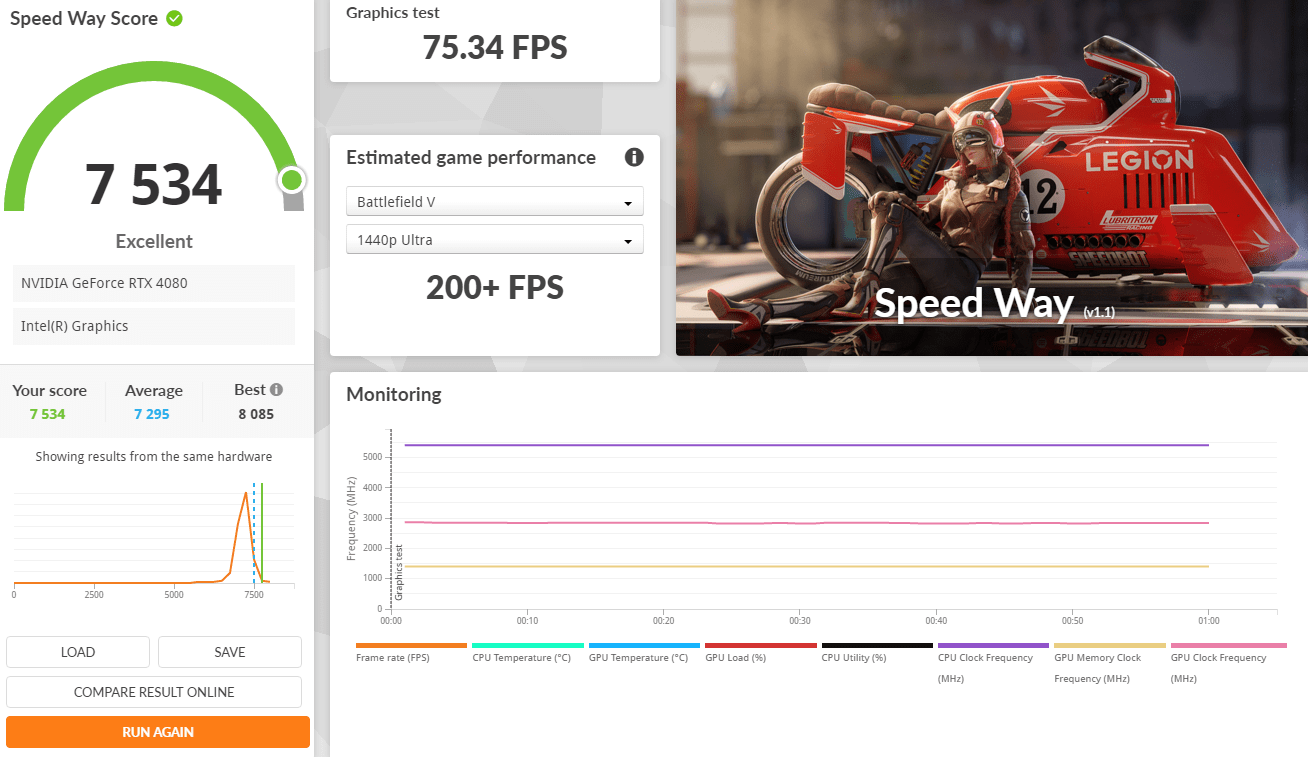
| Speed Way | 7408 | 7534 |
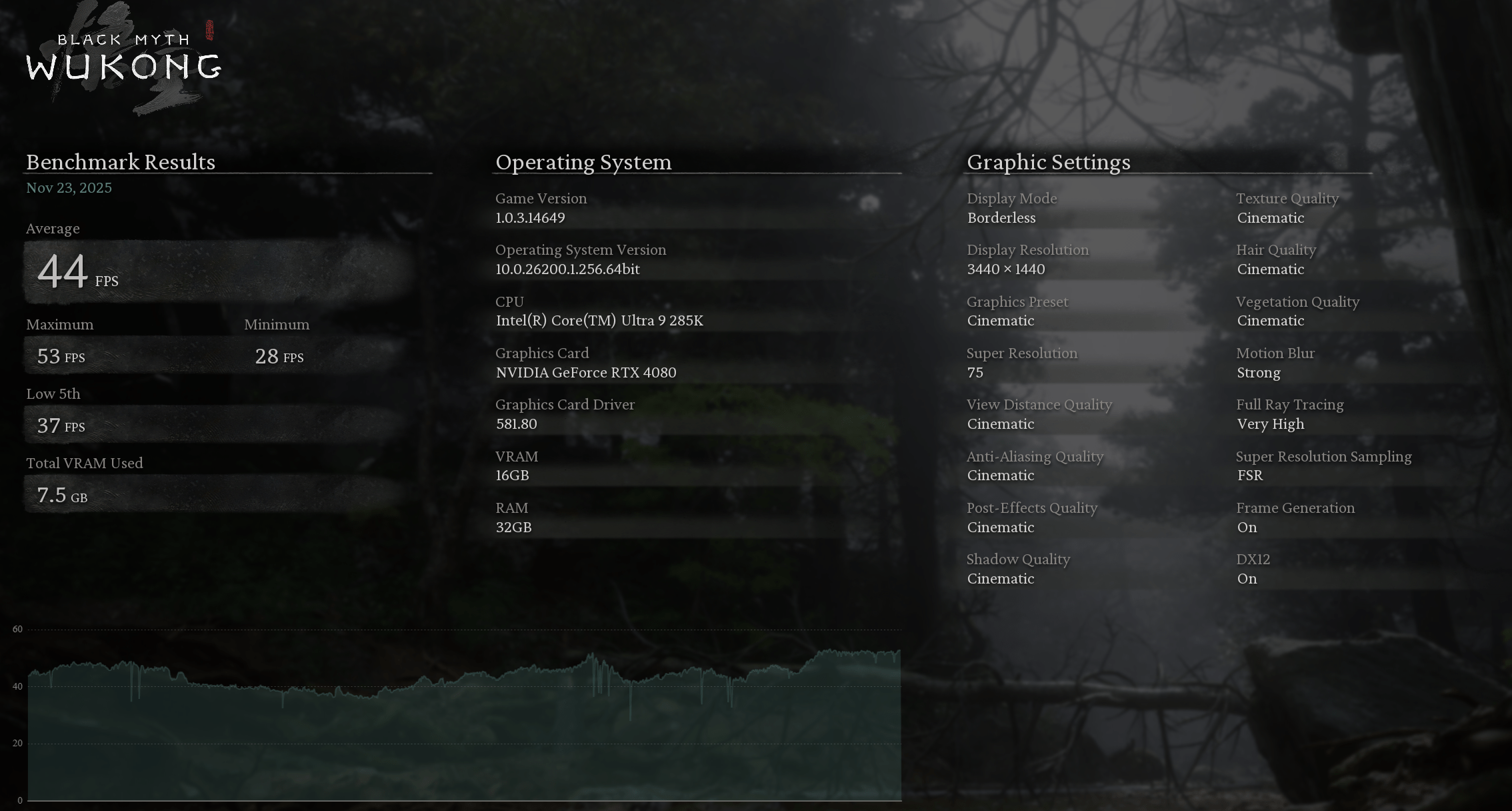
“Black Myth: Wukong”. It evaluates your hardware performance and system compatibility through the real-time rendering of an in-game sequence
| ROG Z790 APEX ENCORE | TUF Z890-PLUS WIFI | |
| Average FPS | 81 | 44 |
| Maximum FPS | 95 | 53 |
| Minimum FPS | 68 | 28 |
| Low 5th FPS | 71 | 37 |
FarCry 6
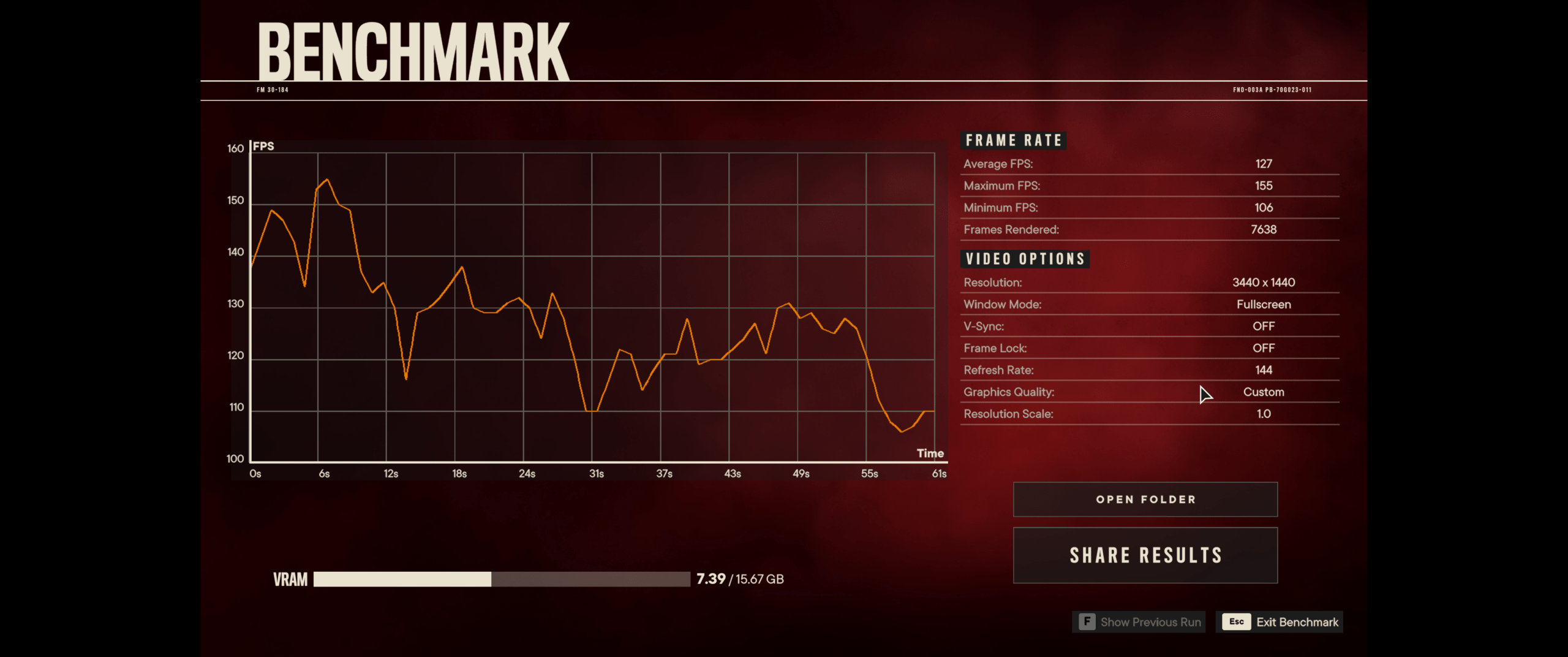
Far Cry 6 supports ray tracing at launch, with the ability to enable DXR reflections and DXR shadows. But because DXR shadows are kind of pointless and not worth the performance hit, we haven’t tested with them enabled, but I have taken a look at DXR reflections, so we’ll look at that shortly using supported hardware.
| Benchmark | ROG Z790 APEX ENCORE | TUF Z890-PLUS WIFI |
| Average FPS | 125 | 127 |
| Maximum FPS | 150 | 155 |
| Minimum FPS | 103 | 106 |
| Frames Rendered | 7603 | 7638 |
Ghost Recon Breakpoint
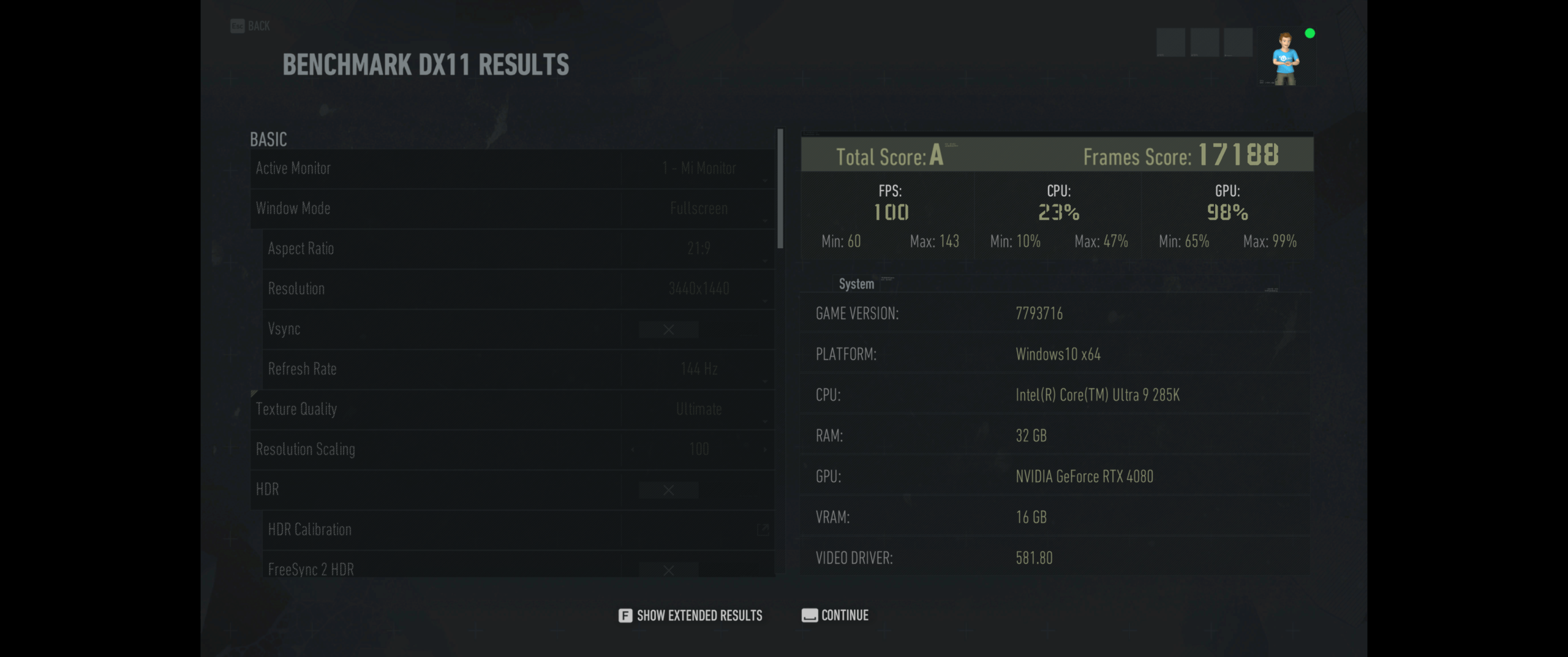
Ghost Recon Breakpoint is a military shooter set in a diverse, hostile, and mysterious open world that you can play entirely solo or in four-player co-op.
| Benchmark | ASUS ROG RTX4080OC | TUF Z890-PLUS WIFI |
| Score | S | A |
| FPS | 150 | 100 |
| Frames Score | 25953 | 17188 |
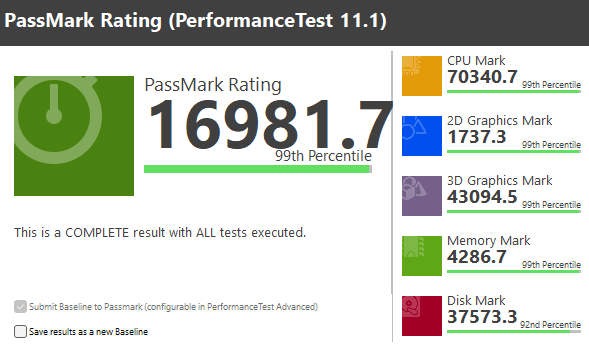
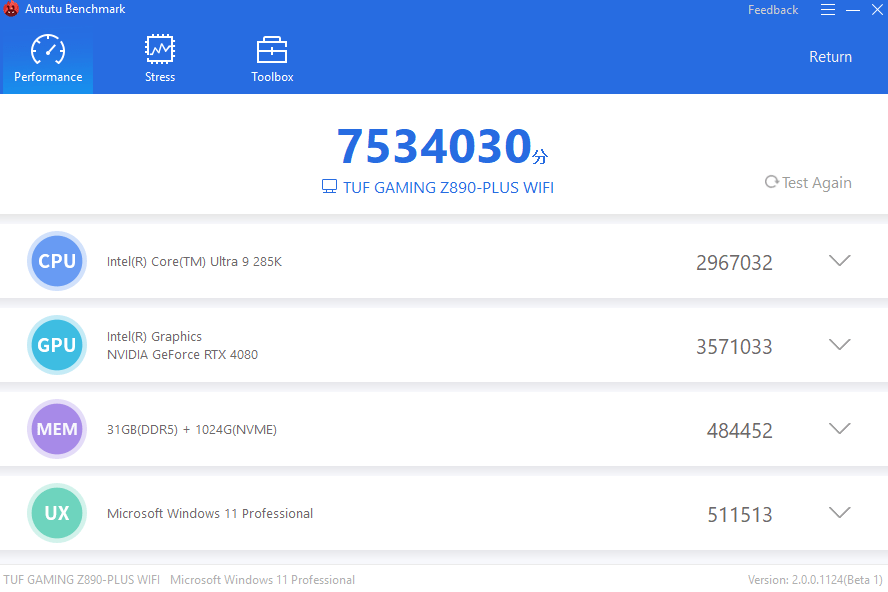
AnTuTu is a benchmarking app used to test and score the overall performance of smartphones and other devices, evaluating components like CPU, GPU, memory, and user experience (UX) through stress tests, helping users compare a phone’s raw power for tasks like gaming and multitasking, though scores should be balanced with real-world usage.
Should you buy ASUS TUF Z890-Plus WIFI Motherboard?
The ASUS TUF GAMING Z890-PLUS WIFI delivers exactly what the TUF Gaming lineup is known for—strong build quality, stable performance, and a focus on long-term reliability. Built on Intel’s Z890 platform, it pairs a robust power delivery design and comprehensive cooling solutions with support for modern technologies such as DDR5 memory, PCIe 5.0 expansion, and next-generation WiFi 7 connectivity, ensuring a truly future-ready platform.
Rather than prioritizing flashy aesthetics, ASUS emphasizes durability, expandability, and usability. Features such as multiple M.2 slots with dedicated heatsinks, high-speed USB connectivity, and integrated WiFi 7 for ultra-low latency and higher wireless throughput make the Z890-PLUS WIFI well-suited for both gaming and productivity workloads, especially for users who rely on fast and stable wireless networking.
Overall, the ASUS TUF GAMING Z890-PLUS WIFI stands out as a well-balanced Z890 motherboard that offers excellent value in its class. For gamers and power users seeking a reliable, no-nonsense platform with cutting-edge wireless technology and proven TUF durability—without moving up to more expensive ROG alternatives—this motherboard is an easy recommendation.
ASUS TUF Z890-Plus WIFI
559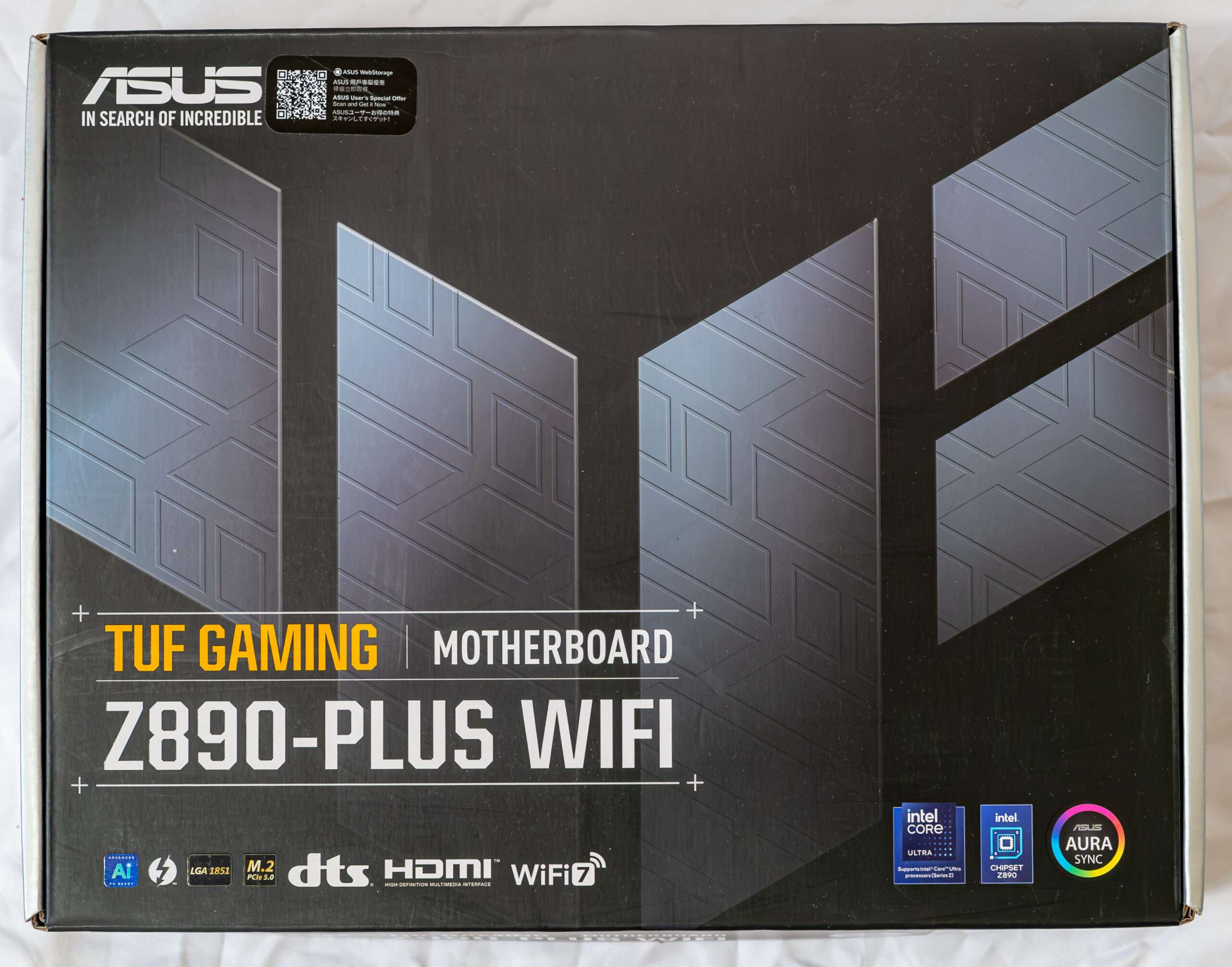
Pros
- 8 Layer PCB
- 20 Power Phase 80A
- Good Hardware Component
- WIFI 7
Cons
- 285K Slightly Faster Over Previous Intel Processor