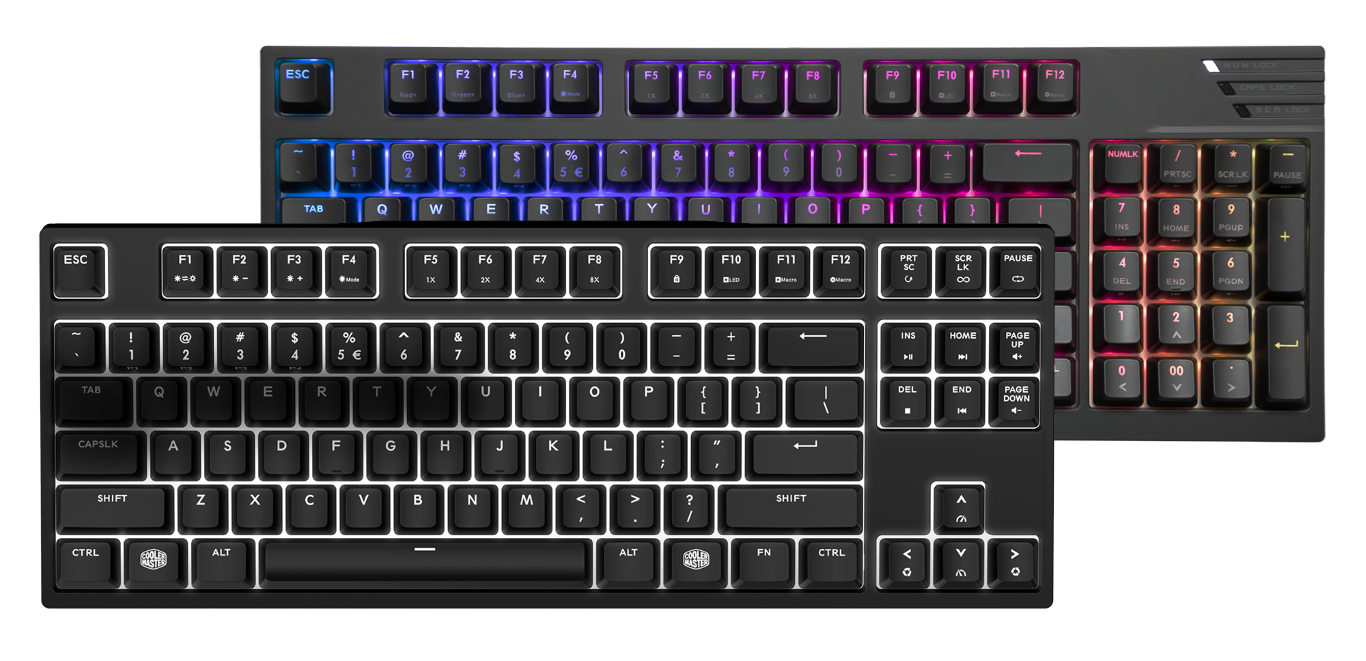
- MasterKeys Pro M RGB – 90%, layout design with CHERRY MX switches and RGB backlighting
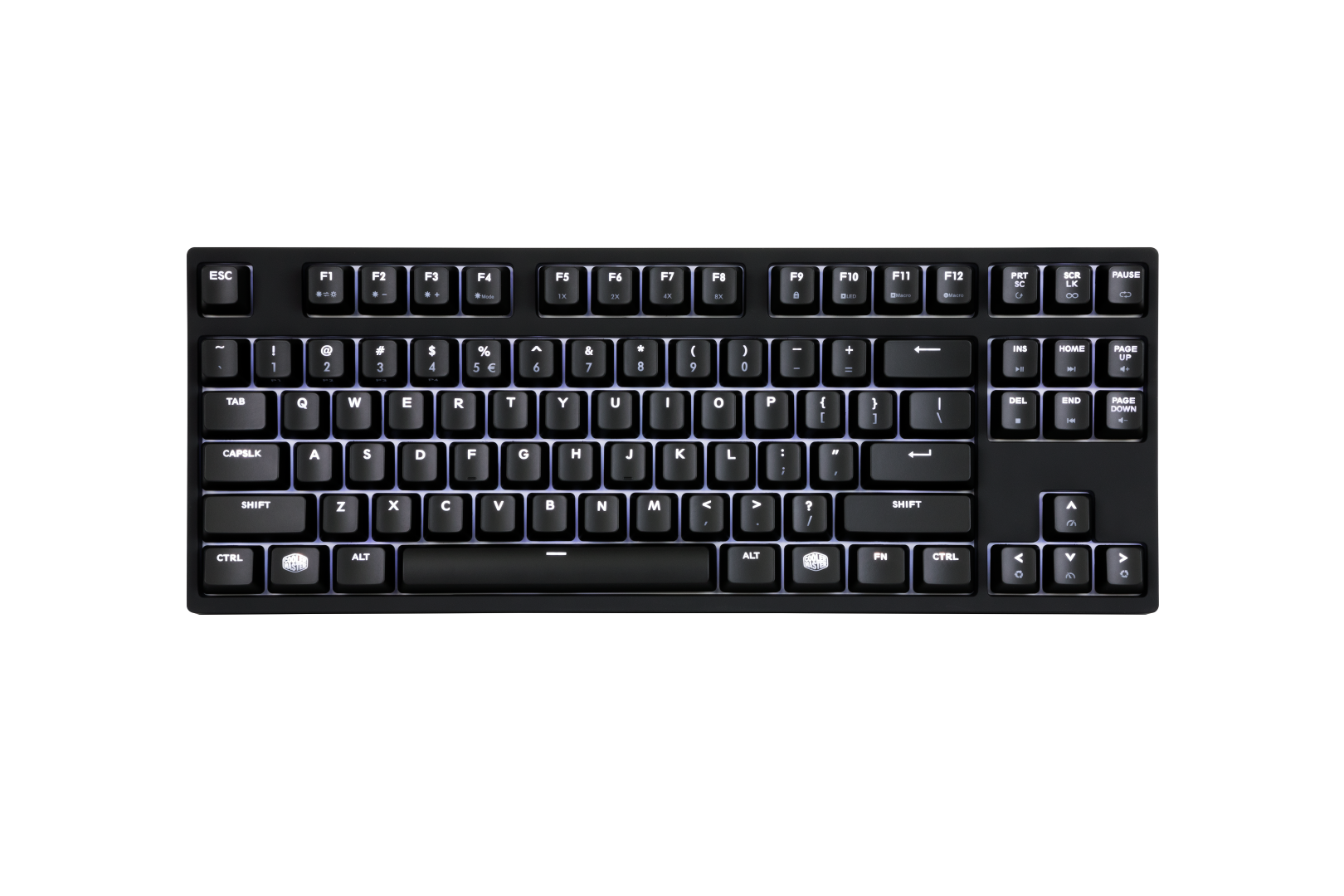
- MasterKeys Pro S White – 80% (tenkeyless) layout with CHERRY MX switches, white LED backlighting
SINGAPORE – Cooler Master, a leader in design and manufacturing computer components and peripherals is pleased to announce the launch of two new keyboard selections for dedicated and hardcore gamers, thus completing its keyboard portfolio. The MasterKeys Pro M RGB radiates over 16.7 million colors adding to user customization while the MasterKeys Pro S White produces a crisp, clearer white that an RGB keyboard cannot deliver. Both mechanical keyboards are equipped with profile support, on-the-fly customization to save macros and settings hassle free without the use of software. Multiple lighting modes including color wave and breathing, anti-ghosting technology, and 50 million keystroke lifespan CHERRY MX switches available in blue, brown, red and silver.
“With the addition of these two keyboards, we’re able to complete our entire MasterKeys Pro portfolio to make choosing a keyboard even easier,” says Carter Salley, Peripherals Product Manager. “Pick a size, pick a color. As simple as that. Small, medium or large, white LEDs or RGB. No matter your size preference or lighting choice, we have the perfect match for those looking for sleek, minimalistic keyboards.”
Unique Layout
Built to last, the unique 90% (TK) form factor of the MasterKeys Pro M RGB combines the numeric pad and arrow editing keys into one single block allowing the keyboard to deliver the same functionality as a full-size keyboard while having the footprint of a tenkeyless layout and offering the freedom of more space. The tenkeyless (TKL) layout and minimalistic design of the MasterKeys Pro S White grants extra desk space, makes the board easily portable, comfortably positions the hands closer together when gaming, and allows expeditious movements due to the shorter distance between mouse and typing.
On-the-fly System to adjust lighting modes
The intuitively placed function keys layer allows you to manually adjust the lighting speed and mode to match your personal taste. The built-in power of the ARM Cortex M3 on the MasterKeys Pro M RGB and M0 on the MasterKeys Pro S White makes repeat rate adjustments, multimedia keys, and macro recording easy to control at your fingertips. To alter the lighting mode, press FN + left or right arrow keys with the anti-clock wise icons. You can also modify the light speed by pressing FN + the top and down arrow keys with the speed icon. Whatever your style or preference, it can be altered at the tip of your fingers, without the need to install or use software.
Suitable for Work and Play
The keyboards come with a default and gaming profile modes. While working or doing homework you can disable gaming macros and lighting modes by pressing FN + ESC to enter default mode and prevent the use of any macro’s. When you’re ready to get back into the game, use the four dedicated profiles for all your lighting and macros for a quick and easy switch to boost your performance. The Status Indicator System, by holding down the FN key, makes it easy to navigate the On-the-fly System and easily change settings and profiles by just glancing at the keyboard.
Exclusive Anti-Ghosting Technology
Two advanced technologies rolled into one making the keyboard’s functions and macros compatible even on Mac OSX systems. Cooler Master has combined N-key and 6-key rollover together, ensuring each key press is correctly detected regardless of how many keys are pressed. Rest assured, regardless of how fast and furious it gets, or on whatever OS you choose to game, the MasterKeys Pro series can handle it.
Complete MasterKeys Pro Portfolio in Singapore
The range of MasterKeys Pro series is now available locally.
- MasterKeys Pro L RGB Crystal Edition : SGD 249
- MasterKeys Pro L RGB / White : SGD 239 / 159
- MasterKeys Pro M RGB / White : SGD 219 / 149
- MasterKeys Pro S RGB / White : SGD 199 / 139